Understanding the Developer User Experience Challenge
Modern web development has evolved into a highly collaborative field where developers constantly share code snippets, configuration examples, and implementation patterns through documentation websites, tutorial platforms, and technical blogs. The traditional approach of presenting code within static text blocks creates unnecessary friction for users who must manually select, copy, and paste code segments while risking formatting errors or incomplete selections that can lead to implementation mistakes.
Students entering the technology industry often underestimate the importance of seemingly minor user experience enhancements that significantly impact how professional developers interact with technical content. The ability to instantly copy code examples demonstrates attention to detail and understanding of developer workflows that employers value highly when evaluating frontend development capabilities and user experience design sensibility.
It is impossible to highlight and copy code blocks when you are unable to use your hands, highlighting the accessibility benefits that clipboard copy functionality provides to developers with disabilities or physical limitations. This consideration reflects the broader industry emphasis on inclusive design practices that ensure technical resources remain accessible to all users regardless of their physical capabilities or assistive technology requirements.
Technical Implementation Fundamentals
Modern Clipboard API Integration
The contemporary approach to clipboard functionality leverages the modern Clipboard API, which provides secure, asynchronous methods for interacting with the system clipboard without requiring user permissions for basic copy operations. This API represents a significant improvement over older techniques that relied on deprecated methods or third-party libraries with security vulnerabilities and browser compatibility issues.
JavaScript implementation begins with feature detection to ensure browser compatibility while providing graceful fallbacks for older environments that may not support modern clipboard APIs. The writeText() method provides the core functionality for copying plain text content to the clipboard, returning promises that enable proper error handling and user feedback implementation.
Security considerations require understanding the clipboard API's restrictions regarding HTTPS requirements and user interaction contexts that prevent malicious websites from reading clipboard contents without explicit user consent. These security measures demonstrate the importance of understanding web security principles when implementing seemingly simple features that interact with system-level functionality.
DOM Manipulation and Event Handling
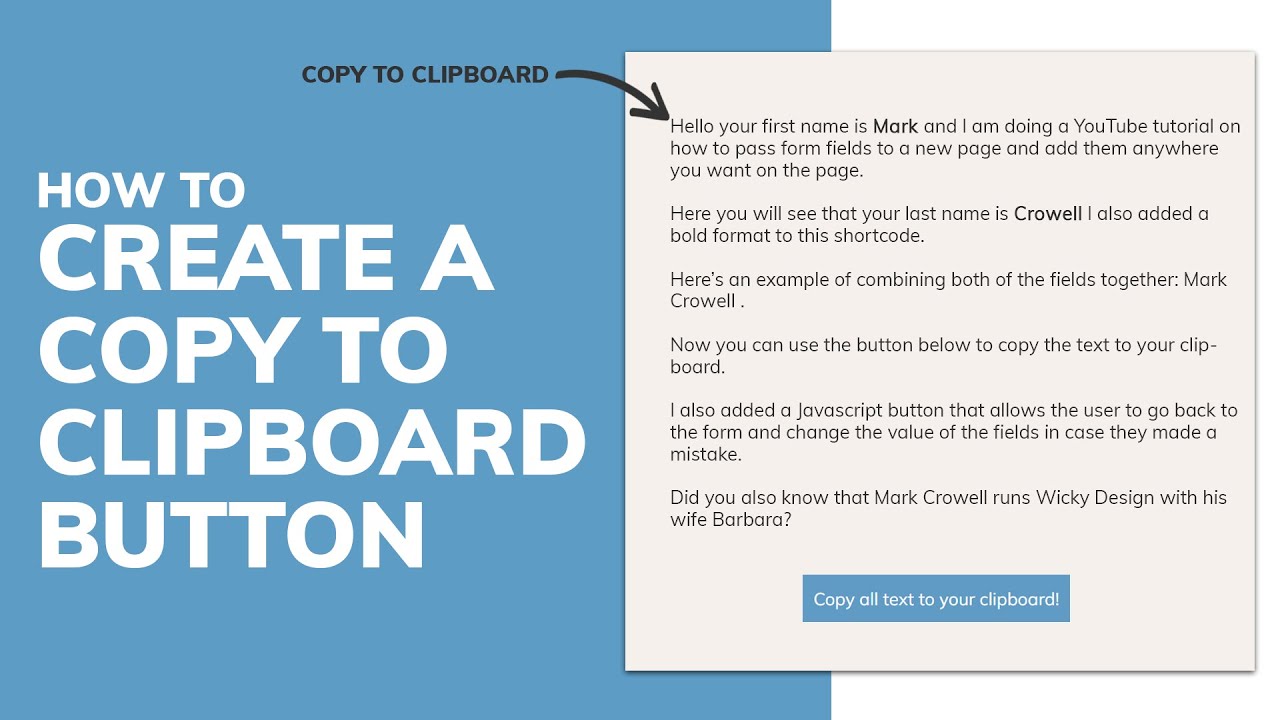
Effective clipboard copy button implementation requires sophisticated DOM manipulation techniques that identify code block content, create appropriate button elements, and handle user interactions through event listeners that respond to click events while providing visual feedback. The simplest way to provide feedback to the user that the copy action is done is to change the text of the button, ensuring users understand when copy operations complete successfully.
Dynamic button generation enables automatic enhancement of existing code blocks without requiring manual HTML modifications for each snippet. JavaScript can iterate through all code blocks on a page, inject copy buttons with appropriate styling and positioning, and attach event listeners that handle clipboard operations while maintaining clean separation between content and functionality.
Event delegation patterns provide efficient handling of multiple copy buttons while minimizing memory usage and improving performance for pages containing numerous code examples. This approach demonstrates advanced JavaScript programming techniques that scale effectively as content complexity increases.
Advanced Styling and User Interface Design
CSS Integration and Visual Design
Professional clipboard copy button implementation requires careful attention to visual design that integrates seamlessly with existing code block styling while maintaining clear visual hierarchy and intuitive user interaction patterns. CSS positioning techniques enable buttons to appear within code blocks without disrupting text flow or creating layout inconsistencies across different screen sizes.
Hover effects and transition animations provide visual feedback that guides users toward interactive elements while creating polished, professional appearances that reflect contemporary web design standards. These subtle animations demonstrate understanding of micro-interaction design principles that enhance user experience without creating distracting or overwhelming visual effects.
Responsive design considerations ensure clipboard copy buttons remain functional and visually appealing across various device types and screen orientations. Mobile-specific adaptations may require different button sizing, positioning adjustments, or alternative interaction patterns that accommodate touch-based interfaces effectively.
Accessibility and Inclusive Design
Accessibility implementation requires keyboard navigation support that enables users to activate copy functionality through keyboard shortcuts or tab navigation without relying exclusively on mouse interactions. ARIA labels and semantic markup ensure screen readers can properly identify and describe clipboard copy functionality to visually impaired users.
Focus management becomes crucial for maintaining logical tab order when dynamic buttons are injected into existing content structures. Proper focus handling ensures keyboard users can navigate efficiently while understanding which elements are interactive and how to access their functionality.
Color contrast and visual indicator requirements ensure clipboard copy buttons remain visible and usable for users with various visual impairments or color vision differences. High contrast mode compatibility and reduced motion preferences require additional consideration for comprehensive accessibility support.
Integration with Popular Syntax Highlighting Libraries
Prism.js and Highlight.js Compatibility
Popular syntax highlighting libraries like Prism.js and Highlight.js require specific integration approaches that work with their existing DOM structures and CSS frameworks without interfering with code highlighting functionality. These libraries often wrap code content in complex nested elements that require careful selection and content extraction for clipboard operations.
Plugin architecture considerations enable clipboard copy functionality to be implemented as modular extensions that can be easily enabled or disabled based on project requirements. This approach demonstrates understanding of software architecture principles that prioritize maintainability and customization flexibility.
Custom syntax highlighting themes may require CSS adjustments to ensure clipboard copy buttons integrate visually with different color schemes and layout approaches. Theme compatibility testing becomes important for maintaining consistent user experiences across various visual presentations.
Framework-Specific Implementation Patterns
React implementations leverage component lifecycle methods and hooks to manage clipboard copy functionality while integrating with state management patterns that track copy success states and provide appropriate user feedback. Component encapsulation enables reusable clipboard copy functionality across multiple projects and code block contexts.
Vue.js and Angular frameworks require different approaches to DOM manipulation and event handling that align with their respective architectural patterns and data binding systems. Understanding framework-specific best practices ensures clipboard copy implementations remain maintainable and performant within larger application contexts.
Static site generators like Gatsby, Next.js, and Hugo require build-time considerations that ensure clipboard copy buttons are properly generated and configured during site compilation processes. These implementation details demonstrate understanding of modern web development workflows and deployment strategies.
Performance Optimization and Best Practices
Lazy Loading and Resource Management
Performance optimization for clipboard copy functionality includes lazy loading strategies that defer button creation and event listener attachment until code blocks become visible within the user's viewport. This approach reduces initial page load times while providing seamless functionality when users actually interact with code content.
A modern approach to copy text to clipboard. No Flash. No frameworks. Just 3kb gzipped demonstrates the importance of choosing lightweight solutions that minimize bundle size impact while providing robust functionality. Resource optimization becomes particularly important for educational websites and documentation platforms that may contain extensive code examples.
Debouncing and throttling techniques prevent excessive clipboard operations when users rapidly click copy buttons or navigate between multiple code blocks quickly. These performance considerations demonstrate advanced JavaScript programming skills that ensure smooth user experiences under various usage patterns.
Error Handling and Fallback Strategies
Robust clipboard copy implementation requires comprehensive error handling that gracefully manages scenarios where clipboard access fails due to browser restrictions, security policies, or user agent limitations. Fallback strategies might include manual text selection, alternative copy methods, or clear error messaging that guides users toward successful copy operations.
Browser compatibility testing ensures clipboard copy functionality works consistently across different browsers, versions, and operating systems that developers commonly use. Progressive enhancement approaches provide basic functionality for older browsers while enabling advanced features for modern environments.
Network connectivity considerations become relevant when clipboard copy buttons are part of larger applications that require online functionality. Offline capability and local storage integration may be necessary for maintaining clipboard history or providing copy functionality when internet connections are unreliable.
Industry Applications and Professional Benefits
Documentation and Educational Platforms
Technical documentation platforms extensively utilize clipboard copy buttons to enhance developer productivity and reduce friction when implementing code examples, configuration snippets, and command-line instructions. These implementations often include syntax highlighting, multiple language support, and integration with content management systems that enable non-technical content creators to easily include copyable code examples.
Educational technology platforms leverage clipboard copy functionality to streamline coding tutorials and programming courses where students must frequently copy and modify code examples during learning exercises. Integration with learning management systems and progress tracking enables comprehensive educational experiences that support various learning styles and technical proficiency levels.
API documentation and developer resources particularly benefit from clipboard copy buttons that enable rapid integration testing and prototype development. These professional tools demonstrate understanding of developer workflows and pain points that influence adoption rates and user satisfaction metrics.
Corporate Training and Internal Tools
Enterprise organizations implement clipboard copy functionality within internal documentation systems, training materials, and developer onboarding resources that accelerate employee productivity and reduce support requests related to manual copying errors. These internal tools often require additional security considerations and integration with corporate authentication systems.
Code review platforms and collaborative development tools incorporate clipboard copy buttons to facilitate sharing of code snippets, bug reports, and implementation suggestions between team members. These professional applications demonstrate how user experience enhancements directly impact business productivity and team collaboration effectiveness.
Configuration management and deployment documentation benefits from clipboard copy functionality that reduces manual errors when implementing infrastructure changes, environment configurations, and deployment procedures. These critical applications highlight the importance of accuracy and efficiency in professional development workflows.
Learning Advanced JavaScript with Uncodemy
Comprehensive Frontend Development Training
Uncodemy offers structured learning paths that guide students through advanced JavaScript concepts including DOM manipulation, event handling, and API integration skills necessary for implementing sophisticated user interface enhancements like clipboard copy functionality. Their curriculum emphasizes practical project development that builds real-world skills employers actively seek in frontend developers.
Hands-on projects enable students to implement complete clipboard copy systems from initial concept through deployment and testing, providing portfolio pieces that demonstrate technical proficiency and attention to user experience details. These practical experiences reinforce theoretical concepts while building confidence in professional development scenarios.
Expert instructors bring industry experience and current best practices into the classroom, helping students understand not just how to implement clipboard functionality, but how to design maintainable, accessible solutions that meet professional standards and user expectations.
Modern Web Development Workflows
The training programs incorporate contemporary development tools and workflows including version control systems, automated testing frameworks, and deployment pipelines that mirror professional development environments. Students learn to implement clipboard copy functionality within larger application contexts while managing code quality and performance requirements.
Code review processes and pair programming exercises help students develop collaborative skills while learning to write maintainable JavaScript code that follows industry standards and best practices. These collaborative learning experiences prepare students for team-based development environments where code quality and documentation become crucial for project success.
Testing methodologies including unit testing, integration testing, and accessibility testing ensure students understand how to validate clipboard copy functionality across various browsers and user scenarios. These quality assurance skills become essential for professional developers working on commercial projects with diverse user bases.
Career Development and Industry Connections
Uncodemy's career support services help students leverage their JavaScript and user experience skills for successful placement in frontend development, full-stack engineering, and user interface design roles. Portfolio development guidance emphasizes the importance of demonstrating attention to user experience details that distinguish candidates in competitive job markets.
Industry partnerships provide students with exposure to real client requirements and professional development standards that inform curriculum development while creating networking opportunities. These connections often lead to internship and employment opportunities for students who demonstrate strong technical skills and user experience understanding.
Continuous learning support ensures students stay current with evolving JavaScript APIs, browser capabilities, and user interface design trends that influence career advancement opportunities. The rapidly changing nature of frontend development requires ongoing skill development and adaptation to new technologies and user expectations.
Implementing clipboard copy buttons for code blocks represents a valuable skill that demonstrates technical proficiency, user experience awareness, and attention to detail that employers value highly in frontend developers. Students who master these capabilities through comprehensive training programs like those offered by Uncodemy position themselves for success in roles that require both technical implementation skills and understanding of developer needs. The combination of JavaScript programming expertise and user experience design sensibility creates opportunities across various industries where technical documentation, educational content, and developer tools play crucial roles in business success and user satisfaction.