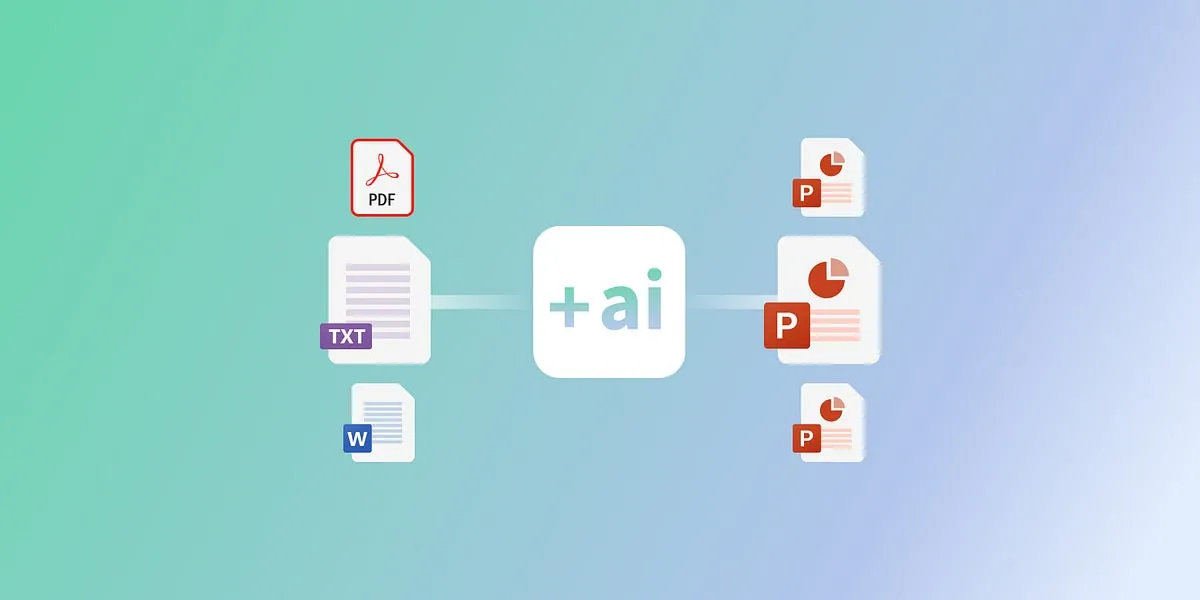
But here’s the good news: we're living in the golden age of smart tech. Enter AI-powered presentation tools. These tools can take the pressure off your shoulders and whip up polished, professional slides in a matter of minutes. Yep, you read that right—minutes, not hours. Whether you're a college student prepping for a seminar, a founder pitching your startup, a team lead running a strategy meeting, or a marketer building a client deck, these tools are a total game-changer.
And we’re not just talking speed. These platforms are smart, intuitive, and some even feel like they're reading your mind (in a non-creepy way, promise). They suggest layouts, design elements, and content structures that actually make sense. What’s more, they’re increasingly user-friendly—you don’t need to be a tech whiz or have a design background to make the most of them.
In this guide, we're breaking down the best AI tools for presentation creation—no fluff, just honest, real-world insights. We’ll explore why they matter, who they’re for, and what makes each one stand out. If this kind of smart tech excites you (and why wouldn’t it?), check out Uncodemy’s Artificial Intelligence Course in Noida. It’s your backstage pass to how these brilliant tools are built—and how you can create your own.
Why Use AI for Presentations?
We’ve all been there—hours spent adjusting text boxes, resizing images, choosing colors, only to end up with a deck that still feels... off. Here’s where AI flips the script:
1. It Saves You Serious Time
AI tools can take your rough ideas and spin them into clean, stylish slides faster than you'd believe. Feed in a few bullet points or even a document, and watch as your deck starts to take shape. It’s almost like having a personal assistant dedicated solely to your presentation needs.
2. No Design Skills? No Problem.
Not everyone is a designer, and that's okay. AI tools offer templates and design guidance that ensures your presentation looks professional—even if you don’t know a thing about spacing, fonts, or color theory. These tools bridge the gap between creativity and execution.
3. Suggestions That Actually Make Sense
These tools don’t just slap your content onto a slide. They analyze it, understand the context, and suggest relevant images, icons, transitions, and even restructuring for better clarity and flow. Think of them as an editor and designer rolled into one.
4. Integrates with the Tools You Already Use
From PowerPoint and Google Slides to Notion and Microsoft Teams, most AI tools sync easily with your existing apps, keeping your workflow smooth and familiar. No need to relearn your entire setup—just plug and play.
Best AI Tools for Fast and Fabulous Presentations
Beautiful.ai
If your design skills are somewhere between “meh” and “non-existent,” Beautiful.ai has your back. This tool keeps your slides clean and on-brand with responsive layouts that automatically adjust. You start with a smart template, and everything just falls into place.
Why You’ll Appreciate It:
- Drag-and-drop ease
- Professional themes and templates
- Real-time collaboration
Great For: Busy professionals, consultants, and educators who want clean, sleek slides without the sweat.
Tome.app
Imagine if ChatGPT and Canva had a baby—that’s Tome. This tool builds your presentation from scratch using a topic prompt. It’s all about storytelling and visual flow. You give it a subject, and Tome crafts a narrative arc, complete with visuals and text.
Cool Features:
- Generates both text and visuals
- Perfect for narrative or product walkthroughs
- Mobile-friendly sharing
Use It If You’re: A founder, creator, or marketer with a story to tell.
Gamma.app
Clean, distraction-free, and minimalist. Gamma is great if you prefer simple design but still want your content to shine. Just paste in your bullet points, and Gamma gets to work—instantly.
What’s Good:
- Distraction-free interface
- Feedback and collaboration tools
- Designed for speed
Best For: Strategy updates, remote team reports, and investor pitches.
Canva Magic Design
Chances are you’ve used Canva. Their AI Magic Design tool takes things up a notch by using your content to auto-generate visually pleasing presentations. Simply upload your content or select your theme, and let Canva work its magic.
Why It’s a Go-To:
- Thousands of assets and elements
- Easy to use for all levels
- Great for branded content
Ideal For: Content creators, educators, and social media teams.
SlidesAI.io
If you have your content ready and just need to turn it into a slide deck—fast—SlidesAI is your tool. Paste your content, hit go, and it formats everything beautifully and coherently.
Why You’ll Love It:
- Direct integration with Google Slides
- Minimalist layout tools
- Extremely user-friendly
Use Case: Perfect for teachers, students, and internal corporate training.
Decktopus AI
Think of Decktopus as a full-service presentation assistant. It asks questions, understands your topic, and builds an entire slide deck including citations, headings, and even suggested speaker notes.
Unique Perks:
- Voice input to text
- Branding integration
- Slide-by-slide customization
Best Fit For: Coaches, speakers, and business owners who pitch often.
Designs.ai
While Designs.ai covers more than just slide decks, its combo of scriptwriting, presentation, and video tools makes it incredibly useful for multimedia presentations. You can create full campaigns from one dashboard.
What Makes It Stand Out:
- Translate text into visuals and voiceovers
- Global language support
- Rich media integration
Use It If You’re: Running webinars, cross-border campaigns, or visual-heavy pitches.
Where the Rubber Meets the Road: Real Use Cases
Let’s get real—how are people actually using these tools?
- Startups use Tome or Decktopus to build polished investor decks in a pinch.
- Teachers create lesson plans and visuals for lectures with Canva and SlidesAI.
- Freelancers send client pitches built in Gamma or Beautiful.ai.
- Corporate teams summarize project reports and weekly updates using SlidesAI.
- Content creators make quick media kits and presentations via Designs.ai.
These are not just time-saving tricks—they’re career boosters.
Pro Tips to Make AI-Generated Slides Work For You
AI can only take you so far—it’s your input and creativity that make the end result shine. Here’s how to level up:
- Start with a strong outline: Even the best AI needs direction.
- Be picky with visuals: Swap out anything that doesn’t fit your tone.
- Edit for clarity and voice: Your presentation should sound like you.
- Add your brand touch: Customize fonts, colors, and logos.
- Practice with the deck: Know the flow, tweak the order if needed.
Want to Learn How These Tools Actually Work?
If you’ve ever thought, “This is cool, but how does it even work?”—you’re not alone. The magic behind these tools is built on real AI concepts: NLP, machine learning, smart UI design, and automation workflows.
With Uncodemy’s Artificial Intelligence Course in Noida, you’ll actually get to explore and build models like the ones powering Tome, SlidesAI, and Decktopus. It’s a practical, project-driven course that gives you real skills in building tomorrow’s tech.
FAQs
Q1: Can I trust AI to get my messaging right?
Mostly yes, but always double-check. AI is great at structure, but your voice matters.
Q2: Are there hidden costs in these tools?
Some features are free, but many tools have Pro plans for premium templates, branding, or export options.
Q3: Will these replace human designers?
Not at all. Think of AI as your assistant—it speeds things up, but the magic still needs your human touch.
Q4: Can I use these for confidential presentations?
Most platforms follow strict privacy standards, but always review their policies before uploading sensitive data.
Q5: Which AI tool is easiest to learn?
Canva Magic Design and SlidesAI have the shortest learning curves.
Final Word
In a world where speed, clarity, and visual impact matter more than ever, AI-powered presentation tools are a game changer. They won’t replace your creativity—but they’ll amplify it. From turning rough ideas into polished decks to saving you hours of design frustration, these tools are a must in any modern toolkit.
And if you're ready to go beyond just using these tools and want to learn the science that powers them, Uncodemy’s Artificial Intelligence Course in Noida is a great next step.
AI isn’t the future. It’s the now—and your next presentation could be just a few clicks away from brilliant.