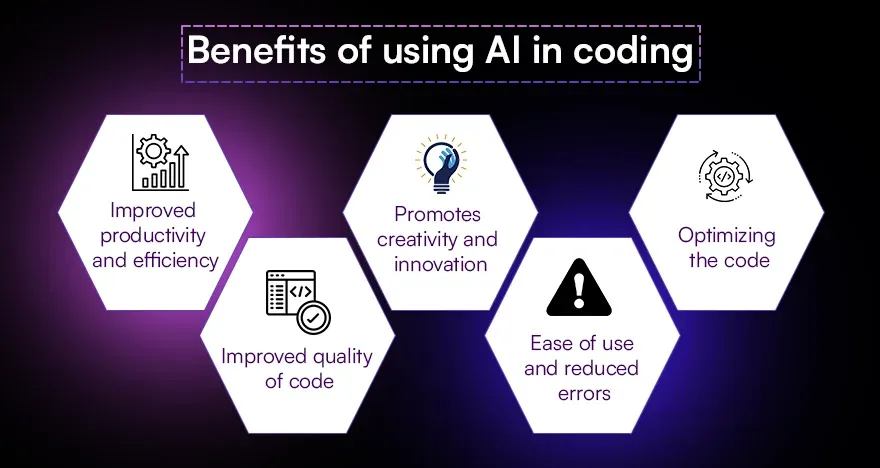
The main benefits
1. Less time on boilerplate
Data classes, API route handlers, form validation, configuration files, SQL for simple reports: much of this code follows patterns the model has seen many times. An assistant can produce it in seconds, leaving more time for the parts that need thought.
2. Faster test writing
Tests are a strong use case because the output is easy to check: either the tests run and make sense, or they do not. Given this function:
import re

def slugify(title):
    s = re.sub(r"[^a-z0-9]+", "-", title.lower())
    return s.strip("-")
an assistant will typically propose tests like these, which all pass:
def test_basic():
    assert slugify("Hello World") == "hello-world"

def test_symbols():
    assert slugify("C++ & Java!") == "c-java"

def test_extra_spaces():
    assert slugify("  Many   spaces ") == "many-spaces"

def test_empty():
    assert slugify("") == ""
The second test shows why a human still matters. It passes, but it also reveals that "C++" becomes just "c", which may not be what you want for a programming blog. Generating tests quickly exposed a design decision; deciding it is your job.
3. Explaining unfamiliar code
Joining a new project, reading a legacy module or decoding a dense regular expression is faster when you can ask "what does this function do, and what are its edge cases?" This is one of the most useful benefits for students and new team members.
4. Debugging help
Pasting an error message, the relevant code and what you expected often gets a plausible cause and fix. It works best for common errors (type mismatches, off-by-one loops, missing awaits, misconfigured imports) and less well for problems that depend on your system's specific state.
5. Working across languages and tools
Translating a script from Python to JavaScript, writing a Bash one-liner, or remembering the syntax for a Docker or Git command no longer requires searching through documentation each time.
6. Documentation and reviews
Assistants draft docstrings, README sections, commit messages and pull request summaries, and review bots can point out likely bugs or missing checks. Developers often skip these tasks when short of time, so AI help can raise baseline quality.
What the evidence says about speed
Results depend strongly on the task and the developer:
- In a controlled experiment published by GitHub researchers (Peng et al., 2023), developers asked to write an HTTP server in JavaScript finished about 55% faster with GitHub Copilot than a control group without it. The task was self-contained and well-defined.
- A 2025 randomised study by METR with experienced open-source developers working on their own large, familiar codebases found they took about 19% longer with AI tools, even though they believed the tools had made them faster.
- Stack Overflow's developer surveys show AI tool use rising every year, while many developers report not fully trusting the accuracy of the output.
The practical reading: AI helps most on new, well-scoped, pattern-heavy tasks and for less familiar territory. It helps less, and can slow you down, on complex work in code you already know well, where reviewing and correcting suggestions takes longer than writing the code yourself.
The costs that come with the benefits
- Plausible bugs: code that looks right but mishandles edge cases, concurrency or error paths.
- Security issues: suggestions can include SQL built by string concatenation, weak input validation or outdated cryptography.
- Invented APIs: functions or options that do not exist in the library version you use.
- Skill erosion for learners: accepting answers without understanding them makes interviews and real debugging much harder later.
- Privacy and licensing: pasting proprietary code or secrets into unapproved tools, or accepting suggestions that closely match licensed code.
Habits that keep the benefits
- Know what you want before you ask. Describe inputs, outputs and constraints; AI is a fast typist, not a product manager.
- Read every line you accept. If you cannot explain it, do not commit it.
- Let tests be the judge. Write or generate tests, then run them.
- Check docs for API details and pin library versions.
- Follow your organisation's policy on which tools are approved and what may be shared.
- Practise without AI regularly, especially if you are still learning or preparing for interviews.
For the tools themselves, see the AI tools developers use most. To understand the models behind them, read our introduction to LLMs, and keep your fundamentals strong with why DSA still matters and clean code practices.