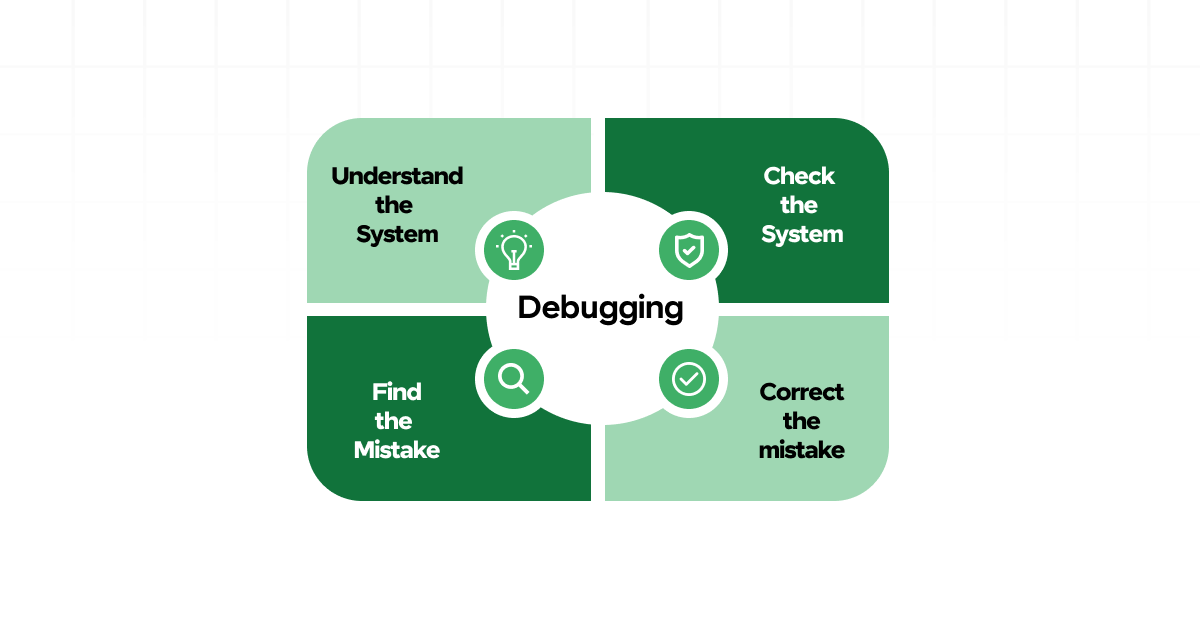
These strategies are not just useful when you are stuck but can also help you prevent bugs in the first place. And if you are someone who wants to take their programming skills further, we will also mention a highly recommended course by Uncodemy that can guide you through the world of debugging and development.
Let us dive in.
Understanding What Debugging Really Means
Before jumping into tips, let us clarify what debugging is. Debugging is the process of identifying, isolating and fixing problems or errors in your code. These problems could be syntax errors, logic errors or runtime errors.
- Syntax errors happen when you break the rules of the programming language. For example, missing a semicolon or a closing parenthesis.
- Logic errors are more tricky. Your code runs, but it does not do what you intended. For instance, your program calculates something wrong or skips over an important condition.
- Runtime errors occur while your program is running. These might crash your program or cause unexpected behavior.
By understanding these three categories, you can better approach how to fix each issue.
1. Read the Error Message Carefully
It may sound obvious, but many beginners skip this step. Error messages are not there to scare you. In fact, they are trying to help you.
Let us say you are coding in Python and you see something like:
Copy Code
pgsql

CopyEdit

NameError: name 'x' is not defined
This is Python telling you that you are trying to use a variable that has not been created yet. Read the line number mentioned, go to that part of your code and review it. Often, the message is surprisingly clear and gives you a direct clue about what went wrong.
Learning to read and understand error messages can cut your debugging time in half.
2. Use Print Statements to Trace Your Code
One of the most common and effective debugging tools is the print statement. If your program is not behaving as expected, add print statements to see the values of variables at different points.
For example, in a loop, you can print the value of the iterator to make sure the loop is running the correct number of times. You can also print conditions to check if they are evaluating the way you think they are.
This simple method can uncover a lot of hidden issues. It acts like a flashlight that shows you what is happening inside your code.
3. Work in Small Chunks
When writing code, especially as a beginner, avoid writing a hundred lines before testing. Break your code into small chunks and test each one as you go. This way, if something breaks, you will know where to look.
Suppose you are building a calculator program. First, write and test the addition function. Then do the same for subtraction, and so on. This step by step approach makes debugging much easier because you isolate errors before they spread.
4. Understand the Flow of Your Code
Many bugs occur because the programmer misunderstands how the code is flowing. For example, a function may be returning too early, or a loop may be skipping a value.
If you find yourself stuck, take a moment to mentally walk through your code line by line. Or better yet, grab a notebook and sketch the logic. Visualizing how data moves through your program can help you spot where things go wrong.
5. Use a Debugger Tool
While print statements are useful, there comes a time when you need more power. Most code editors and development environments come with a built in debugger. This tool lets you pause your program at certain points, step through each line of code and inspect variable values in real time.
For example, if you are using Visual Studio Code, it has an excellent debugging feature that works with many languages. You can set breakpoints, watch variables and even change values while your program runs.
Learning how to use a debugger may take a bit of time, but it is worth every minute.
6. Check for Typos and Spelling Errors
You would be surprised how many bugs are caused by simple typos. One letter off, and your code might not run at all. Double check your variable names, function names and even your file names.
Use features like auto complete and syntax highlighting in your code editor to catch these mistakes early. These tools underline potential typos and offer suggestions.
7. Compare with Working Code
Sometimes, it helps to look at examples of code that does work. If you are trying to build a to-do list app and it is not working, find a similar project online and see how it is structured.
But do not just copy and paste. Try to understand how the working code functions differently from yours. This comparison can give you clues about what might be going wrong.
Websites like Stack Overflow and GitHub are great places to find community examples.
8. Explain Your Code to Someone Else
This is often called rubber duck debugging. The idea is simple. You explain your code out loud to someone else, or even to an object like a rubber duck. As you try to explain, you often realize the mistake yourself.
Teaching or explaining forces you to slow down and think more clearly. It turns vague ideas into specific steps and exposes logical flaws.
You can also try explaining your issue to a friend, a mentor or on an online forum. Often, just writing out the problem gives you clarity.
9. Take a Break
It might sound counterproductive, but sometimes the best debugging strategy is to walk away for a bit. If you have been staring at your screen for hours and getting nowhere, give yourself a short break.
Go for a walk, drink some water or simply close your laptop for a while. When you return with a fresh mind, you may see the problem more clearly. Your brain continues processing the problem even while you are doing something else.
10. Keep Learning and Practicing
Debugging is not just a skill. It is a mindset. It teaches you patience, attention to detail and logical thinking. The more you practice, the better you get.
Take the time to work on small projects. Break things on purpose and then fix them. Join coding communities and participate in challenges. All these experiences improve your confidence and sharpen your debugging abilities.
Recommended Course by Uncodemy
If you are serious about becoming a better programmer, we highly recommend exploring the f you are serious about becoming a offered by Uncodemy. This course covers everything from basic coding to debugging real world projects.
What makes this course ideal for beginners is that it includes practical debugging sessions, hands on projects and instructor feedback. You will not only learn how to write clean code but also how to fix it when things go wrong.
Uncodemy’s platform also provides quizzes, assignments and peer learning opportunities which make it easier to master tough concepts. Whether you are learning Python, JavaScript or any other language, this course is a perfect companion for your journey.
You can explore the course on their official website and even try a demo to see how it works for you.
Final Thoughts
Debugging can feel like a frustrating experience in the beginning, but remember this, every bug you fix makes you a better programmer. It teaches you more about how code works than any tutorial ever could. Instead of fearing bugs, learn to embrace them as learning opportunities.
Start small, read error messages, use tools like print statements and debuggers, and most importantly, do not give up. Every programmer, no matter how experienced, runs into bugs. What sets great programmers apart is how they approach those problems.
By using the tips shared in this article and continuing your learning through courses like those at Uncodemy, you will not only become good at writing code but also at understanding and improving it.
Happy debugging and remember, every error brings you one step closer to mastery.