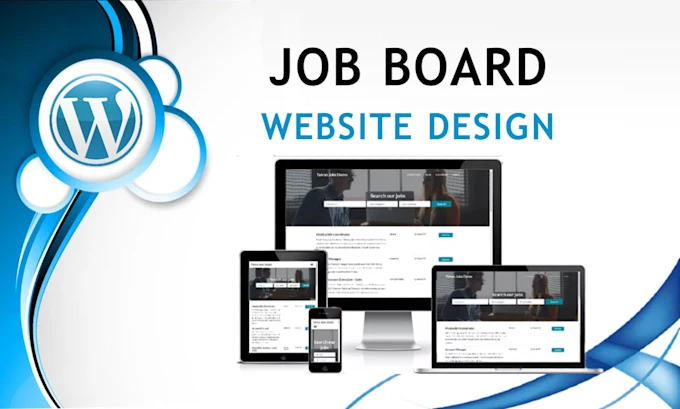
But not just any job board will do. Users expect more than a static list of openings. They want fast, accurate search results and the ability to filter listings by location, salary, job type, and other preferences. Employers, on the other hand, expect a smooth posting process and a way to reach the right candidates.
In this guide, we’ll walk through how to build a job board website with powerful filtering and search. We’ll cover everything from planning and designing to implementing and deploying. Whether you are a beginner or a web development enthusiast, this will give you a clear roadmap. And if you want to take this further, we will also mention a relevant Uncodemy course that helps you put these concepts into practice through guided, hands-on projects.
Why Build a Job Board Website?
Before diving into the technical side, let’s discuss why building a job board is a worthwhile project.
- Complete Customization: Pre-built job board platforms often limit what you can customize. A custom build lets you design the experience exactly as you want—from search logic to page layout.
- Scalability: If your platform grows, you can optimize and scale it without being tied to third-party restrictions.
- Business Opportunity: Monetizing a niche job board is a proven model. You can charge for featured listings, offer premium placements, or even run subscription-based employer accounts.
- Real-World Learning Project: For web developers, this is an excellent portfolio project. You’ll practice database modeling, API development, frontend design, and even search optimization.
Core Features to Include
The foundation of your job board should be a simple but effective set of features. Here are the essentials:
- Job Listings: Each listing should have a job title, company name, location, salary range, description, job type (full-time, part-time, freelance), and tags.
- Filtering Options: Users should be able to narrow results by location, job type, experience level, salary range, and remote-friendly options.
- Search Functionality: A search bar that allows users to search by job title, company, or keywords in the job description.
- Employer Dashboard: Employers should have a simple way to post new jobs, edit existing ones, and view basic analytics.
- Responsive Design: The platform should look and function well on desktop, tablet, and mobile devices.
- Pagination or Infinite Scroll: Handle large job listings efficiently.
- Security and Authentication: Employers and admins should have accounts for posting and managing jobs.
- Analytics: Track views, clicks, and applications to improve the platform and provide employers with insights.
Planning the Data Model
A well-designed database is the backbone of any job board. The most common approach is to create a Job table or collection with fields like:
- id
- title
- company
- description
- location (city, state, country)
- salary_min, salary_max
- job_type (enum or string: full-time, part-time, etc.)
- experience_level
- is_remote (boolean)
- tags (array of strings)
- posted_at and expires_at
A separate Company table or collection can store details like company name, website, and logo. This structure keeps data clean and makes filtering faster.
Choosing the Tech Stack
Your tech stack depends on your comfort level, but here’s a solid, beginner-friendly approach:
- Frontend: React (for dynamic UI) or Vue
- Backend: Node.js with Express or Python with Flask/Django
- Database: PostgreSQL or MongoDB
- Search: Elasticsearch or Algolia for full-text search and ranking
- Hosting: Vercel, Netlify, or cloud providers like AWS/DigitalOcean
If you are just starting, you can even use SQLite or a simple JSON server for prototyping and switch to a more scalable database later.
Designing the Filtering and Search Experience
Filtering and search should be fast and intuitive. There are two main approaches:
Client-Side Filtering
This works if you have a small dataset. You load all jobs into memory and let the browser filter them. This gives users instant feedback, but it can become slow if you have thousands of listings.
Server-Side Filtering
Here, the search query and filters are sent to the backend, which returns only the relevant results. This scales better and works with large datasets. Pairing this with a search engine like Elasticsearch makes queries lightning fast.
Best Practices for Search
Good search design is about more than just functionality. Here are some best practices:
- Single Unified Search Bar: Let users type in job titles, companies, or keywords in one place.
- Autocomplete Suggestions: Suggest popular job titles as users type.
- Highlighting: Show matched keywords in bold in results.
- Fuzzy Search: Account for spelling mistakes or minor variations.
- Sorting Options: Allow sorting by relevance, date posted, or salary range.
Example Flow: Search and Filter
Here’s a simplified example of how the flow might work:
- The user types “software engineer” and selects “Remote” and “Full-Time.”
The frontend creates a query object:
Copy Code
{

  "q": "software engineer",

  "location": "remote",

  "job_type": "full-time",

  "page": 1,

  "per_page": 10

}-
- This object is sent to the backend API endpoint /jobs.
- The backend queries the database or search engine with these parameters and returns matching jobs.
- The frontend displays the results and shows active filters as chips that can be removed easily.
Building the API
Your backend should expose endpoints like:
- GET /jobs → returns jobs with optional filters
- GET /jobs/:id → fetches details for a specific job
- POST /jobs → allows employers to post a job (protected route)
- PUT /jobs/:id → edit a job
- DELETE /jobs/:id → delete a job
Implement pagination with limit and offset or cursor-based pagination for better scalability.
Designing the User Interface
An effective UI can make or break a job board. Keep it clean and intuitive:
- Filter Section: Place filters on the left or top. Use dropdowns, checkboxes, and sliders.
- Result Cards: Show job title, company, location, salary range, and a short description.
- Clear Calls to Action: Include a “View Details” or “Apply Now” button on every listing.
- Mobile Optimization: On smaller screens, collapse filters into a slide-out menu.
Deploying Your Job Board
Once your MVP (minimum viable product) is ready, it’s time to deploy:
- Use Vercel or Netlify for frontend hosting.
- Deploy your backend to Render, Railway, or Heroku (for quick starts).
- Set up CI/CD (Continuous Integration and Delivery) so updates deploy automatically.
- Monitor performance and add caching for popular queries.
Security and Spam Prevention
Open job boards are vulnerable to spam. Use these precautions:
- CAPTCHA: Prevent bot submissions.
- Email Verification: Validate employers before allowing job posts.
- Moderation: Approve jobs manually in the early stages.
Scaling and Improving Over Time
After launch, track usage data to see where you can improve. Add features like:
- Saved Searches: Let users save their favorite filters and get email alerts.
- Personalization: Recommend jobs based on previous activity.
- Analytics Dashboard for Employers: Show how many views and clicks their job postings received.
Learning Resources
If you want to take a structured approach, Uncodemy’s Full Stack Web Development Course is perfect for you in Delhi. It covers everything you need—HTML, CSS, JavaScript, React for the frontend, Node.js and Express for the backend, and database integration. The course also includes real-world projects like job boards, e-commerce sites, and admin dashboards, so you get hands-on experience building fully functional applications. This will give you the confidence to build and deploy your own job board with filtering and search from scratch.
Final Thoughts
Building a job board website with filtering and search is an exciting project that teaches you how to think like both a developer and a product designer. The keys to success are a clean data model, a smooth search experience, and a UI that encourages users to interact with your site. Start with a minimal feature set—just the core job listing, filtering, and search—and improve iteratively based on user feedback.
With the right tools and some practical learning from platforms like Uncodemy, you can turn this idea into a professional-grade application that actually helps people find jobs and helps businesses find the right talent. Whether you’re doing this as a personal project, a startup idea, or to strengthen your development portfolio, a job board website is one of the most rewarding projects you can build.