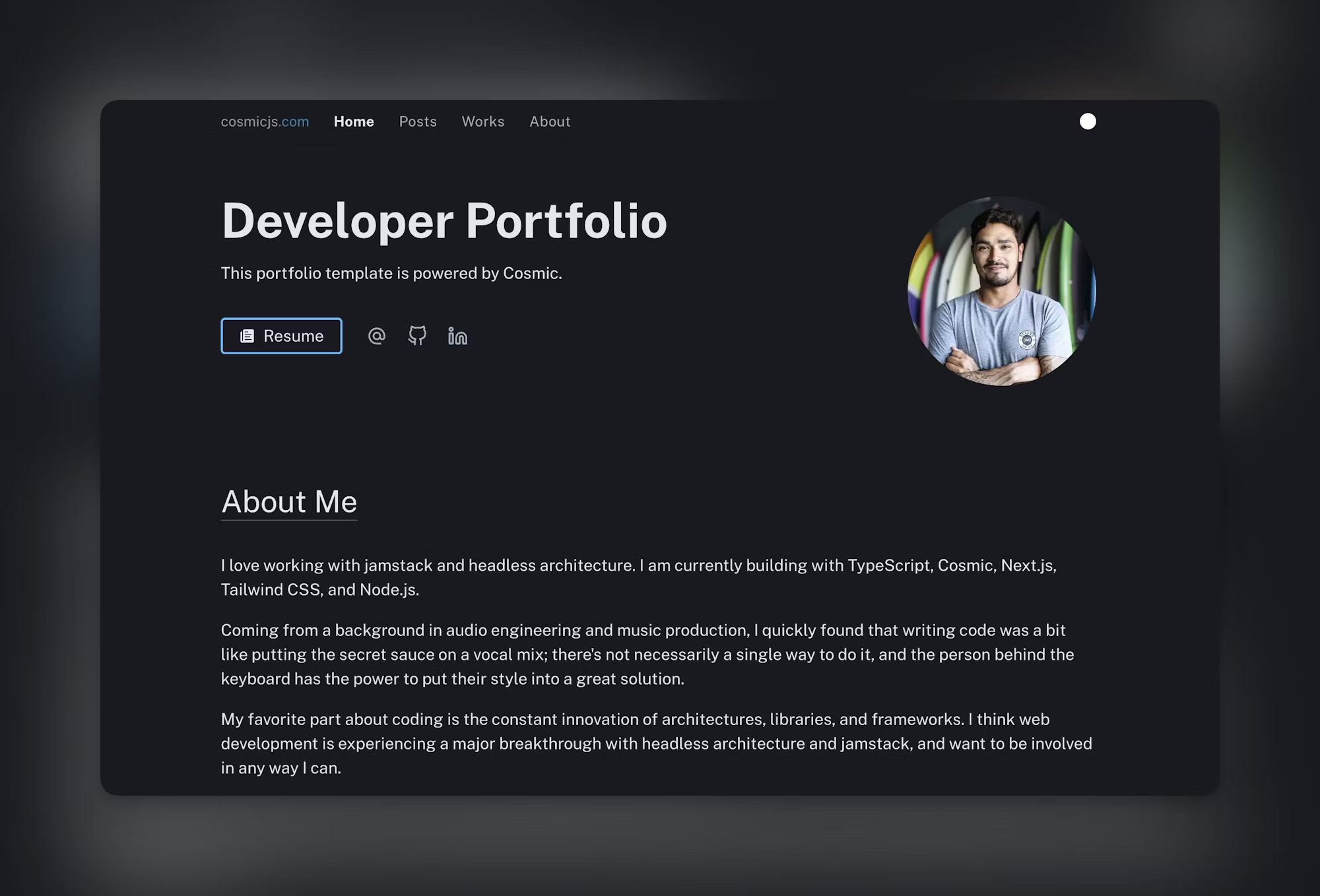
This blog will guide you through the significance of building a portfolio website, explain why React and Node.js are fantastic choices, and show you how to create a portfolio that will impress both recruiters and clients.
If you're looking for structured, hands-on learning, consider checking out the Web Development Course in Noida — a comprehensive program designed to equip you with job-ready skills in React, Node.js, and full-stack development.
Why Should You Build a Portfolio Website?
Before we dive into the technical aspects, let’s explore why having a portfolio website is so important:
- First Impressions Count – A recruiter or client might not read your resume thoroughly, but your portfolio instantly showcases your expertise.
- Show, Don’t Just Tell – Rather than just stating your skills, your live projects, apps, and case studies demonstrate your real-world capabilities.
- Personal Branding – It reflects your creativity, professionalism, and thought process.
- Search Visibility – With SEO and modern tools, your portfolio can attract a broader audience online.
- Networking Tool – A live website makes it easy to share your work with potential employers, colleagues, and professional networks.
Why Choose React and Node.js for Your Portfolio Website?
When diving into the world of modern web development, React and Node.js make an unbeatable duo. Here’s why they’re ideal for crafting your portfolio website:
1. React: The Frontend Star
- Component-based Architecture: This approach keeps your website modular and reusable.
- Fast Rendering: Thanks to the virtual DOM, your site will feel smooth and responsive.
- Dynamic UI: You can create engaging elements like project cards, animations, and testimonials.
- Ecosystem: With tools like React Router, managing navigation becomes a breeze.
2. Node.js: The Backend Powerhouse
- API Management: Build features like contact forms, authentication, or even a blog section.
- Scalability: It’s perfect for future upgrades, whether you want to add chatbots or dashboards.
- Seamless Integration: Works effortlessly with databases like MongoDB.
Together, they create the MERN stack (MongoDB, Express, React, Node), which is a favorite in the realm of professional web applications.
Essential Features for Your Portfolio Website
A solid portfolio website goes beyond being just a digital resume. It should be functional, interactive, and visually striking. Here are the key features you shouldn’t overlook:
- Homepage – A clean introduction featuring a professional photo and a catchy tagline.
- About Section – Share your background, skills, and journey.
- Projects Showcase – Provide detailed descriptions of your projects, complete with screenshots and links.
- Skills Section – Highlight your tech stacks, such as React, Node, Python, and more.
- Contact Form – Make it easy for recruiters and clients to get in touch.
- Responsive Design – Ensure it looks great on mobile, tablet, and desktop.
- Blog Section (Optional) – Share your technical insights and knowledge.
- Resume Download – Give employers quick access to your resume.
Step-by-Step Guide: Creating a Portfolio Website with React and Node
Let’s break down the process of building one.
Step 1: Set Up Your Project Structure
- Frontend: Kick things off by creating a React app using create-react-app.
- Backend: Set up Node.js with Express.
Directory Structure Example:
portfolio/
client/ # React frontend
server/ # Node backend
Step 2: Design the Frontend with React
- Start by using React Router to set up your navigation, including Home, About, Projects, and Contact pages.
- Create reusable components such as:
- Header.js (for the Navigation Bar)
- HeroSection.js (to feature an Intro Banner)
- ProjectCard.js (a versatile card for showcasing projects)
- Footer.js (to include social links and copyright information)
Here’s a quick snippet for the ProjectCard:
Copy Code
function ProjectCard({ title, description, link }) {

  return (

<div className="card">

      <h3>{title}</h3>

      <p>{description}</p>

   <a href={link} target="_blank" rel="noopener noreferrer">View Project</a>

</div>

  );

}
export default ProjectCard;
Step 3: Style the Website
- Consider using Tailwind CSS or Material UI to give your site a polished look.
- Make sure your design is responsive, so it looks great on all devices.
Step 4: Backend with Node.js and Express
- Set up a straightforward server to manage form submissions, like a contact form.
Here’s an example of an Express route:
Copy Code
const express = require("express");

const bodyParser = require("body-parser");

const app = express();

app.use(bodyParser.json());

app.post("/contact", (req, res) => {

  const { name, email, message } = req.body;

  console.log(`Message from ${name}: ${message}`);

  res.send("Message received!");

});

app.listen(5000, () => console.log("Server running on port 5000"));
Step 5: Add a Database (Optional)
- If you’d like to keep track of form submissions or blog posts:
- Use MongoDB along with Mongoose.
- Create schemas for user messages or blog articles.
Step 6: Deploy Your Website
- For the Frontend (React): You can deploy it using Vercel or Netlify.
- For the Backend (Node): Consider using Render, Heroku, or AWS.
- Make sure to connect everything using environment variables and API endpoints.
Best Practices for Your Portfolio
- Keep It Simple – Avoid cluttering your site with too many animations or unnecessary elements.
- Show Real Projects – Even small applications are more valuable than generic templates.
- Optimize Performance – Implement lazy loading for images and minify your assets.
- Add SEO Tags – Use meta tags to improve your site’s visibility.
- Maintain Consistency – Stick to a cohesive theme and color palette.
Future Enhancements for Your Portfolio
Once your basic website is up and running, think about adding some advanced features:
- A Dark/Light Mode Toggle.
- Integration with the GitHub API to automatically fetch your repositories.
- An Admin Dashboard to manage content without needing to dive into the code.
- Analytics to monitor visitor activity.
Learning Path to Master React and Node
If you're just starting out with React and Node.js, here's a handy roadmap to guide you:
- Get comfortable with the basics of HTML, CSS, and JavaScript.
- Dive into React Fundamentals, focusing on hooks, state management, and routing.
- Explore Node.js and Express for your backend development needs.
- Familiarize yourself with MongoDB for database management.
- Learn how to deploy your projects on platforms like Vercel, Netlify, Render, or Heroku.
For a more structured approach, check out the Web Development Course in Noida. It covers everything you need, from frontend technologies like React, HTML, and CSS to backend essentials like Node, Express, and MongoDB, all while working on real-world projects such as portfolio websites.
Conclusion
Creating a portfolio website using React and Node isn't just a coding task—it's a smart career move. It allows you to highlight your skills, showcase your projects, and professionally express your personality. With React's powerful frontend capabilities and Node's flexible backend, you can build a responsive, scalable, and interactive portfolio that helps you stand out in the competitive tech landscape.
If you're serious about advancing your web development career, don't hesitate. Start with small steps, keep honing your skills, and let your portfolio narrate your journey. And for a more guided learning experience, consider the Web Development Course in Noida — it's your gateway to becoming a full-stack developer.
Frequently Asked Questions (FAQs)
Q1. Why should I build my portfolio website using React and Node?
Using React gives you a fast, interactive, and modern frontend experience, while Node handles backend tasks like contact forms, APIs, and databases. This combination turns your portfolio into something dynamic rather than just a collection of static pages.
Q2. Do I need a backend for a portfolio website?
Not necessarily. If you’re going for a simple static portfolio, you might not need a backend. However, incorporating Node.js opens up possibilities for features like forms, blogs, and future upgrades.
Q3. Which hosting platform should I use for my portfolio website?
For the React frontend, Vercel and Netlify are fantastic choices. When it comes to the Node.js backend, Render or Heroku are popular options.
Q4. What projects should I showcase in my portfolio?
Highlight projects that really showcase your problem-solving abilities—think to-do apps, e-commerce sites, chat applications, or any real-world client work you’ve done.
Q5. How long does it take to build a portfolio website with React and Node?
For beginners, crafting a polished portfolio might take around 2–3 weeks, depending on how complex it is. But with some experience under your belt, you could whip one up in just a few days!