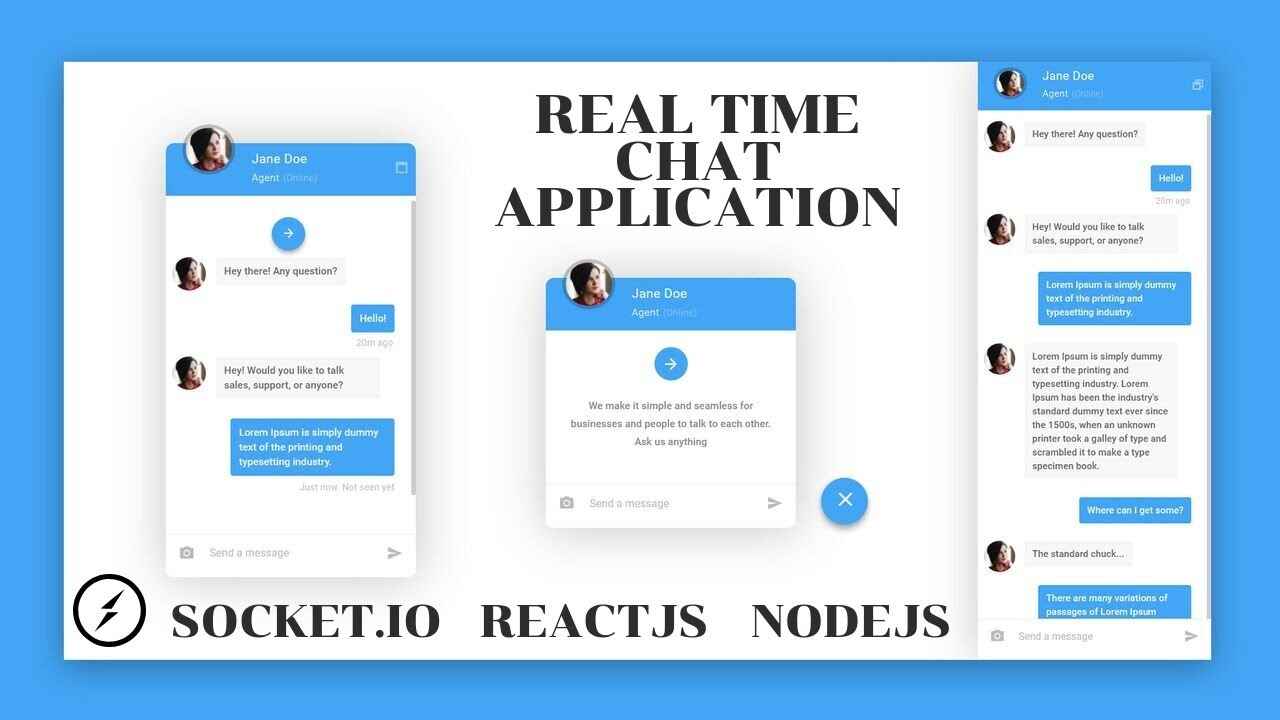
In this article, we will explore how to build a fully functional real time chat application using Socket.io and Node.js. We will start from the basics, understand how real time communication works, set up the environment, write the code, and gradually bring our chat app to life. By the end, you will not only understand the technology behind live messaging but also have the foundation to create your own custom chat applications.
What is Real Time Communication
Real time communication refers to the exchange of information without noticeable delays. Unlike traditional applications where data may take time to refresh or require manual updates, real time systems push updates instantly. Examples include WhatsApp, Slack, or even live notifications on social media.
To achieve this, developers use protocols and libraries that allow continuous communication between client and server. This is where WebSockets come in. WebSockets provide a persistent connection between a client and server that allows two way communication without repeatedly requesting new data.
Socket.io builds on top of WebSockets and adds extra features like fallback support, automatic reconnection, and simple APIs, making it one of the most popular choices for building chat apps.
Why Use Node.js and Socket.io
When building a chat app, you need a backend that can handle multiple simultaneous connections efficiently. Node.js is built on Chrome’s V8 engine and is designed for asynchronous non blocking operations, which makes it ideal for chat applications.
On top of that, Socket.io makes real time communication easy. Instead of dealing with the complexities of WebSockets directly, you get a simple set of methods to send and receive events between the client and server. This combination has been used by countless developers to create scalable chat solutions.
Key advantages include:
- Speed: Messages are transmitted instantly.
- Scalability: Handles thousands of users with ease.
- Simplicity: Easy to implement with just a few lines of code.
- Reliability: Provides fallbacks if WebSockets are not supported.
Setting Up the Environment
Before writing the code, let us prepare our environment. You will need:
- Node.js installed on your system. You can download it from the official website.
- A code editor, such as Visual Studio Code.
- Socket.io and Express.js, which we will install using npm.
Create a new folder for your project and open it in your code editor. Initialize it by running:
This will generate a package.json file. Next, install Express and Socket.io:
Copy Code
npm install express socket.io
Now we are ready to build.
Creating the Server
We will begin by creating a simple Node.js server that uses Express and Socket.io. Create a new file named server.js and write the following code:
Copy Code
const express = require('express');

const http = require('http');

const { Server } = require('socket.io');


const app = express();

const server = http.createServer(app);

const io = new Server(server);


app.get('/', (req, res) => {

  res.sendFile(__dirname + '/index.html');

});


io.on('connection', (socket) => {

  console.log('A user connected');


  socket.on('chat message', (msg) => {

    io.emit('chat message', msg);

  });


  socket.on('disconnect', () => {

    console.log('A user disconnected');

  });

});


server.listen(3000, () => {

  console.log('Server is running on http://localhost:3000');

});
Let us break this down:
- We set up an Express server and integrate it with Socket.io.
- The connection event listens for a new user joining.
- The chat message event handles messages sent by users and broadcasts them to everyone.
- The disconnect event notifies when a user leaves.
Creating the Client Side
To interact with our server, we need a simple HTML file that acts as the user interface. Create a file named index.html and add the following code:
Copy Code
<!DOCTYPE html>

<html>

  <head>

    <title>Real Time Chat</title>

    <style>

      body { font-family: Arial, sans-serif; background: #f4f4f4; }

      #messages { list-style: none; padding: 0; }

      #messages li { padding: 5px 10px; margin: 5px 0; background: #ddd; border-radius: 5px; }

      form { display: flex; }

      input { flex: 1; padding: 10px; }

      button { padding: 10px; }

    </style>

  </head>

  <body>

    <ul id="messages"></ul>

    <form id="form" action="">

      <input id="input" autocomplete="off" /><button>Send</button>

    </form>


    <script src="/socket.io/socket.io.js"></script>

    <script>

      const socket = io();


      const form = document.getElementById('form');

      const input = document.getElementById('input');

      const messages = document.getElementById('messages');


      form.addEventListener('submit', (e) => {

        e.preventDefault();

        if (input.value) {

          socket.emit('chat message', input.value);

          input.value = '';

        }

      });


      socket.on('chat message', (msg) => {

        const li = document.createElement('li');

        li.textContent = msg;

        messages.appendChild(li);

      });

    </script>

  </body>

</html>
This simple interface allows users to type messages and see them appear instantly when sent.
Running the Chat App
Now that we have both the server and client, let us test it. In your terminal, run:
node server.js
Then open your browser and visit http://localhost:3000. Open the page in two different tabs or browsers and start typing messages. You will see them appear instantly across all tabs, demonstrating real time communication in action.
Adding Features to Enhance the Chat App
While we now have a working chat app, we can make it more interesting by adding extra features. Here are a few enhancements you can try:
- Usernames
Allow users to enter their names before joining. Display the name alongside each message so conversations are more personal.
- Typing Indicators
Show a message like “User is typing…” when someone is typing but has not sent the message yet.
- Private Messaging
Add the ability to send messages directly to a particular user instead of broadcasting to everyone.
- Chat Rooms
Allow users to join different rooms so that conversations can happen in smaller groups.
- Message Persistence
Store messages in a database such as MongoDB so that users can see past messages when they reconnect.
- Styling and UI
Improve the look and feel of your chat app with CSS frameworks or custom design.
Practical Example: Adding Usernames
Let us take one feature as an example. Suppose we want to add usernames. We can do it by modifying both the server and client.
Copy Code
On the server side:

io.on('connection', (socket) => {

  socket.on('set username', (username) => {

    socket.username = username;

  });


  socket.on('chat message', (msg) => {

    io.emit('chat message', { user: socket.username, text: msg });

  });

});


On the client side:

const username = prompt("Enter your username");

socket.emit('set username', username);


socket.on('chat message', (data) => {

  const li = document.createElement('li');

  li.textContent = data.user + ": " + data.text;

  messages.appendChild(li);

});
With this change, every message will show who sent it.
Why Building Your Own Chat App Matters
You might wonder, why build your own chat app when so many already exist. The answer is learning and customization. By creating it yourself, you gain valuable insights into real time communication, event handling, and web development. Moreover, you can customize it according to your needs, whether it is for a classroom project, a startup idea, or an internal company tool.
This knowledge also opens doors to more advanced applications. For example, the same technology used here powers real time collaborative tools like Google Docs, online multiplayer games, and even live trading platforms.
Challenges You Might Face
While Socket.io makes development easier, you may still face some challenges. These include:
- Handling large traffic: Scaling becomes crucial if thousands of users are connected.
- Security: Protecting data with encryption and authentication.
- Storing messages: Choosing the right database and structure.
- Cross platform support: Ensuring your chat app works on both desktop and mobile.
Do not worry though. These challenges are common and there are plenty of solutions and best practices available.
Conclusion
Building a real time chat app using Socket.io and Node.js is a rewarding project. It introduces you to modern web technologies, teaches you how to handle continuous communication, and gives you the skills to build something useful.
We started with the basics of real time communication, set up the environment, created both the server and client, and tested our chat app. Then we explored how to enhance it with features like usernames and chat rooms.
The possibilities are endless. With creativity and practice, you can extend your chat app into something powerful and production ready. Whether for learning or for real world use, Socket.io and Node.js provide the perfect combination to make it happen.