Learning C++ can feel overwhelming at first, but with the right approach and practical examples, it becomes a rewarding journey. Whether you're starting out or trying to strengthen your skills, having access to clear C++ code examples can greatly enhance your programming education.
Many students find that structured learning through programs like Uncodemy's C programming course in Noida offers a good mix of theory and hands-on practice. The key to mastering C++ is understanding the basic concepts through practical work, and that’s precisely what we will explore in this guide.
When you start your programming journey, abstract concepts can feel overwhelming. However, C++ code examples turn these theoretical ideas into real, working programs that you can see, change, and experiment with. This hands-on method works well because it engages different learning styles at the same time.
The great thing about learning through practical C++ code examples is that they show not just the "what," but also the "how" and "why" of programming concepts. Students in complete programs like Uncodemy's C programming course in Noida often find that seeing code in action helps them understand better than just reading about concepts.
Each C++ code example acts as a building block. They gradually increase in complexity while reinforcing what you've already learned. This step-by-step approach keeps you from feeling overwhelmed while still challenging you to improve your skills.
Essential C++ Code Examples Every Beginner Should Master
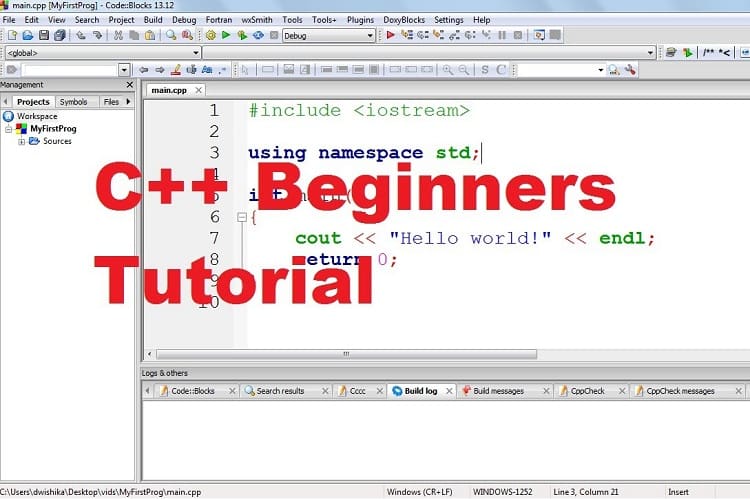
Let's start with the foundation of C++ programming. The classic "Hello World" program might seem simple, but it introduces several crucial concepts that appear in every C++ program you'll ever write.
                    cpp
                    #include
                    using namespace std;

                    int main() {
                        cout << "Hello, World!" << endl;
                        return 0;
                    }
This basic C++ code example introduces preprocessor directives, namespaces, the main function, and output operations. Understanding each component here sets the stage for more complex programs.
Moving beyond the basics, variable declaration and manipulation form the core of most programming tasks. Here's a practical example that demonstrates different data types and basic operations:
                cpp
                #include
                using namespace std;

                int main() {
                    // Integer variables
                    int age = 25;
                    int years_of_experience = 3;

                    // Floating-point variables
                    double salary = 45000.50;
                    double bonus_percentage = 0.15;

                    // Character and string variables
                    char grade = 'A';
                    string name = "John Developer";

                    // Boolean variable
                    bool is_employed = true;

                    // Calculations
                    double total_compensation = salary + (salary * bonus_percentage);

                    // Output
                    cout << "Employee: " << name << endl;
                    cout << "Age: " << age << endl;
                    cout << "Grade: " << grade << endl;
                    cout << "Total Compensation: $" << total_compensation << endl;

                    return 0;
                }
This C++ code example showcases variable declaration, different data types, basic arithmetic operations, and formatted output. These concepts form the backbone of most programming tasks you'll encounter.
Control Structures Through Practical Examples
Control structures are where C++ programming really begins to show its power. Let's explore conditional statements through a grade calculator example:
                cpp
                #include
                using namespace std;

                int main() {
                    double score;
                    char letter_grade;

                    cout << "Enter your test score (0-100): ";
                    cin >> score;

                    if (score >= 90) {
                        letter_grade = 'A';
                    } else if (score >= 80) {
                        letter_grade = 'B';
                    } else if (score >= 70) {
                        letter_grade = 'C';
                    } else if (score >= 60) {
                        letter_grade = 'D';
                    } else {
                        letter_grade = 'F';
                    }

                    cout << "Your grade is: " << letter_grade << endl;

                    if (letter_grade == 'A' || letter_grade == 'B') {
                        cout << "Excellent work!" << endl;
                    } else if (letter_grade == 'C') {
                        cout << "Good job, but there's room for improvement." << endl;
                    } else {
                        cout << "Consider getting additional help." << endl;
                    }

                    return 0;
                }
This C++ code example demonstrates if-else statements, logical operators, and user input. Students in structured programs like Uncodemy's C programming course in Noida often appreciate how such examples connect programming concepts to real-world scenarios.
Loops are equally important, and here's a practical example that calculates the factorial of a number:
                            cpp
                    #include
                    using namespace std;

                    int main() {
                        int number, factorial = 1;

                        cout << "Enter a positive integer: ";
                        cin >> number;

                        if (number < 0) {
                            cout << "Factorial is not defined for negative numbers." << endl;
                        } else {
                            for (int i = 1; i <= number; i++) { factorial *="i;" } cout << "factorial of " number is endl; return 0; < pre>
Functions and Modular Programming
Functions are crucial for writing organized, reusable code. Here's a comprehensive C++ code example that demonstrates function creation and usage:
                    cpp
                    #include
                    #include
                    using namespace std;

                    // Function to calculate area of a circle
                    double calculateCircleArea(double radius) {
                        return M_PI * radius * radius;
                    }

                    // Function to calculate area of a rectangle
                    double calculateRectangleArea(double length, double width) {
                        return length * width;
                    }

                    // Function to display menu
                    void displayMenu() {
                        cout << "\n--- Area Calculator ---" << endl;
                        cout << "1. Circle" << endl;
                        cout << "2. Rectangle" << endl;
                        cout << "3. Exit" << endl;
                        cout << "Choose an option: ";
                    }

                    int main() {
                        int choice;
                        double radius, length, width, area;

                        do {
                            displayMenu();
                            cin >> choice;

                            switch (choice) {
                                case 1:
                                    cout << "Enter radius: ";
                                    cin >> radius;
                                    area = calculateCircleArea(radius);
                                    cout << "Area of circle: " << area << endl;
                                    break;

                                case 2:
                                    cout << "Enter length and width: ";
                                    cin >> length >> width;
                                    area = calculateRectangleArea(length, width);
                                    cout << "Area of rectangle: " << area << endl;
                                    break;

                                case 3:
                                    cout << "Thank you for using the calculator!" << endl;
                                    break;

                                default:
                                    cout << "Invalid choice. Please try again." << endl;
                            }
                        } while (choice != 3);

                        return 0;
                    }
This comprehensive C++ code example showcases function definition, parameter passing, return values, switch statements, and do-while loops. It's the kind of practical example that helps students understand how different programming concepts work together.
Arrays and Data Handling
Working with collections of data is fundamental to most programming tasks. Here's a practical C++ code example that demonstrates array manipulation:
                    cpp
                    #include
                    using namespace std;

                    int main() {
                        const int MAX_STUDENTS = 5;
                        string student_names[MAX_STUDENTS];
                        double grades[MAX_STUDENTS];
                        double total = 0, average;

                        // Input student data
                        cout << "Enter student names and grades:" << endl;
                        for (int i = 0; i < MAX_STUDENTS; i++) {
                            cout << "Student " << (i + 1) << " name: ";
                            cin >> student_names[i];
                            cout << "Grade: ";
                            cin >> grades[i];
                            total += grades[i];
                        }

                        // Calculate average
                        average = total / MAX_STUDENTS;

                        // Display results
                        cout << "\n--- Student Report ---" << endl;
                        for (int i = 0; i < MAX_STUDENTS; i++) {
                            cout << student_names[i] << ": " << grades[i];
                            if (grades[i] >= average) {
                                cout << " (Above Average)";
                            } else {
                                cout << " (Below Average)";
                            }
                            cout << endl;
                        }

                        cout << "Class Average: " << average << endl;

                        return 0;
                    }
This C++ code example introduces arrays, loops for data processing, and basic statistical calculations. Such examples help students understand how programming can solve real-world data management problems.
Object-Oriented Programming Basics
C++ shines in object-oriented programming, and here's an introductory example that demonstrates classes and objects:
This C++ code example introduces classes, objects, constructors, private and public access specifiers, and method implementation. It's an excellent introduction to object-oriented programming concepts.
Learning Through Structured Practice
The effectiveness of learning through C++ code examples is even clearer when paired with structured guidance. Programs like Uncodemy's C programming course in Noida recognize that students learn best when they see immediate results from their code and gradually increase complexity.
Working through practical C++ code examples helps develop not only syntax knowledge but also programming logic and problem-solving skills. Each example acts as a stepping stone to more advanced concepts, ensuring that students build a strong foundation before taking on complex projects.
The journey from simple variable declarations to object-oriented programming shows how C++ code examples can lead learners through more complicated programming ideas. This step-by-step approach helps reduce the overwhelm that often comes with learning a powerful language like C++.
Common Mistakes and How Examples Help Avoid Them
One of the biggest advantages of studying well-made C++ code examples is learning to steer clear of common mistakes. Beginners often have trouble with memory management, pointer usage, and correct syntax. However, looking at proper implementations helps build good programming habits early on.
For example, managing user input, handling memory allocation, and understanding scope are all ideas that become clearer with practical examples instead of just theoretical explanations. Students who go through detailed C++ code examples often end up writing cleaner, more efficient code on their own.
Conclusion
Learning C++ through practical code examples offers an engaging and effective way to become proficient in programming. Each example, from basic variable handling to object-oriented programming, builds essential skills while showing how programming concepts apply in the real world.
The journey from beginner to skilled C++ programmer becomes much easier with hands-on practice using well-crafted code examples. These examples teach syntax and help develop the logical thinking and problem-solving skills that make great programmers.
Keep in mind that mastering C++ is a gradual process that takes patience, practice, and persistence. The C++ code examples here provide a strong foundation, but real learning occurs when you start modifying, experimenting, and creating your own versions. Each program you write brings you closer to fluency in programming and opens up exciting opportunities in software development.
Frequently Asked Questions (FAQs)
What makes C++ code examples effective for learning?
A: C++ code examples work best when they're practical, gradually increase in complexity, and demonstrate real-world applications rather than abstract concepts.
How many C++ code examples should beginners practice daily?
A: Start with 2-3 simple examples daily, focusing on understanding each concept thoroughly before moving to more complex programs.
Should beginners learn C or C++ first?
A: While both approaches have merit, starting with C++ allows you to learn both procedural and object-oriented programming concepts together.
What's the best way to practice with C++ code examples?
A: Type out each example yourself, experiment with modifications, and try to predict what changes will do before running the code.
How long does it take to become proficient with C++ through code examples?
A: With consistent daily practice using quality examples, most beginners can grasp fundamental concepts within 3-6 months of structured learning.