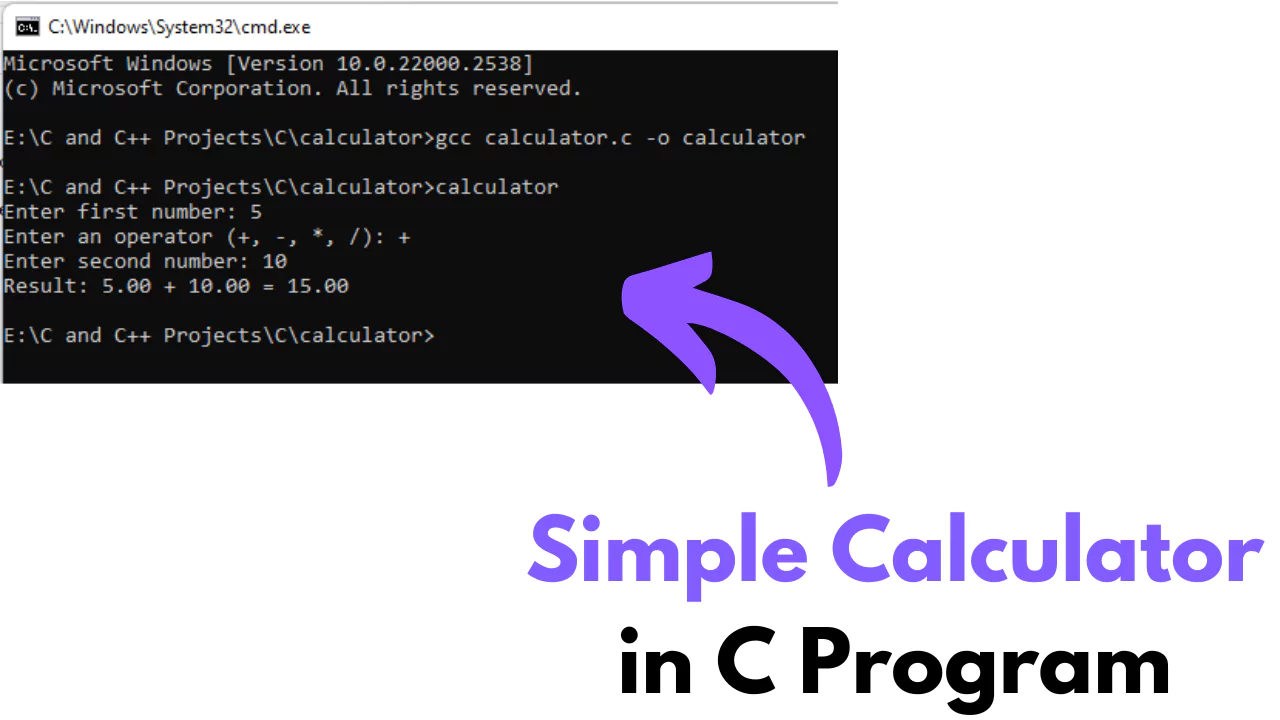
One of the best ways to begin mastering any programming language is by working on simple, functional programs that reinforce foundational concepts. A calculator is one such essential program that is often introduced to beginners in C programming. Creating a calculator helps students understand the basics of arithmetic operations, user input and output, conditional logic, and modular code structure. Although the syntax might seem intimidating to a new learner at first, building a calculator program provides hands-on experience that demystifies these core principles.
Many learners searching for a reliable Python Programming Course in Noida may wonder why a C-based calculator is relevant. The truth is that understanding low-level programming through C helps build the logical thinking required for more advanced languages like Python. This article walks students through the step-by-step process of building a basic calculator program in C, using human-friendly language and practical examples. Our focus will be on clarity, simplicity, and thorough explanation, using code snippets only when they serve to clarify, not complicate.
Why Start with a Calculator Program?
For beginners, a calculator represents a complete cycle of programming logic. It includes input collection, condition checking, output generation, and logical control flow. Whether you are performing addition, subtraction, multiplication, or division, each operation in a calculator is an example of how computers use logic and arithmetic to deliver a solution.
While pursuing a Python Programming Course in Noida, many institutions integrate basic C programming examples like the calculator to build a strong programming base. It’s not just about syntax; it’s about how one approaches a problem, breaks it down into steps, and implements those steps in code.
Understanding the Requirements
Before we begin coding, it’s important to understand what our calculator will need:
It must take two numeric inputs from the user.
It must ask for the operation to be performed: addition, subtraction, multiplication, or division.
It must display the result of the selected operation.
The program should handle unexpected inputs and invalid operations gracefully.
This simple functionality covers a range of core concepts in programming that are crucial in both C and Python.
Setting Up the Program Structure
Every C program follows a defined structure:
Preprocessor directives
main() function
Variable declarations
Input/output operations
Conditional or looping logic
For the calculator, we’ll stick to a basic version using if or switch statements for control flow. This will help in focusing more on logic rather than complex syntax.
Step 1: Including Header Files
All C programs start with necessary header files. In this case, we use stdio.h for input and output functions like printf() and scanf().
#include
This line ensures that the program has access to standard input-output functions, which are essential for interacting with the user.
Step 2: Declaring the Variables
Next, we declare the variables needed to store the numbers and the operator. Typically, we use float or double if we expect the numbers to include decimals. We also declare a character variable to store the operator.
                            float num1, num2, result;
                            char operator;
Step 3: Taking User Input
We prompt the user to enter two numbers and the operator. scanf() is used to capture the input from the user.
                            printf("Enter first number: ");
                            scanf("%f", &num1);

                            printf("Enter an operator (+, -, *, /): ");
                            scanf(" %c", &operator);

                            printf("Enter second number: ");
                            scanf("%f", &num2);
The space before %c in the second scanf() is intentional; it helps avoid capturing any newline character left in the buffer from previous input.
Step 4: Applying Logic for Operations
Now comes the core logic of the program. Using switch or if-else helps in checking the operator and performing the corresponding operation.
                           switch(operator) {
                                case '+':
                                    result = num1 + num2;
                                    break;
                                case '-':
                                    result = num1 - num2;
                                    break;
                                case '*':
                                    result = num1 * num2;
                                    break;
                                case '/':
                                    if(num2 != 0)
                                        result = num1 / num2;
                                    else {
                                        printf("Error: Division by zero is not allowed.\n");
                                        return 1;
                                    }
                                    break;
                                default:
                                    printf("Invalid operator. Please use +, -, *, or /.\n");
                                    return 1;
                            }
This part of the program ensures that only valid operations are performed. It also includes error handling for division by zero, which is a common mistake.
Step 5: Displaying the Result
Once the calculation is done, the result is displayed using a simple printf().
Here, %.2f is used to format the floating-point number to two decimal places for readability.
Improving the Calculator: Modular Functions
As one progresses in programming, it's beneficial to start breaking the code into smaller reusable functions. Instead of placing all logic inside main(), we can create separate functions for each arithmetic operation.
For example:
                           float add(float a, float b) {
                                return a + b;
                            }
The main() function would then call these smaller functions. This approach is more maintainable and aligns with programming best practices, which is something emphasized in a Python Programming Course in Noida as well.
Use of Loops for Multiple Calculations
One limitation of the basic calculator is that it terminates after one operation. A more user-friendly version includes a loop that allows multiple calculations until the user decides to exit.
                           char choice;
                            do {
                                // all previous code for input and operation
                                printf("Do you want to perform another calculation? (y/n): ");
                                scanf(" %c", &choice);
                            } while(choice == 'y' || choice == 'Y');
This loop ensures that the calculator program becomes interactive and practical for real-world usage.
Handling Invalid Inputs
Robust programs always account for edge cases. What happens if the user enters a non-numeric value? While the basic scanf() can’t handle advanced validation, in real applications, error-checking functions or third-party libraries may be added.
Even in C, adding input checks using conditional statements or error messages helps reinforce good programming habits.
Connecting Concepts: From C to Python
Interestingly, building a calculator in C mirrors many of the same logical structures used in Python. Learners pursuing a Python Programming Course in Noida often revisit the calculator example when transitioning between languages.
The syntax might be different, but the logic—input/output, control flow, loops, and functions—remains consistent. C helps learners appreciate what happens under the hood, while Python simplifies it at the surface. Together, they provide a complete learning curve.
Conclusion
Creating a calculator program in C is more than a beginner's exercise. It’s a structured lesson in understanding how programming works at a fundamental level. From capturing user input and using conditional logic to performing arithmetic operations and looping for multiple calculations, the process introduces the essential building blocks of programming.
Students enrolled in a Python Programming Course in Noida benefit greatly by revisiting such foundational projects in C. It enhances not just their syntax fluency but also their problem-solving approach. As programming continues to evolve, these small yet powerful programs serve as the roots from which complex applications grow.
Whether you are preparing for interviews, practicing coding for academic assessments, or learning to think like a programmer, understanding how to build a calculator from scratch in C is a stepping stone that builds confidence and clarity in your programming journey.