But soon, you’ll hit a point where linear code isn’t enough. What if your program needs to decide between two choices? Or repeat a task 10 times? Or jump to a specific block of code under certain conditions? This is where control statements come into play.
Control statements are like the steering wheel and gears in a car. Without them, your code would just be a straight road, no turns, no loops, no intelligence. But with control statements, your program becomes dynamic, interactive, and capable of thinking logically. In this article, we’ll walk you through everything you need to know about control statements in C-what they are, why they matter, and how to use them with relatable examples.
🚦 What Are Control Statements?
Control statements are instructions that allow your program to make decisions, repeat actions, and control the flow of execution. They're the part of programming that lets your code say things like:
"If the user entered the correct password, let them in."
"If the score is more than 50, declare victory."
"Keep printing numbers until we reach 10."
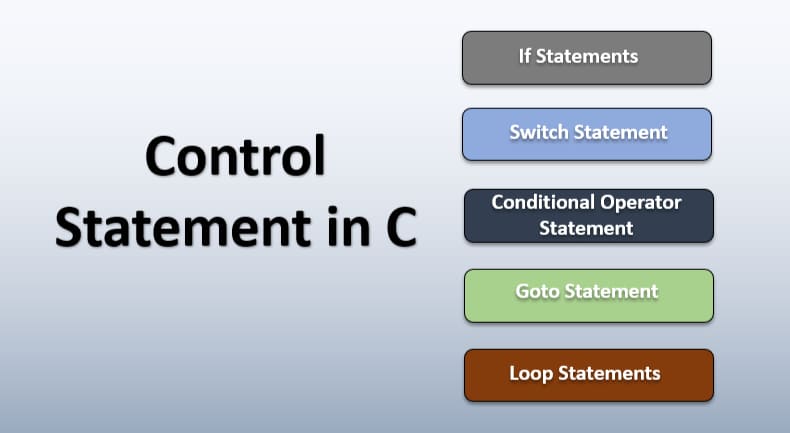
There are three main types of control statements in C:
1. Conditional Statements – for making decisions (if, if-else, else-if, nested if, switch)
2. Looping Statements – for repeating tasks (for, while, do-while)
3. Jump Statements – for changing the normal flow (break, continue, goto, return)
Let’s explore each one with clarity and easy-to-understand examples.
✅ 1. Conditional Statements
Conditional statements let your program choose between different actions based on a condition.
🔹 if Statement
Used when you want to do something only if a condition is true.
Copy Code
int age = 20;

if (age >= 18) {

    printf("You are eligible to vote.\n");

}
If age is 18 or above, it will print the message. Otherwise, it skips it.
🔹 if-else Statement
This gives you an alternative if the condition is not true.
Copy Code
int marks = 40;

if (marks >= 50) {

    printf("You passed!\n");

} else {

    printf("Sorry, you failed.\n");

}
If marks are 50 or more, it prints pass; otherwise, fail.
🔹 else-if Ladder
Used when you have multiple conditions to check.
Copy Code
int temp = 36;

if (temp >= 40) {

    printf("Very Hot\n");

} else if (temp >= 30) {

    printf("Warm Weather\n");

} else if (temp >= 20) {

    printf("Cool Weather\n");

} else {

    printf("Cold Weather\n");

}
🔹 Nested if Statement
You can place one if inside another.
Copy Code
int score = 85;

if (score >= 60) {

    if (score >= 80) {

        printf("Distinction\n");

    } else {

        printf("Passed\n");

    }

} else {

    printf("Failed\n");

}
🔹 switch Statement
Used when you want to match one variable against multiple fixed values.
Copy Code
int day = 3;

switch (day) {

    case 1:

        printf("Monday\n");

        break;

    case 2:

        printf("Tuesday\n");

        break;

    case 3:

        printf("Wednesday\n");

        break;

    default:

        printf("Invalid Day\n");

}
🔁 2. Looping Statements
Loops are used to repeat a set of statements as long as a condition holds true.
🔹 for Loop
Perfect when you know exactly how many times you want to repeat something.
Copy Code
for (int i = 1; i <= 5; i++) {

    printf("Iteration %d\n", i);

}

Prints from 1 to 5.
🔹 while Loop
Use when you don’t know in advance how many times to loop.
Copy Code
int i = 1;

while (i <= 3) {

    printf("Trying...\n");

    i++;

}
🔹 do-while Loop
Copy Code
Guarantees the loop runs at least once.


int x = 10;

do {

    printf("Value: %d\n", x);

    x--;

} while (x > 7);
🧭 3. Jump Statements
These are used to alter the normal flow of control in loops and switch blocks.
🔹 break Statement
Exits from the loop or switch.
Copy Code
for (int i = 1; i <= 10; i++) {

    if (i == 5) {

        break;

    }

    printf("%d\n", i);

}🔹continue Statement
Skips the current iteration and goes to the next.
Copy Code
for (int i = 1; i <= 5; i++) {

    if (i == 3) {

        continue;

    }

    printf("%d\n", i);

}
🔹 goto Statement
Not recommended for beginners, but still used in some cases.
Copy Code
int x = 1;

if (x == 1) {

    goto done;

}

printf("Won't be printed\n");

done:

printf("Jumped here\n");
🔹 return Statement
Ends a function and optionally returns a value.
Copy Code
int multiply(int a, int b) {

    return a * b;

}
💡 Real-Life Analogy
Think of a vending machine. You insert a coin (input), choose a drink (condition), and based on your selection, the machine delivers your drink (action). If you don't insert a coin, nothing happens. If you press a wrong button, it shows “Invalid Option.” That’s how control statements work-input, condition, decision, action.
🔎 Common Mistakes by Beginners
1. Missing curly braces – Always use {} to define code blocks.
2. Using = instead of == – = assigns, == compares.
3. Infinite loops – Always make sure your loop has a condition that eventually becomes false.
4. Break outside loop – break must be used inside loop or switch.
5. Forgetting return type – Always return a value in functions if needed.
🎓 Learning Tips
Practice small examples first
Write down what the code should do before writing it
Try creating a menu-based program using switch
Use for loops to print patterns like stars
Create a simple calculator using if-else
All these will boost your understanding of how control statements behave.
🧠 Final Thoughts
If you're serious about learning C programming, understanding control statements is not optional-it's essential. These are the tools that give logic and life to your programs. Without control statements, your code would just run in one straight line. That’s not how real-life works, and your programs shouldn’t either.
Imagine building a weather app that displays a warning if it's too hot, or a game where the player loses a life when hit. All this logic depends on control statements. Once you master them, you can do so much more-build real-time applications, automate tasks, and even move towards advanced programming fields like system design and embedded systems.
But here’s the secret: don’t rush. Understanding comes from practice. Try building mini-projects like:
A grade calculator
A basic login system
A temperature converter
A quiz app using switch
Each of these projects uses control statements to make decisions and respond to user input.
Also, remember that code doesn’t have to be perfect. It's okay to make mistakes. That’s how you learn. Use online compilers like CodeChef, Replit, or even Turbo C++ if you're on Windows. Try editing your code, see how changes affect the result, and get familiar with how your logic flows.
And hey, if you feel stuck or want structured learning with hands-on exercises, check out Uncodemy's C Programming Course. It's beginner-friendly, mentor-driven, and designed to teach through doing, not just theory. You'll build confidence by building real things.
The more you practice, the more natural all this becomes. In time, you'll no longer be thinking “what is an if statement?”-you’ll be thinking “where can I use this smartly in my code?”
Control statements are your first step into real problem-solving with code. Embrace the challenge, and soon, you'll be building programs that aren't just lines of code-they're smart, responsive, and alive.
Keep learning. Keep building. You’ve got this. 💻✨