Convert Celsius to Fahrenheit Formula Explained – Learn Temperature Conversion with Real Code Examples
Temperature affects everything—from the clothes we wear to how we store food. Whether you're checking the weather, designing a weather app, or preparing for a programming interview, learning how to convert Celsius to Fahrenheit is a basic yet essential skill.
In this blog post, we’ll break down the Celsius to Fahrenheit formula, explain the math behind it, and show you how to write code to perform this conversion. We'll also guide you toward a reliable programming course at Uncodemy, where you can learn how to implement such real-world logic in C++, Python, or Java.
🌡️ What Are Celsius and Fahrenheit?
Before diving into formulas, let’s first understand the two most commonly used temperature units:
Celsius (°C) – Used globally, especially in science and by most countries.
Fahrenheit (°F) – Predominantly used in the United States.
So, how do you convert one into the other?
🧮 Celsius to Fahrenheit Formula
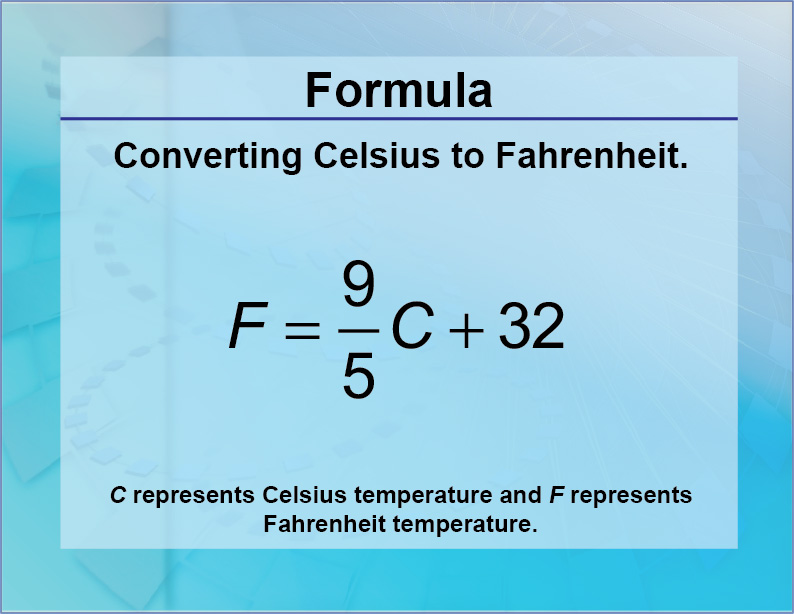
To convert temperature from Celsius to Fahrenheit, use this simple formula:
✅ Formula:
r
CopyEdit
Copy Code
°F = (°C × 9/5) + 32
🔍 Example:
Convert 25°C to Fahrenheit:
r
CopyEdit
Copy Code
°F = (25 × 9/5) + 32 = 45 + 32 = 77°F
This means 25 degrees Celsius is equal to 77 degrees Fahrenheit.
❓ Why Learn Temperature Conversion in Programming?
You might think this is just a school-level math problem. But temperature conversions are widely used in:
1. Weather forecasting apps
2. Smart thermostats
3. IoT and sensor-based systems
4. Healthcare devices
5. Science and engineering projects
That’s why you’ll find temperature conversion problems in coding challenges, interview questions, and project requirements.
💡 Real-Life Use Case
Imagine you're building a smart weather app. The user selects a region, and the API returns temperature in Celsius. But if your app targets American users, they expect temperature in Fahrenheit. So, your app must perform runtime conversion using this formula.
💻 Celsius to Fahrenheit Program in C++
Here's a simple C++ program to convert temperature using the formula.
✅ Code Example in C++:
cpp
CopyEdit
Copy Code
#include <iostream>

using namespace std;

int main() {

    float celsius, fahrenheit;

    cout << "Enter temperature in Celsius: ";

    cin >> celsius;

    fahrenheit = (celsius * 9.0 / 5.0) + 32;

    cout << "Temperature in Fahrenheit: " << fahrenheit << "°F" << endl;

    return 0;

}
🧾 Sample Output:
yaml
CopyEdit
Enter temperature in Celsius: 30
Temperature in Fahrenheit: 86°F
🐍 Python Version
If you’re a Python learner, here’s the same logic in Python:
python
CopyEdit
Copy Code
celsius = float(input("Enter temperature in Celsius: "))

fahrenheit = (celsius * 9 / 5) + 32

print("Temperature in Fahrenheit:", fahrenheit, "°F")
Python’s simplicity makes it a great first language, especially for beginners.
☕ Java Version
java
CopyEdit
Copy Code
import java.util.Scanner;

public class TemperatureConversion {

    public static void main(String[] args) {

        Scanner input = new Scanner(System.in);

        System.out.print("Enter temperature in Celsius: ");

        float celsius = input.nextFloat();

        float fahrenheit = (celsius * 9 / 5) + 32;

        System.out.println("Temperature in Fahrenheit: " + fahrenheit + "°F");

    }

}
🔄 Reversing the Formula – Fahrenheit to Celsius
Want to go the other way? Here's the reverse formula:
r
CopyEdit
Copy Code
°C = (°F - 32) × 5/9

Example:

r

CopyEdit

98.6°F = (98.6 - 32) × 5/9 ≈ 37°C
🚫 Common Mistakes to Avoid
Mistake
Correction
Integer division in C++
Use 9.0 / 5.0 instead of 9 / 5 to avoid truncation
Not using floating-point variables
Use float or double for accurate results
Ignoring user input validation
Always check if input is a valid number
🎓 Learn Programming and Real-Life Logic with Uncodemy
Understanding basic mathematical conversions like temperature is a fantastic starting point in programming. But to go further—building apps, solving interview problems, automating tasks—you need structured learning.
✅ Beginner to Advanced Programming Modules ✅ Live Sessions with Doubt Solving ✅ Projects on Real-Life Use Cases ✅ 100% Job Assistance ✅ Flexible Batches & Affordable Fees ✅ Learn C++, Python, Java, and more!
Whether you want to build weather apps, master data conversions, or prepare for tech interviews, Uncodemy teaches it all with real-world examples just like this.
🛠️ Practice Challenge: Try This Yourself
Write a program that:
1. Takes input in Celsius.
2. Converts it to Fahrenheit.
3. Then converts it back to Celsius.
4. Displays all the steps clearly. This helps you understand the accuracy and reversibility of formulas and enhances logical flow.
📘 Bonus: Table of Common Celsius to Fahrenheit Conversions
Celsius (°C)
Fahrenheit (°F)
0
32
10
50
20
68
30
86
40
104
100
212
🧠 Conclusion
The Celsius to Fahrenheit formula may seem like a simple math concept, but it’s highly relevant in programming and real-world applications. Understanding it thoroughly builds your confidence in coding, problem-solving, and mathematical logic.
And if you're serious about mastering such concepts with real code implementations, it's time to learn with experts. Join Uncodemy’s programming course today and start building real projects with clean logic.