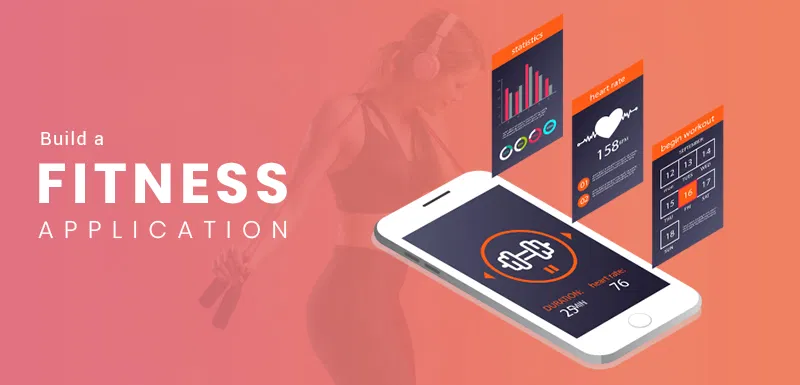
The finest aspect? You can construct one on your own.
And using React and Firebase is the most intelligent approach. Your user interface, or the portion that people view and interact with, is handled by React. The backend authentication, databases, storage, and deployment is managed by Firebase. When combined, they provide all you need to create a well-designed application without becoming bogged down in backend configuration.
The React JS and Full-Stack Development training courses offered by Uncodemy cover just this type of project. You learn by building, not by memorizing syntax. With projects like this one, you get your hands dirty under the guidance of mentors who have developed production-ready apps.
Let's examine how you would go about creating a workout planning software and why it would be a worthwhile addition to your portfolio.
Why React and Firebase?
This is the condensed version for those who have never used these tools together.
A JavaScript package called React is used to create user interfaces. Because of its component-based architecture, it's simple to divide your program into reusable parts, such as a progress graph, timetable view, or workout card. It is well-liked, quick, and tried-and-true by businesses like Airbnb, Netflix, and Meta.
In contrast, Google owns Firebase, a backend-as-a-service. You simply plug into Firebase's services rather than configuring servers, databases, and authentication routines yourself. It provides you with:
- Authentication: User sign-up and sign-in with email, Google, or even Apple.
- Cloud Firestore: A realtime NoSQL database.
- Storage: For media files like exercise images or demo videos.
- Hosting: Deploy your app globally in minutes.
- Cloud Functions: Run serverless code when you need custom logic.
In actuality, Firebase eliminates the laborious backend setup process. Instead of writing boilerplate server code, you can concentrate on creating features.
Additionally, Uncodemy's training modules frequently feature this combination: Firebase for the backend and React for the frontend. because it is similar to how large corporations and startups now develop apps.
Step One: Define the Features
Before writing code, think like a product designer. What features does a workout planner app actually need? Keep it simple but practical:
User Accounts
- People should create accounts to save workouts.
- Each user’s data stays private to them.
Workout Templates
- Users can save reusable plans like “Push Day” or “Leg Day.”
- Each template contains exercises, sets, reps, and rest periods.
Scheduling
- Attach templates to specific days of the week.
- Add notes like “try to beat last week’s squat PR.”
Workout Logging
- Track actual sets and reps performed.
- Record weights, intensity, and completion status.
Progress Tracking
- Show history of each exercise.
- Display personal records and weekly volume.
Extra Options (Stretch Goals)
- Upload videos for form checks.
- Weekly summaries sent via email.
With just these six capabilities, the software may be very helpful without becoming overly complicated. Additionally, they seamlessly integrate with Firebase's capabilities, including cloud functionalities for summary, media storage, Firestore for data, and authentication.
Students are taught precisely this kind of "feature scoping" by Uncodemy professors. Because choosing what to construct is what distinguishes novices from experienced developers; creating code is simple.
Step Two: Data Design That Scales
Now that we know the features, how should the data be structured? With Firebase Firestore, everything is stored in collections and documents. Here’s a clean model:
- users/{uid}/templates
Stores reusable workout templates.
Example: “Leg Day” with squats, lunges, and deadlifts.
- users/{uid}/schedule
Maps calendar dates to specific templates.
Example: 2026-08-24 → “Leg Day.”
- users/{uid}/sessions
Logs actual workouts.
Example: Squat: 3 sets × 5 reps × 100kg.
- users/{uid}/metrics
Stores progress summaries and personal records.
Because everything is tailored to the user, this framework scales effectively. It is also adaptable; you can add new collections, such as "videos" or "achievements," at a later time.
This is precisely what you do in Uncodemy's Firebase course modules: converting practical app requirements into a Firestore design that will remain intact even when your app has thousands of users.
Step Three: Build the Core Screens
Here’s how the app might break down in React:
- Login / Sign-Up Page
Firebase Authentication handles the heavy lifting.
- Dashboard
A home screen that shows today’s planned workout.
- Template Builder
UI for creating and editing workout plans.
- Schedule View
A calendar where users assign templates to days.
- Workout Session Screen
The screen used in the gym—log sets, reps, and weights.
- Progress Dashboard
Graphs and stats showing improvement over time.
These screens are all modular thanks to React. You can use hooks to control state, pass props, and construct them as components. As soon as you register a set, it appears immediately in the progress dashboard thanks to Firebase's real-time database.
In Uncodemy's React JS training, you develop this type of modular, feature-driven breakdown as you progress from basic UI building blocks to whole apps with data flow, routing, and authentication.
Step Four: Handle Security
Security is critical. Even if it’s “just workout data,” people don’t want others snooping into their accounts. Firebase Firestore lets you write rules like:
- Users can only read/write documents under their own UID.
- Workout sessions are private by default.
- Uploaded videos go into each user’s personal storage folder.
In this manner, security is automatically enforced by the database. Nobody can access other people's data, even if they reverse-engineer your frontend.
Security is not an afterthought at Uncodemy. Because employers seek developers who not just build but build responsibly, their courses include lessons devoted to designing and testing Firebase security policies.
Step Five: Deployment and Testing
After the application is up and running, Firebase Hosting makes deployment practically effortless. Your app is live with a worldwide CDN once you execute a single command called firebase deploy.
You may then do tests on real phones. Keep track of your workouts at the gym, review your progress at home, and determine what aspects of the program work well and what needs improvements.
It is a required deployment step in Uncodemy's active projects. Not only do you create apps, but you also post them online. In this manner, rather than having unfinished code on your laptop at the end of the course, you will have a portfolio of actual, functional apps.
Why This Project Matters for Your Career
Now, let’s zoom out. Why is building a workout planner app a smart project for your portfolio?
Because it covers the core pillars of modern web development:
- Authentication: User accounts with Firebase Auth.
- CRUD operations: Create, Read, Update, Delete workouts.
- Realtime data: Firestore syncing across devices.
- UI/UX design: Clean, responsive React components.
- Security: Firestore rules and scoped access.
- Deployment: Firebase Hosting and production-ready testing.
The entire stack is that. Employers will see this as proof that you can create full, functional applications in addition to proving that you "know React."
For this reason, Uncodemy prioritizes projects in its training methodology. Because you get acknowledged through your projects.
Where Uncodemy Fits In
The truth is that you might attempt to learn all of this on your own by following blog entries and YouTube courses. However, the truth is that you will become trapped. Perhaps authentication isn't working. Perhaps new features cause your database structure to collapse. Deployment failures could be your undoing.
That’s where Uncodemy makes the difference.
Their React JS Training and Full-Stack Development Courses give you:
- Structured learning: A roadmap that takes you from fundamentals to advanced projects.
- Hands-on practice: Build real apps like workout planners, chat apps, and e-commerce platforms.
- Mentor guidance: Instructors who troubleshoot with you in real time.
- Placement support: Because skills matter, but opportunities matter just as much.
By the time you finish, you don’t just have “knowledge.” You have skills + portfolio + confidence.
Final Thoughts
Although it may appear to be a simple project, exercise planner software incorporates the essential elements of modern development: sophisticated user interfaces, real-time databases, safe storage, authentication, and widespread distribution. It's the perfect combination of impressive and practical.
Additionally, if you want to really construct it—step-by-step, under the guidance of experts—Uncodemy's React and Full-Stack Development training programs are your best bet.
The problem is that learning to code isn't only about memorizing syntax. It's about construction. This training planner is one project that translates theory into reality. Evidence that you can use to get freelancing work, demonstrate in interviews, and demonstrate that you're developing into a developer rather than just learning.
Remember this the next time you're at the gym organizing your leg day: you might be organizing your career day as well. Begin modestly. Construct projects. And allow Uncodemy to assist you get to the point where your apps are advancing your career in addition to helping you lift weights.