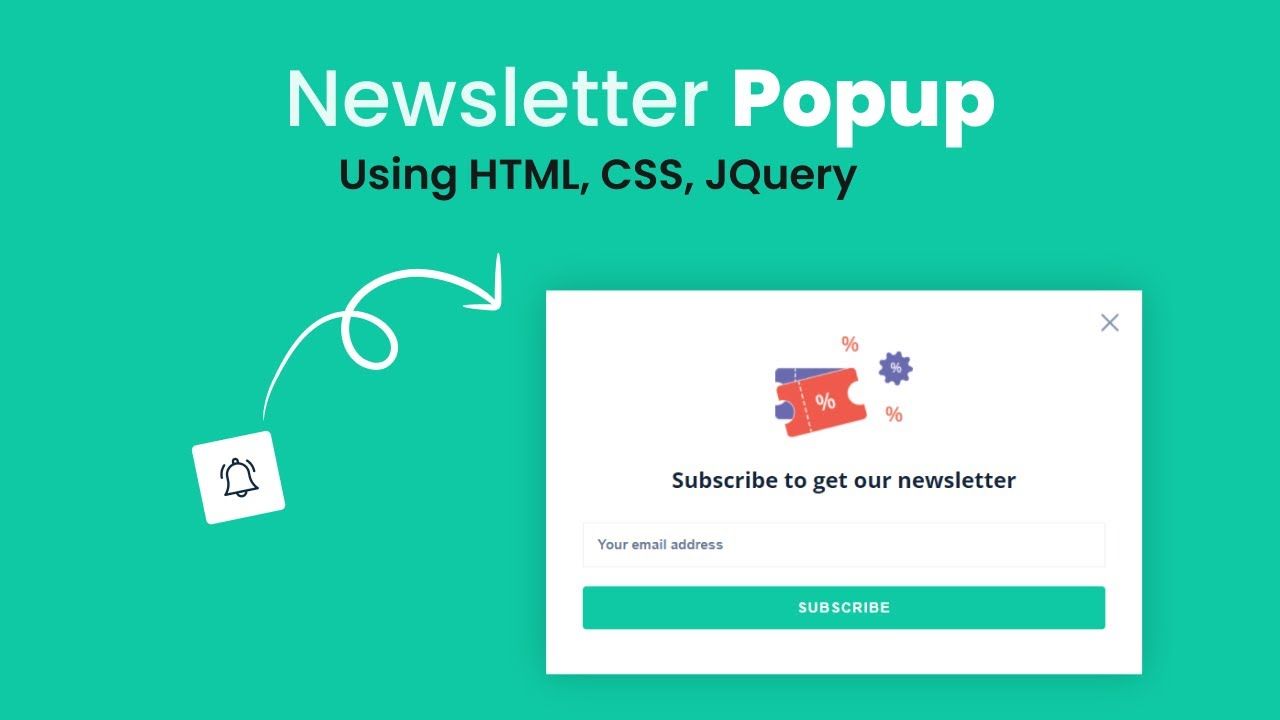
Understanding Newsletter Popups in Modern Web Development
Newsletter opt-in popups serve as strategic touchpoints that interrupt the user's browsing experience at precisely the right moment to present compelling value propositions. Unlike traditional static forms buried in website footers or sidebar areas, these dynamic overlays command immediate attention while offering visitors clear incentives to join mailing lists, access exclusive content, or receive regular updates about products and services.
The psychology behind effective popup design revolves around timing, value proposition, and user experience considerations that balance marketing objectives with respect for visitor autonomy. Modern users have developed sophisticated expectations for digital interactions, demanding that popups provide genuine value rather than simply disrupting their browsing sessions with irrelevant promotional messages.
Students entering the web development field often underestimate the complexity involved in creating truly effective newsletter popups that convert visitors without damaging user experience metrics or search engine rankings. The technical implementation requires careful consideration of HTML semantics, CSS styling approaches, JavaScript event handling, and accessibility standards that ensure inclusive design practices.
The Technical Foundation of Newsletter Popups
HTML Structure and Semantic Markup
The foundation of any effective newsletter popup begins with properly structured HTML that provides semantic meaning while maintaining accessibility standards. The markup should include appropriate ARIA labels, role attributes, and focus management elements that ensure screen readers and other assistive technologies can properly interpret and navigate the popup content.
Modern HTML5 elements offer improved semantic clarity compared to older div-based approaches, enabling developers to create more meaningful document structures that benefit both users and search engines. The form elements within newsletter popups require careful attention to input types, validation attributes, and labeling practices that enhance usability while preventing common user errors.
Container elements must be structured to support responsive design principles that ensure popups display correctly across various screen sizes and device orientations. This structural foundation becomes particularly important when implementing advanced features like multi-step forms, conditional fields, or integrated social media authentication options.
CSS Styling and Visual Design Principles
The visual presentation of newsletter popups significantly impacts conversion rates and overall user perception of brand professionalism. CSS implementations must balance eye-catching design elements with usability considerations that guide users naturally through the subscription process without creating confusion or friction.
Color psychology plays a crucial role in popup effectiveness, with strategic use of contrast, brand colors, and call-to-action button styling influencing user behavior and conversion likelihood. The visual hierarchy created through typography choices, spacing decisions, and layout arrangements guides user attention toward desired actions while maintaining aesthetic appeal.
Responsive design considerations become particularly challenging for popup implementations that must work effectively across desktop computers, tablets, and mobile devices with varying screen dimensions and interaction methods. CSS media queries and flexible layout techniques ensure that newsletter popups maintain functionality and visual appeal regardless of the user's chosen device or browser configuration.
JavaScript Functionality and Interactive Behavior
Event Handling and User Interactions
JavaScript provides the dynamic functionality that transforms static HTML forms into engaging, interactive experiences that respond intelligently to user behavior and preferences. Event listeners handle various user interactions including mouse movements, click events, keyboard navigation, and form submission processes that drive the overall popup experience.
Timing mechanisms represent one of the most critical aspects of popup JavaScript implementation, determining when popups appear based on factors such as time spent on page, scroll percentage, exit intent detection, or specific user actions that indicate engagement levels. These timing strategies require sophisticated logic that balances marketing effectiveness with user experience preservation.
Form validation JavaScript ensures that user input meets specified criteria before submission attempts, providing immediate feedback that helps users correct errors while reducing server load from invalid submissions. Client-side validation enhances user experience by eliminating delays associated with server-side validation processes.
Data Persistence and Local Storage
Modern newsletter popup implementations often incorporate local storage capabilities that remember user preferences, previous interactions, and subscription statuses to avoid repeatedly displaying popups to users who have already engaged with the subscription process. This persistence functionality significantly improves user experience while maintaining marketing effectiveness.
Cookie management becomes increasingly important given privacy regulations and user preferences regarding data tracking and storage. JavaScript implementations must handle cookie consent, data retention policies, and user preference settings that comply with relevant regulations while preserving functional requirements.
Session management features enable popups to adapt their behavior based on user session data, returning visitor status, and previous engagement patterns that inform personalization strategies and content customization approaches.
Advanced Implementation Techniques
Integration with Email Marketing Platforms
Professional newsletter popup implementations typically integrate with established email marketing platforms such as Mailchimp, Constant Contact, or custom backend services that handle subscription management, automated welcome sequences, and ongoing campaign delivery. These integrations require API knowledge and authentication handling that extends beyond basic HTML and JavaScript skills.
AJAX implementation enables seamless form submission without page reloads, providing smooth user experiences that maintain context while processing subscription requests in the background. Error handling becomes crucial for managing network failures, server errors, and validation issues that might occur during the submission process.
Third-party service integration often involves webhook configuration, API key management, and data formatting requirements that ensure subscriber information transfers correctly between the website popup and external email marketing systems.
Performance Optimization and Loading Strategies
Newsletter popup performance significantly impacts overall website speed and user experience metrics that influence search engine rankings and conversion rates. Lazy loading techniques ensure that popup resources only load when needed, reducing initial page load times while maintaining functionality for users who trigger popup displays.
Code minification and compression strategies reduce file sizes and improve loading speeds for JavaScript and CSS resources associated with popup functionality. These optimizations become particularly important for mobile users accessing websites over slower network connections.
Resource bundling and caching strategies help minimize HTTP requests and improve popup loading performance across repeated page visits and user sessions that enhance overall website performance metrics.
User Experience and Conversion Optimization
Timing and Trigger Strategies
The most effective pop-up newsletter examples follow core best practices including strategic timing, persuasive copy, seamless user experience, and compelling value propositions that balance marketing objectives with user satisfaction. Exit-intent detection algorithms identify when users are about to leave pages and present last-chance opportunities to capture email addresses before visitors navigate away.
Scroll-based triggers activate popups when users reach specific percentages of page content, indicating engagement levels that suggest higher conversion likelihood. Time-based triggers consider how long users spend on pages before presenting subscription opportunities, allowing visitors to experience website content before encountering marketing messages.
Behavioral triggers respond to specific user actions such as clicking certain links, hovering over particular elements, or attempting to close browser tabs that demonstrate intent patterns predictive of conversion success.
Mobile Responsiveness and Touch Interactions
Mobile-friendly newsletter popups require responsive design, appropriate sizing and positioning, large clear fonts and buttons, minimal text and images, and adherence to mobile usability guidelines that ensure optimal experiences across touch-enabled devices with varying screen dimensions.
Touch target sizing becomes critical for mobile popup implementations, requiring button and input field dimensions that accommodate finger-based interactions while preventing accidental activations that frustrate users. The mobile-first design approach ensures that popups function effectively on smaller screens before scaling up to larger desktop displays.
Gesture recognition capabilities enable advanced mobile interactions such as swipe-to-dismiss functionality, pinch-to-zoom support for popup content, and touch-friendly navigation elements that align with user expectations for mobile web interactions.
Industry Applications and Business Benefits
E-commerce and Retail Applications
E-commerce websites leverage newsletter popups to capture potential customer information before visitors abandon shopping carts or navigate away from product pages. These implementations often include discount offers, exclusive access to sales events, or personalized product recommendations that incentivize subscription while providing immediate value to potential customers.
Abandoned cart recovery strategies frequently incorporate popup elements that capture email addresses during checkout processes, enabling follow-up campaigns that recover lost sales through targeted messaging and incentives. These popups must balance urgency with user experience considerations that avoid creating additional friction in already complex purchasing workflows.
Product launch announcements and inventory notifications provide valuable services to customers while building engaged subscriber lists that support ongoing marketing efforts. These specialized popup implementations require integration with inventory management systems and product databases that enable real-time updates and personalized messaging.
Educational and Training Organizations
Educational institutions and training providers use newsletter popups to share course updates, enrollment opportunities, industry insights, and certification programs with prospective students and current learners. These implementations often incorporate segmentation logic that presents relevant content based on visitor interests, previous course enrollment, or professional background indicators.
Content marketing strategies frequently rely on newsletter subscriptions to distribute valuable educational resources, industry reports, and expert insights that establish thought leadership while building engaged communities around specialized knowledge areas.
Student success initiatives utilize newsletter popups to promote academic support resources, career services, upcoming events, and networking opportunities that enhance the overall educational experience while maintaining ongoing engagement with institutional communications.
Privacy Considerations and Compliance
GDPR and Data Protection Regulations
Modern newsletter popup implementations must comply with increasingly strict data protection regulations that govern how personal information is collected, stored, and processed. GDPR compliance requires explicit consent mechanisms, clear privacy policy links, and data processing explanations that inform users about how their information will be used.
Consent management platforms integrate with newsletter popups to handle cookie preferences, data retention settings, and user rights regarding personal information access, modification, and deletion requests. These systems require sophisticated backend integration and user interface design that balances compliance requirements with conversion optimization objectives.
International privacy law variations create additional complexity for websites serving global audiences, requiring popup implementations that adapt consent requirements based on visitor location and applicable regulatory frameworks.
User Privacy and Trust Building
Transparent data handling practices build user trust and improve conversion rates by clearly communicating how subscriber information will be used, protected, and potentially shared with third parties. Privacy-focused popup design emphasizes user control over subscription preferences, communication frequency, and content types.
Security considerations include SSL certificate requirements, secure form submission protocols, and data encryption practices that protect subscriber information during transmission and storage processes. These technical implementations demonstrate commitment to user privacy while meeting baseline security expectations.
Trust signals such as security badges, privacy certifications, and clear unsubscribe options help users feel confident about sharing personal information while reducing concerns about spam or unwanted marketing communications.
Learning Web Development with Uncodemy
Comprehensive HTML and JavaScript Training
Uncodemy offers structured learning programs that guide students through fundamental web development concepts including HTML markup, CSS styling, and JavaScript programming skills necessary for creating sophisticated interactive elements like newsletter popups. Their hands-on approach emphasizes practical project development that builds real-world skills employers actively seek.
The curriculum covers both foundational concepts and advanced techniques including API integration, form validation, responsive design principles, and performance optimization strategies that prepare students for professional development roles. Expert instructors provide personalized feedback and guidance throughout the learning process, ensuring students develop strong technical foundations.
Project-based learning methodology enables students to build complete newsletter popup implementations from initial concept through final deployment, providing portfolio pieces that demonstrate competency to potential employers while reinforcing theoretical concepts through practical application.
Modern Development Workflows and Best Practices
Uncodemy's training programs incorporate current industry best practices including version control systems, code review processes, and collaborative development workflows that mirror professional development environments. Students learn to use modern development tools and frameworks that streamline popup creation while maintaining high code quality standards.
Testing methodologies including unit testing, integration testing, and user acceptance testing ensure that newsletter popup implementations function correctly across various browsers, devices, and user scenarios. These quality assurance practices become essential skills for professional developers working on commercial projects.
Deployment strategies and hosting considerations teach students how to properly implement newsletter popups within existing websites while managing performance impacts, security requirements, and ongoing maintenance responsibilities that accompany professional web development projects.
Career Opportunities in Frontend Development
Frontend development careers increasingly require proficiency in interactive element creation including popups, modal dialogs, and dynamic form implementations that enhance user engagement and support business objectives. Uncodemy's training prepares students for these opportunities through comprehensive skill development and portfolio creation.
Industry partnerships provide students with exposure to real-world project requirements, client communication skills, and professional development practices that smooth the transition from educational settings to employment opportunities. These connections often lead directly to internships and job placements for qualified graduates.
Continuous learning support ensures that students stay current with evolving web development trends, emerging technologies, and changing industry standards that influence career advancement opportunities in the competitive frontend development job market.
Newsletter popup creation represents a valuable skill that combines technical proficiency with user experience design principles and marketing strategy understanding. Students who master these capabilities through comprehensive training programs like those offered by Uncodemy position themselves for success in the dynamic web development industry where businesses increasingly rely on sophisticated interactive elements to engage users and achieve conversion objectives. The combination of HTML structure, CSS styling, and JavaScript functionality creates powerful tools that serve both user needs and business goals when implemented thoughtfully and professionally.