Create a Restaurant Menu App with QR Code Ordering

Dining out should be fun, not stressful

Imagine walking into a busy restaurant. You sit down, menus in hand, and realize: there’s a huge line behind you. You want to order, but the waiter is swamped, and flipping through a paper menu feels slow.

Create a Restaurant Menu App with QR Code Ordering

  • Or worse: you find a dish you like, but it’s out of stock. Frustrating, right? These small hiccups can turn a fun dining experience into a stressful one.
  • What if there was a way to make ordering smooth, fast, and interactive?
  • Enter QR code menus

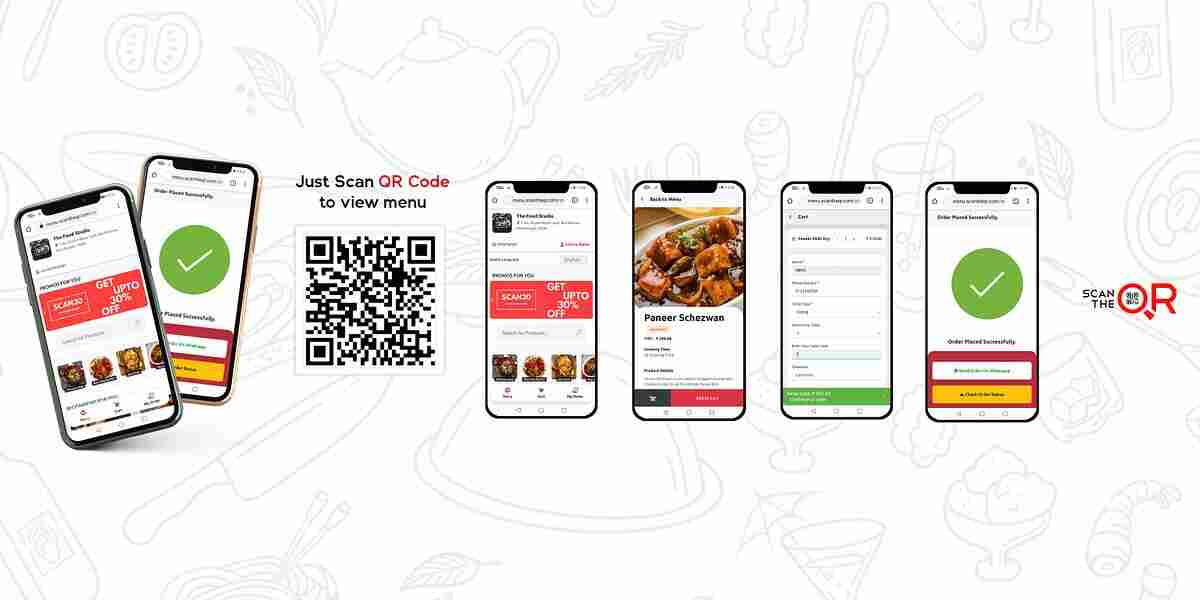
  • QR codes aren’t new, but using them smartly can transform the dining experience. Customers scan a code on the table, pull up the menu on their phones, and—here’s the magic—they can order and pay instantly.
  • Benefits:
  • No waiting for a waiter just to place an order.
     
  • Live updates—dishes that are unavailable can be removed in real time.
     
  • Easier to update prices and menus without printing.
     
  • Contactless experience, which is great for health and hygiene.
     
  • It’s a win for both the restaurant and the customer.
  • How AI can make it smarter

  • A basic QR menu is useful, but AI can elevate it:
  • Personalized recommendations: Suggest dishes based on past orders or popular items.
     
  • Upselling: Suggest sides, drinks, or desserts intelligently.
     
  • Predictive inventory: Flag when an item might run out soon to avoid customer disappointment.
     
  • Order analytics: Restaurants can see trends and optimize menus.
     
  • Now the app isn’t just convenient—it’s smart. It helps customers decide faster and helps restaurants run more efficiently.
  • A story from Uncodemy

  • Let’s meet Aisha, a Uncodemy student who loves both coding and food. She noticed that her favorite café often had frustrated customers during peak hours—long waits, confused orders, missed specials.
  • For her Uncodemy project, she built a prototype QR code menu app. Customers scanned a QR code on the table, browsed the menu, and placed orders directly from their phones.
  • On testing day, the café staff and customers were impressed. Orders went straight to the kitchen, payment was seamless, and the line-ups disappeared. Aisha said, “It felt amazing to see people enjoy food without waiting or frustration. The app didn’t just help the restaurant—it improved the experience for everyone.”
  • Why this matters

  • Restaurants thrive on happy customers. Frustration at ordering or slow service can drive people away. A QR code menu app doesn’t just save time—it enhances the overall dining experience.
  • At Uncodemy, building this type of app teaches more than just coding. Students learn UX design, real-time data handling, and how technology can solve everyday problems.
  • Tips for building it well

  • Keep it intuitive: The menu should be easy to navigate on any device.
     
  • Visual appeal: Photos, descriptions, and clear pricing make a huge difference.
     
  • Real-time updates: Mark items as unavailable instantly.
     
  • Secure payments: Integrate reliable payment gateways for a smooth checkout.
     
  • Optional AI features: Personalized suggestions and upselling can enhance both user experience and revenue.
  • Wrapping it up

  • A QR code menu app is more than tech—it’s a better way to eat. Customers get a smoother experience, restaurants get efficiency, and everyone leaves happier.
  • At Uncodemy, projects like this teach students to think like problem-solvers, not just coders. You’re not just building an app—you’re building experiences that matter.

Placed Students

Our Clients

Partners

...

Uncodemy Learning Platform

Uncodemy Free Premium Features

Popular Courses