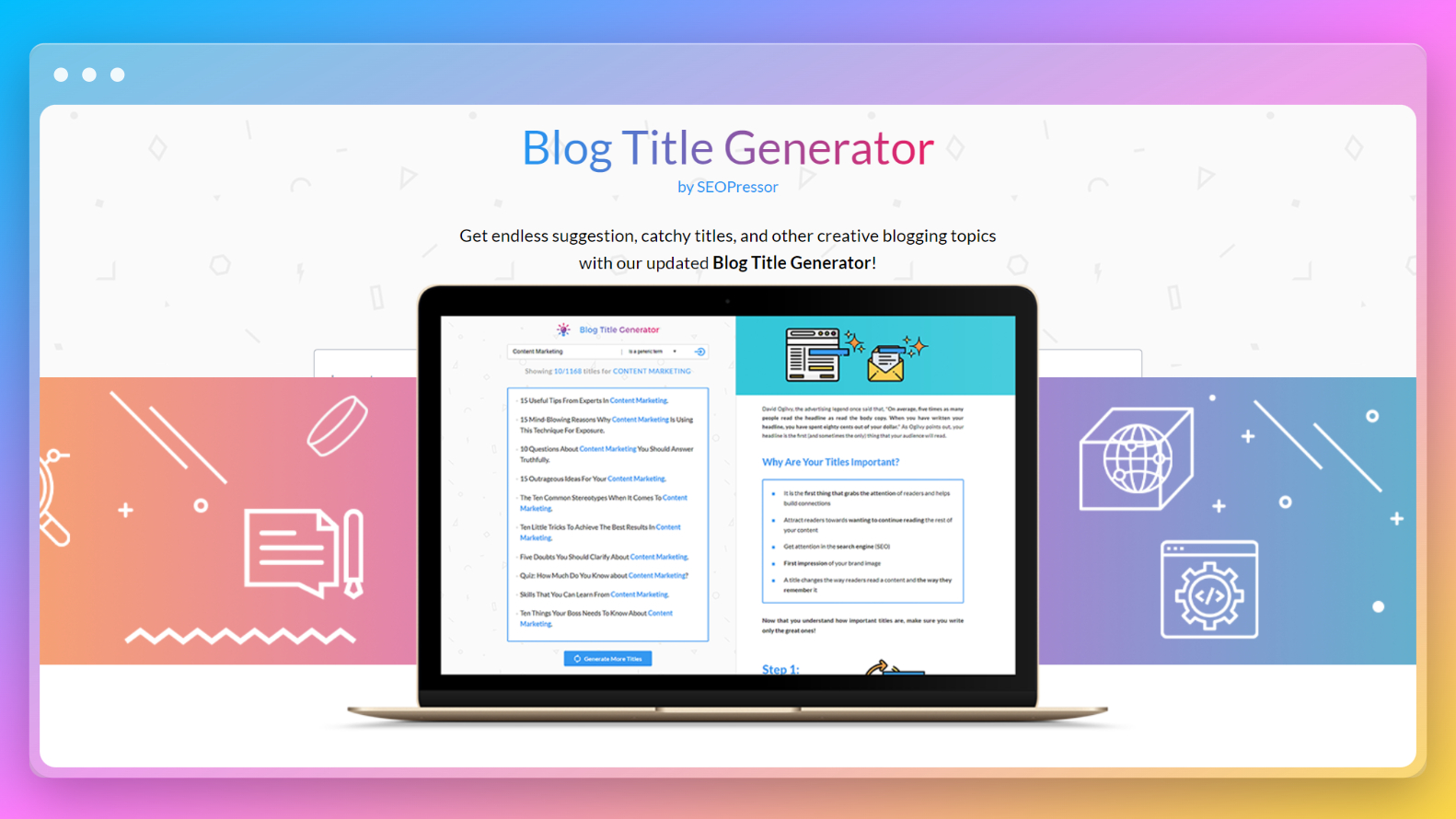
What if you had a smart assistant that could generate dozens of creative, relevant, and SEO friendly blog titles in seconds?
That is where an AI powered blog title generator comes in. In this article, we will walk through the process of building such a tool, explain why it matters, discuss the core technology behind it, and show you how to integrate it into your workflow. By the end, you will have a clear understanding of how to create a tool that helps you come up with high performing blog titles instantly.
Why Blog Titles Matter
A blog title is not just a piece of text. It is a powerful marketing asset. Your title has to grab attention, promise value, and encourage action. Here are a few reasons why good blog titles are critical:
- First impression: Titles are the first thing users see on search results, social media, and newsletters.
- SEO performance: Search engines use your title to understand what your article is about.
- Click through rate: A well crafted title can dramatically increase clicks and traffic.
- Shareability: Catchy titles are more likely to be shared on social platforms.
-
Because of these reasons, writers often spend as much time writing the title as they do the article. But with AI, you can streamline this process while still maintaining creativity.
How AI Generates Blog Titles
AI systems like GPT based models work by predicting text based on input prompts. When you feed in a topic like “benefits of yoga for beginners,” the AI looks at billions of examples it has seen during training and produces titles that sound natural and engaging.
Some common approaches AI uses to generate titles include:
- Keyword matching: Ensuring the main topic appears in the title.
- Headline patterns: Using proven headline styles like “Top 10,” “How To,” or “Ultimate Guide.”
- Tone adjustments: Creating formal, casual, humorous, or dramatic variations.
- Length optimization: Generating titles that are not too short or too long for search engines.
The result is a list of suggestions you can review, tweak, and pick from.
Step by Step Guide to Building Your Tool
Let us go through the process of creating an AI powered blog title generator from scratch.
Step 1: Choose a Tech Stack
You can build this tool as a simple web app. Here is a recommended stack:
- Frontend: HTML, CSS, JavaScript (or a framework like React)
- Backend: Node.js, Flask, or Django to handle requests
- AI API: OpenAI GPT model or any other natural language generation API
This stack is lightweight, scalable, and beginner friendly.
Step 2: Design the User Interface
Your interface should be clean and intuitive. Key components might include:
- Topic Input Field: Where users type their blog topic.
- Generate Button: To trigger the AI request.
- Results Section: To display the generated titles in a list format.
- Copy Button: To allow quick copying of a title to the clipboard.
Keep the design simple so users can focus on the results.
Step 3: Set Up the Backend
Your backend will handle requests from the frontend, call the AI API, and return the results. For example, in Flask, you could create an endpoint /generate-title that takes a topic as input and responds with a list of suggested titles.
Step 4: Connect to the AI Model
Most AI providers allow you to send a prompt and receive text output in return. A typical prompt might look like:
“Generate 5 catchy, SEO friendly blog titles for the topic: ‘Healthy Breakfast Recipes for Busy Mornings.’”
The AI will return a list of possible titles such as:
- 7 Healthy Breakfast Recipes You Can Make in Under 10 Minutes
- Quick and Nutritious Breakfast Ideas for Busy Professionals
- The Ultimate Morning Meal Guide for a Productive Day
Your backend can parse these results and send them to the frontend for display.
Step 5: Add Filters and Customization
To make your tool more powerful, you can allow users to customize the output. Some ideas include:
- Tone Selector: Formal, casual, fun, professional
- Length Preference: Short titles vs longer descriptive ones
- Keyword Inclusion: Ensure a specific keyword is present
This will give users more control and better results.
Step 6: Test for Quality
AI output can sometimes be too generic or repetitive. Test your tool with a variety of topics to ensure it generates diverse and relevant titles. You can also build in logic to remove duplicates or irrelevant suggestions.
Step 7: Deploy and Share
Once ready, deploy your tool on a platform like Vercel, Netlify, or Heroku. Share it with your audience so they can start generating titles for their blogs.
Advantages of Using an AI Title Generator
Building this tool will not just save time — it will also improve the quality of your content strategy.
- Speed: Generate multiple title options instantly.
- Creativity Boost: Discover ideas you might not have thought of yourself.
- SEO Optimization: AI can suggest keyword rich titles that rank better.
- Consistency: Maintain a steady style and tone across your blog.
Practical Example
Imagine you run a travel blog and want to write about Paris in spring. You type “Best things to do in Paris during spring” into your AI title generator. It might return:
- 10 Breathtaking Things to Do in Paris This Spring
- Springtime in Paris: A Complete Guide for First Time Visitors
- Why Paris is at Its Most Beautiful in Spring: Travel Tips
You can choose the one that matches your brand voice or use them as inspiration to craft your own.
Tips for Better Results
AI works best when you provide good prompts. Here are some tips:
- Be specific about your topic (e.g., “Vegan breakfast ideas for college students” instead of just “breakfast”).
- Mention the format you want (e.g., “Generate 7 listicle style titles”).
- Ask for multiple variations to give you options.
- Edit the results manually to ensure originality.
Learn AI for Content Creation with Uncodemy
If building such tools excites you, you can learn more by joining Uncodemy’s AI for Content Creation course. This program teaches you how to use AI APIs, write effective prompts, build real world content generation tools, and integrate them into websites. You will get hands on practice with projects like title generators, content idea suggestion bots, and social media caption tools. This practical learning experience helps you master AI skills while building a portfolio of projects.
Conclusion
In a world where attention spans are shrinking and competition for clicks is growing, having a strong headline can make all the difference. Creating an AI powered blog title generator tool is not just a fun project — it is a productivity booster for any writer, marketer, or business owner.
With the right approach, you can build a tool that helps you generate creative, SEO friendly, and engaging blog titles within seconds. Start with a simple interface, connect it to a reliable AI model, and keep refining based on user feedback.
AI will not replace human creativity, but it can amplify it. By combining AI suggestions with your personal touch, you can produce better content faster and stay ahead of the competition. And if you want to take your skills further, Uncodemy’s course is the perfect place to start.
With the right tools and knowledge, you can turn a blank page into a list of brilliant headline ideas — and that is the first step to creating content that gets noticed.