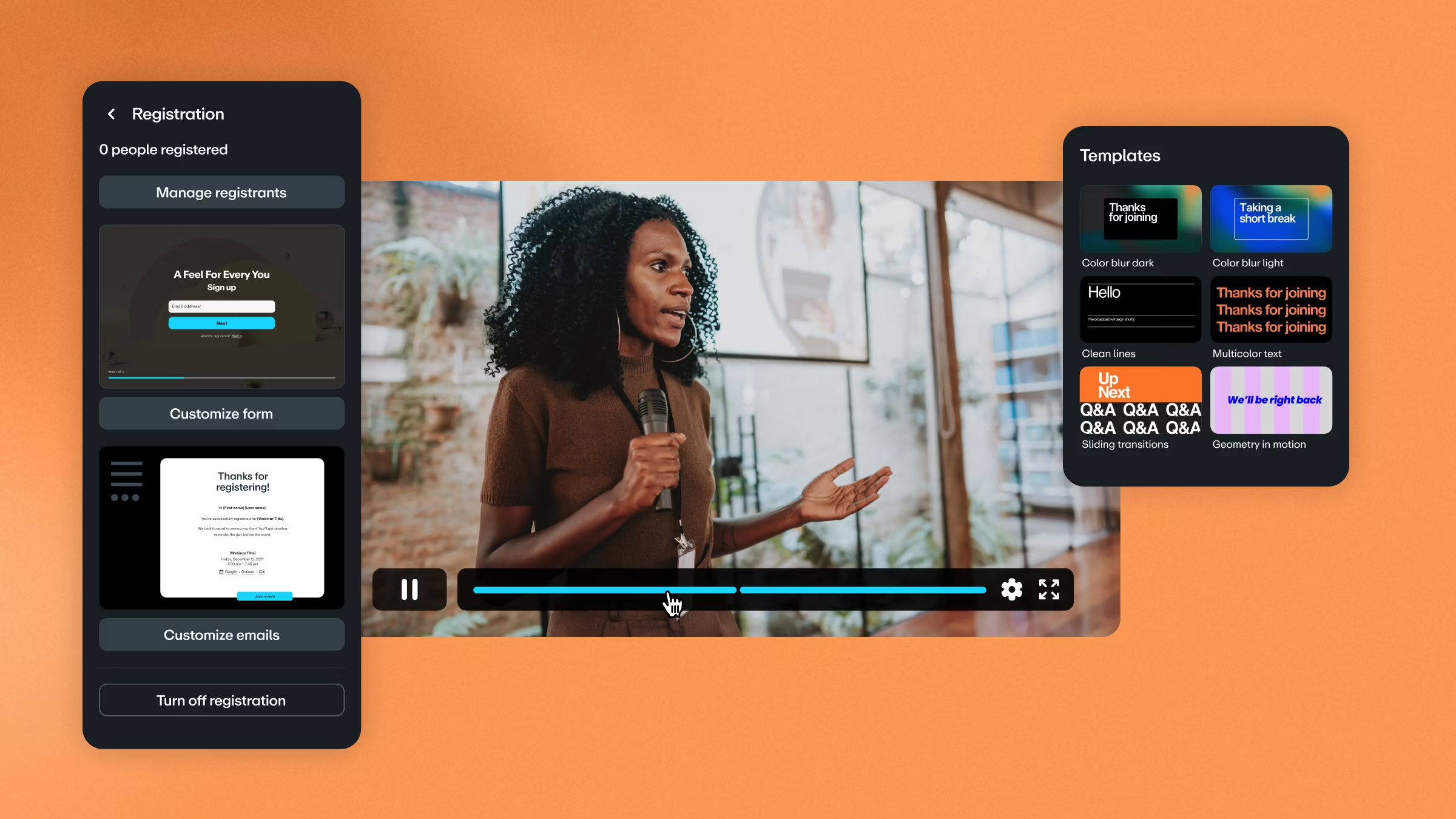
This is where AI-powered automated webinar hosting platforms come into play. By integrating artificial intelligence into the process, you can streamline operations, personalize user experiences, and extract valuable insights to improve future events. In this article, we’ll walk you through how to build an automated webinar hosting platform using AI, its core features, benefits, challenges, and the skills you need to create one.
And if you’re looking to gain these skills hands-on, Uncodemy offers specialized courses in AI, Data Science, Full Stack Development, and Cloud Computing to help you bring such projects to life.
Why Automated Webinar Hosting Platforms Matter
Traditional webinar hosting tools often require significant manual effort — from preparing slides and reminders to moderating questions during the live session. As audience size and expectations grow, automation becomes essential. Here’s why AI-powered automation matters:
1. Time Efficiency: AI automates repetitive tasks like sending reminders, generating reports, and uploading recordings.
2. Personalized Experience: Attendees receive tailored content, reminders, and follow-ups based on their interests.
3. Scalability: Whether you’re hosting for 50 or 5,000 attendees, AI ensures smooth experiences without extra workload.
4. Analytics and Insights: AI provides real-time engagement metrics such as attention spans, interaction rates, and drop-offs.
5. Global Reach: Features like real-time AI translation and captions make webinars accessible across languages.
Key Features of an AI-Powered Webinar Hosting Platform
Building an effective platform means combining the best of automation with AI-driven intelligence. Some must-have features include:
1. Automated Scheduling and Invitations
- AI integrates with calendar apps (Google, Outlook) to find the best time for global audiences.
- Automated email invites and reminders reduce no-show rates.
2. Smart Registration and Audience Profiling
- AI-based chatbots can handle registration queries.
- User behavior and interest tracking helps in personalizing webinar content.
3. AI Moderation During Webinars
- AI tools can filter spam or irrelevant questions during Q&A.
- Speech-to-text enables real-time transcription and captions.
4. Interactive Engagement Tools
- AI polls and quizzes to keep attendees engaged.
- Emotion recognition to measure participant responses (via webcam with consent).
5. Automated Recording and Summarization
- Every webinar is recorded automatically.
- AI generates highlights, transcripts, and summaries for easy distribution.
6. Follow-Up Automation
- AI segments participants into categories (e.g., “highly engaged” vs. “dropped off early”) and sends tailored follow-up emails.
- Personalized content recommendations based on the attendee’s behavior.
7. AI-Driven Analytics Dashboard
- Provides data on audience demographics, participation rates, engagement peaks, and drop-off moments.
- Predicts best practices for future webinars.
The Role of AI in Webinar Automation
AI transforms webinars beyond simple hosting. Here’s how:
- Natural Language Processing (NLP): Used for live transcription, summarization, and multilingual translations.
- Machine Learning Algorithms: Analyzes engagement patterns to optimize future webinars.
- Computer Vision: Detects participant attention levels via webcam (if enabled).
- Recommendation Systems: Suggests relevant webinars or content for each participant.
- Chatbots: Provide real-time assistance for FAQs, technical issues, or resource sharing during webinars.
By weaving these technologies together, you can deliver webinars that feel personal, efficient, and impactful.
Step-by-Step Guide: Building an Automated Webinar Hosting Platform
Let’s break down the development process.
Step 1: Define Requirements
Ask yourself:
- Who is my target audience (students, corporates, marketers, etc.)?
- What features do I want — basic hosting, or advanced AI-driven engagement?
- Will it be a standalone app or integrate with platforms like Zoom and Teams?
Step 2: Set Up Infrastructure
- Use cloud platforms like AWS, Azure, or Google Cloud for scalability.
- Implement microservices architecture for flexibility.
Step 3: Implement Core Features
- User Management: Registration, login, and attendee profiling.
-
- Scheduling System: AI-powered calendar management.
-
- Streaming Backend: Use WebRTC or RTMP protocols for real-time video.
- Recording Service: Automatically store webinars on the cloud.
Step 4: Integrate AI Modules
- Chatbots: For registration, FAQs, and live assistance.
- NLP Models: For transcription, translation, and summarization.
- Analytics Engine: To track engagement and suggest improvements.
Step 5: Data Visualization Dashboard
- Build interactive dashboards with charts and heatmaps.
- Provide actionable insights like: “Most participants dropped off after 45 minutes” or “Poll #2 had highest engagement.”
Step 6: Testing & Deployment
- Test across devices (mobile, desktop, tablets).
- Deploy on cloud with load balancing for large events.
Challenges in Building Such a Platform
While the idea is exciting, you may face challenges:
- Latency Issues: Real-time video streaming needs strong infrastructure.
- Data Privacy: Recording and analyzing audience data requires compliance (GDPR, HIPAA, etc.).
- AI Accuracy: Transcriptions, translations, or sentiment analysis may need fine-tuning for accuracy.
- Integration Complexity: Linking calendars, payment gateways, and email systems can be tricky.
The good news is, with the right technical skills and tools, these challenges can be solved.
Tools & Tech Stack to Use
Here’s a suggested stack:
- Frontend: React.js / Angular
- Backend: Node.js, Python (Flask/Django)
- Database: PostgreSQL, MongoDB
- AI/NLP: Hugging Face, OpenAI API, TensorFlow
- Streaming: WebRTC, Agora, Twilio API
- Cloud: AWS Elastic Beanstalk, Google Cloud Run, Azure Functions
- Analytics: Power BI, Tableau, or custom dashboards with D3.js
Future of AI-Powered Webinars
We’re moving toward a future where webinars will be:
- Hyper-personalized: Every participant will see slightly different content tailored to their preferences.
- Immersive: Integration with AR/VR for interactive product demos.
- Fully Automated: AI-generated presenters (avatars) could one day replace live hosts for informational webinars.
- Predictive: Platforms will predict what kind of webinar you should host next to maximize engagement.
How Uncodemy Can Help You Build This
If you’re inspired to build such a platform, you’ll need expertise across multiple domains: AI, cloud, full-stack development, and user experience. That’s where Uncodemy’s industry-focused courses come in:
- AI & Machine Learning Courses: Learn to build NLP models, chatbots, and predictive engines for webinars.
- Data Science Courses: Gain expertise in analyzing webinar data, building dashboards, and extracting actionable insights.
- Full Stack Development Courses: Master frontend and backend technologies to create seamless platforms.
- Cloud Computing & DevOps Courses: Deploy and scale webinar systems on AWS, Azure, or Google Cloud.
Uncodemy’s project-based learning ensures you don’t just learn theory but also build real-world solutions like an automated webinar platform.
Conclusion
AI is redefining the way webinars are hosted and experienced. From automated scheduling and engagement analysis to AI-powered chatbots and real-time transcription, the possibilities are endless. Creating an automated webinar hosting platform requires technical expertise but offers massive potential for businesses, educators, and creators alike.
By leveraging the right AI tools and development practices, you can build a platform that is scalable, intelligent, and engaging. And with Uncodemy’s tailored courses in AI, Data Science, Full Stack Development, and Cloud Computing, you can gain the knowledge and hands-on experience needed to make this vision a reality.