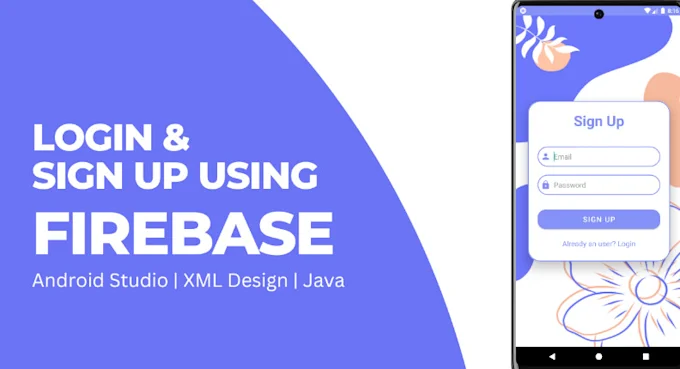
Firebase Auth, provided by Google, is a powerful and secure way to manage user authentication. It offers a complete backend solution that developers can easily integrate into their applications. With Firebase Auth, it becomes possible to create login and signup forms that allow users to register, log in, and manage accounts securely without needing to build complicated server-side infrastructure. For students and beginners, this is an exciting opportunity to practice real-world projects with minimal setup.
For learners who want to gain hands-on experience with web and app development projects, Uncodemy’s JavaScript and Web Development Training Courses are an excellent choice. These courses cover practical skills such as creating authentication forms with Firebase, along with the fundamentals of programming, ensuring that students are industry-ready.
Why Authentication is Important
Authentication is the backbone of digital security. Without it, any website or application would be vulnerable to unauthorized access. Imagine an e-commerce site without a secure login system; anyone could manipulate user accounts, exposing sensitive data such as addresses and payment details. Similarly, social platforms rely on authentication to ensure that only the rightful owner has access to personal messages, photos, and information.
For developers, understanding authentication is a vital step toward building safe and trustworthy applications. By creating login and signup forms, they ensure that users can interact with digital platforms confidently, knowing that their personal information is protected. Students practicing authentication using Firebase gain the confidence to build secure and scalable projects that can be applied in real-world scenarios.
What is Firebase Authentication
Firebase Authentication is a service that provides easy-to-use SDKs and backend services for user authentication. It supports multiple authentication methods such as email and password, phone numbers, and third-party providers like Google, Facebook, and GitHub. What makes Firebase Auth stand out is its simplicity. Developers do not have to worry about maintaining servers, encrypting passwords, or managing tokens because Firebase handles these tasks.
By integrating Firebase Auth into their projects, developers can quickly set up signup and login forms that are not only functional but also secure. It also provides additional features such as password resets, email verification, and multi-factor authentication, which enhance the overall security of applications. Students working with Firebase Auth discover how professional developers manage authentication systems with efficiency and reliability.
Setting Up Firebase for Forms
Before creating login and signup forms, the first step is setting up Firebase in the project. Developers need to create a Firebase project in the Firebase console, add their app, and copy the configuration details. This configuration connects the app to Firebase services. Next, they must enable the authentication method they want to use, such as email and password.
The integration process is straightforward and well-documented by Firebase. Once everything is set up, JavaScript can be used to connect the form inputs to Firebase functions. For beginners, this setup might feel technical at first, but with practice, it becomes second nature. Uncodemy’s Web Development Training includes detailed guidance on how to set up Firebase and integrate it into projects, ensuring that students gain hands-on exposure rather than just theoretical knowledge.
Creating a Signup Form
A signup form allows new users to register on a platform. In Firebase Auth, creating a signup form with email and password is one of the most common use cases. The HTML structure usually includes input fields for email, password, and sometimes username. With JavaScript, these inputs are captured and sent to Firebase using the createUserWithEmailAndPassword method.
If the process is successful, Firebase automatically creates a new user and stores their credentials securely. If there are errors, such as weak passwords or already registered emails, Firebase returns messages that can be displayed to the user. By building this functionality, students learn how to handle real-world scenarios where users may make mistakes or require guidance during signup.
Practicing this through Uncodemy’s JavaScript and App Development Courses helps learners gain the confidence to implement forms that are both user-friendly and professional.
Creating a Login Form
The login form allows existing users to access their accounts. It is similar in design to the signup form but instead uses Firebase’s signInWithEmailAndPassword method. This checks the provided credentials against stored user data and grants access if the details match. If the credentials are incorrect, an error is returned, and the developer can display an appropriate message.
For developers, the challenge is to make the login form simple, secure, and responsive. Error handling, password visibility toggles, and friendly interfaces make a big difference in user satisfaction. By coding these forms from scratch using vanilla JavaScript and Firebase, students strengthen their understanding of authentication and create projects that can be showcased in portfolios.
Handling Authentication States
Another important aspect of authentication is managing user sessions. Once a user logs in, the application needs to remember their state until they log out. Firebase provides methods such as onAuthStateChanged to detect whether a user is currently logged in or not. This allows developers to show or hide certain parts of the website depending on the user’s authentication status.
For instance, a logged-in user might see a personalized dashboard, while a visitor who has not logged in would only see general information. This level of customization enhances user experience and is widely used in professional websites and applications. Students who learn these features in Uncodemy’s training programs realize how authentication ties into broader aspects of user management and dynamic content delivery.
Challenges in Using Firebase Auth
While Firebase Auth is beginner-friendly, there are challenges that students may face. Understanding error codes and messages can be tricky at first, especially when handling multiple cases such as invalid emails, wrong passwords, or network issues. Another challenge is ensuring that forms are responsive and work across devices. Security considerations, like enabling email verification or adding multi-factor authentication, also require attention.
These challenges, however, are valuable learning opportunities. They encourage students to dig deeper into documentation, experiment with solutions, and build confidence in troubleshooting. At Uncodemy, learners are guided through these challenges step by step, ensuring they develop problem-solving skills that are essential for professional developers.
Best Practices for Login and Signup Forms
Creating login and signup forms is not just about functionality; it is also about user experience and security. Best practices include keeping forms simple, validating inputs on both the client and server side, and providing clear error messages. Using strong password policies and enabling features like “forgot password” options improve reliability.
Accessibility is another important factor. Forms should be usable by all users, including those relying on assistive technologies. This means adding labels, ensuring keyboard navigation, and using clear instructions. These details might seem small, but they play a major role in creating inclusive applications. Students who adopt these practices in their projects at Uncodemy gain the ability to think like professional developers who prioritize both functionality and usability.
Real-World Applications of Firebase Auth
Firebase Auth is used across various industries for real-world applications. E-commerce platforms use it to manage customer accounts and secure checkout processes. Educational websites rely on it for student and teacher logins. Social platforms integrate Firebase Auth to allow users to sign up quickly using email or third-party accounts like Google and Facebook.
By practicing how to build these forms, students prepare themselves for real-world projects where authentication is a basic yet essential feature. It not only improves their technical skills but also makes their portfolios stronger. With Uncodemy’s emphasis on practical learning, students get to work on projects that mirror industry requirements.
Why Students Should Learn Firebase Auth
Learning Firebase Auth provides students with both confidence and employable skills. It shows that they can handle critical features like authentication, which is required in almost every web and mobile application. Moreover, Firebase is widely used by startups and established companies alike, making it a valuable tool to master.
Employers look for developers who can build complete applications rather than just write code snippets. By learning authentication with Firebase, students demonstrate their ability to manage both frontend and backend requirements. This practical exposure is exactly what Uncodemy’s courses are designed to provide.
Conclusion
Creating login and signup forms using Firebase Auth is an essential skill for any aspiring web developer. It teaches the importance of security, user experience, and practical problem-solving. With Firebase handling the complex backend tasks, developers can focus on building user-friendly forms that are functional and reliable. From session management to error handling, these projects help students gain real-world experience.
For learners looking to master such skills, Uncodemy’s JavaScript and Web Development Training Courses provide the perfect platform. They combine theory with hands-on projects, preparing students to work confidently on authentication systems and beyond. Building login and signup forms with Firebase Auth is not just a technical exercise—it is a step toward becoming a capable and creative web developer ready for industry challenges.