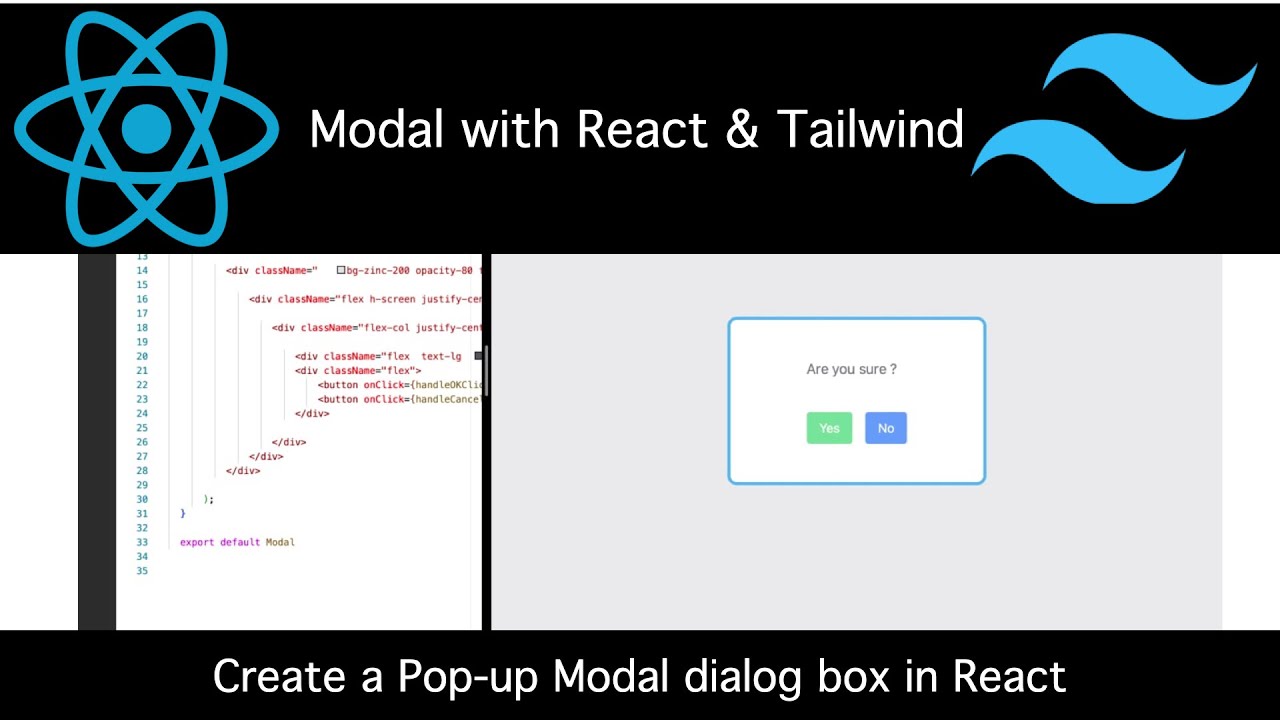
Understanding Modal Components in Modern Web Development
Modal components serve as overlay dialogs that appear on top of the main application content, allowing users to interact with specific functionality without losing context of their current page. These components are particularly valuable for displaying forms, confirmations, detailed information, or any content that requires focused attention without navigation away from the current view.
The importance of modals in modern web applications cannot be overstated. They provide an elegant solution for handling user interactions that would otherwise require page redirects or complex state management. From e-commerce checkout processes to social media post creation, modals have become integral to creating smooth, professional user experiences that keep users engaged and reduce bounce rates.
For students and junior developers entering the field, understanding how to create effective modal components represents a crucial skill that demonstrates proficiency in both React development and UI/UX principles. The ability to build reusable, accessible modals showcases technical competence and attention to user experience details that employers actively seek in frontend developers.
The Power of React for Component Architecture
React's component-based architecture provides the perfect foundation for building reusable modal systems. The framework's declarative approach allows developers to describe how modals should behave under different conditions, while React handles the complex DOM manipulation and state management behind the scenes. This abstraction enables developers to focus on creating excellent user experiences rather than wrestling with browser inconsistencies and manual DOM updates.
Component reusability represents one of React's most significant advantages for modal development. A well-designed modal component can be used across multiple pages and contexts within an application, reducing code duplication and ensuring consistent behavior throughout the user interface. This reusability also simplifies maintenance and updates, as changes to the modal component automatically propagate across all instances where it's used.
React's state management capabilities make modals particularly powerful for handling complex user interactions. Whether managing form data, controlling animation states, or handling multiple modal instances, React provides elegant solutions that keep code organized and maintainable. The component lifecycle methods and hooks system offer precise control over when modals appear, disappear, and respond to user actions.
Tailwind CSS: Streamlining Modal Styling
Tailwind CSS revolutionizes how developers approach styling by providing a comprehensive set of utility classes that can be composed to create any design. For modal development, this approach offers unprecedented flexibility and consistency while maintaining excellent performance characteristics. The utility-first methodology eliminates the need for custom CSS files and reduces the overall bundle size of applications.
The responsive design capabilities of Tailwind CSS are particularly valuable for modal components that must work across various screen sizes and devices. The framework's mobile-first approach ensures that modals look and function correctly on everything from smartphones to large desktop displays. This responsiveness is crucial in today's multi-device environment where users expect consistent experiences regardless of their chosen platform.
Tailwind's extensive color palette, spacing system, and typography utilities provide developers with professional-grade design tools without requiring deep CSS expertise. For students learning frontend development, this accessibility makes it possible to create visually appealing interfaces while focusing on learning React concepts and component architecture principles.
Essential Features of Professional Modal Components
Accessibility and User Experience
Professional modal components must prioritize accessibility to ensure they can be used by all users, including those with disabilities. This includes proper focus management, keyboard navigation support, screen reader compatibility, and adherence to ARIA guidelines. When a modal opens, focus should automatically move to the modal content, and when it closes, focus should return to the element that triggered the modal.
The user experience extends beyond accessibility to include intuitive interaction patterns. Users should be able to close modals through multiple methods, including clicking outside the modal area, pressing the escape key, or clicking a dedicated close button. These interaction patterns have become standard expectations that users rely on across different applications and websites.
Animation and transition effects significantly impact the perceived quality of modal implementations. Smooth entrance and exit animations provide visual feedback that helps users understand the interface's response to their actions. Tailwind CSS provides utilities for creating these animations without requiring complex CSS or JavaScript animation libraries.
State Management and Props
Effective modal components require thoughtful state management to handle opening, closing, and content updates. The component should accept props that control its visibility, content, and behavior while maintaining internal state for animation timing and user interactions. This balance between external control and internal functionality makes modals both flexible and easy to use.
Props design significantly impacts component reusability. Well-designed modal components accept content through children props, allowing developers to place any React elements inside the modal without modifying the modal component itself. Additional props might control size, positioning, animation style, and callback functions for user actions.
State management becomes more complex when dealing with multiple modals or nested modal scenarios. Advanced implementations might include modal stacking, backdrop click handling, and integration with routing systems. These features require careful consideration of component architecture and state management patterns.
Building Your First Reusable Modal Component
Setting Up the Development Environment
Before diving into modal development, students need a properly configured development environment that includes React and Tailwind CSS. The setup process involves creating a new React application, installing Tailwind CSS dependencies, and configuring the build system to process Tailwind utilities. Modern tools like Create React App and Vite provide streamlined setup processes that get developers coding quickly.
Development tools play a crucial role in modal development workflow. Browser developer tools help debug styling issues and test responsive behavior, while React Developer Tools provide insights into component state and props. Hot reload capabilities allow developers to see changes instantly, making the development process more efficient and enjoyable.
Version control integration becomes important when working on reusable components that will be shared across projects or team members. Understanding Git workflows and best practices for component development ensures that modal components can be easily maintained and updated over time.
Creating the Basic Modal Structure
The foundation of any modal component lies in its structural design and layout approach. A typical modal consists of an overlay backdrop that covers the entire viewport and a content container that holds the actual modal content. This structure must be flexible enough to accommodate various content types while maintaining consistent behavior across different use cases.
CSS positioning and z-index management are critical aspects of modal implementation. The modal must appear above all other page content while maintaining proper layering when multiple modals are present. Tailwind CSS provides utility classes that simplify these positioning requirements without requiring complex CSS calculations.
The modal content area should be designed with flexibility in mind, allowing for various content sizes and types. This includes handling overflow scenarios where content exceeds the available space, ensuring proper scrolling behavior, and maintaining responsive design principles across different screen sizes.
Implementing Interactive Behavior
User interaction handling represents the most complex aspect of modal development. The component must respond appropriately to clicks, keyboard events, and touch gestures while maintaining accessibility standards. Event delegation and proper event handling prevent unintended modal closures and ensure smooth user experiences.
Animation implementation enhances the professional feel of modal components. Entrance animations should draw attention to the modal content, while exit animations provide closure and context for the user's action. Tailwind CSS transition utilities make it straightforward to implement these animations without additional dependencies.
Focus management requires careful attention to ensure that keyboard navigation works correctly within modal contexts. This includes trapping focus within the modal when it's open, managing tab order, and returning focus to the appropriate element when the modal closes.
Advanced Modal Patterns and Techniques
Conditional Rendering and Performance
Conditional rendering strategies significantly impact application performance when dealing with multiple modals or complex modal content. React's conditional rendering capabilities allow developers to control when modal content is actually created and destroyed, optimizing memory usage and rendering performance.
Lazy loading techniques can further improve performance by deferring the loading of modal content until it's actually needed. This approach is particularly valuable for modals containing heavy images, complex forms, or third-party integrations that might slow down initial page loads.
Performance monitoring and optimization become increasingly important as modal complexity grows. Understanding React's rendering behavior, component lifecycle, and optimization techniques helps developers create modals that enhance rather than hinder application performance.
Integration with State Management
Modern applications often require modals to integrate with global state management systems like Redux, Zustand, or React Context. This integration allows modals to access and modify application-wide data while maintaining their reusable nature. The challenge lies in balancing global state access with component independence and reusability.
State persistence across modal sessions can enhance user experience by remembering form data, user preferences, or previous interactions. However, this persistence must be implemented thoughtfully to avoid memory leaks and ensure proper cleanup when components unmount.
API integration within modals requires careful consideration of loading states, error handling, and user feedback. Users should receive clear indication when modals are processing requests, and error scenarios should be handled gracefully without breaking the modal functionality.
Industry Applications and Use Cases
E-commerce and Business Applications
E-commerce platforms extensively utilize modals for various customer interactions, including product quick views, shopping cart management, checkout processes, and user authentication. These applications demonstrate how well-designed modals can streamline complex workflows while maintaining user engagement and conversion rates.
Business applications leverage modals for data entry forms, confirmation dialogs, detailed record views, and administrative functions. The ability to keep users within their current context while handling these interactions significantly improves productivity and user satisfaction.
Content management systems and dashboards rely heavily on modals for editing interfaces, media uploads, and settings management. These use cases showcase the versatility of modal components in professional software environments.
Educational and Training Platforms
Educational technology platforms use modals for interactive quizzes, multimedia content presentation, progress tracking, and certification workflows. These implementations demonstrate how modals can enhance learning experiences by providing focused, distraction-free environments for educational content consumption.
Training platforms integrate modals into course navigation, assignment submission, and peer interaction features. The seamless integration of these modal components contributes to improved learning outcomes and student engagement metrics.
Career Opportunities in React and Frontend Development
Industry Demand for React Skills
The technology industry continues to show strong demand for developers skilled in React and modern CSS frameworks like Tailwind. Companies across various sectors, from startups to enterprise corporations, actively seek developers who can create sophisticated user interfaces using these technologies. This demand translates into excellent career opportunities and competitive compensation packages for skilled developers.
Remote work opportunities have expanded significantly for React developers, allowing talented individuals to work with companies worldwide regardless of geographic location. This global job market provides access to diverse projects and career advancement opportunities that might not be available locally.
Freelance and consulting opportunities abound for developers who master React and component development. Many businesses need help modernizing their user interfaces or building new applications, creating lucrative opportunities for skilled freelancers and consultants.
Building a Strong Portfolio
Creating impressive modal components and other UI elements provides excellent portfolio material that demonstrates technical proficiency and attention to detail. Employers often evaluate candidates based on their ability to create polished, professional interfaces that showcase both technical skills and design sensibility.
Open source contributions to modal libraries and React component ecosystems can significantly enhance a developer's professional reputation and networking opportunities. Many successful careers in tech have been built partly on contributions to popular open source projects.
Personal projects that showcase advanced modal implementations, such as complex form wizards, interactive galleries, or innovative user interface patterns, help differentiate candidates in competitive job markets.
Learning React and Tailwind with Uncodemy
Comprehensive Course Offerings
Uncodemy provides structured learning paths that take students from basic React concepts to advanced component development techniques. Their React development courses cover everything from fundamental concepts like state and props to advanced patterns like context providers, custom hooks, and performance optimization strategies.
The curriculum includes extensive hands-on projects that allow students to build real-world applications incorporating various UI components, including modals, forms, navigation systems, and data visualization elements. These projects provide practical experience that directly translates to professional development scenarios.
Expert instructors guide students through complex concepts while providing personalized feedback and mentorship. The learning environment encourages experimentation and creative problem-solving, helping students develop the confidence needed to tackle challenging development projects.
Practical Project-Based Learning
Uncodemy's approach emphasizes learning through building actual applications rather than theoretical exercises. Students work on progressively complex projects that incorporate modal components, API integration, responsive design, and modern development workflows. This practical approach ensures that graduates possess job-ready skills that employers value.
Collaborative projects simulate real-world development environments where students work in teams, use version control systems, and follow professional development practices. These experiences prepare students for the collaborative nature of professional software development.
Industry-relevant projects expose students to current trends and technologies used in professional development environments. This exposure ensures that graduates understand not just how to build applications, but how to build them using modern best practices and industry standards.
Career Support and Placement Assistance
Uncodemy's career support services help students transition from learning to professional employment. This includes portfolio development guidance, interview preparation, and networking opportunities with industry professionals. The placement assistance program connects qualified graduates with companies actively seeking React developers.
Resume optimization and LinkedIn profile enhancement services help students present their skills effectively to potential employers. Understanding how to communicate technical abilities in business terms significantly improves job search success rates.
Mock interviews and technical assessment preparation give students confidence when facing real hiring processes. These practice sessions cover both technical questions and behavioral interviews, ensuring comprehensive preparation for the job market.
Best Practices for Modal Development
Code Organization and Documentation
Maintaining clean, well-organized code becomes crucial when building reusable components that will be used across multiple projects or by different developers. Proper file structure, naming conventions, and documentation practices ensure that modal components remain maintainable and easy to understand over time.
Code comments and documentation should explain not just what the code does, but why certain decisions were made and how the component should be used. This documentation becomes invaluable when other developers need to modify or extend the modal functionality.
Testing strategies for modal components should cover both unit tests for individual functions and integration tests for user interactions. Automated testing provides confidence when making changes and ensures that modal components continue to work correctly as applications evolve.
Performance and Optimization
Modal components should be optimized for performance to ensure smooth animations and responsive interactions. This includes minimizing re-renders, optimizing bundle sizes, and implementing efficient event handling. Performance monitoring tools help identify bottlenecks and guide optimization efforts.
Accessibility testing should be integrated into the development workflow to ensure that modal components work correctly with screen readers, keyboard navigation, and other assistive technologies. Automated accessibility testing tools can catch many issues during development, but manual testing with actual users remains important.
The future of modal development continues to evolve with new React features, improved Tailwind utilities, and emerging web standards. Staying current with these developments ensures that modal implementations remain modern, efficient, and aligned with industry best practices.
Students who master the art of creating reusable modal components position themselves for success in the competitive web development job market. The combination of React's powerful component system and Tailwind's flexible styling approach provides a solid foundation for building professional-grade user interfaces that meet both user needs and business objectives. Through comprehensive training programs like those offered by Uncodemy, aspiring developers can acquire these valuable skills and launch successful careers in frontend development.