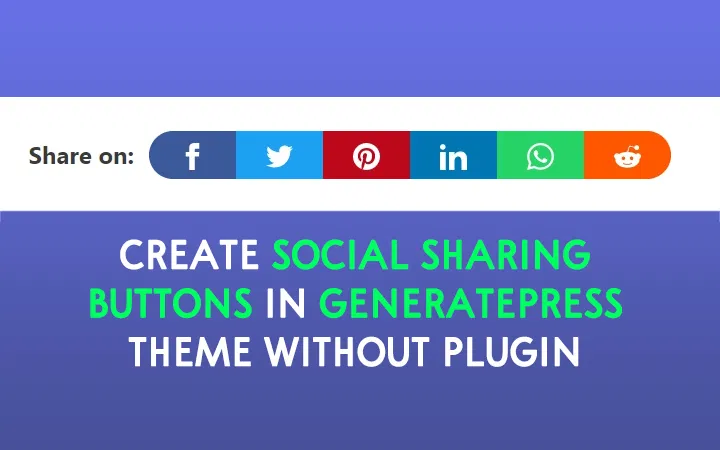
The modern web development landscape demands efficient solutions that prioritize performance while delivering exceptional user experiences. Many developers initially turn to plugins for quick implementation, but understanding how to create custom social share buttons opens up possibilities for optimization, customization, and deeper technical understanding. This skill set has become increasingly valuable as businesses seek more control over their digital presence and user interaction mechanisms.
Understanding the Technology Behind Social Share Buttons
Social media platforms provide specific URL structures that enable content sharing through simple HTTP requests. These sharing mechanisms work by constructing URLs that include parameters for the content being shared, such as the page URL, title, description, and associated media. Understanding these URL structures forms the foundation for creating effective social share buttons without external dependencies.
The technical implementation involves three core web technologies working together seamlessly. HTML provides the structural framework for button elements and links, CSS handles visual styling and interactive effects, and JavaScript manages dynamic functionality such as URL generation and popup windows. This combination creates powerful sharing mechanisms that rival any plugin-based solution while offering complete customization freedom.
Modern browsers support various methods for implementing social sharing functionality. Developers can choose between simple anchor tags that redirect users to sharing platforms, JavaScript-powered popup windows that provide seamless sharing experiences, or advanced implementations that utilize the Web Share API for native mobile sharing capabilities. Each approach offers distinct advantages depending on the target audience and technical requirements.
Building the Foundation with HTML Structure
Creating effective social share buttons begins with establishing a solid HTML foundation that ensures accessibility, semantic correctness, and scalability. The structural approach should accommodate multiple social platforms while maintaining clean, maintainable code that follows web development best practices.
A well-structured HTML framework typically involves container elements that group related sharing options together. These containers provide logical organization and enable consistent styling across different social platforms. Each individual share button requires appropriate semantic markup that clearly indicates its purpose and destination to both users and assistive technologies.
The implementation strategy should include proper ARIA labels and accessibility attributes that make sharing functionality available to all users, regardless of their technical capabilities or assistive device requirements. This inclusive approach ensures that social sharing features contribute positively to the overall user experience rather than creating barriers for certain user groups.
Developers must also consider the data attributes and URL structures required for different social platforms. Each platform has specific parameter requirements for optimal sharing functionality, including URL encoding, character limits, and media attachment capabilities. Understanding these requirements enables the creation of robust sharing mechanisms that work reliably across various platforms and content types.
Styling with Advanced CSS Techniques
CSS transforms basic HTML structures into visually appealing and interactive social share buttons that align with modern design principles. The styling approach should balance visual impact with performance optimization, creating buttons that load quickly while delivering engaging user interactions.
Modern CSS techniques enable the creation of sophisticated visual effects without requiring external image assets or heavy frameworks. CSS Grid and Flexbox provide powerful layout capabilities for organizing share buttons in responsive configurations that adapt seamlessly to different screen sizes and orientations. These layout methods ensure consistent appearance across diverse viewing environments.
Animation and transition effects play crucial roles in creating engaging user interactions. CSS transformations can provide hover effects, loading states, and visual feedback that enhance the overall sharing experience. These animations should be subtle yet noticeable, providing clear indication of interactive elements without overwhelming the main content or creating accessibility concerns.
The styling strategy must account for different brand colors, icon requirements, and visual hierarchies associated with various social platforms. Creating a scalable CSS architecture that accommodates multiple platforms while maintaining visual consistency requires careful planning and modular design approaches. This systematic approach enables easy addition of new platforms without disrupting existing functionality.
Implementing JavaScript Functionality
JavaScript brings social share buttons to life by handling URL generation, popup window management, and dynamic content adaptation. The scripting approach should prioritize performance, user experience, and cross-browser compatibility while providing robust error handling and fallback mechanisms.
Dynamic URL generation represents one of the most critical JavaScript functions for social sharing. The script must accurately encode page information, including titles, descriptions, and URLs, while respecting character limits and special character handling requirements for different platforms. This process involves careful string manipulation and validation to ensure reliable sharing functionality.
Popup window management requires sophisticated JavaScript handling to create seamless sharing experiences. The implementation should consider popup blockers, mobile device limitations, and user preferences while providing appropriate fallback options when popup functionality is unavailable. This multi-layered approach ensures consistent functionality across different browsing environments.
Event handling and user interaction management form the backbone of effective social sharing JavaScript. The code must efficiently handle click events, keyboard navigation, and touch interactions while maintaining responsive performance. Proper event delegation and cleanup prevent memory leaks and ensure smooth operation even with multiple sharing instances on single pages.
Advanced Implementation Strategies
Professional social share button implementations go beyond basic functionality to include advanced features such as sharing analytics, customizable content selection, and platform-specific optimizations. These enhanced capabilities require sophisticated programming approaches that balance functionality with performance considerations.
Share count integration represents an advanced feature that many developers find valuable for social proof and engagement metrics. Implementing share counters requires API integration with various social platforms, caching mechanisms to prevent rate limiting, and fallback strategies for platforms that restrict count access. This functionality adds complexity but can significantly enhance user engagement.
Content customization capabilities allow users to modify shared content before posting, providing more control over their social media presence. This functionality requires dynamic form generation, content validation, and seamless integration with platform-specific requirements. The implementation should maintain simplicity while offering powerful customization options.
Mobile optimization strategies ensure that social share buttons function effectively across all device types and operating systems. This includes responsive design considerations, touch-friendly interface elements, and integration with native mobile sharing capabilities where available. The mobile experience should feel natural and intuitive regardless of the underlying implementation complexity.
Performance Optimization and Best Practices
Creating high-performance social share buttons requires careful attention to loading strategies, resource management, and code optimization. The implementation should minimize HTTP requests, reduce JavaScript execution time, and optimize CSS delivery to ensure fast page loading and smooth user interactions.
Lazy loading strategies can significantly improve page performance by deferring social sharing JavaScript until user interaction occurs. This approach reduces initial page load times while maintaining full functionality when users actually engage with sharing features. The implementation requires careful consideration of user behavior patterns and loading trigger mechanisms.
Code minification and compression techniques reduce file sizes and improve delivery performance. The build process should include automated optimization steps that remove unnecessary whitespace, combine related files, and apply appropriate compression algorithms. These optimizations accumulate to create noticeable performance improvements, especially on slower network connections.
Browser caching strategies ensure that social sharing assets load quickly on subsequent page visits. Proper cache headers, versioning systems, and CDN integration can dramatically improve perceived performance while reducing server load. The caching approach should balance performance benefits with the need for timely updates when sharing functionality changes.
Integration with Modern Development Frameworks
Contemporary web development often involves framework integration for social sharing functionality. Whether working with React, Vue, Angular, or other modern frameworks, developers need strategies for implementing custom social share buttons that align with component-based architecture and state management patterns.
Component-based implementations require careful consideration of prop passing, event handling, and lifecycle management. The social sharing components should be reusable, testable, and maintainable while providing consistent functionality across different parts of an application. This modular approach enables efficient development and easy maintenance.
State management integration allows social sharing functionality to interact with application data and user preferences. This might include tracking sharing history, personalizing sharing options, or integrating with user authentication systems. The implementation should follow established state management patterns while maintaining clean separation of concerns.
Build process integration ensures that social sharing functionality works seamlessly with modern development workflows. This includes webpack configuration, testing setup, and deployment strategies that account for the custom implementation. The build process should optimize delivery while maintaining development efficiency.
Educational Pathways for Mastering Social Share Implementation
Developing proficiency in creating custom social share buttons requires comprehensive understanding of web development fundamentals and advanced implementation techniques. Educational programs that combine theoretical knowledge with hands-on practice provide the most effective learning pathways for aspiring developers.
Uncodemy offers comprehensive Web Development courses that extensively cover HTML, CSS, and JavaScript implementation strategies. Their curriculum includes practical projects focused on social media integration, providing students with real-world experience in creating custom sharing solutions. These educational programs emphasize both technical skills and best practices that prepare graduates for professional development roles.
The institute's approach to web development education includes detailed coverage of modern frameworks, performance optimization, and accessibility considerations. Students learn to create social sharing solutions that meet professional standards while understanding the underlying principles that enable effective customization and troubleshooting.
Practical project work within these courses allows students to build portfolio pieces that demonstrate their ability to create sophisticated web functionality without relying on external plugins. This hands-on experience proves invaluable when seeking employment or working on freelance projects that require custom development solutions.
Future Trends and Emerging Technologies
The evolution of social media platforms and web technologies continues to create new opportunities and challenges for social sharing implementation. Developers must stay current with emerging standards, platform changes, and user behavior trends that influence sharing functionality requirements.
Progressive Web App (PWA) integration represents an exciting frontier for social sharing functionality. The Web Share API enables native-like sharing experiences that integrate seamlessly with device capabilities and user preferences. Understanding these emerging standards positions developers for future opportunities in mobile-first development environments.
Privacy considerations and data protection regulations increasingly influence social sharing implementations. Developers must understand GDPR, CCPA, and other regulatory requirements that affect user data handling and consent mechanisms. These considerations require careful planning and implementation strategies that balance functionality with compliance requirements.
Machine learning and personalization technologies offer opportunities for creating intelligent sharing recommendations and optimized user experiences. Future implementations might include AI-powered content optimization, predictive sharing suggestions, and automated A/B testing capabilities that enhance engagement while respecting user privacy.
Conclusion
Creating social share buttons without plugins represents both a technical achievement and a strategic advantage for web developers. This approach provides complete control over functionality, performance, and user experience while building valuable skills that distinguish professionals in competitive development markets. The combination of HTML structure, CSS styling, and JavaScript functionality creates powerful sharing mechanisms that rival any third-party solution.
Success in custom social sharing implementation requires dedication to learning, attention to performance optimization, and commitment to accessibility and best practices. Educational programs like those offered by Uncodemy provide structured pathways for mastering these skills through comprehensive coursework and practical application opportunities.
As social media continues evolving and web technologies advance, developers who understand custom implementation principles will remain valuable contributors to digital projects and user experience initiatives. The investment in learning these fundamental skills pays dividends throughout a developer's career, enabling creation of sophisticated, efficient, and highly customized web solutions that meet exact project requirements while exceeding user expectations.