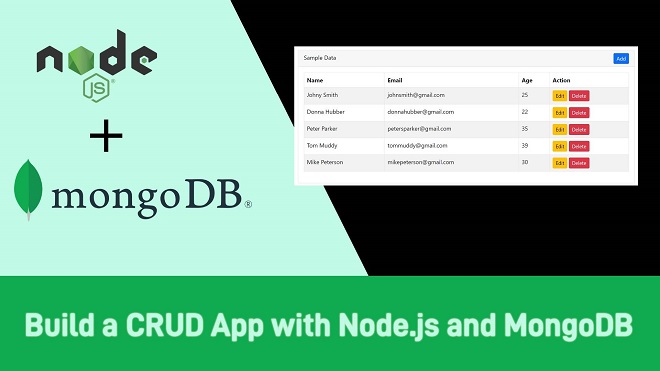
What is CRUD?
CRUD stands for:
- Create – Adding new data to your database
- Read – Retrieving data from the database
- Update – Modifying existing data
- Delete – Removing data from the database
These operations are fundamental for any database-driven application, whether it’s a social media platform, an e-commerce website, or a simple to-do list app.
Why Use Node.js with MongoDB?
Node.js and MongoDB are a perfect match for modern web development:
- Node.js is lightweight, event-driven, and perfect for handling multiple requests.
- MongoDB is a NoSQL database, storing data as JSON-like documents, making it ideal for JavaScript-based backends.
Both are JavaScript-friendly, so you can write backend and database logic using the same language.
Prerequisites
Before starting, make sure you have:
- Node.js installed
- MongoDB installed locally or a cloud account on MongoDB Atlas
- Basic knowledge of JavaScript and npm
Setting Up the Project
1. Create a project folder
2. mkdir crud-node-mongodb
3. cd crud-node-mongodb
4. Initialize npm
5. npm init -y
6. Install dependencies
7. npm install express mongoose body-parser
8. Create a server.js file and set up the basic Express server:
9. const express = require('express');
10. const mongoose = require('mongoose');
11. const bodyParser = require('body-parser');
12. const app = express();
13. app.use(bodyParser.json());
14. mongoose.connect('mongodb://localhost:27017/crudDB', {
15. useNewUrlParser: true,
16. useUnifiedTopology: true
17. }).then(() => console.log('MongoDB Connected'))
18. .catch(err => console.log(err));
19. const PORT = 5000;
20. app.listen(PORT, () => {
21. console.log(`Server running on port ${PORT}`);
22. });
Defining a Schema and Model
In MongoDB, documents are stored in collections. Using Mongoose, we define schemas for data.
Copy Code
const mongoose = require('mongoose');

const UserSchema = new mongoose.Schema({

    name: String,

    email: String,

    age: Number

});

module.exports = mongoose.model('User', UserSchema);

Save this in a models/User.js file.
Implementing CRUD Operations
1. Create – Add New Data
Copy Code
const User = require('./models/User');

// Create a new user

app.post('/users', async (req, res) => {

    const { name, email, age } = req.body;

    const user = new User({ name, email, age });

    await user.save();

    res.send(user);

});
How it works:
- The API listens for POST requests on /users.
- The request body contains the user’s details.
- Mongoose saves it to the MongoDB collection.
-
2. Read – Get Data
Copy Code
// Get all users

app.get('/users', async (req, res) => {

    const users = await User.find();

    res.send(users);

});

// Get a single user by ID

app.get('/users/:id', async (req, res) => {

    const user = await User.findById(req.params.id);

    res.send(user);

});
How it works:
- /users fetches all user documents.
- /users/:id fetches a specific user.
-
3. Update – Modify Data
Copy Code
app.put('/users/:id', async (req, res) => {

    const { name, email, age } = req.body;

    const user = await User.findByIdAndUpdate(req.params.id, { name, email, age }, { new: true });

    res.send(user);

});
How it works:
- Finds the user by ID.
- Updates with the new data.
- Returns the updated document.
-
4. Delete – Remove Data
Copy Code
app.delete('/users/:id', async (req, res) => {

    await User.findByIdAndDelete(req.params.id);

    res.send({ message: 'User deleted successfully' });

});
How it works:
- Finds the user by ID and deletes it.
- Sends a success message.
Testing the CRUD API
You can test all these endpoints using Postman:
1. POST /users – Add a new user
2. GET /users – Get all users
3. GET /users/:id – Get a specific user
4. PUT /users/:id – Update a user
5. DELETE /users/:id – Delete a user
Best Practices for CRUD with Node.js and MongoDB
- Always validate user input before saving to the database.
- Use try-catch blocks or middleware for error handling.
- Consider implementing pagination for large datasets.
- Use environment variables for database connection strings.
-
Example: Complete server.js File
Copy Code
const express = require('express');

const mongoose = require('mongoose');

const bodyParser = require('body-parser');

const User = require('./models/User');

const app = express();

app.use(bodyParser.json());

mongoose.connect('mongodb://localhost:27017/crudDB', {

    useNewUrlParser: true,

    useUnifiedTopology: true

}).then(() => console.log('MongoDB Connected'))

  .catch(err => console.log(err));

app.post('/users', async (req, res) => {

    const { name, email, age } = req.body;

    const user = new User({ name, email, age });

    await user.save();

    res.send(user);

});

app.get('/users', async (req, res) => {

    const users = await User.find();

    res.send(users);

});

app.get('/users/:id', async (req, res) => {

    const user = await User.findById(req.params.id);

    res.send(user);

});

app.put('/users/:id', async (req, res) => {

    const { name, email, age } = req.body;

    const user = await User.findByIdAndUpdate(req.params.id, { name, email, age }, { new: true });

    res.send(user);

});

app.delete('/users/:id', async (req, res) => {

    await User.findByIdAndDelete(req.params.id);

    res.send({ message: 'User deleted successfully' });

});

const PORT = 5000;

app.listen(PORT, () => {

    console.log(`Server running on port ${PORT}`);

});
Conclusion
CRUD operations are the building blocks of any application that deals with data. With Node.js and MongoDB, you can perform them easily and efficiently. Once you master these basics, you can move on to more complex backend features like authentication, file uploads, and API integrations.
If you want to learn Node.js and MongoDB in-depth with real projects, check out Uncodemy’s Full Stack Web Development Course in Jaipur
, where industry experts guide you step-by-step to become a job-ready developer.
FAQs
Q1. What is the difference between Mongoose and MongoDB native driver?
Mongoose provides a schema-based solution for modeling MongoDB data, whereas the native driver interacts directly without predefined schemas.
Q2. Is MongoDB better than MySQL for CRUD operations?
It depends. MongoDB is great for flexible, document-based storage, while MySQL is suited for structured relational data.
Q3. Can I perform CRUD without Express?
Yes, but Express simplifies routing and request handling, making it much easier.
Q4. How do I deploy a CRUD app?
You can deploy on platforms like Heroku, Render, or Vercel, and connect to MongoDB Atlas for cloud storage.
Q5. Do I need to learn CRUD before advanced backend topics?
Yes, CRUD is the foundation of backend development.