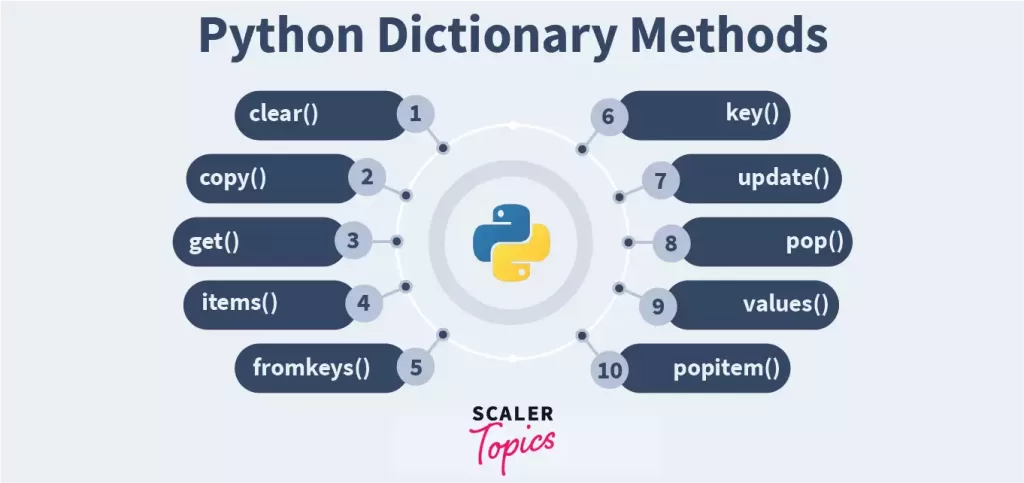
Python’s dictionaries are among the most powerful built-in data structures available. They're incredibly popular in real-world applications, ranging from web development to data analysis, thanks to their speed, flexibility, and user-friendly design. Essentially, a dictionary in Python is a collection of key-value pairs, and Python offers a variety of methods to work with them efficiently.
In this detailed guide, we’ll dive into all the commonly used dictionary methods in Python, complete with examples and use cases to help you get a solid grasp on them for practical programming.
If you're eager to get some hands-on experience with dictionaries, data structures, and more, consider checking out the Python Programming Course in Noida offered by Uncodemy. This course provides live training, assignments, and certification to elevate your programming skills from beginner to professional level.
What Is a Dictionary in Python?
Ms. Priyanka / 18 days
13
5 min read
A dictionary in Python is an unordered, mutable collection of items. Each item consists of a key paired with its corresponding value. The keys need to be unique and immutable (like strings or numbers), while the values can be of any data type and can be repeated.
- Versatile data structures for handling complex JSON-like data
List of Dictionary Methods in Python
Python dictionaries come packed with a range of built-in methods that make it a breeze to access, modify, and manage your data. Here are some of the most frequently used methods:
1. get()
This method retrieves the value associated with a specified key if it exists. If the key isn’t found, it simply returns None (or a default value if you’ve set one).
my_dict.get("name") # Output: Alice
Use Case:
Access values safely without running into a KeyError.
2. keys()
This method gives you a view object that includes all the keys in the dictionary.
- Always use get() for accessing values to avoid KeyError.
- If you plan to modify a dictionary but want to keep the original data safe, make sure to use copy() first.
- Utilize setdefault() to streamline your code and avoid cluttering it with multiple if statements for default assignments.
- When iterating, take advantage of dictionary views (keys(), items(), values()) to boost both readability and efficiency.
Performance Advantages of Dictionary Methods
- Lookups in dictionaries (using get() or direct access) have a time complexity of O(1).
- Iterating through keys, values, or items is not only efficient but also kind to your memory usage.
- When it comes to updates and merges, the update() method is optimized for performance, making it a great choice.
These benefits make dictionaries a fantastic option for tasks like data analysis, configuration management, caching, and parsing JSON.
Error Handling with Dictionary Methods
Be cautious when using methods like pop() or accessing keys directly without checking, as this can lead to errors. To prevent this:
- It's best to use get() or setdefault() if you're unsure whether a key exists.
- You can also check for a key's existence with the in keyword:
- if "name" in my_dict: ...
- And remember to handle exceptions gracefully with try-except blocks, especially when working with dictionaries in larger applications.
Summary Table: Python Dictionary Methods
Method
Description
Safe from Error
get()
Retrieves value by key
✅
keys()
Returns all keys
✅
values()
Returns all values
✅
items()
Returns key-value pairs
✅
update()
Updates dictionary with new pairs
✅
pop()
Removes key and returns value
❌ (KeyError)
popitem()
Removes the last item
❌ (KeyError)
clear()
Empties the dictionary
✅
copy()
Creates a shallow copy
✅
setdefault()
Adds key with default if not present
✅
Dictionary Comprehensions in Python
Python makes it easy to create dictionaries with a neat and straightforward syntax called dictionary comprehension. Just like list comprehensions, dictionary comprehensions offer a compact way to process and transform data into key-value pairs.
Why Use Dictionary Comprehensions?
- Clean and efficient syntax: This approach cuts down on the need for lengthy loops and conditionals.
- Better performance: In most cases, it runs faster than traditional for-loops.
- Readable transformations: It helps make your code more intuitive when transforming datasets or filtering information.
Use Case:
You can leverage dictionary comprehension to turn a list into a frequency counter, filter out certain key-value pairs, or even reverse a dictionary—all in a single line of code.
By incorporating comprehensions, you not only shorten your code but also make it more Pythonic, which is highly valued in professional coding circles.
Mutable Nature and Hashability of Dictionary Keys
Understanding the ins and outs of dictionary keys is essential for avoiding runtime errors and crafting solid Python programs. A fundamental rule to remember is that dictionary keys need to be both immutable and hashable.
So, what does it mean for something to be hashable?
Hashable objects are those that can generate a unique hash value that remains constant throughout their existence. Examples of hashable types include int, str, and tuples (as long as they contain only immutable elements), making them perfectly valid choices for dictionary keys.
Now, why do keys need to be immutable?
Dictionaries use a hashing mechanism to quickly fetch values, which is why mutable types like lists or sets can’t be used as keys. If you were to use mutable objects as keys and then change them after they’ve been added, it would disrupt the internal hashing process and mess up the dictionary’s structure.
What does this mean for developers?
- Always use immutable data types like strings, numbers, or tuples as keys.
- Steer clear of using dictionary keys that might change over time.
- This guideline helps ensure data safety and consistent performance in dictionary operations
- This principle is particularly crucial when you’re designing algorithms that depend on reliable key-based access—think caching, memoization, or data indexing systems.
Conclusion
Python’s dictionary methods are incredibly versatile and efficient for managing structured data. Whether you’re updating, merging, accessing, or removing data, each method is designed with real-world applications in mind, making dictionaries one of the most user-friendly structures in Python.
By getting a good grasp of these dictionary methods, you’ll be well-prepared to tackle tasks in data processing, configuration management, web APIs, and beyond. Their speed and built-in features make Python dictionaries a go-to tool for programmers in every field.
Eager to elevate your Python skills? Check out the Python Programming Course in Noida offered by Uncodemy. Dive into dictionaries, functions, OOP, web development, and more, all under the guidance of experienced mentors with hands-on support.
FAQs: Dictionary Methods in Python
Q1. What is the main purpose of dictionaries in Python?
Dictionaries are designed to store data in key-value pairs, allowing for quick data retrieval, which makes them perfect for structured and relational data.
Q2. What happens if I try to access a non-existing key using dict[key]?
You’ll encounter a KeyError. To prevent this, you can use get(), which will return None or a default value if the key isn’t found.
Q3. What’s the difference between update() and setdefault()?
The update() method modifies or adds multiple key-value pairs, while setdefault() will only add a key if it doesn’t already exist.
Q4. Can dictionary keys be of any data type?
Not quite. Keys need to be immutable types, like strings, numbers, or tuples.
Q5. How does popitem() differ from pop()?
popitem() removes the last inserted key-value pair, whereas pop() removes a specific key-value pair.
Q6. How can I copy a dictionary without linking to the original?
You can use copy() for a shallow copy. If you need a deep copy with nested data, the copy module is your best bet.
Q7. Which method is best for checking and assigning a default key?
setdefault() is the way to go for checking and assigning default values in one fell swoop.