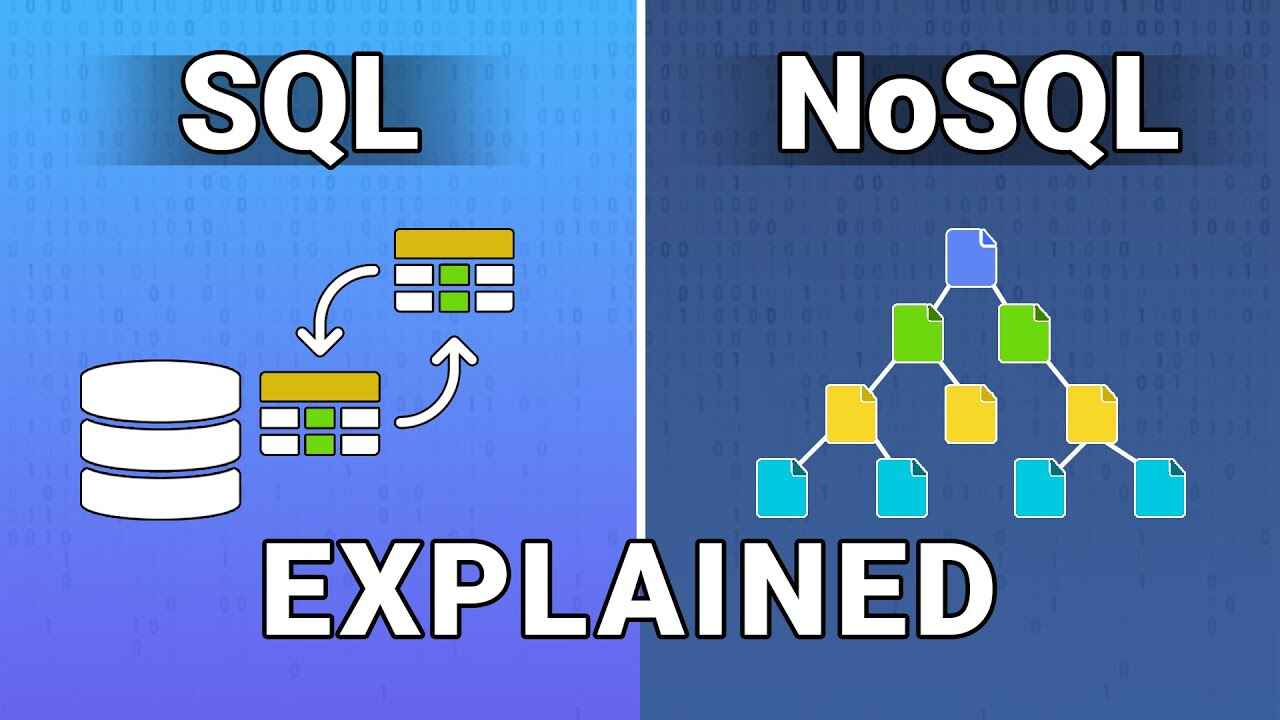
When it comes to storing, managing, and analyzing data, two major players dominate the conversation: SQL (Structured Query Language) databases and NoSQL (Not Only SQL) databases. If you’re preparing for interviews, working on real-world projects, or just trying to understand how modern applications work behind the scenes, knowing the difference between these two is crucial.
But here’s the catch — it’s not about choosing the “better” one. Instead, it’s about understanding which type of database fits your project’s requirements.
In this blog, we’ll break down the key differences between SQL and NoSQL databases, cover real-world examples, their pros and cons, and answer the most common questions that interviewers and professionals often discuss.
What is SQL?
SQL databases, also called Relational Databases (RDBMS), use structured tables (rows and columns) to store data. Each table has a schema meaning you must define the structure (like column names and data types) before inserting data.
Examples of SQL Databases:
MySQL
PostgreSQL
Oracle Database
Microsoft SQL Server
Key Features:
Follows ACID properties (Atomicity, Consistency, Isolation, Durability) for transaction safety.
Best for applications that require structured and consistent data.
Uses powerful querying with SQL language.
What is NoSQL?
NoSQL databases are non-relational databases designed to handle unstructured, semi-structured, or rapidly changing data. They are schema-less, meaning data can be stored without defining a fixed structure beforehand.
Types of NoSQL Databases:
1. Document-based → MongoDB, CouchDB
2. Key-Value stores → Redis, DynamoDB
3. Column-based → Cassandra, HBase
4. Graph-based → Neo4j
Key Features:
Highly scalable and can handle massive amounts of data.
Supports flexible schemas.
Often used in big data and real-time applications.
BASE model (Basically Available, Soft state, Eventually consistent)
Use Case
Banking, ERP, CRM, traditional applications
Social media, e-commerce, big data apps
Examples
MySQL, Oracle, PostgreSQL, SQL Server
MongoDB, Cassandra, Redis, Neo4j
When to Use SQL Databases?
SQL is best suited for:
Applications requiring complex queries and structured data.
Systems where data integrity and consistency are critical (e.g., banking, finance, HR systems).
Projects that need multi-row transactions.
Real-World Example:
Banking systems: Transactions must be consistent and reliable. SQL ensures that money isn’t lost between transfers.
When to Use NoSQL Databases?
NoSQL shines in:
Applications requiring massive scalability and speed.
Handling semi-structured or unstructured data.
Projects involving real-time analytics, IoT, or social media feeds.
Real-World Example:
E-commerce websites like Amazon use NoSQL for product catalogs that store millions of items with different attributes.
Pros and Cons
Pros of SQL:
Reliable and mature technology.
Strong data integrity.
Easy to learn and widely adopted.
Cons of SQL:
Difficult to scale horizontally.
Not efficient for unstructured data.
Pros of NoSQL:
Handles large and diverse datasets.
Scales easily across multiple servers.
Schema flexibility for fast development.
Cons of NoSQL:
May sacrifice consistency for availability.
Learning curve is steeper as query languages vary.
SQL vs NoSQL: Which One Should You Choose?
It depends on your project:
If your application demands accuracy, transactions, and structured data, go with SQL.
If your application demands speed, flexibility, and scalability, go with NoSQL.
In fact, many modern applications use a hybrid approach, combining both SQL and NoSQL databases for maximum efficiency.
FAQs on SQL vs NoSQL
Q1. Which is faster: SQL or NoSQL? It depends on the use case. For structured, transactional data, SQL is often faster. For unstructured, high-volume data, NoSQL generally performs better.
Q2. Is SQL easier to learn than NoSQL? Yes, SQL is easier for beginners since it has a standard query language. NoSQL databases often require learning specific query models depending on the database type.
Q3. Can NoSQL replace SQL completely? No. Both serve different purposes. SQL is still dominant in finance, government, and enterprise systems, while NoSQL excels in big data and scalable web apps.
Q4. Why do startups prefer NoSQL? Startups often prefer NoSQL because of its flexibility, ability to handle fast-changing requirements, and cost-effective scalability.
Q5. Which one should I prepare for interviews? Both. Interviewers often test SQL deeply, but NoSQL knowledge is increasingly being asked, especially for software and data engineering roles.
Conclusion
The debate of SQL vs NoSQL isn’t about one being better than the other. It’s about knowing what problem you’re solving and which tool fits best.
If you’re preparing for interviews or working on projects, focus on mastering SQL basics and queries while also gaining exposure to popular NoSQL databases like MongoDB and Cassandra. That balance will make you industry-ready.
Want to become an expert in databases? Check out Uncodemy’s Database Management courses, designed to give you real-world projects, practical knowledge, and interview preparation.