Understanding Exceptions
In Python, an exception is an event that distorts the standard flow of a program in some manner. When an error has been made Python issues an exception, which can be caught and addressed by the program. Python exceptions Everything that is used as an exception must be an object of a class that inherits BaseException.
Mistakes vs. Exception
Even though they are used interchangeably, there is a difference between errors and exceptions regarding Python. Errors, most likely, mean something that does not allow the program to start or run further (syntax errors, indentation errors and so on). Exceptions are on the other hand received cases when driving a program and normally are caught and handled.
Silent Concepts and Syntax
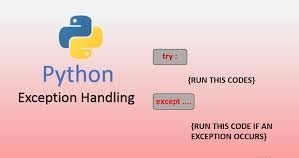
The basic language constructs used to deal with exceptions in python are the try and except statements. This framework gives you an opportunity to test a chunk of code in terms of errors and then determine how to go about the errors in the event that they arise.
The try and except Blocks
The try block holds the code that may cause an exception. The program execution jumps to the except block in case an exception happens in a try block. The except block presents the kind of exception that it can deal with and the code to be run once the special exception was raised.
Copy Code
try:

A code that can throw an exception

    result = 10/ 0

except ZeroDivisionError:

     Exceptions to deal with the ZeroDivisionError

    print("An error: it is not possible to divide by zero!")
In our present case, when we run the code that will result in trying to divide by zero, it will trigger a ZeroDIvisionError which will be then caught by the except block and a friendly message will be printed there instead, without crashing the program.
Dealing with Multiple Exception
There are various exception blocks in which it is possible to handle several types of exceptions. This will permit a more detailed error control.
Copy Code
try:

    num = int(input("Type a number: "))

    result = num/ 10

except ValueError:

    print("Invalid input: Isn't it an integer?")

except ZeroDivisionError:

    print("Error: can not divide by zero.")

except Exception e:

    print(f"There was the unexpected error: {e}")
In this case, the program will be able to deal with both ZeroDivisionError and ValueError in case the input value is not an integer. Any other unforeseen errors are caught in the geeric Exception catch-all block which is one way to show hierarchy in exception dealing.
The otherwise Block
The else clause of the try...except statement is run in the event that no exceptions are raised in the try clause.
This can be handy with code only to be run when the block in which the TRY is used is successfully run.
Copy Code
try:

    file = open("my_file.txt", mode ="r")

    content= file.read()

except FileNotFoundError:

    print(Error: The file is not present.)

else:

    print("The resulting content in the file was read successfully:")

    print(content)

    file.close()
In this case, in case my_file.txt is located and understood without an error, the else message will be performed, and the presence of file reading will be confirmed, as well as the file will be closed.
The last Block
The finally block is always carried out, even if there was an exception in the try block or not. It is usually applied in cleaning activities, e.g. closing files or releasing resources.
Copy Code
try:

    file=open ("another_file.txt", "r")

    content= file.read()

except FileNotFoundError:

    print(Error: The file is not present.)

finally:

    in case file in locals() and not file.closed:

        file.close()

        print("Finally block has closed file.")
This will make sure that the file.close() method is attempted whether FileNotFoundError is raised, or when the try block succeeds.
Raising Exceptions
In Python, you may bring up an exception explicitly by use of the raise statement.
This comes in handy when a specific requirement has not been fulfilled, and you wish to give a signal to the calling code that there has been an error.
Copy Code
def validate_age(age):

    unless isinstance( age, int ) or age is not less than 0:

        raise ValueError("Age has to be a non negative integer.")

    print (f"The entered age is {age}")

try:

    validate_age(-5)

except ValueError, e:

    print(f"Validation Error:{e}")
In this case, validate_age is used to raise an error ValueError in case the age is less than 0 or is not a whole number, which shows how to make your code adhere to a particular set of conditions.
Custom Exceptions
Python enables the user to create their custom exception classes using existing exception classes, generally Exception. This helps to offer finer categories of errors to your applications.
Copy Code
class InsufficientFundsError(Exception):

    Custom exception when there is not enough money.

    def __init__(self, balance, amount):

        self.balance =balance

        self.amount = amount

        super().__init__(f"There was an effort to withdraw {amount} though only {balance} was available.")

def withdraw(balance,amount):

    in case amount>balance:

        insufficient_funds InsufficientFundsError(balance, amount)

    balance to return - amount

try:

    new_balance = withdraw (100, 150)

    print(f"New balance:{new_balance}")

except (InsufficientFundsError as e):

    print(f"Transaction failed: {e}")
Such a custom exception, InsufficientFundsError, would provide a more detailed and situation-specific description in the error message.
Exceptional Practices of Exception Handling
Good exception handling is more than writing a try and except block; exception-based design helps to write better and more maintainable code.
Apply Particular Exceptions
Rather than catching a generic except Exception block, it is normally preferable to catch particular exceptions.
This enables you to distinguish the various types of errors differently and you do not catch the wrong error.
Copy Code
try:

     …

except FileNotFoundError:

     Process non existing file

except PermissionError:

     Manage dearth of permissions
Such specific handling technique makes your error handling more accurate and simple to debug.
Put in place Error Logging
It is very important to log exceptions in order to debug and monitor the applications.
In place of simple printing of error messages to console, we will use the logging module of Python, to store information about exceptions in a degree of detail.
Copy Code
import logging

logging.basicConfig(level=logging.ERROR,

                    fmt='%()s - %(levelname)s - %(message)s')

try:

    result = 10 /0

except ZeroDivisionError:

    logging.error("Divided by zero attempt!")
Logs give a record of mistakes that are permanent, and the value of this, when used in post-mortems and application health inspections, is invaluable.
Define your own exception classes
As has been shown, the establishment of your own exception classes will increase the particularity and comprehensibility of your error processing. This assists in the definition of different credentials of application specific errors.
A Bare except Clauses to Avoid
An unqualified exception clause, i.e., one that does not mention a type of exception, will intercept all exceptions (such as those that terminate the system, SystemExit, and KeyboardInterrupt). This may conceal bugs and be extremely hard to debug.
Avoid this
Copy Code
try:

     …

except:

    print("There is some type of error.")

 Instead, prefer

try:

     …

with the exception of Exception as e:

    print(f"There is a surprise error: {e}")
Catching Exceptions is mostly okay because this will not trap the exceptions that exit the system but it is always good to be explicit.
Re-raising Exceptions
There are times when you would like to partially process something that comes and then re-throw it expecting a higher level of the program to process it further. The usual form of processing an exception is to print or log it and then once again raise it giving a caller the chance to process the exception, too. Re-raising a new exception in an inner except block should be using the form e form, as a rule.
Copy Code
def process_data(data):

    try:

         Possible areas of failure in processing Some processing

        in case not data:

            raise ValueError("Data can not be empty.")

        processed = data.upper()

    except ValueError Thrown:

        print(f"Error in data processing, {e}")

        raise  Re-throw the caught exception

try:

    process_data("")

except ValueError Thrown:

    print(f"Exception higher level caught: {e}")
The effect of re-raising is that a multi-layered error handling strategy can be used whereby different components of the application can have responsibility for handling different aspects of the error.
Predicting Exceptions
The initial task in any efficient exception management is understanding which exceptions may occur and how.
Once you cannot predict them, you can not deal with them in an efficient way. This is meant to be a comprehension of how your code and external dependencies might break.
Uncodemy Python Exception Courses
Upon seeking to improve their knowledge and get in control of exception handling in Python, Uncodemy provides thorough courses. These courses allow having a deep impression of exception handling techniques with the examples.
Python training courses by Uncodemy, which are also organized in places such as Noida, Pune, etc. contain separate modules on exception handling. These modules will introduce such fundamental issues as:
Exceptions Handling: basic principles of exception recognition and exception handling.
Processing different exceptions using try, except and else: - Real life examples of implementing such blocks to process exception cases.
Try-finally clause: This lecture explains how to guarantee the running of cleanup code sparing of exceptions.
Argument of an Exception and the development of your own exceptions: How to get the information out of an exception and the development of your own particular types of errors.
Also, other e-learning sites, such as Udemy, hold elaborate lessons on the topic of Python Exception Handling, including the use of try-except blocks, throw, assert, and exception construction, chained exceptions, finally, else, exception classes, and their own when it comes to specific exceptions. The courses are complete with many quiz questions and activities in order to make the experience of learning practical and effective.
Conclusion
Any Python developer needs the ability to handle exceptions. You can write good error-tolerant code by: using blocks try, except, else and finally well; adhering to best practices such as handling particular exceptions, logging and creating custom exceptions. To improve your Python application building skills even more, you can learn continuously by using such means as the courses at Uncodemy.