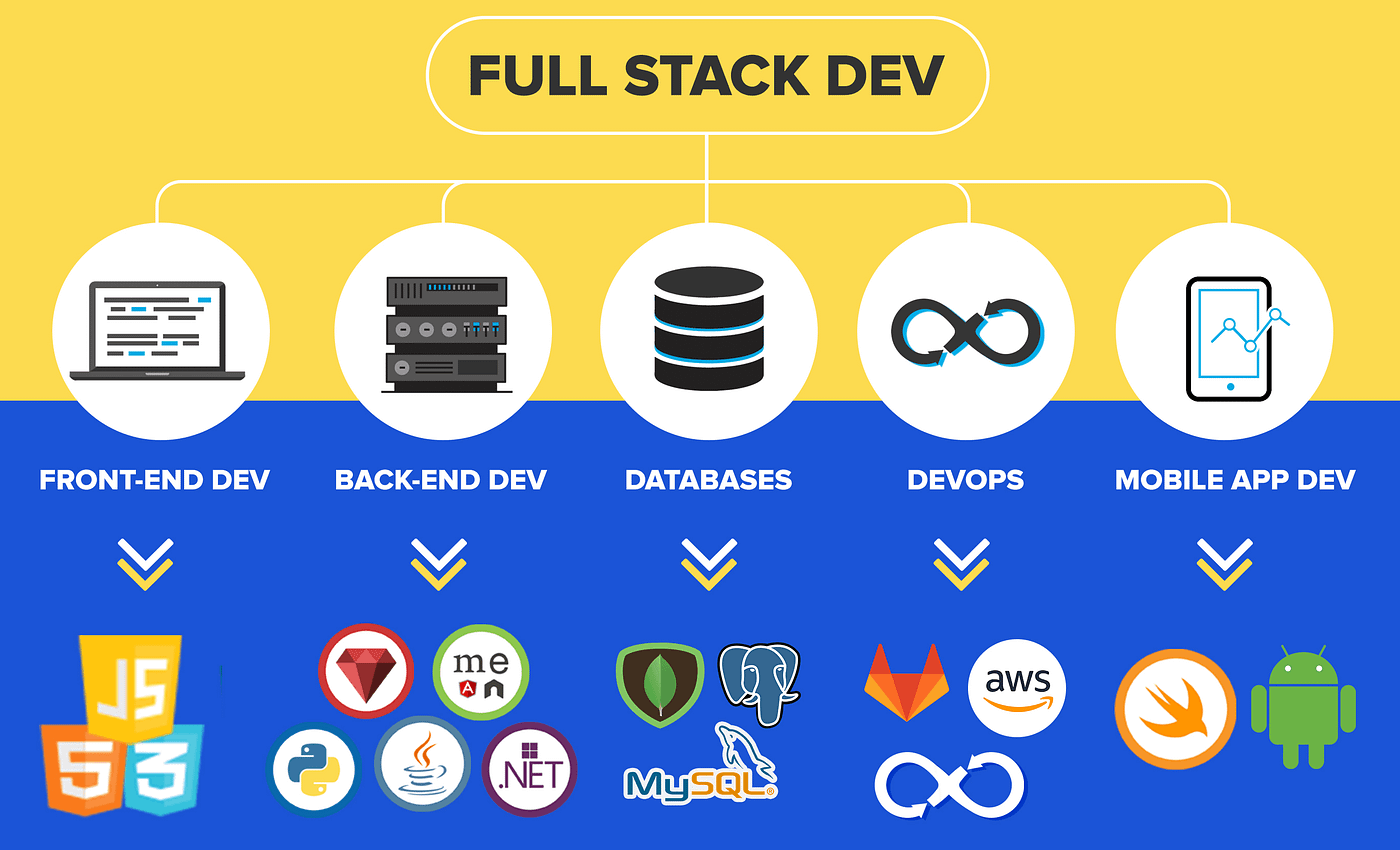
You need to master a toolkit that includes powerful editors, version control systems, frontend libraries, backend frameworks, databases, testing platforms, and deployment services.
Whether you are just starting your development journey or upgrading your skill set to stay relevant, this article will guide you through the most essential tools for full stack development in 2026. These tools are in high demand and are actively used by top tech companies around the world.
We will also recommend a top rated Uncodemy course that can help you learn everything from the ground up and prepare you for the job market.
Let us begin by understanding what full stack development involves.
What Does a Full Stack Developer Do?
A full stack developer works on both the frontend and backend of a web application. The frontend includes everything users see and interact with, while the backend includes servers, databases, and the logic that powers the application behind the scenes.
Being a full stack developer means having the ability to work across all layers of an application. It is a role that requires flexibility, a curious mind, and the right set of tools.
Let us now look at the key tools every aspiring or professional full stack developer should be learning in 2026.
1. Visual Studio Code
Visual Studio Code, also known as VS Code, is one of the most popular code editors in the world. It is lightweight yet powerful, and supports almost every programming language and framework.
Why Use It?
- Integrated terminal
- Extensions for everything from linting to live servers
- Built in Git support
- Great for frontend and backend development
Common Use
Use VS Code to write JavaScript, React, Python, and Node.js code all in one place with seamless debugging.
2. Git and GitHub
Git is a version control system and GitHub is a platform where developers host and collaborate on projects. Every developer must know Git and GitHub in 2026.
Why Use It?
- Track every code change
- Collaborate with team members
- Share your projects publicly
- Essential for working in teams
Common Use
Create a branch, work on a new feature, and merge it into the main project while keeping history intact.
3. HTML, CSS, and JavaScript
These three technologies are the foundation of the web. Every full stack developer should have a deep understanding of how they work together.
Why Use Them?
- HTML structures content
- CSS adds design and responsiveness
- JavaScript brings interactivity
Common Use
Create responsive webpages, add animations, and validate user inputs with just these three technologies.
4. React.js
React.js is a JavaScript library for building user interfaces. It is one of the most in demand skills for frontend developers and is widely used by companies around the world.
Why Use It?
- Create reusable components
- Fast rendering with virtual DOM
- Strong community and job demand
Common Use
Build complex interfaces like dashboards, single page applications, or dynamic forms.
5. Node.js and Express.js
Node.js allows you to write backend code in JavaScript. Express.js is a framework built on top of Node.js that makes it easier to manage routing, middleware, and APIs.
Why Use Them?
- Unified language across stack
- Quick and efficient
- Great for building REST APIs
Common Use
Build a server that handles user registration, login, and fetches data from a database.
6. MongoDB
MongoDB is a NoSQL database that stores data in flexible JSON like documents. It is especially useful in projects where the data structure changes often.
Why Use It?
- Schema flexibility
- Easy to use with JavaScript
- Great for fast development
Common Use
Store user profiles, blog posts, and product data with ease using MongoDB collections.
7. MySQL or PostgreSQL
While NoSQL is great for flexibility, relational databases like MySQL and PostgreSQL are better for structured data and complex relationships.
Why Use Them?
- Strong data integrity
- Excellent performance for relational data
- Widely used in enterprise systems
Common Use
Store transactions, billing records, and structured inventory data in e commerce or financial applications.
8. REST APIs and JSON
REST stands for Representational State Transfer and it is the standard for building web APIs. JSON is the data format used in these communications.
Why Use Them?
- Connect frontend and backend easily
- JSON is lightweight and readable
- Essential for mobile and web development
Common Use
Create a product catalog API that delivers product data in JSON to a React frontend.
9. Postman
Postman is a tool used to test APIs. It allows you to send requests and inspect responses without building a frontend.
Why Use It?
- Test backend logic quickly
- Simulate different user scenarios
- Debug API issues
Common Use
Verify that your login API returns the correct token or error message depending on user input.
10. Docker
Docker lets you package your application along with all its dependencies into a container. This ensures it works exactly the same on every machine.
Why Use It?
- Avoid environment related bugs
- Simplifies deployment
- Used in modern DevOps workflows
Common Use
Deploy your full stack application with Docker to ensure it runs smoothly in staging and production.
11. Tailwind CSS or Bootstrap
These are CSS frameworks that help you design beautiful and responsive interfaces without writing custom CSS from scratch.
Why Use Them?
- Save time on styling
- Prebuilt components
- Easy to integrate with React and Vue
Common Use
Build landing pages, forms, and navigation bars quickly using predefined classes.
12. Firebase
Firebase is a cloud based platform by Google that offers backend services like authentication, database, and hosting.
Why Use It?
- Quick setup for MVPs
- Real time updates
- Works great with frontend frameworks
Common Use
Create a chat app or social feed where data updates instantly using Firebase Realtime Database or Firestore.
13. NPM and Yarn
NPM and Yarn are JavaScript package managers. They help you install libraries and manage project dependencies.
Why Use Them?
- Essential for modern JavaScript development
- Makes adding new features easy
- Organizes project libraries
Common Use
Install Axios for making HTTP requests or add Lodash for utility functions.
14. Deployment Tools: Netlify, Vercel, and AWS
Once your application is built, you need to put it online. These tools help you deploy your projects easily.
Why Use Them?
- Free hosting options
- Supports continuous deployment
- Scalable and production ready
Common Use
Deploy your React frontend on Vercel and connect it to an Express backend running on AWS.
15. Webpack and Babel
Webpack is a bundler and Babel is a compiler that helps you write modern JavaScript without worrying about browser compatibility.
Why Use Them?
- Improve performance
- Supports ES6 features
- Used in most frontend frameworks
Common Use
Bundle your code and optimize it for production in larger React or Vue applications.
Learn Full Stack Development with Uncodemy
If you are serious about becoming a full stack developer in 2026, consider enrolling in the Full Stack Development Course by Uncodemy.
This course covers everything from frontend to backend including HTML, CSS, JavaScript, React, Node.js, MongoDB, Git, deployment, and more. It includes real projects, live classes, mentorship, and a job oriented approach that prepares you for actual interviews and development roles.
Uncodemy’s full stack program is designed for beginners and experienced learners alike. Whether you are in college or transitioning into tech, this course gives you everything you need to launch your career with confidence.
Visit uncodemy.com to check out the curriculum and enroll today.
Final Thoughts
Full stack development continues to be one of the most in demand and versatile skill sets in the tech industry. As web applications become more complex, companies look for developers who can handle both frontend and backend responsibilities with ease.
In 2026, having a strong grasp on tools like React, Node.js, MongoDB, Git, Docker, and deployment platforms is not optional — it is expected. Whether you are working alone or in a team, these tools make development faster, cleaner, and more scalable.
Start with one tool at a time, build small projects, and gradually expand your stack. With patience, practice, and the right learning path, you can become a confident and skilled full stack developer.
And remember, every great developer was once a beginner. The only difference is that they started.