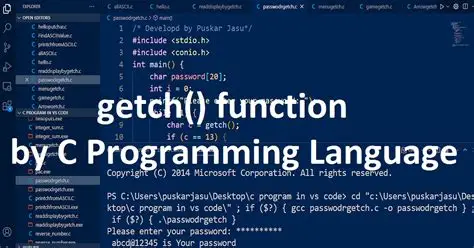
In the world of C programming, user input and screen control are often crucial elements. Whether you are writing a basic console application or experimenting with slightly more advanced functionality, the getch function in C is something you will likely come across. This seemingly simple function plays a unique role that cannot be overlooked when it comes to input handling or controlling program flow.
In this article, we will take a close and human perspective on the getch function in C. We will explore its syntax, real purpose, and some interesting use cases. We will also go through several code examples to show how it can be used effectively. This will help both beginners and intermediate learners strengthen their understanding of how C works in real-world situations.
Also, if you are serious about learning C programming from scratch to advanced, we highly recommend checking out the C Programming Certification Course by Uncodemy. It is beginner friendly and comes with hands-on examples and mentorship to guide you through every concept, including getch and many more.
Let us now begin by understanding what this function really is.
What is the getch Function in C?
The getch function is a predefined function available in the conio.h header file of the C language. It stands for get character and is used to read a single character from the keyboard. What makes it different from other input functions like scanf or getchar is that it does not wait for the Enter key to be pressed. It instantly captures the key the user hits and stores it without displaying it on the screen.
This is especially useful when you want to capture keystrokes immediately, such as in games, console-based menus, or password inputs where you do not want the typed character to appear on the screen.
Here is a quick summary:
Header File: conio.h
Return Type: Integer (ASCII value of the key pressed)
Input: Single character
Output: Character is stored but not displayed
Let us look at the basic syntax.
Syntax of getch in C
Copy Code
c

CopyEdit

#include <conio.h>


int getch(void);
The function does not take any arguments. It simply waits for a key to be pressed and then returns the corresponding ASCII value of the key.
Now that we have a basic idea, let us move into the purpose of using this function.
Why Use getch Function in C
There are several reasons to use getch in your programs:
1. Pausing the Program
When you run a C program, sometimes it executes so quickly that the output screen closes immediately. This is very common when you are using IDEs like Turbo C or CodeBlocks. Using getch at the end of your program makes it pause and wait for a keypress before closing.
2. Password Inputs
If you want to enter a password and do not want the characters to appear on the screen as you type, getch is very handy. Since it does not echo the typed character, it keeps your input hidden.
3. Menu Driven Programs
In applications like banking systems, restaurant menus, or small games, you might want the user to press a key to select an option. getch makes this process smoother and faster because the user does not need to press Enter.
4. Building Games
If you are designing games like Snake or Tetris in C, you need immediate reaction from the player. Waiting for Enter after each move would ruin the gameplay. getch helps by detecting keypresses instantly.
Let us now see some real code examples.
Simple Example Using getch
Let us write a basic C program where getch is used to pause the program until a key is pressed.
Copy Code
c

CopyEdit

#include <stdio.h>

#include <conio.h>


int main() {

    printf("Hello, this is a sample program\n");

    printf("Press any key to continue...");

    getch(); // Waits for keypress

    return 0;

}
Explanation
This program prints a message and then pauses the execution. Only after the user presses any key does the program end. This is extremely useful in console applications to avoid automatic closing of the output screen.
Example for Capturing Input Without Displaying
Here is how getch can be used to take hidden inputs, such as a password.
Copy Code
c

CopyEdit

#include <stdio.h>

#include <conio.h>


int main() {

    char password[20];

    int i = 0;

    char ch;


    printf("Enter password: ");


    while (1) {

        ch = getch(); // Read a character

        if (ch == 13) { // Enter key ASCII

            password[i] = '\0';

            break;

        } else {

            password[i] = ch;

            i++;

            printf("*"); // Show asterisk instead of character

        }

    }

    printf("\nPassword entered: %s\n", password);

    return 0;

}
What This Does
This example demonstrates a basic password input mechanism. The user types their password, but instead of showing actual characters, only asterisks appear. The program stops taking input once the Enter key is pressed.
This is possible because getch immediately returns the character without waiting for Enter and does not show it on the screen.
Comparison with getchar and getche
Many new programmers get confused between getch, getchar, and getche. Let us break them down clearly.
Function
Waits for Enter
Displays Input
getch
No
No
getche
No
Yes
getchar
Yes
Yes
So if you want instant input and do not want it shown, go for getch. If you want it shown, choose getche. If you are okay with pressing Enter, then getchar works just fine.
Limitations of getch
While getch is useful, it has a few limitations:
It is part of conio.h, which is not available in all compilers like GCC. If you are using modern environments, this might cause issues.
It does not handle special keys like function keys or arrow keys in a direct way.
It is platform specific, and might not be portable across different operating systems.
However, for simple programs or educational projects, getch still remains a popular choice.
Use Case: Press a Key to Navigate Menu
Here is another practical example using getch to create a basic menu:
Copy Code
c

CopyEdit

#include <stdio.h>

#include <conio.h>


int main() {

    char choice;


    printf("Welcome to the Program\n");

    printf("Press 1 for Info\n");

    printf("Press 2 for Help\n");

    printf("Press 3 to Exit\n");


    choice = getch(); // No need to press Enter


    switch (choice) {

        case '1':

            printf("\nYou selected Info\n");

            break;

        case '2':

            printf("\nYou selected Help\n");

            break;

        case '3':

            printf("\nExiting program\n");

            break;

        default:

            printf("\nInvalid input\n");

    }

    return 0;

}
In this example, the user can press a single number key, and the program instantly responds. There is no need to type and press Enter. This is only possible due to getch.
Quick Note on ASCII Values
When using getch, it is often helpful to understand the ASCII values of keys. For example:
'A' has an ASCII value of 65
'a' has 97
'0' to '9' range from 48 to 57
Sometimes you may want to use these values directly in your logic.
Relevance for Beginners
If you are just starting out with C programming, using getch can teach you important concepts such as character input, ASCII values, and user interaction. You also learn the basic idea of how to work with menus and loop through inputs.
The function is often used in beginner level exercises such as:
Sum of digits using loops and input
Displaying pattern programs
Creating simple interfaces
Practicing loops and conditionals
Speaking of beginner friendly practices, let us say you want to write a program to find the sum of digits of a number. You can ask the user to press a key to repeat or exit using getch. That is where the function integrates smoothly into larger projects.
Learn More with Uncodemy
If you found this explanation useful and want to dive deeper into real world C programming, including topics like input handling, loops, functions, pointers, and structure, we highly suggest enrolling in the C Programming Course by Uncodemy. The course walks you through every small and big concept with live examples, including how to build interactive programs using functions like getch.
Final Thoughts
The getch function in C is one of those small but powerful tools that help enhance user experience in console programs. Whether you are pausing the output screen, creating a menu, or building password inputs, getch provides a clean way to interact with the user without waiting for the Enter key.
Although it is not part of modern compilers and may not be portable across systems, it still has educational value and helps beginners understand key programming concepts.
As you continue your programming journey, experiment with different scenarios using getch. Try combining it with switch cases, loops, and arrays. The more you play with it, the deeper your understanding will grow.