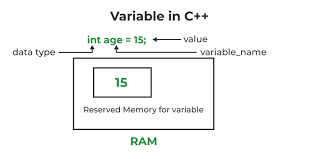
What is a Global Variable?
A global variable is one that is declared outside a function, usually at the top of your file, and it is accessible from any function within that file or, if you are using the external keyword correctly, even from other files.
Local variables, on the other hand, are those that are defined within a function and can only be accessed there. Global variables, however, have a scope that covers the whole program.
Syntax of Declaring a Global Variable in C/C++
Here's the basic syntax:
Copy Code
#include <stdio.h>

// Global variable declaration

int globalVar = 100;

void function1() {

    printf("Function 1: %d\n", globalVar);

}

void function2() {

    globalVar += 50;

    printf("Function2: %d\n", globalVar);

}

int main() {

    function1();

    function2();

    printf("Main: %d\n", globalVar);

    return 0;

}

Output:

Function 1: 100

Function 2: 150

Main: 150
As you can see, the variable globalVar is accessible and modifiable from any function.
Where to Declare Global Variables
Global variables should be declared:
- Outside of all functions
- Usually at the start of the program file
- Prior to any function that utilizes them
Example in C++:
Copy Code
#include <iostream>

using namespace std;

int counter = 0; // Global variable

void increment() {

    counter;

}

int main() {

    increment();

    cout << "Counter: " << counter << endl;

    return 0;

}
Global Variables Across Multiple Files (Using extern)
When working on a project that involves multiple files, you may need to use a global variable across more than one source file.
Here’s how you can achieve that using the `extern` keyword:
File1.c:
Copy Code
#include <stdio.h>

int globalCount = 5;  // Define the global variable

void show Cout() {

    printf("Count: %d\n", globalCount);

}
File2.c:
Copy Code
#include <stdio.h>

extern int globalCount;  // Declare the global variable

void incrementCount() {

    global Count++;

}
main.c:
Copy Code
extern void show Cout();

extern void incrementCount();


int main() {

    showCount();        // Output: 5

    incrementCount();

    showCount();        // Output: 6

    return 0;

}
Note: Use 'extern' only to declare a global variable that is defined in another file. This informs the compiler that the variable exists elsewhere.
Use cases for global variables
- Exchanging data across functions without having to pass as a parameter
- State management for simple programs (e.g., counters, configuration flags)
- Access to lookup tables, or constants from different sections of the program
- Controlling hardware, or low- level interactions
- Low- level memory manipulation, especially in embedded systems
Risks of using global variables
Global variables are great, but come with a lot of risks:
1. Hard to Debug
Because any line in the program could change one of these global variables, it will be inconvenient in large programs to monitor those changes.
2. Name Conflicts
When you have several files utilizing global variables with the same identifier, it could produce unexpected behavior or even fail to compile.
3. Less Modularity
Functions that rely on global states are more difficult to reuse and test in isolation.
4. Thread Safety
Global variables in multi-threaded programs may cause race conditions if not properly synchronized.
Common Use of Global Variables
✅ Use sparingly: If no other option is available, use as little as possible.
✅ Prefer const or static: Use these to decrease mutability or scope.
✅ Non that meaningful names: So collisions are avoided and the code is more readable.
✅ Document well: Explain what the global variable does, and where it’s used.
✅ If possible, encapsulate: Choose function or class/struct as parameters for the function to define the scope that the method can act upon (especially in C++).
Conclusion
Global variables in C and C++ are great instruments, but where there's great power, there's great responsibility. They enable you to pass data between functions and files in an easy way, but in an improper or excessive usage, it can be qualified as spaghetti code.
Use global variables sparingly—prefer local scope where possible, encapsulate logic in functions or classes, and always keep your code modular and maintainable.