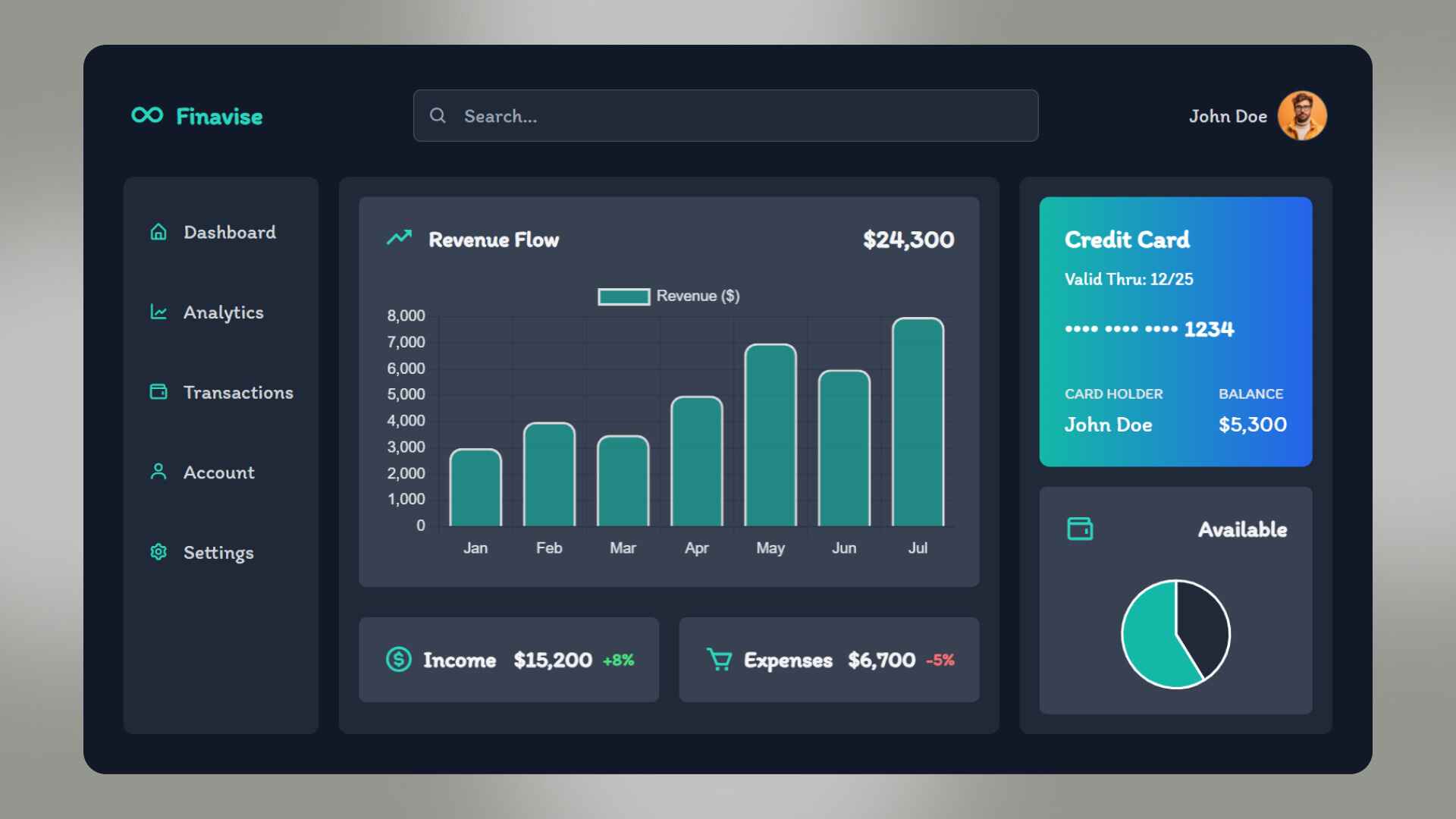
But here’s the challenge: many dashboards end up being cluttered, hard to navigate, or visually unappealing. This is where Tailwind CSS comes in. Tailwind CSS is a utility-first CSS framework that helps developers quickly build modern, responsive, and interactive dashboards with clean designs and consistent styling.
In this blog, we’ll walk through how to design interactive dashboards with Tailwind CSS, explore best practices, and see how AI-driven interactivity can be layered on top. And if you’re eager to build professional-grade dashboards, Uncodemy’s courses in Full Stack Development, Data Science, and UI/UX Design will equip you with all the necessary skills.
Why Dashboards Matter
Dashboards are not just about showing numbers — they tell a story. A good dashboard allows users to:
- Visualize data effectively through charts, tables, and KPIs.
- Interact with metrics via filters, search bars, and dropdowns.
- Make decisions faster by converting raw data into insights.
- Monitor performance in real time with updates and live data feeds.
For example, a business owner can instantly spot sales dips, or a student can track their study hours, simply by glancing at a dashboard.
Why Use Tailwind CSS for Dashboards?
Tailwind CSS has become one of the most popular frameworks among developers because it combines flexibility with speed. Here’s why it’s ideal for dashboards:
1. Utility-First Design – You build layouts directly in your HTML using utility classes, reducing the need for writing custom CSS.
2. Responsive by Default – Tailwind makes it simple to design dashboards that adapt across desktops, tablets, and smartphones.
3. Consistent Styling – Using predefined spacing, color palettes, and typography ensures the dashboard looks professional and uniform.
4. Component-Based Development – Tailwind works beautifully with React, Vue, and other frameworks, making interactive dashboards scalable.
5. Customization Power – Easily extend themes and utilities for branding and personalization.
Key Features of an Interactive Dashboard
When designing a dashboard, focus on functionality and interactivity. Here are some essential features:
- Data Visualizations: Charts, graphs, and heatmaps to make data engaging.
- Filters and Search Bars: Allow users to drill down into data.
- KPIs and Metrics: Quick-glance cards for important stats.
- Responsive Design: Seamless viewing across devices.
- Notifications/Alerts: Automated alerts for critical events.
- Dark Mode Toggle: Increasingly popular for user comfort.
Step-by-Step Guide: Designing Dashboards with Tailwind CSS
Step 1: Set Up the Environment
Start with a modern frontend framework like React.js or Vue.js. Install Tailwind CSS with:
npm install -D tailwindcss postcss autoprefixer
npx tailwindcss init
Add Tailwind to your CSS file:
@tailwind base;
@tailwind components;
@tailwind utilities;
Now you’re ready to style directly with Tailwind utilities.
Step 2: Create a Dashboard Layout
Use flexbox and grid utilities for the layout. For example, a sidebar and main content area:
Copy Code
<div class="flex h-screen bg-gray-100">

  <!-- Sidebar -->

  <aside class="w-64 bg-white shadow-lg">

    <div class="p-6">Dashboard Menu</div>

  </aside>

  <!-- Main Content -->

  <main class="flex-1 p-6">

    <h1 class="text-2xl font-bold mb-4">Dashboard Overview</h1>

  </main>

</div>
This basic structure can be extended with cards, charts, and filters.
Step 3: Add KPI Cards
KPI (Key Performance Indicator) cards highlight metrics like revenue, users, or conversions.
Copy Code
<div class="grid grid-cols-1 md:grid-cols-3 gap-6">

  <div class="bg-white p-6 rounded-lg shadow-lg">

    <h2 class="text-sm font-medium text-gray-500">Total Sales</h2>

    <p class="text-2xl font-bold text-gray-800">$12,500</p>

  </div>

  <div class="bg-white p-6 rounded-lg shadow-lg">

    <h2 class="text-sm font-medium text-gray-500">Active Users</h2>

    <p class="text-2xl font-bold text-gray-800">1,240</p>

  </div>

  <div class="bg-white p-6 rounded-lg shadow-lg">

    <h2 class="text-sm font-medium text-gray-500">Bounce Rate</h2>

    <p class="text-2xl font-bold text-gray-800">32%</p>

  </div>

</div>
Step 4: Integrate Charts and Graphs
Use chart libraries like Chart.js or Recharts with Tailwind styling for visuals. Example with Chart.js:
Copy Code
import { Line } from 'react-chartjs-2';

const data = {

  labels: ['Jan', 'Feb', 'Mar', 'Apr'],

  datasets: [

    {

      label: 'Sales',

      data: [3000, 4000, 3200, 5000],

      borderColor: '#3b82f6',

      fill: false,

    },

  ],

};
Then wrap the chart in a Tailwind card:
Copy Code
<div class="bg-white p-6 rounded-lg shadow-lg">

  <Line data={data} />

</div>
Step 5: Add Filters & Search Functionality
Interactive dashboards need filtering. Example filter bar:
Copy Code
<div class="flex items-center space-x-4 mb-6">

  <input

    type="text"

    placeholder="Search…"

    class="px-4 py-2 border rounded-lg w-1/3 focus:outline-none focus:ring focus:ring-blue-400"

  />

  <select class="px-4 py-2 border rounded-lg focus:outline-none focus:ring focus:ring-blue-400">

    <option>Last 7 Days</option>

    <option>Last 30 Days</option>

    <option>Last Year</option>

  </select>

</div>
Step 6: Make It Responsive
Tailwind makes responsiveness simple with breakpoints like sm:, md:, lg:. For example:
<div class="grid grid-cols-1 md:grid-cols-2 lg:grid-cols-4 gap-6">
<!-- KPI cards go here -->
</div>
Step 7: Add Dark Mode
Tailwind supports dark mode out of the box.
Copy Code
<div class="bg-white dark:bg-gray-800 text-gray-900 dark:text-gray-100">

  <h2 class="text-lg">Dark Mode Example</h2>

</div>
Enable toggling using a simple JavaScript script to switch the theme.
Best Practices for Dashboard Design
1. Keep It Simple – Don’t overload users with too much data on one screen.
2. Use Consistent Colors – Stick to 2–3 main colors to avoid visual clutter.
3 Highlight What Matters – Use bold fonts and contrasting colors for key metrics.
4. Optimize for Speed – Lazy load heavy charts and use efficient data fetching.
5. Provide Customization – Allow users to rearrange or filter widgets based on their needs.
Challenges You May Face
- Handling Large Data Sets: Requires efficient data-fetching and pagination.
- Cross-Browser Compatibility: Always test across Chrome, Firefox, Safari, and Edge.
- Balancing Aesthetics with Functionality: Too many visuals can distract from key metrics.
- Mobile Usability: Ensure that mobile dashboards are not just responsive but usable.
Future of Dashboard Design
With AI and modern frameworks, dashboards are evolving. Expect:
- AI-Powered Insights – Dashboards will not just display data but suggest actions.
- Voice Commands – Users will interact with dashboards via voice queries.
- AR/VR Dashboards – Immersive data visualization for industries like healthcare and finance.
- Personalized Dashboards – Custom layouts for each user, powered by machine learning.
How Uncodemy Can Help You Build Dashboards
Building interactive dashboards requires skills in frontend frameworks, CSS frameworks like Tailwind, and data visualization libraries. Here’s how Uncodemy can help:
- Full Stack Development Courses – Learn React, Node.js, and Tailwind CSS to design complete applications.
- Data Science Courses – Understand data handling, analysis, and visualization techniques.
- UI/UX Design Courses – Gain expertise in designing user-friendly, visually appealing dashboards.
- Cloud & DevOps Training – Deploy your dashboards on scalable cloud platforms like AWS and Azure.
Uncodemy’s courses focus on hands-on projects, so you’ll get real-world experience by building dashboards, data apps, and business tools.
Conclusion
Interactive dashboards are essential tools for making informed decisions in today’s fast-paced world. With Tailwind CSS, you can design dashboards that are responsive, modern, and easy to use, while ensuring scalability and customization.
By combining Tailwind’s simplicity with data visualization tools and best practices, you can create dashboards that do more than display data — they empower users. And if you’re serious about mastering this skill, Uncodemy’s Full Stack Development, Data Science, and UI/UX Design courses will set you on the right path.