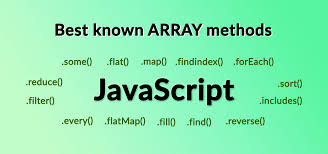
Arrays are all over the place in web dev and coding these days. They're the basic structure behind lists, tables, and collections. They’re behind things like checking forms, handling API data, and even those tricky algorithms. JavaScript arrays? Super flexible. They have tons of built-in ways to mess with data, search, and change things around. So, knowing your way around them is a must if you’re serious about coding or web development.
Whether you're just learning to code or getting ready for interviews, getting good with arrays is key. Seriously, it's that important. At Uncodemy’s Java Programming course in Noida, they teach you how to confidently use arrays in real projects and coding challenges.
This guide will take you through JavaScript arrays: what they are, how they work, how to use them, things to watch out for, and some good coding tips.
What are Arrays in JavaScript?
In JavaScript, an array is like a special container that can hold a bunch of stuff at once. It's like a list where everything has its place, making it easy to keep track of and mess around with all sorts of things like numbers, words, or even more complex stuff.
Here's the deal:
Arrays start counting from zero, so the first thing in the list is number 0.
They can grow or shrink depending on what you need.
You can put pretty much anything in them, even other lists.
JavaScript gives you a ton of pre-made tools to do almost anything you can think of with arrays.
Basically, arrays are super handy for managing lists of info, like what's in your shopping cart, search results, game scores, or stuff from a database. That's why they're important in any real-world JavaScript project.
Creating and Accessing Arrays
There are multiple ways to create and interact with arrays in JavaScript:
                    javascript
                    // Literal syntax
                    let fruits = ['apple', 'banana', 'mango'];

                    // Using the Array constructor
                    let numbers = new Array(1, 2, 3, 4);

                    // Accessing elements
                    console.log(fruits[0]); // 'apple'

                    // Modifying elements
                    fruits[1] = 'orange'; // Now fruits = ['apple', 'orange', 'mango']

                    // Getting array length
                    console.log(fruits.length); // 3
Core Array Methods: Mutator vs. Accessor
JavaScript arrays expose a large suite of methods for data manipulation and interrogation. These methods generally fall into two broad categories:
Accessor methods (return new values without altering the array)
Mutator methods (change the original array)
Let’s explore the most important ones:
1. Mutator Methods
.push() and .pop()
push(value): Adds one or more elements to the end of the array.
pop(): Removes the last element and returns it.
Use case: Stack-like behavior (LIFO), dynamically expanding a list.
.unshift() and .shift()
unshift(value): Adds elements at the start of the array.
shift(): Removes the first element.
Use case: Queues, managing items in arrival order (FIFO).
.splice(start, deleteCount, item1, ...)
Adds/removes/replaces elements at any position.
Can delete, insert, or replace multiple elements in one call.
Use case: Dynamic form handling, removing selected table rows, or updating shopping cart items.
.reverse() and .sort()
reverse(): Reverses the array in place.
sort(compareFn): Sorts elements. By default, sorts as strings (watch out for numeric sorting).
Use case: Displaying leaderboard data, ordering search results, flipping order of posts or threads.
.fill(value, start, end) (ES6+)
Replaces all from start to end (not including end) with the provided value.
Use case: Initializing default values, resetting temporary buffers.
2. Accessor Methods
.concat(array2, ...)
Returns a new array combining elements of the calling array and one or more additional arrays.
Use case: Merging paginated data, appending results.
.slice(start, end)
Returns a shallow copy of part of the array, from start to end (end not included).
Use case: Pagination, getting sub-lists, undo/redo stack snapshots.
.indexOf(value) and .includes(value)
indexOf returns the first index of value (-1 if not found).
Includes returns true if value appears, false otherwise.
Use case: Search and filtering, duplicate detection.
.join(separator)
Joins all elements into a string, separated by the specified separator.
Use case: Generating CSV data, outputting user-readable lists.
.find(callback), .findIndex(callback)
Returns the first matching element (or its index) that passes the test in the callback.
Use case: Looking up complex objects (e.g., first available product, user by email).
.every() and .some()
every: true if all elements pass a test.
some: true if at least one element passes.
Use case: Validation (all forms complete?), alerting if a single condition is met.
3. Iteration & Transformation Methods (ES5+)
.forEach(callback)
Executes a function on each element (cannot break/return).
Use case: UI rendering, bulk operations, debugging.
.map(callback)
Returns a new array with the results of applying the callback to every element.
Use case: Transforming raw API data into display-ready objects, converting data types.
.filter(callback)
Returns a new array with elements that pass a test.
Use case: Showing only completed tasks, filtering out spam, and dynamic search suggestions.
.reduce(callback, initial)
Reduces the array to a single value (sum, product, object build, etc.).
Use case: Calculating totals, flattening arrays, and accumulating stats.
.flat(depth)
Flattens nested arrays.
Use case: Processing incoming data with unpredictable nesting (nested comments, category trees).
Arrays and knowing how to use them are super important for app logic in any modern setup. They're even a big part of what you learn in the Java Programming course in Noida. Here are some real-world examples:
1. To-Do Apps
Arrays store all your tasks. You can use `.filter()` to only see what's done or not done. And `.push()`, `.splice()`, or `.shift()` can add or remove tasks when you do stuff.
2. Online Shopping Carts
When you shop online, all the stuff in your cart is in an array. Adding stuff, taking it out, changing how many you want, and showing how much it all costs uses array tricks like `.find()` to find items, `.map()` to get the price for each thing, and `.reduce()` to add it all up.
3. Checking Forms
When you fill out a form, each box can be part of an array. Methods like `.every()` or `.some()` make sure you fill in the right boxes or point out any mistakes right away.
4. Working with API Data
Most APIs give you back data in arrays. Changing that data–like sorting it with `.sort()`, cutting it up for different pages with `.slice()`, getting rid of stuff you don't want with `.filter()`, or changing how it looks with `.map()` – is something you normally do.
5. Stats and Charts
Arrays of data are put together, summarized, and crunched with `.reduce()`. Making reports or charts that change uses these changes.
6. Making Games
Arrays keep track of player info, top scores, what's happening in the game, or where objects are on the screen. And they can be updated and read fast.
Tips and Best Practices with JavaScript Arrays
Here's the deal with arrays:
Keep things constant: If you don't want to accidentally change your original data, especially when using React, use getter methods.
Stick to one type: Even if JavaScript permits mixed types in arrays, try to use consistent array content for clarity.
Copy first, then change: To avoid weird bugs, copy your array before changing it.
Slice vs. Splice: Know the difference; `splice` changes the original, but `slice` doesn't.
Use cool array methods: Methods like `.map()`, `.filter()`, and `.reduce()` are usually better for cleaner code than typical `for` loops.
Be careful with gaps in arrays: Assigning values to a really high index can create empty spaces within.
Use destructuring and spread: They make copying, combining, and breaking down arrays easier.
Make JavaScript Arrays Your Coding Strength
Arrays? They're like, super important in JavaScript, like the main thing you'll probably use all the time. They're useful because they have lots of options and can be used in just about any kind of project. If you learn how they work, you will be able to handle any problem.
Whether you're building an app, creating dashboards, or even just trying to pass a job interview, knowing arrays is going to help you a lot and get you to the next level!
Frequently Asked Questions (FAQs)
Q1. Can JavaScript arrays hold different types of values?
Yes! Arrays in JavaScript can mix numbers, strings, objects, and functions—although consistent types are best for maintainability.
Q2. What’s the fastest way to copy an array?
Use the spread operator ([...array]) or .slice() for shallow copying.
Q3. Are JavaScript arrays always contiguous like C arrays?
No. JavaScript arrays are dynamic and can be sparse; avoid “holes” by always initializing values.
Q4. Does JavaScript have multidimensional arrays?
JavaScript supports arrays of arrays, which can function as 2D or even higher-dimensional lists.
Q5. How do I search for objects by property in an array?
Use .find(), .filter(), or .some() with a callback comparing the desired property.
Q6. How does Uncodemy’s Java Programming course in Noida teach array methods?
The course emphasizes hands-on assignments, real coding labs, problem walkthroughs, and interview prep with array-focused tasks.