In the world of web development, JavaScript brings life to websites—turning static pages into interactive experiences. And at the core of this interactivity lies a powerful concept: the JavaScript function. Whether you're validating a form, fetching data from an API, or responding to a button click, functions play a central role in how JavaScript operates.
In this guide, we'll explore the definition, syntax, types, and deeper concepts of JavaScript functions, with easy examples to get you started and insights for leveling up your skills. And if you're looking to master JavaScript from the ground up, we’ll also point you to the JavaScript course by Uncodemy, a great resource for serious learners.
A JavaScript function is a reusable block of code that performs a specific task or calculates a value. Instead of writing the same lines of code repeatedly, you can group them inside a function and call the function whenever needed.
Imagine you’re baking cookies. Each time, you follow the same recipe. That recipe is your function: a list of instructions executed in the same way every time.
Example:
Copy Code
javascript

CopyEdit

function greetUser(name) {

  console.log("Hello, " + name + "!");

}

greetUser("Aman");

greetUser("Suhani");
The function greetUser prints a greeting using the provided name. You can reuse it any number of times.
Benefits of Using Functions in JavaScript
Reusability – Write once, use anywhere.
Modularity – Break large programs into manageable chunks.
Maintainability – Easier to update a specific logic.
Improved Debugging – Isolate errors within a function.
Readability – Your code becomes more expressive and understandable.
Basic Syntax of a JavaScript Function
The most common way to define a function is using the function declaration.
Syntax:
Copy Code
javascript

CopyEdit

function functionName(parameter1, parameter2) {

  // Code to execute

}
Example:
Copy Code
javascript

CopyEdit

function sum(a, b) {

  return a + b;

}

console.log(sum(5, 10)); // Output: 15
Let’s break it down:
function: Keyword to define the function.
functionName: A meaningful name for your function.
parameters: Placeholders for values passed to the function.
return: Returns a value to the caller.
{}: Contains the body of the function.
Different Ways to Define Functions
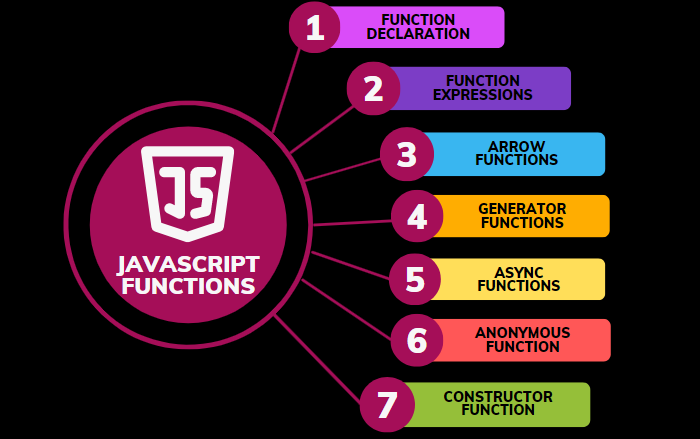
JavaScript offers several ways to create functions. Understanding each can help you choose the right approach for different use cases.
1. Function Declaration
Copy Code
javascript

CopyEdit

function greet() {

  console.log("Hello!");

}
An anonymous function has no name and is often used in expressions or callbacks.
Copy Code
javascript

CopyEdit

setTimeout(function() {

  console.log("Hello after 2 seconds");

}, 2000);
Arrow Function vs Regular Function
Feature
Arrow Function
Regular Function
Syntax
Short and concise
Verbose
this context
Lexical (from parent scope)
Own this context
Constructor use
Not usable
Can be used with new
Use case
Callbacks, short functions
Methods, constructors
Common Mistakes with JavaScript Functions
Forgetting to invoke the function (myFunction vs myFunction()).
Misunderstanding scope or hoisting.
Overusing global variables.
Not returning values when needed.
Incorrect use of this.
Real-World Uses of JavaScript Functions
Handling form submissions and validations
Creating dynamic user interfaces (modals, sliders, tabs)
Manipulating DOM elements
Communicating with APIs (AJAX, fetch)
Writing reusable utilities like filters or data converters
Master JavaScript Function with Uncodemy
If you're ready to dive deeper into the power of JavaScript functions, consider joining the JavaScript course by Uncodemy. This hands-on course is ideal for beginners and budding developers looking to strengthen their web development skills.
What you’ll learn:
In-depth JavaScript fundamentals
Function declaration, expression, closures, and arrow functions
Asynchronous JavaScript with callbacks, promises, and async/await
DOM manipulation using functions
Real-world projects to build confidence
With expert mentors and a learner-friendly approach, Uncodemy helps you become job-ready in front-end or full-stack roles.
Conclusion
The JavaScript function is not just a tool—it's a building block that makes your code efficient, clean, and powerful. From basic definitions to advanced concepts like closures and async/await, understanding functions is key to writing professional-grade JavaScript.
As you continue your journey, practice writing and using different types of functions. And when you’re ready for structured learning with real-world applications, the Uncodemy JavaScript course is your go-to resource to take your skills to the next level.