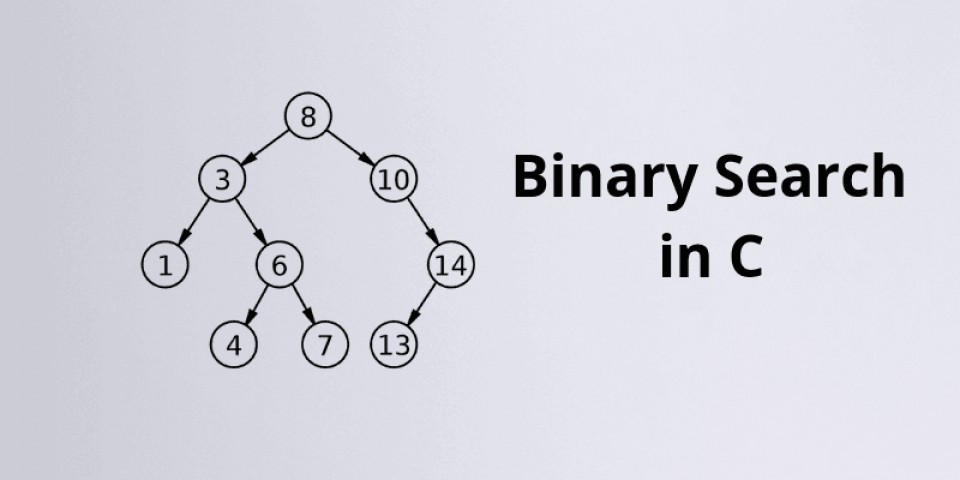
Want to learn binary search in C the easy way? Imagine finding your
favorite book in a huge library without checking every shelf. That’s what binary search in C does for
you! It helps you find an element in a sorted array quickly, saving you time and reducing debugging
headaches. In this guide, you will learn what binary search is, how it works in C with beginner-friendly
code examples, and why mastering it is crucial for coding interviews and building a strong foundation in
data structures.
Let’s make you confident with binary search in C, one step at a time.
Common Mistakes to Avoid While Learning Binary Search in C
Practice Tips to Master Binary Search in C
Snippet for Google Search
Conclusion
FAQs
Key Takeaways
Understand what binary search in C means and how it helps you
search faster than linear search.
Learn how binary search divides your search range in half for efficient searching.
Get clear, easy-to-read code examples to implement binary search in C.
Learn iterative and recursive approaches
with practical differences.
Discover tips to master binary search for coding interviews.
What is Binary Search?
Think about finding a word in a dictionary. You do not start from page one; you open near the
middle, check the word, and decide whether to look in the front half or the back half. This
is exactly what binary search in C does!
Binary search is a divide-and-conquer algorithm that
works on sorted arrays. It repeatedly divides the search space in
half, checking whether the target element is in the left half or the right half, until it
finds the element or concludes that the element is not present.
Key Points:
Works only on sorted arrays.
Faster than linear search, especially on large datasets.
Uses low and high pointers to track the search range.
This simple table helps you visualize how binary search in C narrows
down the search quickly.
Binary Search Algorithm in C
Here is a clear, step-by-step breakdown of the binary search algorithm in
C:
Start with low = 0 and high = n - 1.
Find the mid index.
Compare the middle element with the target:
If equal, return the index.
If the middle element is greater, adjust high = mid - 1.
If the middle element is smaller, adjust low = mid + 1.
Repeat the above steps until the element is found or low > high.
If the loop exits without finding the element, return -1.
Pseudocode:
Copy Code
binarySearch(arr[], n, target):

    low = 0

    high = n - 1

    while low <= high:

        mid = (low + high) / 2

        if arr[mid] == target:

            return mid

        else if arr[mid] < target:

            low = mid + 1

        else:

            high = mid - 1

    return -1
This pseudocode will help you understand the logic before you write your binary
search code example in C.
Iterative Binary Search in C with Code Example
Learning iterative binary search in C is important as it
is memory-efficient and easy to debug for beginners. Let’s write
a clear, commented code snippet together.
Here is a simple, beginner-friendly code:
Copy Code
#include <stdio.h>


int binarySearch(int arr[], int n, int target) {

    int low = 0, high = n - 1;

    while (low <= high) {

        int mid = low + (high - low) / 2; // Prevent overflow

        if (arr[mid] == target)

            return mid; // Found

        else if (arr[mid] < target)

            low = mid + 1; // Search right half

        else

            high = mid - 1; // Search left half

    }

    return -1; // Not found

}


int main() {

    int arr[] = {5, 10, 15, 20, 25, 30, 35};

    int n = sizeof(arr) / sizeof(arr[0]);

    int target = 15;

    int result = binarySearch(arr, n, target);

    if (result != -1)

        printf("Element found at index %d\n", result);

    else

        printf("Element not found\n");

    return 0;

}
Recursive Binary Search in C with Code Example
Now, let’s explore recursive binary search in C. Recursion means a
function calling itself repeatedly to solve smaller parts of the problem. It
is conceptually simple and helps you understand how binary search
logic reduces the search space.
Why use recursion?
Makes the code shorter and cleaner.
Helps build a strong understanding of recursive thinking, important
for coding interviews.
Here is a clean, beginner-friendly recursive binary search code in C:
Copy Code
#include <stdio.h>


int binarySearch(int arr[], int low, int high, int target) {

    if (low <= high) {

        int mid = low + (high - low) / 2;

        if (arr[mid] == target)

            return mid; // Found

        else if (arr[mid] > target)

            return binarySearch(arr, low, mid - 1, target); // Search left half

        else

            return binarySearch(arr, mid + 1, high, target); // Search right half

    }

    return -1; // Not found

}


int main() {

    int arr[] = {5, 10, 15, 20, 25, 30, 35};

    int n = sizeof(arr) / sizeof(arr[0]);

    int target = 20;

    int result = binarySearch(arr, 0, n - 1, target);

    if (result != -1)

        printf("Element found at index %d\n", result);

    else

        printf("Element not found\n");

    return 0;

}
Comparison Table: Iterative vs. Recursive
Feature
Iterative Binary Search
Recursive Binary Search
Memory Usage
O(1) (no call stack)
O(log n) (call stack)
Readability
Clear for loops
Cleaner, shorter code
Debugging
Easier for beginners
Helps learn recursion
Use in Interviews
Commonly used
Asked in recursion tests
Both are important while learning binary search in C.
When to Use Binary Search
You should use binary search only on sorted arrays or lists. Here are
some practical examples:
Searching for a student’s marks in a sorted exam result list.
Finding a file in a sorted directory list.
Searching for a word in a dictionary.
Playing the “Guess the Number” game with your friends.
Using binary search in C helps you search faster, making your code
efficient for real-world projects and coding contests.
Binary Search Complexity Explained Simply
Here is a clear breakdown:
✔ Time Complexity: O(log n) Because the search space is reduced by half
in each step.
✔ Space Complexity:
O(1) for iterative binary search (uses constant memory).
O(log n) for recursive binary search (due to recursive call stack).
Compare this with linear search (O(n)), and you will see
why binary search in C is faster for large data sets.
Common Mistakes to Avoid While Learning Binary Search in C
While learning binary search in C, beginners often make these mistakes:
Not sorting the array before using binary search.
Calculating the mid incorrectly (use low + (high - low) / 2 to avoid overflow).
Forgetting to update low or high correctly leads to infinite
loops.
Confusing indices while debugging.
✔ Always test your binary search code with small arrays first to ensure
it works.
Practice Tips to Master Binary Search in C
Here are some actionable tips to strengthen your binary search skills:
Write the algorithm on paper first to understand the logic.
Trace the steps on small arrays to visualize how low, mid, and high
change.
Use print statements while debugging your code to see variable
changes.
Solve at least 5 binary search problems on LeetCode or HackerRank.
Practice both iterative and recursive approaches for placements.
Practicing will make binary search in C feel easy and will prepare you
for coding interviews.
Snippet for Google Search
Binary search in C is a fast way to search elements in a sorted array by repeatedly dividing
the search interval in half. Learn how to implement it in C using iterative and recursive
approaches with clear, beginner-friendly code examples to build your data structures
foundation and crack coding interviews.
Conclusion
You have now learned what binary search in C is, how it saves time compared to linear search, and how to implement it using iterative and recursive methods. Remember, practice is key. By writing, tracing, and testing your code, you will master binary search and feel confident during your coding interviews.
Learning binary search is your first step toward mastering data structures and building efficient code. For learners looking to strengthen their programming fundamentals, a C Programming course in Noida can provide structured guidance, practical coding exercises, and hands-on learning. It builds your confidence for solving larger coding problems and helps you develop problem-solving patterns for real-world projects.
Keep practicing and enjoy the journey of mastering C programming search techniques!
FAQs
What is the key difference between linear search and binary search?
Linear search checks each element one by one, while binary search divides the search space in
half each time, making it faster on sorted arrays.
Why must the array be sorted for binary search?
Binary search depends on comparing the target with the middle element to decide which half to
continue searching. If the array is not sorted, it will give incorrect results.
How does iterative binary search differ from recursive binary search in C?
Iterative binary search uses loops and has O(1) space complexity, while recursive binary
search uses function calls and has O(log n) space complexity due to the call stack.
What are common mistakes when learning binary search in C?
Common mistakes include not sorting the array first, miscalculating the middle index, and
incorrect updates to low or high, leading to infinite loops.
Why is binary search important for coding interviews?
Binary search is a fundamental algorithm tested frequently in coding interviews to assess
your understanding of divide and conquer, efficiency, and array manipulation
skills.
Learning binary search is your first step towards mastering data structures for real
projects and coding interviews. Ready to Master More?
If you want to strengthen your foundations and learn efficient coding patterns, check out
our C programming course in Noida to level up your coding and AI skills for the
future.