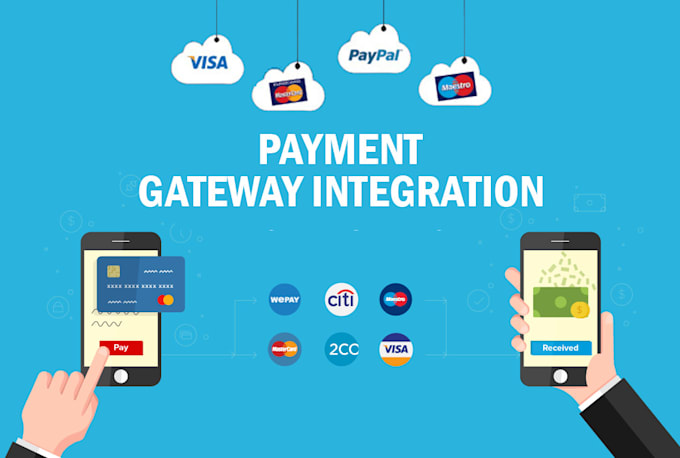
A well implemented payment system builds trust, reduces abandoned carts, and allows businesses to focus on growth rather than worrying about payment failures or fraud.
In this article, we will explore how to integrate payment gateways in mobile apps, the workflow, technical considerations, best practices, and real world applications. We will also mention a relevant Uncodemy course that can help you master mobile app development and payment integrations.
Why Payment Gateway Integration Matters
Payment gateways are the bridge between your mobile app and financial institutions. They allow users to make payments through credit cards, debit cards, net banking, UPI, wallets, or other digital methods.
The benefits of proper payment integration include:
- Seamless transactions: Users can pay directly in the app without redirecting to external pages.
- Security: Payment gateways use encryption and tokenization to protect sensitive data.
- Trust: A reliable payment process reduces user anxiety and increases conversions.
- Global reach: Accept payments from different countries and currencies.
- Automation: Track transactions, issue receipts, and reconcile payments efficiently.
For instance, an e-commerce app that integrates PayPal or Razorpay allows users to complete purchases with just a few taps, improving the overall shopping experience.
How Payment Gateway Integration Works
At a high level, payment gateway integration involves:
- Collecting payment information – Card details, UPI IDs, or wallet credentials.
- Authenticating the user – Using secure protocols to ensure the user is legitimate.
- Processing the payment – Sending payment information to the payment gateway, which interacts with banks or financial institutions.
- Confirming the transaction – Receiving a response indicating success or failure.
- Updating app and user – Displaying confirmation messages, receipts, and updating backend records.
The integration can be done via SDKs, APIs, or web based solutions depending on the gateway and platform (iOS or Android).
Popular Payment Gateways
Here are some widely used gateways in mobile app development:
- Stripe – Offers APIs for iOS, Android, and web. Supports multiple currencies.
- PayPal – Popular for both domestic and international payments.
- Razorpay – Commonly used in India for cards, UPI, wallets, and net banking.
- Square – Ideal for in app and point of sale transactions.
- Braintree – Owned by PayPal, supports multiple payment methods.
Choosing the right gateway depends on your target audience, transaction volume, and preferred payment methods.
Step by Step Integration Workflow
Let’s break down the integration process for a typical mobile app:
Step 1: Choose a Payment Gateway
Evaluate your needs based on:
- Supported countries and currencies
- Payment methods accepted
- Transaction fees
- Security and compliance (PCI DSS, GDPR)
- SDK availability and documentation
Once chosen, create an account with the gateway and obtain your API keys.
Step 2: Set Up the Mobile App
For Android, you typically use Android Studio, and for iOS, Xcode. Add the payment gateway’s SDK to your project:
Android (Razorpay example):
Copy Code
dependencies {

    implementation 'com.razorpay:checkout:1.6.19'

}
iOS (Stripe example using CocoaPods):
Copy Code
pod 'Stripe', ‘~> 23.0.0’
Step 3: Initialize the SDK
Initialize the SDK with your API keys and environment (sandbox for testing, production for live transactions).
Android example:
Copy Code
Checkout checkout = new Checkout();

checkout.setKeyID("YOUR_KEY_ID");
iOS example:
Copy Code
STPAPIClient.shared.publishableKey = “YOUR_PUBLISHABLE_KEY”
Step 4: Collect Payment Information
Use the SDK’s secure UI components to collect user payment data. Avoid storing sensitive card details in your app; let the gateway handle it.
Example (Android Razorpay):
Copy Code
JSONObject options = new JSONObject();

options.put("name", "My App");

options.put("description", "Purchase Description");

options.put("currency", "INR");

options.put("amount", 50000); // Amount in paise


checkout.open(activity, options);
This opens a payment form directly in the app.
Step 5: Handle Payment Response
Once the user completes or cancels the payment, your app receives a callback with the result.
Android example:
Copy Code
@Override

public void onPaymentSuccess(String razorpayPaymentID) {

    Toast.makeText(this, "Payment Successful: " + razorpayPaymentID, Toast.LENGTH_SHORT).show();

}


@Override

public void onPaymentError(int code, String response) {

    Toast.makeText(this, "Payment Failed: " + response, Toast.LENGTH_SHORT).show();

}
This allows you to show confirmation or error messages and update your backend.
Step 6: Backend Integration
While the SDK handles front end payments, your backend should:
- Verify payment signatures
- Record transaction details
- Update order status or subscriptions
- Handle refunds if needed
This ensures security and accountability.
Best Practices
- Use test environment first: Avoid real transactions while testing integration.
- Secure API keys: Never expose secret keys in client code.
- Handle errors gracefully: Inform users clearly about failures.
- Support multiple payment methods: Offer convenience to different user segments.
- Comply with regulations: PCI DSS compliance is mandatory for card transactions.
- Monitor transactions: Keep logs for auditing and customer support.
Real World Applications
- E-commerce apps: Integrate card payments, UPI, and wallets for checkout.
- Subscription services: Automate recurring payments for premium content or services.
- Food delivery apps: Accept instant payments for seamless order completion.
- Ride hailing apps: Process ride payments within the app securely.
- Event booking apps: Collect ticket payments and generate receipts automatically.
Proper payment gateway integration ensures smooth and secure transactions, enhancing user trust and satisfaction.
Challenges
- Cross platform differences: Android and iOS have different SDKs and requirements.
- Currency and regional restrictions: Some gateways do not support all countries or currencies.
- Fraud and chargebacks: Must implement anti fraud measures and verification.
- User experience: Poorly implemented flows can lead to abandoned transactions.
- API changes: Keep track of gateway updates to avoid integration issues.
Future of Mobile Payment Integration
- AI powered fraud detection: AI can detect unusual patterns and prevent fraudulent transactions.
- Voice payments: Mobile apps may soon allow payments via voice commands.
- Biometric authentication: Face recognition or fingerprints will enhance security.
- Cryptocurrency support: Some apps are integrating crypto wallets alongside traditional payments.
Integrating payments today lays the foundation for a future ready, flexible, and secure mobile app ecosystem.
Learning Path with Uncodemy
If you are excited about mobile app development and want to master payment integrations, the Full Stack Mobile App Development with JavaScript course by Uncodemy in Ahmedabad is an ideal choice. It covers front end and back end development, working with APIs, and implementing real world features like payment gateways. The course provides hands on projects, guidance, and industry best practices so you can build secure and scalable mobile apps.
Conclusion
Integrating payment gateways in mobile apps is an essential skill for modern developers. From e-commerce to subscription services, a smooth, secure, and reliable payment flow improves user trust, reduces abandoned transactions, and helps businesses scale. By following best practices, using SDKs properly, and testing thoroughly, developers can create apps that offer a seamless payment experience.
With the guidance of platforms like Uncodemy, you can learn to implement payment gateways professionally, handle multiple payment methods, and ensure security and compliance. Whether you are a beginner or an experienced developer, mastering payment integration is a crucial step toward building high quality mobile apps.