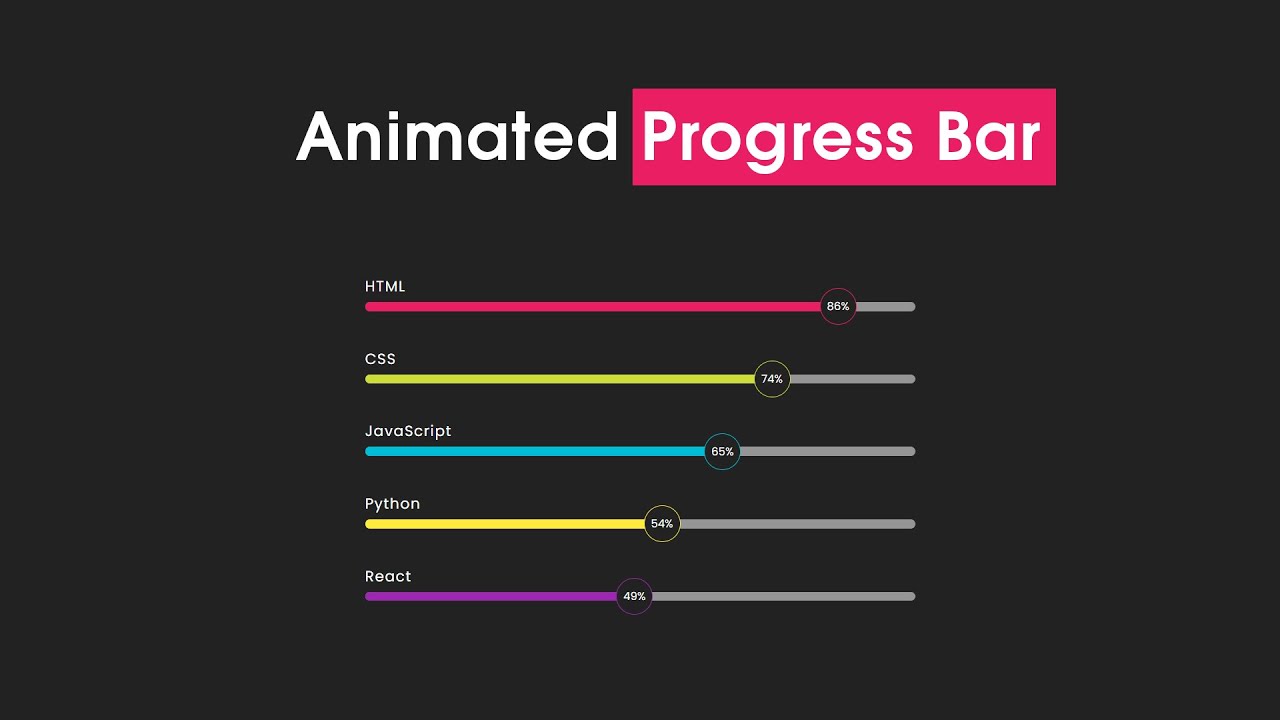
The modern web development industry demands professionals who can create seamless, interactive experiences that keep users engaged throughout their digital journey. Progress bars serve as excellent communication tools, informing users about loading times, form completion status, skill levels, or project advancement. When these elements are enhanced with smooth animations, they transform from simple indicators into captivating visual experiences that demonstrate technical expertise and attention to detail.
Understanding the Foundation of Animated Progress Bars
Before diving into the implementation details, developers must grasp the underlying concepts that make animated progress bars effective. At its core, a progress bar consists of a container element and a fill element that represents the completion percentage. The animation aspect involves the smooth transition of the fill element from one state to another, typically achieved through CSS transitions and transforms.
The beauty of CSS-based progress bars lies in their simplicity and performance benefits. Unlike JavaScript-heavy solutions, CSS animations run smoothly on most devices and browsers while maintaining optimal performance. This approach aligns perfectly with modern web development practices that prioritize speed, accessibility, and user experience.
Web developers who understand these fundamentals position themselves advantageously in the competitive technology landscape. Companies across various industries, from startups to established corporations, value professionals who can create polished user interfaces without compromising performance. The ability to implement such features demonstrates proficiency in modern CSS techniques and an understanding of user interface design principles.
Essential CSS Properties for Progress Bar Animation
Creating effective animated progress bars requires mastery of several key CSS properties. The width property serves as the primary mechanism for controlling the fill level, while the transition property enables smooth animations between different states. The transform property offers additional possibilities for creating more sophisticated animation effects, such as sliding or scaling transitions.
The transition-timing-function property deserves special attention as it controls the acceleration curve of animations. Options like ease-in, ease-out, and cubic-bezier functions allow developers to create natural-feeling animations that enhance the overall user experience. Understanding these timing functions enables developers to create progress bars that feel responsive and engaging rather than mechanical or jarring.
Color gradients and shadow effects can significantly enhance the visual appeal of progress bars. The linear-gradient function enables the creation of multi-colored fills that can indicate different completion levels or simply add visual interest. Box-shadow properties can create depth and dimensionality, making progress bars appear more integrated with the overall design.
Building Your First Animated Progress Bar
The implementation process begins with creating a solid HTML structure that provides the foundation for styling and animation. A typical progress bar requires a container div that defines the overall dimensions and appearance, along with an inner div that represents the actual progress fill. This structure should be semantic and accessible, incorporating appropriate ARIA attributes for screen readers.
The CSS styling process starts with defining the container's appearance, including dimensions, background color, border radius, and any shadow effects. The border-radius property is particularly important as it creates the rounded corners that give progress bars their characteristic appearance. Background colors should be chosen carefully to provide sufficient contrast with the fill color while maintaining visual harmony with the overall design.
The fill element requires careful attention to positioning and animation properties. Setting position: relative on the container and appropriate width calculations on the fill element ensures proper alignment and scaling. The transition property should be applied to the fill element to enable smooth animations when the progress value changes.
Advanced Animation Techniques and Visual Effects
Once developers master basic progress bar implementation, they can explore advanced techniques that create more engaging visual experiences. Pulsing animations can draw attention to active progress bars, while gradient animations can create the illusion of movement within the progress fill. These effects require careful timing and easing functions to avoid overwhelming users or causing accessibility issues.
Keyframe animations offer unlimited possibilities for creative progress bar designs. Developers can create complex animation sequences that include color changes, size variations, or even particle effects. However, these advanced techniques should be used judiciously, always prioritizing usability and performance over visual complexity.
CSS variables (custom properties) provide an excellent mechanism for creating dynamic, themeable progress bars. By defining color schemes, animation durations, and other parameters as variables, developers can easily customize progress bars to match different design systems or user preferences. This approach also facilitates maintenance and updates across large projects.
Responsive Design Considerations
Modern web development demands that all components, including progress bars, function seamlessly across various devices and screen sizes. Responsive progress bars require careful consideration of container sizing, font scaling, and touch interaction areas. Media queries enable developers to adjust progress bar dimensions and styling for different viewport sizes.
Mobile devices present unique challenges for progress bar design. Touch targets must be appropriately sized for finger interaction, and animations should remain smooth even on devices with limited processing power. CSS techniques like transform3d can leverage hardware acceleration to ensure optimal performance on mobile platforms.
Accessibility considerations are paramount when designing responsive progress bars. Color contrast ratios must meet WCAG guidelines, and alternative text or labels should provide clear information about progress status. Focus indicators should be clearly visible for keyboard navigation users, and animations should respect user preferences for reduced motion.
Integration with Popular Frameworks and Libraries
Modern web development often involves working with frameworks like React, Vue.js, or Angular. Animated progress bars can be seamlessly integrated into these frameworks while maintaining their CSS-based animation approach. Component-based architectures allow for reusable progress bar components that can be easily customized and implemented across different parts of an application.
CSS-in-JS solutions provide another avenue for implementing animated progress bars in modern web applications. Libraries like styled-components or emotion allow developers to create component-specific styles while maintaining the benefits of CSS animations. This approach offers excellent developer experience while ensuring style encapsulation and maintainability.
The compatibility between CSS animations and modern build tools ensures that animated progress bars can be optimized for production environments. Techniques like CSS purging and minification help maintain optimal bundle sizes while preserving animation functionality.
Real-World Applications and Use Cases
Animated progress bars find applications across numerous industries and project types. E-commerce websites use them to indicate checkout progress, keeping customers informed about their transaction status. Educational platforms employ progress bars to show course completion, motivating learners to continue their studies. File upload interfaces rely heavily on progress bars to communicate transfer status and estimated completion times.
Gaming and entertainment websites often feature elaborate progress bars that enhance the overall user experience. These implementations might include sound effects, particle animations, or theme-appropriate visual elements that align with the brand identity. Such applications demonstrate the versatility and creative potential of CSS-based progress bars.
Business applications frequently require progress bars for dashboard interfaces, reporting tools, and data visualization components. In these contexts, progress bars serve both functional and aesthetic purposes, helping users understand complex data sets while maintaining professional appearance standards.
Performance Optimization and Best Practices
Optimizing animated progress bars for performance involves several key considerations. CSS animations generally perform better than JavaScript-based alternatives because they can leverage browser optimizations and hardware acceleration. However, developers should still be mindful of animation complexity and frequency to ensure smooth performance across all devices.
Browser compatibility remains an important consideration, particularly for animations involving newer CSS features. Progressive enhancement strategies ensure that basic functionality remains available even in older browsers, while modern browsers can take advantage of enhanced visual effects. Vendor prefixes and fallback properties help maintain broad compatibility.
Debugging animated progress bars requires understanding browser developer tools and performance profiling techniques. Chrome DevTools offers excellent animation inspection capabilities, allowing developers to analyze timing, easing functions, and performance characteristics. These tools help identify and resolve animation issues before deployment.
Learning Path and Skill Development
Mastering animated progress bars represents just one aspect of comprehensive front-end development expertise. Developers should build upon this foundation by exploring related topics such as SVG animations, canvas-based graphics, and advanced CSS layout techniques. Each of these areas contributes to a well-rounded skill set that meets industry demands.
The learning process benefits significantly from hands-on practice and project-based experience. Building various types of progress bars for different use cases helps developers understand the nuances of animation timing, user experience considerations, and cross-browser compatibility. Contributing to open-source projects or creating personal portfolios showcasing animation skills demonstrates practical expertise to potential employers.
Staying current with emerging CSS features and browser capabilities ensures continued relevance in the fast-paced web development industry. New CSS specifications regularly introduce enhanced animation capabilities, and early adoption of these features can provide competitive advantages in the job market.
Industry Demand and Career Opportunities
The technology sector continues to show strong demand for skilled front-end developers who can create engaging user interfaces. Companies across industries recognize the value of polished, interactive web experiences, and professionals who can implement these features command competitive salaries and career advancement opportunities. Progress bar implementation skills demonstrate broader competencies in CSS animation, user experience design, and attention to detail.
Freelance and contract opportunities frequently require developers to enhance existing websites with interactive elements like animated progress bars. These projects offer excellent opportunities to build portfolios while earning income and gaining diverse industry experience. Many successful web developers began their careers by taking on such specialized enhancement projects.
The rise of mobile-first design and progressive web applications has increased demand for developers who understand responsive animation techniques. Organizations need professionals who can create consistent experiences across devices while maintaining optimal performance. This specialization area offers excellent long-term career prospects.
Educational Resources and Skill Enhancement
For those looking to develop expertise in CSS animations and progress bar implementation, Uncodemy offers comprehensive courses that cover these topics in depth. Their Web Development Course provides foundational knowledge in HTML, CSS, and JavaScript, while their Front-End Development Program delves deeper into advanced animation techniques and modern frameworks.
The Full Stack Web Development Course at Uncodemy encompasses both front-end and back-end technologies, enabling students to create complete web applications with sophisticated user interfaces. This comprehensive approach ensures graduates possess the versatile skill set demanded by today's employers. The curriculum includes hands-on projects that require implementing various types of progress bars and interactive elements.
Uncodemy's CSS Advanced Course specifically focuses on modern CSS techniques, including animations, transitions, and responsive design principles. Students learn to create professional-quality animated elements while understanding the underlying principles that govern effective user interface design. The course emphasizes practical application through real-world projects and industry-relevant assignments.
Conclusion and Future Outlook
Animated progress bars represent a perfect intersection of technical skill and user experience design. As web applications become increasingly sophisticated, the ability to create smooth, engaging animations while maintaining optimal performance becomes ever more valuable. Developers who master these techniques position themselves well for career success in the competitive technology landscape.
The future of web animation continues to evolve with new CSS specifications and browser capabilities. Features like CSS Grid, Flexbox, and custom properties provide new possibilities for creating innovative progress bar designs. Staying current with these developments ensures continued relevance and career growth opportunities.
Whether working on personal projects, freelance assignments, or full-time positions, the ability to implement professional animated progress bars demonstrates technical competency and design sensibility. These skills contribute to creating web experiences that users appreciate and remember, ultimately driving business success and career advancement for skilled developers.
The investment in learning advanced CSS animation techniques pays dividends throughout a web development career. As the industry continues to prioritize user experience and interface polish, professionals with these capabilities will find themselves in high demand across various sectors and project types. The combination of technical skill and creative application makes animated progress bar implementation an essential competency for modern web developers.