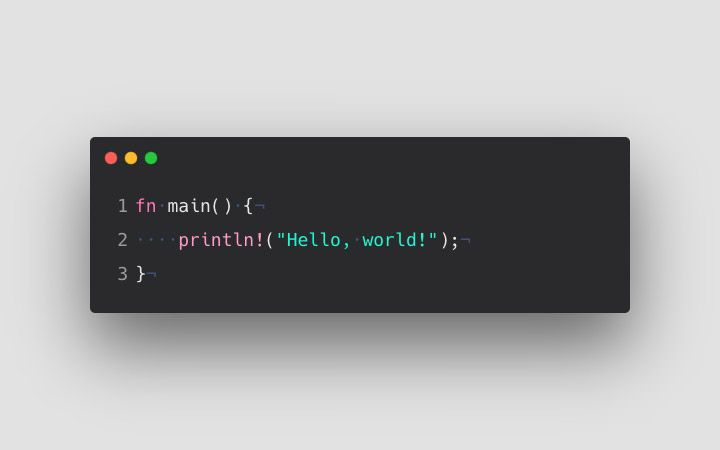
The journey of every programmer often kicks off with that classic line of code — “Hello,
World!”. This straightforward program has become a rite of passage for newbie coders, as it introduces
them to the fundamental structure of a programming language. In this blog, we’ll dive into how to print
Hello World in C, break down each component of the code, explore some variations, and share best
practices for crafting your very first C program.
Whether you’re just embarking on your coding adventure or brushing up on C
programming after a break, this guide is here to help you grasp the essentials through a simple
yet powerful example.
What Is the “Hello World” Program?
Mr. Bambam Kumar Yadav / 13 days
20
13 min read
The “Hello World” program is typically the first piece of code you write when
learning a new programming language. It serves two main purposes:
- It confirms that your compiler and environment are set up correctly.
- It introduces you to the syntax, structure, and basic functionality of the
language.
In C, the Hello World program looks like this:
    #include <stdio.h>

    int main() {
        printf("Hello, World!");
        return 0;
    }
Components of the Hello World Program in C
Let’s dive into the components of the Hello World program in C to really grasp
how to print "Hello World."
1. #include <stdio.h>
This line is crucial as it instructs the compiler to include the Standard Input
Output library. This library is home to functions like printf() and scanf(), which help us
display messages and gather user input.
2. int main()
Every C program kicks off here. The main() function is essential, and the code
within it runs when the program is executed.
3. printf("Hello, World!");
This line is where the magic happens—it prints the text on the screen. The
printf() function is a standard output tool that formats and displays strings.
4. return 0;
This line indicates that the program has finished running successfully and hands
control back to the operating system.
How to Run the Hello World Program
If you want to run a C program, here’s what you need to do:
Step 1: Set Up a Compiler
First, you’ll need to install a C compiler like GCC (GNU Compiler Collection) or
choose an IDE such as:
- Code::Blocks
- Turbo C++
- Dev C++
- Visual Studio Code (with the C/C++ extension)
Step 2: Write the Code
Next, create a file with a .c extension (for example, hello.c) and paste your
program into it.
Step 3: Compile the Code
Finally, use a command like:
gcc hello.c -o hello
Step 4: Run the Program
./hello
You’ll see the output:
Hello, World!
Why Is “Hello World” So Important?
It might seem simple, but the Hello World program holds a lot of significance for
those just starting out:
- Demonstrates Syntax: It introduces you to the C syntax,
including semicolons, brackets, and functions.
- Verifies Setup: It confirms that your compiler is set up
correctly.
- Builds Confidence: Watching the output appear can really boost
the motivation of new learners.
- Establishes Structure: It helps you grasp how a program flows.
Variations of the Hello World Program
1. Without return 0
#include <stdio.h>

int main() {
    printf("Hello, World!");
}
2. Printing Multiple Lines
#include <stdio.h>

int main() {
    printf("Hello, World!\nWelcome to C programming.");
	return 0;
}
Common Errors Faced by Beginners
1. Missing Semicolon
printf("Hello, World!") // Error
2. Typing PrintF instead of printf
C is case-sensitive, so using PrintF or Printf will lead to an error.
3. Not Including <stdio.h>
If you forget to include this, the compiler won’t recognize printf() and will
give you an "implicit declaration" warning or error.
Best Practices for Writing Your First Program
- Always add comments to help you understand your code later on.
- Use proper indentation to make your code easier to read.
- Follow conventions, like using main() as your entry point.
- Keep things simple in your first few programs to avoid unnecessary complexity.
Here’s a commented version of the Hello World program:
#include <stdio.h>  // Preprocessor directive

int main() {    	// Main function
	printf("Hello, World!");  // Display message
	return 0;   	// Exit program
}
The Real-World Importance of Kicking Off with "Hello World"
It might seem like a basic program, but for many seasoned software engineers,
their journey often starts with that first Hello World program. It sets the stage for grasping:
- How compilers work
- The structure of syntax
- How to use the standard library
- Handling errors
- Formatting output
As you progress, this essential knowledge becomes the backbone for creating
scalable, optimized, and bug-free programs.
Taking the Next Steps After Hello World
Once you've got the hang of printing Hello World in C, the natural progression
involves:
- Diving into variables and data types
- Getting a grip on input/output management
- Crafting conditional statements and loops
- Developing functions and modular code
- Each of these topics builds on the foundation laid by your Hello World program.
To enhance your skills, consider structured training like the C
Programming Course in Noida offered by Uncodemy, which takes you from basic syntax
all the way to advanced pointers and memory management.
Real-Life Applications of C Programming
While your journey may start with a simple "Hello World," C is a robust language
that finds its way into:
- Operating System Development (like Linux and the Windows kernel)
- Embedded Systems
- Game Development
- Compiler Design
- Database Engines (such as MySQL)
So, that one line of output is more than just a phrase—it’s your gateway into a
realm of limitless opportunities.
Tips for Absolute Beginners
- Make it a habit to practice every day. Writing code regularly helps you develop
that all-important muscle memory.
- Don’t shy away from debugging. Those pesky compiler errors? They’re just
stepping stones to learning.
- Take advantage of online compilers. Platforms like OnlineGDB or Repl.it can be
incredibly useful.
- Check out other people's code. It’s a great way to pick up on structure and
logic patterns.
- Always start with the basics. Remember, every complex system is built on a
solid foundation.
Conclusion
The Hello World program isn’t just a rite of passage—it’s your first step into
the world of programming. It familiarizes you with the syntax of C, basic output handling, and
how to interact with the compiler. By mastering this simple program, you’re laying down a strong
groundwork for everything else you’ll explore in C programming.
If you’re eager to dive deeper into C and want to learn in a structured way,
think about signing up for the C Programming Course in Noida offered by
Uncodemy. This all-encompassing course will guide you from the basics to advanced
topics, complete with real-world coding practice, live sessions, and certification.
Start with “Hello, World!”—but remember, this is just the beginning. Your
programming adventure is only just starting!
FAQs on Printing "Hello World" in C
Q1. Why is “Hello World” the first program we learn in C?
It’s straightforward and effective, making it a great way for beginners to grasp
how code operates in C. Plus, it verifies that your development environment is set up correctly.
Q2. Can I write a Hello World program without using main()?
Nope! The main() function is essential in every C program. It serves as the
starting point for the compiler.
Q3. Is return 0; necessary in a Hello World program?
While modern compilers don’t strictly require it, it’s a good habit to include
return 0; to signal that your program ran successfully.
Q4. What’s the purpose of #include?
This line brings in the Standard Input Output library, which is necessary for
using functions like printf().
Q5. What happens if I forget the semicolon after printf()?
You’ll run into a compilation error. Every statement in C needs to end with a
semicolon.
Q6. Can I use puts() instead of printf()?
Absolutely! You can use puts("Hello, World!");, but keep in mind that it
automatically adds a newline after the string.
Q7. How do I print multiple lines in the same program?
You can use the newline escape character \n like this: printf("Hello\nWorld");
Q8. Is C still relevant in 2026 and beyond?
Definitely! C continues to be a cornerstone in systems programming, embedded
systems, and competitive programming.
Q9. What’s the difference between printf() and scanf()?
printf() is for output (displaying data), while scanf() is for input (gathering
data from the user).
Q10. Where can I learn more about C programming?
You can sign up for the C Programming Course in Noida at Uncodemy, where you'll
get hands-on training, work on projects, and earn a certification.