If you’ve spent any time exploring software development, web applications, or data-driven projects, you’ve likely come across the term REST API. But what exactly is it? How does it work? And why is it such a critical part of modern web and app development?
In this beginner’s guide, we’ll break down REST APIs in simple terms, use relatable analogies, walk through a real-world example, and help you understand how they function in your everyday digital interactions. Let’s dive in!
What is an API?
First, let’s start with the term API.
API stands for Application Programming Interface. It’s a set of rules that allows two software programs to communicate with each other.
Imagine you’re at a restaurant:
You (the customer) are the application.
The kitchen is the server.
The waiter is the API.
You give your order to the waiter, who brings it to the kitchen. The kitchen prepares your food and hands it back to the waiter, who delivers it to your table. You never directly interact with the kitchen—you rely on the waiter to bridge the gap.
Similarly, in the software world:
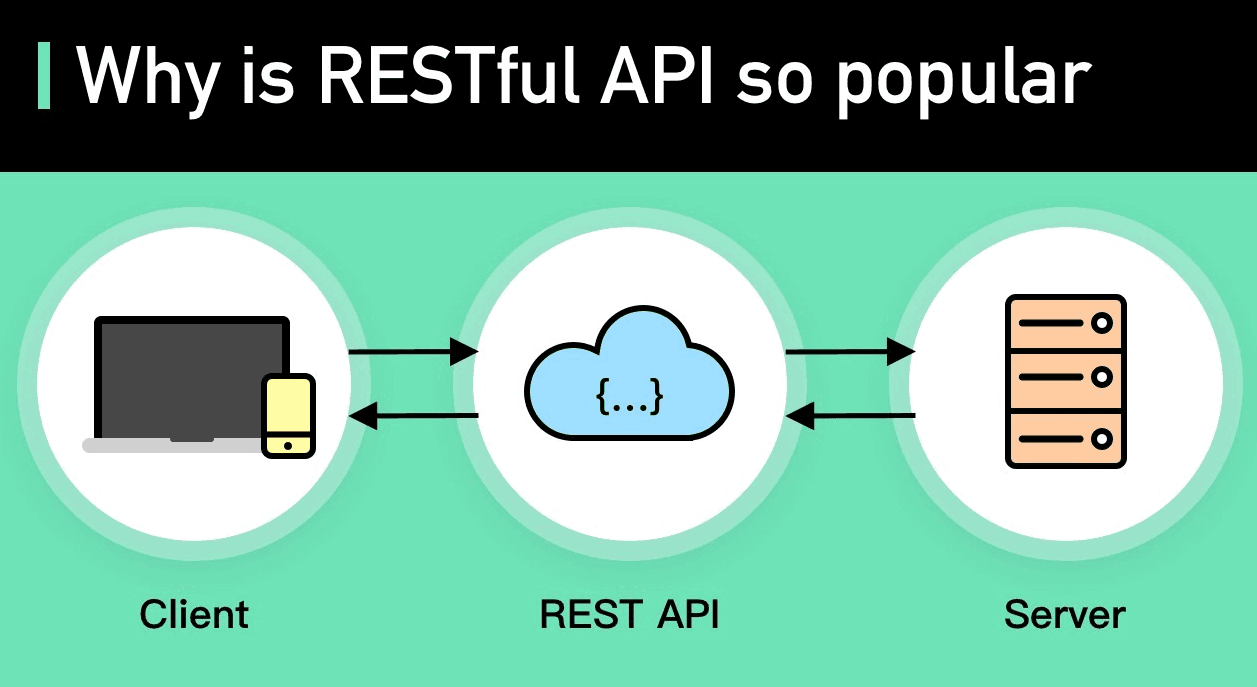
You make a request to an API.
The API talks to the server.
The server returns data back to you.
What is a REST API?
Now that we understand APIs, let’s explore what REST means.
REST stands for REpresentational State Transfer. It’s a set of rules and principles for building APIs.
A REST API is an API that follows the REST architectural style, using standard HTTP methods to perform actions.
It’s called stateless, meaning:
Every request is treated independently.
The server doesn’t remember previous requests from the same user.
REST APIs are:
Scalable
Fast
Widely used (Google, Facebook, Twitter, etc.)
Real-Life Example of REST API
Let’s say you’re using a weather app on your phone. You want to check the weather in Delhi.
Here’s what happens in the background:
1. You tap “Check Weather.”
The app sends a GET request to a weather REST API endpoint like:
Here are some everyday examples of REST APIs in action:
Platform
REST API Use Case
Twitter
Post a tweet, fetch timeline, follow users
Google Maps
Get directions, place data, distance matrix
YouTube
Search videos, fetch video details
Instagram
Get media, post photos, user profile data
E-commerce Sites
Product listings, order processing, payments
REST vs SOAP: What's the Difference?
Feature
REST
SOAP
Format
Mostly JSON
XML
Simplicity
Simple and easy
Complex and rigid
Speed
Faster
Slower
Usage
Widely used in modern apps
Used in enterprise apps
Conclusion: For most modern web and mobile apps, REST is the preferred API style.
How Developers Use REST APIs in Projects
1. Frontend Developer:
a. Uses APIs to fetch data from the backend.
b. Displays info on web pages using JavaScript frameworks (React, Angular).
2. Backend Developer:
a. Builds REST APIs using Python, Node.js, Java, etc.
b. Connects them to databases.
3. Mobile Developer:
a. Uses REST APIs in Android/iOS apps to sync data.
Building REST APIs (Optional for Advanced Learners)
As a beginner, you’ll mostly use REST APIs. But here’s a peek into how they’re built:
Using Python (Flask):
python
CopyEdit
from flask import Flask, jsonify
Copy Code
app = Flask(__name__)

@app.route('/greet')

def greet():

    return jsonify({'message': 'Hello from REST API!'})

if __name__ == '__main__':

    app.run()
This creates a REST API with one endpoint: /greet.
Visit http://localhost:5000/greet and you'll see:
json
CopyEdit
{"message": "Hello from REST API!"}
Learning REST API with Uncodemy
To truly master REST APIs—from consuming them to building your own—you need practical training.
✨ Recommended: Full Stack Developer Course by Uncodemy
This course covers:
a. REST API basics
b. Hands-on with Postman and JSON
c. Consuming APIs in front-end frameworks
d. Creating APIs with Node.js or Django
e. Real-time projects like weather apps, e-commerce sites, and blogs
👨🏫 Why choose Uncodemy?
a. Live sessions with industry experts
b. Real projects and assignments
c. Career support with job interviews
d. Certification on completion
📌 Explore the REST API module inside the Full Stack Developer Course on Uncodemy’s Website
Conclusion
To sum up, REST APIs are the bridge between your application and the data you want to work with. Whether you're displaying weather updates, fetching user profiles, or posting comments, REST APIs make it all possible—smoothly and efficiently.
By understanding REST basics, methods, and how endpoints work, you’ll gain the confidence to build or use APIs in real projects. And if you're aiming to become a full stack developer, data scientist, or app developer, learning REST APIs is a must-have skill.
Keep practicing, use tools like Postman, and explore public APIs to sharpen your skills.