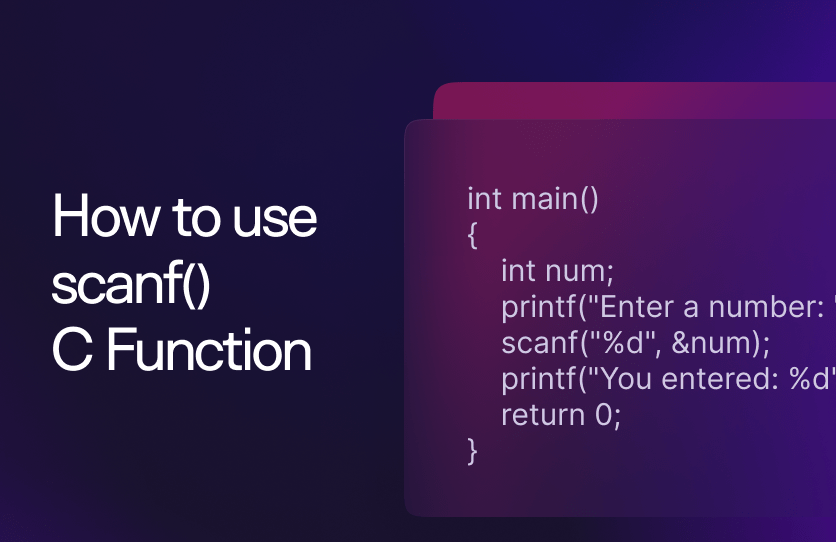
Scanf Syntax in C Programming: A Comprehensive Guide for Aspiring Developers
The programming world continues to witness unprecedented growth, with C programming remaining one of the most fundamental and powerful languages in the technology industry. Among the various input-output functions that make C programming accessible and interactive, the scanf function stands as a cornerstone for reading user input and creating dynamic applications. Understanding scanf syntax becomes crucial for anyone looking to build robust, interactive programs and excel in technical programming environments.
For beginners embarking on their programming journey, mastering scanf functionality represents a significant step toward creating meaningful software applications that can interact with users effectively.
Scanf Syntax in C Programming: A Comprehensive Guide for Aspiring Developers
Mr. Bambam Kumar Yadav1 day ago
0 comments
4 min read
Uncodemy offers comprehensive C programming courses designed to help students master essential input-output operations like scanf through hands-on practice and real-world applications. The institute's structured curriculum ensures that learners develop both theoretical understanding and practical expertise in C programming fundamentals, preparing them for successful careers in software development.
Understanding the Fundamental Concept of Scanf
The scanf function serves as C programming's primary mechanism for reading formatted input from the standard input stream, typically the keyboard. This powerful function enables programmers to create interactive applications that can accept user data during runtime, making programs dynamic and responsive to user needs. The function's name derives from "scan formatted," reflecting its ability to interpret and process input data according to specified format specifications.
Understanding scanf requires grasping its role within the broader context of C programming's input-output system. Unlike output functions that send data to displays or files, scanf reverses this process by capturing external data and storing it in program variables. This bidirectional data flow enables programmers to create applications that not only present information but also gather and process user-provided data effectively.
The scanf function operates by matching input characters against format specifications, converting text representations into appropriate data types for storage in program variables. This conversion process demonstrates the function's sophistication in handling different data types while maintaining type safety and preventing common programming errors associated with improper data handling.
The fundamental syntax structure of scanf follows a predictable pattern that programmers can master through practice and understanding. The function requires at least two parameters: a format string that specifies expected input patterns, and one or more variable addresses where the captured data should be stored. This parameter structure reflects C programming's emphasis on explicit memory management and direct variable manipulation.
Basic Syntax Structure and Components
The scanf function follows a specific syntax pattern that consists of several essential components working together to achieve reliable input processing. Understanding each component's role helps programmers write more effective input handling code while avoiding common mistakes that can lead to program failures or unexpected behavior.
#include <stdio.h>

int main() {
    int number;
    float decimal;
    char character;

    printf("Enter an integer: ");
    scanf("%d", &number);

    printf("Enter a decimal number: ");
    scanf("%f", &decimal);

    printf("Enter a character: ");
    scanf(" %c", &character);

    printf("You entered: %d, %.2f, %c\n", number, decimal, character);

    return 0;
}
The format string serves as the first parameter, containing format specifiers that indicate the expected data types and input patterns. Each format specifier begins with a percent sign followed by conversion characters that specify how input should be interpreted and converted. Common format specifiers include %d for integers, %f for floating-point numbers, %c for characters, and %s for strings.
Variable addresses form the subsequent parameters, using the address-of operator (&) to provide scanf with memory locations where captured data should be stored. This address-passing mechanism enables scanf to modify variable values directly, demonstrating C programming's pointer-based memory management approach.
The return value of scanf provides valuable information about the success or failure of input operations. The function returns the number of successfully processed input items, enabling programmers to implement error checking and input validation mechanisms. Professional programming practices emphasize checking scanf return values to ensure robust input handling and prevent program crashes due to invalid input.
Format Specifiers and Data Type Handling
Format specifiers represent the heart of scanf functionality, providing precise control over how input data is interpreted and converted into appropriate program variables. Understanding different format specifiers enables programmers to handle diverse input scenarios while maintaining type safety and preventing data corruption issues.
Integer format specifiers include variations like %d for decimal integers, %o for octal representation, %x for hexadecimal notation, and %u for unsigned integers. These variations enable programmers to handle different number bases and signedness requirements, providing flexibility for diverse numerical input scenarios.
Floating-point format specifiers encompass %f for float variables, %lf for double precision values, and %Lf for long double types. The precision differences between these data types affect both storage requirements and computational accuracy, making proper format specifier selection crucial for applications requiring specific numerical precision levels.
Character and string handling through scanf requires special attention to whitespace and buffer management considerations. The %c specifier reads single characters, including whitespace characters, while %s reads strings until whitespace is encountered. Understanding these behaviors helps programmers implement appropriate input parsing strategies for text-based applications.
Advanced Format Specification Techniques
Advanced scanf usage involves sophisticated format specification techniques that provide enhanced control over input processing and validation. These techniques enable programmers to implement more robust input handling while managing complex data entry scenarios effectively.
Field width specifiers enable programmers to limit the number of characters read for string inputs, preventing buffer overflow vulnerabilities that can compromise program security. By specifying maximum field widths, programmers can ensure that input data fits within allocated memory boundaries, creating safer and more reliable applications.
Character set specifications using square brackets allow programmers to define acceptable character ranges for input validation. These specifications can include character ranges, specific character lists, or negated sets that exclude certain characters. This functionality enables sophisticated input filtering and validation at the scanf level.
Assignment suppression using the asterisk modifier allows programmers to skip unwanted input fields without storing them in variables. This technique proves valuable when processing structured input formats where only specific fields are needed, reducing memory usage and simplifying data processing logic.
String Input Handling and Buffer Management
String input processing with scanf presents unique challenges related to whitespace handling, buffer management, and security considerations. Understanding these challenges helps programmers implement safe and effective string input mechanisms while avoiding common pitfalls that can lead to program failures or security vulnerabilities.
Buffer overflow prevention requires careful attention to field width specifications and input validation. Programmers must ensure that input buffers are sufficiently large to accommodate expected input while preventing malicious or accidental buffer overruns that can corrupt memory and compromise program stability.
Whitespace handling in string input often requires special techniques to manage spaces, tabs, and newline characters appropriately. The scanf function's default behavior treats whitespace as field separators, which may not align with application requirements for processing multi-word strings or formatted text input.
Input buffer clearing becomes necessary when mixing different scanf operations or handling input errors. Residual characters in the input buffer can interfere with subsequent scanf calls, leading to unexpected behavior and input processing failures.
Error Handling and Input Validation
Robust scanf implementations require comprehensive error handling and input validation mechanisms to ensure program reliability and user experience quality. Understanding how to detect and handle input errors helps programmers create applications that gracefully manage unexpected or invalid input scenarios.
Return value checking provides the foundation for reliable input validation by enabling programs to detect when scanf operations fail or succeed partially. Programs should always check scanf return values and implement appropriate error recovery mechanisms to handle invalid input gracefully.
Input retry mechanisms allow programs to prompt users for correct input when validation fails, creating more user-friendly interfaces that guide users toward providing acceptable data. These mechanisms typically involve loops that continue until valid input is received, combined with clear error messages that explain input requirements.
Buffer clearing strategies become essential when input errors occur, as invalid characters remaining in the input buffer can interfere with subsequent input operations. Professional programming practices include systematic buffer clearing after input errors to ensure clean states for retry attempts.
Common Pitfalls and Best Practices
Understanding common scanf pitfalls helps programmers avoid frustrating debugging sessions while developing more reliable input handling code. These pitfalls represent learning opportunities that strengthen understanding of C programming's input-output mechanisms and memory management principles.
Buffer overflow vulnerabilities represent serious security risks when using scanf with string inputs without proper field width specifications. Programmers must always specify maximum field widths for string inputs and ensure that destination buffers are adequately sized to prevent memory corruption and potential security exploits.
Whitespace handling issues commonly occur when mixing character input with other data types, as scanf's whitespace skipping behavior can interfere with character reading operations. Adding spaces before %c format specifiers helps skip leading whitespace and ensures consistent character input behavior.
Mixed data type input scenarios require careful consideration of scanf's parsing behavior and potential input buffer contamination. Programs that read multiple data types sequentially should implement appropriate buffer management strategies and consider alternative input methods for complex input requirements.
Performance Considerations and Alternatives
Understanding scanf performance characteristics and alternative input methods helps programmers make informed decisions about input handling strategies based on application requirements and performance constraints. Different input methods offer various trade-offs between functionality, security, and performance.
Performance analysis reveals that scanf operations involve format string parsing and type conversion overhead that can impact application performance in input-intensive scenarios. Applications requiring high-performance input processing should consider lower-level input methods or optimized parsing strategies.
Security considerations favor alternatives like fgets combined with string parsing functions over direct scanf usage for string input. These alternatives provide better control over buffer boundaries and input validation while maintaining reasonable performance characteristics for most applications.
Memory management implications of different input methods affect both performance and reliability. Scanf's automatic type conversion can hide memory management complexity, while alternatives like fgets require more explicit handling but provide greater control over memory usage patterns.
Integration with Larger Programs
Understanding how scanf integrates with broader program structures helps students develop comprehensive programming skills and create well-architected applications. Effective input handling becomes part of larger software design patterns that emphasize modularity, reusability, and maintainability.
Modular design principles encourage separating input handling logic from data processing and output operations, creating more maintainable and testable code structures. Functions dedicated to input operations can be reused across different program components while maintaining consistent input validation and error handling behaviors.
Error propagation mechanisms enable input functions to communicate success or failure status to calling code, allowing programs to implement appropriate error recovery strategies. Well-designed input functions return status indicators and use output parameters to separate successful data from error conditions.
Learning Path and Skill Development
Mastering scanf syntax and input handling techniques requires systematic practice and progressive skill building from basic examples to complex input processing scenarios. Understanding scanf provides a foundation for more advanced input-output operations and prepares students for professional programming challenges.
For students seeking comprehensive C programming education with emphasis on input-output operations and fundamental programming concepts, Uncodemy provides structured learning programs that combine theoretical knowledge with extensive hands-on practice. The institute's curriculum includes practical projects, code reviews, and expert guidance that prepare students for successful programming careers while building expertise in essential C programming skills.
Practice exercises should begin with simple single-variable input scenarios before progressing to multi-variable input, string handling, and complex validation requirements. Regular coding practice with different input scenarios helps students develop intuition for appropriate input handling strategies and robust error management techniques.
Industry Applications and Career Relevance
Understanding scanf and input handling techniques prepares students for various programming roles where user interaction and data processing are essential requirements. These skills apply across numerous application domains, from desktop software development to embedded systems programming and command-line utility creation.
Professional software development often requires sophisticated input validation and error handling capabilities that build upon fundamental scanf concepts. Developers who understand input processing principles can create more robust applications that handle edge cases gracefully and provide superior user experiences.
Career opportunities in software development increasingly value programmers who can implement reliable input-output operations and understand the security implications of different input handling approaches. These skills prove valuable for roles ranging from application development to system programming and cybersecurity-focused positions.
Conclusion
The scanf function represents a fundamental component of C programming that enables interactive application development and user data processing. Understanding scanf syntax, format specifiers, error handling, and best practices provides students with essential skills for creating robust, user-friendly programs while building confidence in their programming abilities.
From basic single-variable input to complex validation scenarios, scanf mastery opens doors to advanced programming concepts and professional development opportunities. The skills developed through scanf implementation transfer directly to numerous other programming challenges and input-output scenarios encountered in real-world software development contexts.
For aspiring programmers committed to mastering C programming and input-output operations, Uncodemy offers comprehensive training programs that combine expert instruction with practical project experience. The institute's focus on hands-on learning ensures that students develop both technical competence and problem-solving confidence essential for building successful careers in software development while mastering fundamental concepts that remain valuable throughout their professional programming journey.