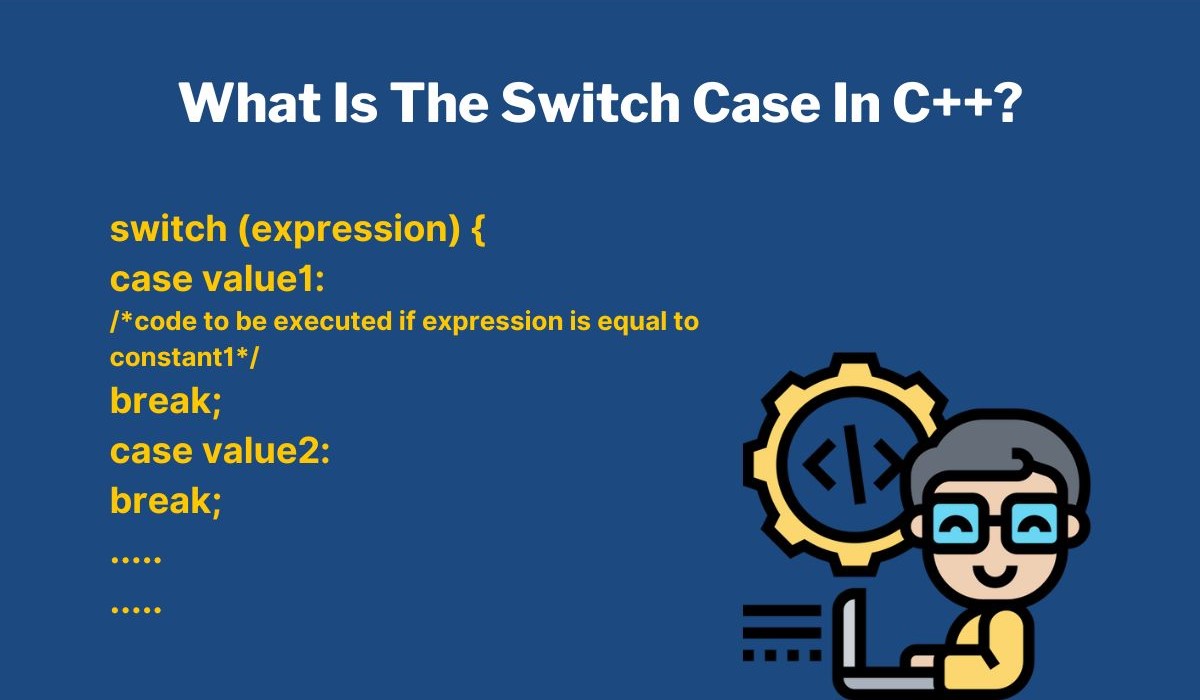
Switch Statement in C: Syntax, Flowchart, and Practical Examples
When learning C programming, decision-making is one of the essential concepts you’ll come across. While
if-else statements are widely used for conditional logic, there's another powerful and cleaner
alternative, the switch statement. The switch statement in C is particularly useful when you need to
compare a single variable against multiple constant values.
Switch Statement in C: Syntax, Flowchart, and Practical Examples
Snehank Singh / 2
1 week
9
10 min read
In this comprehensive guide, we'll walk you through the syntax, working,
flowchart, practical examples, and frequently asked questions about switch statements. Whether
you're a beginner or preparing for interviews, mastering this concept is a must, and it's one of
the core topics covered in any good C Programming Course in Noida.
What is the Switch Statement in C?
The switch statement in C is a multi-way branch statement. It allows a variable
to be tested for equality against a list of values, each associated with a specific case. It’s
an elegant way to handle decision-making when there are many conditions based on the same
variable. Think of it as a more readable alternative to writing multiple if-else-if blocks.
Key components of the switch statement in C include:
Syntax and case execution
Break, default, and fall-through
Syntax and Case Execution
The switch statement evaluates an expression once and compares it against
multiple case constants, executing the matching case’s code block. The break statement exits the
switch, while default handles unmatched cases.
expression: Evaluated once. Its result is compared with the constants in
each case.
case: Each constant is checked against the result of the expression.
break: Exits the switch block. If omitted, the execution continues to the
next case (this is called fall-through).
default: Optional. Executes if none of the case values match.
Advantages of Switch Statement
More readable than multiple if-else-if blocks.
Efficient for multiple constant comparisons.
Disadvantages and Risks
Unintended fall-through if break is omitted.
Limited to int/char constants, not ranges or strings.
Can become complex with nested switches.
Example 1: Basic Calculator
#include
int main() {
    int num1, num2;
    char op;
    printf("Enter two numbers: ");
    scanf("%d %d", &num1, &num2);
    printf("Enter an operator (+, -, *, /): ");
    scanf(" %c", &op);
    switch(op) {
        case '+':
            printf("Sum = %d\n", num1 + num2);
            break;
        case '-':
            printf("Difference = %d\n", num1 - num2);
            break;
        case '*':
            printf("Product = %d\n", num1 * num2);
            break;
        case '/':
            if (num2 != 0)
                printf("Quotient = %d\n", num1 / num2);
            else
                printf("Division by zero error!\n");
            break;
        default:
            printf("Invalid operator!\n");
    }
    return 0;
}
Output (for input 10, 5, +):
Sum = 15
Explanation:
The operator '+' matches case '+', computing and printing the sum of num1 and
num2.
When to Use Switch Instead of If-Else:
Checking the same variable against multiple constant values.
Wanting more readable and maintainable code.
Practical Examples of Switch Statement
Example 2: Grading System
#include
int main() {
    char grade;
    printf("Enter your grade (A/B/C/D/F): ");
    scanf(" %c", &grade);
    switch(grade) {
        case 'A':
            printf("Excellent!\n");
            break;
        case 'B':
            printf("Very Good\n");
            break;
        case 'C':
            printf("Good\n");
            break;
        case 'D':
            printf("Needs Improvement\n");
            break;
        case 'F':
            printf("Fail\n");
            break;
        default:
            printf("Invalid Grade\n");
    }
    return 0;
}
Output (for input A):
Excellent!
Explanation:
The grade 'A' matches case 'A', printing "Excellent!".
Fall-Through in Switch Statement
A unique feature of the switch statement in C is fall-through. If you omit break,
control passes to the next case.
Example 3:
#include
int main() {
    int x = 2;
    switch(x) {
        case 1:
            printf("One\n");
        case 2:
            printf("Two\n");
        case 3:
            printf("Three\n");
        default:
            printf("Default\n");
    }
    return 0;
}
Output:
Two Three Default
Explanation:
Since x is 2 and no break follows case 2, all subsequent cases and default
execute.
Nested Switch Statement
Yes, you can nest one switch inside another:
#include
int main() {
    int a = 2, b = 1;
    switch(a) {
        case 1:
            printf("A is 1\n");
            break;
        case 2:
            switch(b) {
                case 1:
                    printf("B is 1\n");
                    break;
            }
            break;
    }
    return 0;
}
Output:
B is 1
Explanation:
Nested switches can be useful in scenarios like multi-level menus.
Limitations of Switch Statement
Limitations include:
Cannot evaluate ranges – You can’t write case x < 10:.
Only constants allowed – Case values must be constant expressions.
No support for strings – Only char and int (and equivalent) types are
supported.
Still, the switch is highly efficient and readable when used correctly.
Real-Life Use Case
Suppose you're building a student portal and need a feature to display department
names based on department codes:
#include
int main() {
    int code;
    printf("Enter department code (1 to 4): ");
    scanf("%d", &code);
    switch(code) {
        case 1:
            printf("Computer Science\n");
            break;
        case 2:
            printf("Mechanical Engineering\n");
            break;
        case 3:
            printf("Civil Engineering\n");
            break;
        case 4:
            printf("Electrical Engineering\n");
            break;
        default:
            printf("Invalid Department Code\n");
    }
    return 0;
}
Output (for input 1):
Computer Science
Explanation:
This example shows how the switch statement simplifies decision-making in real
applications, something you'll practice thoroughly in a C Programming Course in Noida.
Tips and Best Practices
Tips for using switch statements effectively:
Always use break unless you intentionally want fall-through.
Use default to handle unexpected values.
Keep cases simple; if they get too complex, consider using if-else.
Comment your code when using fall-through intentionally.
Advanced Use Cases of Switch Statement
Menu-Driven Programs
Menu-based applications often use switch statements because they're
straightforward, maintainable, and modular.
#include
int main() {
    int choice;
    printf("Library Menu:\n");
    printf("1. Add Book\n");
    printf("2. Delete Book\n");
    printf("3. Search Book\n");
    printf("4. Exit\n");
    printf("Enter your choice: ");
    scanf("%d", &choice);
    switch(choice) {
        case 1:
            printf("Book added successfully!\n");
            break;
        case 2:
            printf("Book deleted successfully!\n");
            break;
        case 3:
            printf("Search feature is under development.\n");
            break;
        case 4:
            printf("Exiting the program.\n");
            break;
        default:
            printf("Invalid choice. Please try again.\n");
    }
    return 0;
}
Output (for input 1):
Book added successfully!
Explanation:
This type of logic is common in academic assignments and coding exercises in a C
Programming Course in Noida.
Performance: Switch vs. If-Else
Most modern C compilers (like GCC or Clang) optimize switch statements
internally. The compiler can:
Convert it to a jump table (fastest) if the case labels are continuous.
Use a binary search internally if the case labels are sparse.
Fall back to if-else chains in certain scenarios.
This makes switch not only cleaner but sometimes faster than if-else, especially
when handling multiple constant comparisons.
Integration with Loops and Functions
You can integrate the switch statement in C inside loops and functions to build
interactive or modular programs.
#include
int main() {
    int choice;
    do {
        printf("\n1. Say Hello\n2. Say Bye\n3. Exit\n");
        printf("Enter choice: ");
        scanf("%d", &choice);
        switch(choice) {
            case 1:
                printf("Hello there!\n");
                break;
            case 2:
                printf("Goodbye!\n");
                break;
            case 3:
                printf("Exiting...\n");
                break;
            default:
                printf("Invalid input.\n");
        }
    } while(choice != 3);
    return 0;
}
Output (for input 1, then 3):
Hello there! Exiting...
Explanation:
Combining switch with loops is a standard practice in any project-based learning
module of a C Programming Course in Noida. It helps students build real-world applications like
games, billing systems, and admin panels.
Handling Complex Logic
While switch cases typically handle simple conditions, they can also call
functions or work with enums to handle more complex logic.
#include
enum day { MON, TUE, WED, THU, FRI, SAT, SUN };
int main() {
    enum day today = WED;
    switch(today) {
        case MON:
        case TUE:
        case WED:
        case THU:
        case FRI:
            printf("Weekday\n");
            break;
        case SAT:
        case SUN:
            printf("Weekend\n");
            break;
    }
    return 0;
}
Output:
Weekday
Explanation:
Enums make code self-documenting and readable, and are frequently covered in
intermediate-level sessions of a C Programming Course in Noida.
Debugging Tips for Switch Statement
Even though switch statements are simple, developers (especially beginners) still
encounter errors. Debugging tips include:
Forgetting the break: If your switch executes multiple cases
unexpectedly, check for missing break statements.
Unreachable default: Place default at the end to maintain readability,
although it's not mandatory.
Unmatched data types: Ensure that the expression and case constants are
of compatible types (typically int or char).
Uninitialized expression: Always initialize the variable in the
switch(expression) or risk undefined behavior.
Case duplicate: Having two cases with the same constant value causes a
compilation error.
Switch Statement in Embedded Systems
The switch statement in C is not just for desktop applications. It plays a
significant role in embedded systems programming.
#include
int main() {
    int mode = 1; // Assume getSensorMode() returns 1
    switch(mode) {
        case 0:
            printf("Enter Sleep Mode\n");
            break;
        case 1:
            printf("Read Sensor Data\n");
            break;
        case 2:
            printf("Calibrate Sensor\n");
            break;
        default:
            printf("Handle Error\n");
    }
    return 0;
}
Output:
Read Sensor Data
Explanation:
This logic is commonly applied in microcontroller programming using C, making the
switch statement highly valuable across domains.
Why Switch Statements Are Beginner-Friendly
In most beginner-level programming courses, switch statements are introduced
early because:
They are easy to understand and less error-prone than complex if-else
nesting.
They improve readability, especially when handling multiple options.
They lay the foundation for more advanced constructs like state machines
and command dispatchers.
That’s why the C Programming Course in Noida includes detailed switch-case
exercises early in the curriculum, ensuring learners grasp the essence of decision-making in C.
FAQs About Switch Statement in C
1. Can I use float or double in a switch expression?
No. Switch only supports int, char, and enumerated types. Floating-point values
are not allowed.
2. What happens if I omit the break statement?
Execution will "fall through" to the next case and continue until it finds a
break or the switch ends.
3. Can we use strings in a switch statement in C?
No. Strings are not allowed in switch-case blocks in standard C. You can work
around this using strcmp() in if-else blocks.
4. Is default mandatory in a switch statement?
No, but it is good practice to use default to handle unexpected values.
5. Can we have multiple cases with the same code?
Yes! You can group them without a break in between.
#include
int main() {
    char ch = 'a';
    switch(ch) {
        case 'a':
        case 'e':
        case 'i':
        case 'o':
        case 'u':
            printf("Vowel\n");
            break;
        default:
            printf("Not a vowel\n");
    }
    return 0;
}
Output:
Vowel
6. Does the switch statement offer better performance than if-else?
For multiple constant comparisons, yes. The compiler often implements switch as a
jump table for faster execution.
Conclusion
The switch statement in C is a fundamental control structure that simplifies
multi-way decision-making. It offers clear syntax, better readability, and efficient execution
especially when handling fixed values. From calculators and menu-driven programs to grading
systems and department filters, the switch statement finds use in numerous real-world
applications.
If you’re serious about learning C in depth and want hands-on experience with
real-time projects, enrolling in a comprehensive C Programming Course in Noida can make a big
difference. Such a course will not only strengthen your understanding of core concepts like
switch statements but also prepare you for coding interviews and software development jobs.
So go ahead, write your first switch statement, and switch up your programming
skills!