Questions and Answers for Effective Interview Preparation
Mr. Kunal Arora / 1 day ago - 0
- 8 min read
What Is Tally?
So, Tally is one of the most popular accounting software which is widely used in many countries, including India. This is one of the digital accounting formats, and entries are also maintained here, similar to a manual book of accounts. We can see that ERP 9 (release 6.6) is one of the latest versions and has also been replaced by TallyPrime.
Use of Tally
This is one of the most powerful accounting software programs that easily provides solutions to various challenges of a business. Tally generally takes care of all the tasks that are crucial for enterprise management purposes. Some of the most usefull activities,, like bank reconciliation, accounts receivable and payable, and record keeping, are accessible and easily available in this software.
Tally Interview Questions and Answers
- What are the most important features of Tally software?
Here are some of the most important features of Tally software :
- For automation of employee records management using the payroll feature is a great choice anytime.
- It is easy to update transactions automatically that are maintained at multiple locations.
- One version of this tally software can easily create as well as maintain 99,999 company accounts.
- Tally is known for the feature of multilingual nature. You can also maintain accounts in one particular language. One can also view reports in other preferred languages.
- What are the available features in Tally ERP 9 for Accounting?
Tally ERP 9 just provides us with a set of benefits :
- Supervision of the budget
- Also enables better financial management.
- Helps in invoicing all the dealers.
- Some of the additional features, like cheques and cash vouchers, are available.
- Management of costs, looking for a profit centre for even better ledger management purposes.
- What are the types of ledgers that can be created in Tally ERP 9?
- Generation of tax ledger.
- Generation of current liabilities.
- Generating a bank account
- Generation of party ledger.
- Focus on generating an income/expense ledger.
- Generation of sales or purchasing ledger.
- What are the different types of vouchers created in Tally ERP 9? Include the shortcuts to generate these vouchers.
| Shortcut key used to generate a voucher | Type of the voucher | Description of the voucher |
| F4 | Contra voucher | These vouchers simply mean transferring of funds from a bank account to a cash account and also vice, ,can be done. You can also do it with different bank accounts. |
| F6 | Receipt voucher | Mainly, these vouchers are related to the payment received method. |
| F5 | Payment voucher | These vouchers simply help in displaying the history of payment. This includess salary, rental, etc. |
| F7 | Journal voucher All these | se vouchers help in maintaining the expenses. So that we can manage effectively cost of the organisation effectively. |
| F8 | Invoice / Sales voucher | This voucher generates an invoice or a sales receipt. |
| Ctrl+F8 | Credit Note Voucher | Whenever a customer returns the purchased goods, these vouchers are created. |
| F9 | Purchase voucher | Basically, to run the business,items are required. So, for purchasing them, these vouchers are created. |
| Ctrl+F9 | Debit Note Voucher | These vouchers are mainly generated when purchased items/goods are returned to the supplier. This will be due to damaged goods. |
| F10 | Reversing journals | So here, entries will get automatically reversed just after the date of issue |
| Ctrl+F10 | Memo Voucher | We often call it a temporary voucher. They indicate unknown expenses and are also converted into actual sales vouchers. This can also be deleted on the other hand. |
- What are the options available in the Account Books menu in Tally ERP9?
The options available in the Account Books menu in Tally ERP9 are as follows:
- Sale Register
- Journal Register
- Purchase Register
- Bank book
- Cash book
- Ledger
- Group summary
- What falls under Intangible Assets?
Belo mentioned that items fall under Intangible assets:
- Patents
- Brand names
- Copyright
- Trade Marks
- Domain names
- What are the predefined ledgers available in Tally ERP 9 software?
Two predefined ledgers are available in the Tally ERP 9 software
- Profit and Loss Account - Here, we can see that the ledger is created under the primary group. So previous year's profit and loss account can be easily entered as the opening balance in the ledger account.
- Cash - We can see that the cash-in-hand ledger has just been created in the predefined ledger group. From the book's beginning onwards, one can enter the opening balance.
- What are some statutory features available in Tally ERP?
Following issome of a list of statutory features available in Tally ERP :
- Service Tax
- Exercise tax
- Goods and Services Tax value added tax
- Payroll statutory
- Tais x collected as well as deducted at source.
- What is the functional enhancement in Tally ERP 9 software?
Below are the functional enhancements in Tally ERP 9 software mentioned :
- Accounting voucher - This is an enhanced feature of Tally ERP 9. This just makes several vouchers to be updated, particularly.
- CST This just provides the user with the facility of the CST form. It makes sure that the details entered in the voucher are printed correctly.
- Inventory vouchers - This just allows printing the godown address only for the inventory section in general.
- Emailing option - Tally ERP 9 will provide an opportunity to send out the accounting reports generated. This is given to all required recipients. They will get a chance for NetBanking and also printing the same in different formats.
- Credit limits - Mainly this is used to control the position of the party ledgwhichsimply functional on the sales order side. This credit limit will be notified through a pop-up on the credit limit, and if required, you also have the option to save that particular voucher.
- Payroll - This new feature just allows setting up of salary according to the National Pension Scheme.
- VAT - Tally ERP 9 is famous and most widely used because it gives the option to record the items with other diverse VAT rates by just adjusting the "Default Accounting Allocations for Selected Item in Invoice" setting present there.
- How can data be encrypted in Tally ERP 9?
To encrypt data,, in Tally Vault function can be easily used. You can access this Tally Vault at the gateway of Tally or even in key F3. Later, select the company to encrypt the data. It is only possible to access this encrypted data with a valid password or credentials.
- How to set up an employee in Tally ERP 9 for their payroll?
Tally ERP 9 is famous as it gives us the opportunity to create required services of groups and later categorise the same into employee categories, employer groups, and employees.
For Employee Group Creation:
- Go and select the primary cost category under the employee group formation screen present there.
- Later renamed the employee group was renamed "Sales.".
- Now you have to make this group "Primary," so click on Adm, which will create an employee group formation.Employee Master:
- With the help of this,we can record all required details like passport, contact details, and also required statutory information.
- How to create multiple ledgers in Tally ERP 9?
Here are mentioned ways in which one can create multiple ledgers in Tally ERP 9
- Just open the Accounts information on the Tally gateway and then select the ledgers. Now, locate and select multiple ledgers and later on, click on create.
- Once this is created, enter all the details under the group and also update the information of that particular name of ledger on multiple ledger creation tabs in general.
- Click Enter and just accept. Click on yes to create multiple sets of ledgers.
How to prepare for Tally Interviews in particular?
To prepare for this Tally interview questions, you just have to create a selling point for yourself and find the reason why you want a job. Later, research the organisation you will be interviewed for. This will also help you anticipate different reservations as well as concerns. Being prepared for a standard set of questions will help you out and prepare you. Also, for the interview. You have to gather and build your impression in the first few minutes of the interview,e, and close the interview on a positive note.
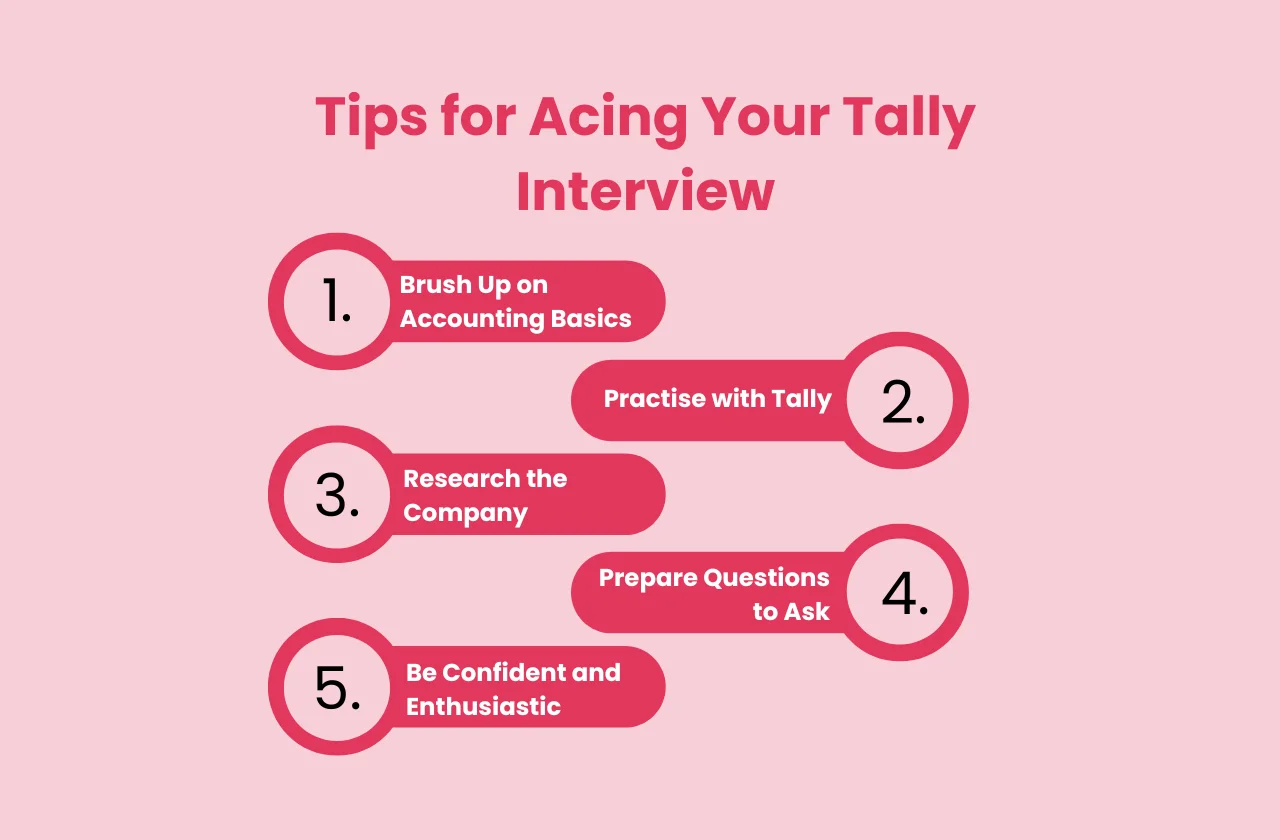
Tips for preparing Tally Interview
All these essential tips will help you prepare better to face a set of tally interview questions :
- Master the Tally Software - You should also be well-versed with software as well s an accounting professional. This is what was simply accepted from the candidate attending the interview.
- Remember all the necessary quotes - Never forget to revise all the shortcut instructions and also functions. The interview is mostly held and expected to test your knowledge by just asking about the shortcuts.
- Never forget to demonstrate expertise from past work - If you have experience in the past using Tally for business or even for any practical phase session during training,, te please use some of your examples from work experience while you speak in the interview.
- Understand business properly - Remember to research the company and also its nature. This will help you to estimate and focus on the interview.
- Confidence and being professional - It is always an advantage to be available for an interview on time. Show your confidence as well as intelligence in an interview. Handling accounts is a crucial task,and n interview should make you confident as well as calm. So be ready to demonstrate your expertise and also experience in handling software in an interview can help you win interview courses, like.
Choose the right platform for all your needs. Enroll in some effective courscourses, like accounting course in Noida to a,,ce in your career.



















