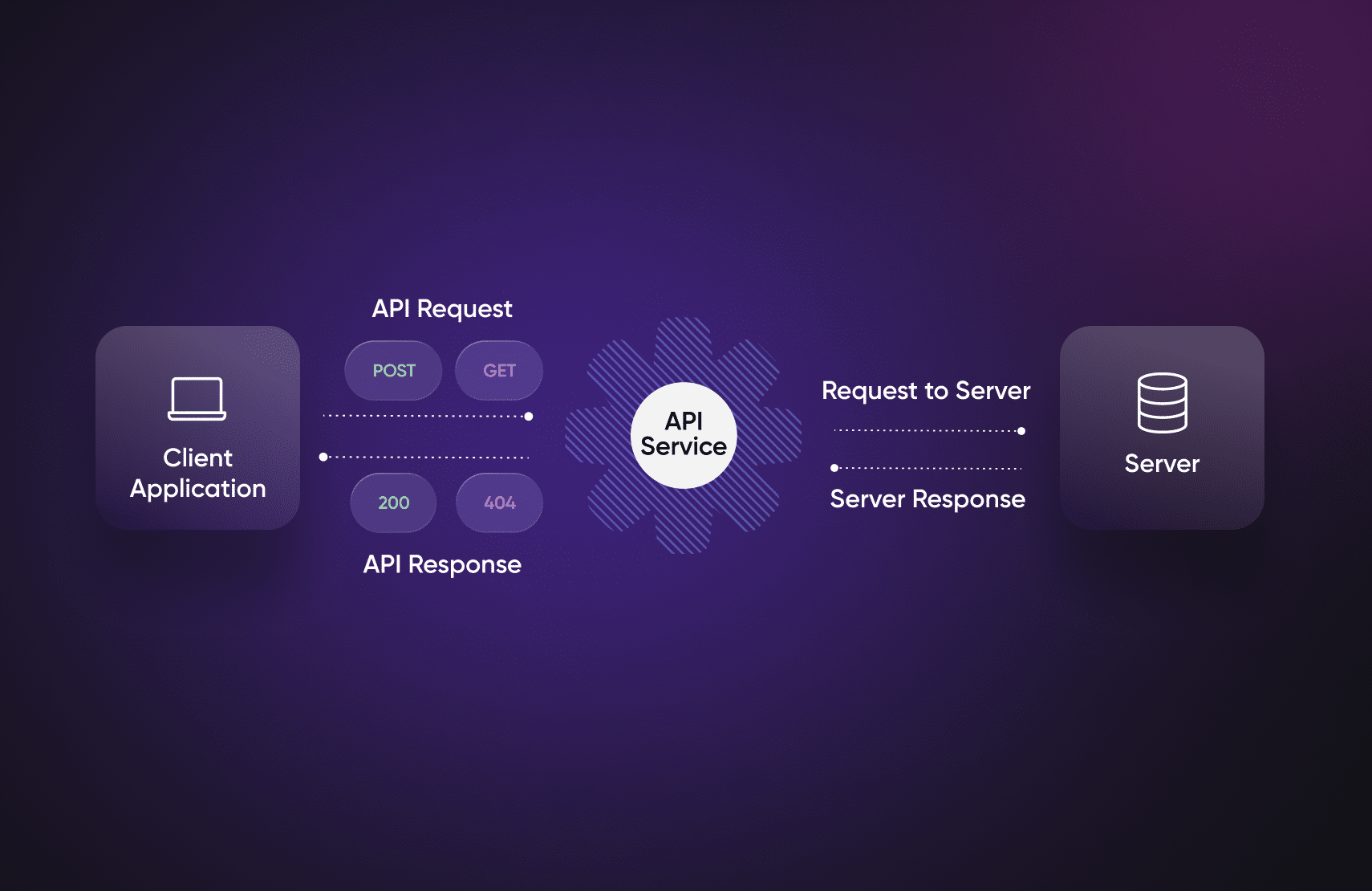
You’ve probably heard of the term API if you’ve been exploring programming, web development, or app creation. But what exactly is an API? More importantly, how do API calls work, and why are they essential in modern software development?
This blog explains what API calls are, how they work, and how to use them with real-life examples. Whether you're a student, beginner coder, or tech enthusiast, you’ll walk away with a clear understanding of how to use APIs practically.
What Is an API?
API stands for Application Programming Interface. It’s a set of rules and protocols that allows different software applications to communicate with each other.
In simple terms:
An API acts like a messenger between two systems that need to talk to each other.
Real-World Analogy
Imagine you’re at a restaurant:
You (user) sit at a table and decide what to eat.
The waiter (API) takes your order and goes to the kitchen (server).
The kitchen prepares the food and gives it to the waiter.
The waiter delivers it to you.
In this analogy:
You = frontend app
Waiter = API
Kitchen = server or backend
What Is an API Call?
An API call is the process of a client (like your application or browser) sending a request to an API to fetch or send data.
This request follows a structure and goes to a particular endpoint — a URL on the web that the server listens to. The server processes the request and returns a response, usually in JSON format.
Basic Components of an API Call
Here’s what an API call typically consists of:
Component
Description
Endpoint
The URL that the request is sent to
Method
HTTP method (GET, POST, PUT, DELETE, etc.)
Headers
Extra information like authentication tokens
Body
Data sent with POST/PUT requests
Response
What the server sends back (usually in JSON)
Types of HTTP Methods
Method
Description
Example Usage
GET
Retrieve data from the server
Get user details
POST
Send new data to the server
Add a new product
PUT
Update existing data
Update user profile
DELETE
Remove data from the server
Delete a post
Real-Life Example: Weather API
Let’s say you’re building a weather app that shows current weather for any city.
You can use a free API like OpenWeatherMap to get this data.
GET /users HTTP/1.1

Host: api.example.com

Authorization: Bearer YOUR_ACCESS_TOKEN
Best Practices When Using APIs
Best Practice
Why It’s Important
Keep your API keys secret
Avoid data leaks or misuse
Handle errors gracefully
Catch and display user-friendly messages
Use pagination for large data
Prevent performance bottlenecks
Respect API rate limits
Prevent getting blocked
Read the documentation
Understand required parameters and structure
Common Error Codes in API Responses
Code
Meaning
Description
200
OK
Request was successful
400
Bad Request
Client sent incorrect data
401
Unauthorized
Invalid or missing credentials
404
Not Found
Endpoint or data doesn’t exist
500
Internal Server Error
Something went wrong on the server
How to Learn More About APIs
1. Read API documentation thoroughly.
2. Watch tutorials that demonstrate step-by-step calls.
3. Build small projects (weather app, currency converter).
4. Practice on public APIs before using paid ones.
Simple Project Idea Using APIs
Project: Crypto Price Tracker
Use the CoinGecko API.
Let users select a cryptocurrency (e.g., Bitcoin, Ethereum).
Display current price in INR and USD.
Refresh price every 30 seconds.
This helps you practice:
Fetching API data
Displaying live data on the web
Using setInterval in JavaScript
Final Thoughts
APIs are everywhere — from booking rides to ordering food to sending money online. Understanding how API calls work gives you the power to connect your applications with real-world services.
If you're learning development in 2026, knowing how to read API docs, send requests, and handle responses is as important as writing code itself.
Want to Learn API Integration with Real Projects?
Check out Uncodemy’s Web Development & Backend Courses, where you’ll:
Learn how to build apps using real APIs
Work on live projects like weather apps and payment systems
Get step-by-step training on REST API creation and usage
📍 Visit uncodemy.com to explore full-stack development courses tailored for beginners and professionals alike.