If you want to be a good software engineer, you need to know how to handle data really well. In Java, one of the best tools for this is HashMap. Programmers depend on it to quickly store, find, and change data using key-value pairs. If you're taking the Java course in Noida, understanding HashMap is super key for doing well in class, nailing coding interviews, and solving actual problems.
This guide will teach you all about HashMap in Java, whether you're a student or you've been coding for years. We'll go over what HashMap is, how it works in simple terms, show you how to use it with examples, look at how it's different from other maps, give you some helpful advice, tell you about common mistakes, and show you some examples of how it's used in the real world.
What is a HashMap in Java?
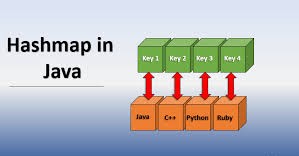
A HashMap, which is part of Java's java.util package puts the Map interface into practice. Basically, it's a collection holding data in pairs: a value is paired with a unique key.
Here's what's important:
It keeps key-value pairs together.
Keys have to be unique; if you use the same key twice, the old value gets overwritten.
There's no set order for the entries.
You can use one null key and lots of null values.
It's quick to find, add, or remove stuff because of how it uses hashing.
Imagine a dictionary where each word (the key) has a meaning (the value). You find the meaning by looking up the word, not by reading through the whole thing.
How Does HashMap Work Internally?
HashMap’s speed is based on hashing:
Okay, here's that text, made to sound more human:
1. How Hashing Works
When you add something to a HashMap, Java makes a special code (a hash code) for your key. This code tells Java exactly where to keep your value inside HashMap's storage area (called buckets).
2. What About Buckets and Clashes?
Think of each bucket as a little container that can hold stuff. If two keys happen to point to the same bucket (this is called a collision), HashMap just uses a list or tree to keep both items.
3. Quick Lookups
To find something fast, HashMap makes a code from the key and zips straight to the spot where the value is likely to be. If things go smoothly, finding what you need is super quick
Why should you care? Knowing how HashMap does its thing helps you code better and solve problems like those hash collisions. It's also a topic we cover in the Java course at Uncodemy in Noida.
Creating and Using a HashMap: Step-by-Step Example
Here’s a practical illustration, akin to hands-on exercises from Uncodemy's Java classes.
Step 1: Import and Create a HashMap
                    java
                    import java.util.HashMap;

                    HashMap students = new HashMap<>();
This creates a map to store student IDs as keys and names as values.
Retrieves value by key; returns null if key not present
remove(key)
Deletes the entry for the given key
containsKey(key)
Checks if a key exists
containsValue(value)
Checks if a value exists
size()
Returns the number of entries
isEmpty()
Checks if HashMap is empty
clear()
Removes all entries
keySet()
Returns a Set of all keys
values()
Returns a Collection of all values
entrySet()
Returns a Set of key-value entry pairs
When and Why Use a HashMap?
When to Use:
Use it for quick lookups, adding, and removing things, especially when dealing with a bunch of unique keys. It's super useful for linking data, like matching IDs with names or product codes with prices. Also, it’s great for handling big sets of info, like caching or keeping track of how often something appears.
When NOT to Use:
If you need your data to stay in a specific order, don't use a HashMap; try LinkedHashMap instead. Also, HashMaps aren’t safe for multiple threads to use at the same time. If you need that, go with ConcurrentHashMap.
Typical Applications
Implementing dictionaries/address books
Counting word occurrences (frequency maps)
Database indexes/caching
Unique ID-based data access
HashMap vs. Other Map Implementations
Feature
HashMap
LinkedHashMap
TreeMap
Order
Unordered
Insertion order
Sorted by key
Null Keys/Values
One/null allowed
One/null allowed
No null keys
Performance
Fastest
Slightly slower
Slower (log n time)
Use Case
Quick access
Ordered access
Sorted access
Understanding these differences is stressed in Uncodemy’s Java programming course in Noida since choosing the right map structure boosts both performance and correctness.
Handling Collisions, Load Factor & Performance
Hash Collisions
Since HashMaps use arrays, sometimes two keys end up with the same hash value – that's a collision. When this happens:
The HashMap puts them in a linked list (in older Java) or a balanced tree (Java 8+ if there are many collisions) at that spot.
It's important to have good hash codes to keep collisions low. If you use your own objects as keys, make sure you override hashCode() and equals() the right way.
Load Factor
What it is: It's how full a HashMap is before it grows (filled buckets / total buckets).
Default: It's usually 0.75 (so, 75% full).
When a HashMap gets too full, it rehashes. It makes the internal array bigger and moves things around to stay quick.
Initial Capacity
If you know about how big your HashMap will be (like, say, 100 items), setting the right initial size (e.g., new HashMap<>(100)) from the start helps avoid resizing later, which can be slow.
How Fast?
Usually, most things you do with a HashMap are super quick (O(1)) if the hashing is good and collisions don't happen much.
If your hashing is bad, or lots of things have the same hashCode(), performance can drop to O(n).
Real-World Example: Solving a Practical Problem
Scenario:
Suppose you build a university database that tracks student attendance. Each student has a unique roll number, and you often need to check, update, or report student details.
HashMap Solution:
Use student roll numbers (Integer) as keys.
Use student details (Student object or name, etc.) as values.
Fetch, update, or delete student info instantly—no need to scan every record.
Your logic might look like:
Get attendance using get(rollNumber)
Update attendance with put(rollNumber, newValue)
Remove a graduated student with remove(rollNumber)
Print all records using entrySet()
This pattern: mapping unique keys to complex values efficiently—is a standard HashMap scenario you’ll practice and code in Uncodemy's Java programming course in Noida.
Pitfalls and Best Practices
Okay, here's a more human-sounding take on those HashMap tips:
1. Custom Objects as Keys
If you're using your own objects as keys in a HashMap, make sure you override both `equals()` and `hashCode()`. If two keys are equal, they *have* to produce the same hash code. Otherwise, you risk not being able to find your data or accidentally adding duplicate entries.
2. Nulls
HashMaps let you have one `null` key and many `null` values. Just be careful when you do this, especially if others are working on the same code. It can get confusing fast.
3. Iteration Order
Don't count on HashMaps to keep things in any particular order when you loop through them. If order matters, go with a `LinkedHashMap` or `TreeMap` instead.
4. Thread Safety
HashMaps aren't safe to use directly in multi-threaded programs. If you need thread safety, wrap your HashMap with `Collections.synchronizedMap()` or, better yet, use `ConcurrentHashMap`.
5. Concurrent Modification Problems
Don't try to add or remove items from a HashMap while you're looping through it using a for-each loop. Instead, use the iterator's `remove()` method, or gather up the keys you want to remove and get rid of them after the loop is done.
Make HashMap Your Go-To Java Tool
If you're sorting data, prepping for coding interviews, or creating scalable software, you'll probably use HashMap in Java a lot. Focusing on how it works, good practices, and using it well, like Uncodemy's Java course in Noida teaches, will help you code better, design software well, and feel ready for tech interviews.
If you really understand HashMap and what it can do, you'll be able to sort data faster. You'll also open up chances for better coding, making improvements, and coming up with stuff in your Java coding life.
Frequently Asked Questions (FAQs)
Q1: Can HashMap have duplicate keys?
A: No. Adding a pair with an existing key will overwrite the previous value. Keys must be unique.
Q2: Are HashMap operations truly constant time?
A: In most cases, yes. But in worst-case scenarios (poor hash code distribution, too many collisions), performance can degrade.
Q3: When should I use HashMap over other collections?
A: When you need rapid key-based access, insertion, or deletion and don’t care about ordering.
Q4: Is it safe to use HashMap in multithreaded code?
A: No. For thread-safe operations, use ConcurrentHashMap or synchronize blocks.
Q5: How does Uncodemy’s Java programming course in Noida strengthen HashMap understanding?
A: The course combines deep conceptual teaching, real coding practice, debugging, and interview-level problem solving for all key collections, including HashMap.