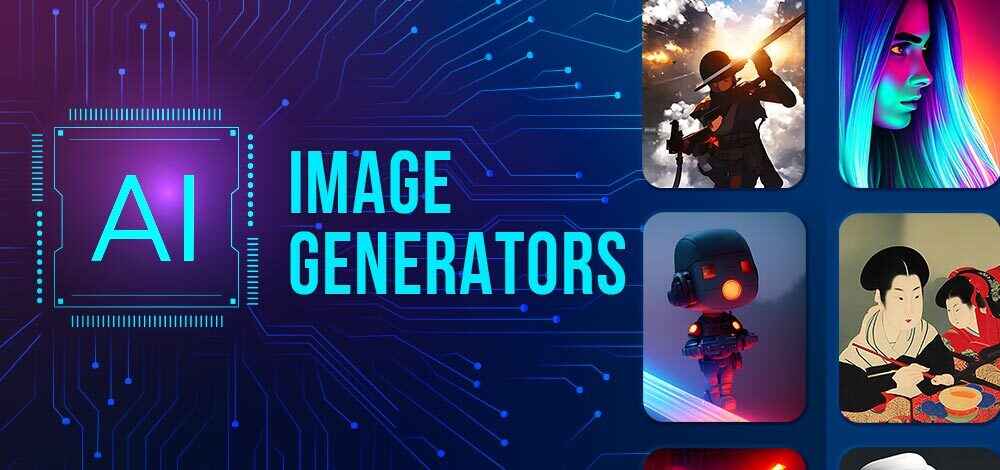
AI image generation tools are reshaping the way we design websites. Instead of browsing through hundreds of stock images that might look generic, you can now create unique, tailored visuals using AI prompts. This shift isn’t just convenient; it’s opening creative opportunities that were previously inaccessible for small businesses, startups, and even individual creators.
In this article, we’ll dive deep into how AI image generators can be used for website hero sections, their benefits, limitations, practical strategies, and tools to consider. We’ll also highlight how you can learn to use AI in design through professional courses like those offered by Uncodemy, which provides hands-on training in AI, digital marketing, and web development.
Why the Hero Section Matters So Much
The hero section is often the digital handshake of a website. It’s where first impressions form. Here are some reasons why it holds importance:
- First Impressions Count – Studies show that users form an opinion about a website within seconds. A poorly designed hero image can drive them away.
- Sets the Brand Tone – Whether your brand is modern, playful, luxury, or minimalistic, the hero image communicates this instantly.
- Guides User Attention – Hero sections often include headlines, CTAs (calls to action), and navigation cues. A well-designed image helps focus the visitor’s eye on what matters.
- Emotional Connection – Good visuals spark emotions, and emotions influence decisions. A strong hero image makes users curious and more likely to explore further.
Traditionally, businesses invested in professional shoots, which often required large budgets and time. AI has disrupted this pattern by making professional-looking, customized hero images accessible to everyone.
What Are AI Image Generators?
AI image generators are tools powered by machine learning models that create images from text prompts. You describe what you want, and the AI produces it. For example, if you need a futuristic city skyline with glowing neon lights for your website hero section, you can simply type that into an AI tool, and it generates a unique image for you.
Some popular AI image generators include:
- MidJourney – Known for its artistic and surreal outputs.
- DALL·E 3 – Developed by OpenAI, great for creative and versatile image generation.
- Stable Diffusion – Open-source, offering flexibility and control.
- Canva’s AI Image Generator – Beginner-friendly with integrated design tools.
Benefits of Using AI Image Generators for Hero Sections
1. Cost-Effective Creativity
Hiring a designer or buying stock photos can be expensive, especially for startups. AI tools drastically cut costs by producing images instantly at a fraction of the price.
2. Unlimited Customization
With stock photography, you are limited to what’s available. AI lets you describe exactly what you envision. Want a hero image showing a “young entrepreneur working on a laptop under a digital galaxy sky”? AI can generate it.
3. Uniqueness and Branding
Stock images often look repetitive, and visitors might even recognize them from other sites. AI-generated images are unique, aligning better with your brand’s personality.
4. Faster Design Process
Instead of waiting days or weeks for custom graphics, AI produces results in minutes. You can try different variations quickly until you find the perfect one.
5. Scalability
If you manage multiple websites or landing pages, AI lets you produce different hero images tailored to each project without draining resources.
How to Use AI Image Generators for Website Hero Sections
Step 1: Define Your Brand and Message
Before generating an image, know what your brand stands for. Is it minimalistic? Playful? Luxury-focused? The hero image should reflect this identity.
Step 2: Craft the Right Prompt
AI tools rely heavily on prompts. Be descriptive but clear. For example:
- Instead of: “Mountain landscape”
- Try: “A breathtaking sunrise over snowy mountains with a minimalistic modern style, cinematic lighting, high resolution.”
-
Step 3: Experiment With Styles
AI tools allow you to pick styles like “digital painting,” “photorealistic,” “flat illustration,” or even “3D render.” Explore different options to see what resonates.
Step 4: Align With Text and CTA
The hero image should not overpower your message. Make sure the design complements the headline and call-to-action, not distracts from them.
Step 5: Optimize for Performance
Large hero images can slow down a website. Compress images without losing quality, and choose the right file formats like WebP for fast loading.
Real-World Examples
- Tech Startups – Instead of buying futuristic stock visuals, startups can use AI to create sleek digital landscapes that align with their branding.
- E-Commerce Stores – Seasonal hero images (like “cozy winter theme with warm lighting and festive background”) can be generated instantly for promotions.
- Personal Portfolios – Freelancers and designers can use AI to craft unique hero visuals that reflect their personality, making their site stand out.
- Educational Websites – A coding platform might use AI to design a futuristic classroom scene to match its tech-driven identity.
Potential Challenges to Consider
While AI is powerful, it’s not flawless.
- Learning Curve – Crafting effective prompts takes practice.
- Over-Dependence – AI should aid creativity, not replace thoughtful design strategy.
- Ethical Questions – Some AI tools may use copyrighted datasets. Businesses should be cautious about legal implications.
- Consistency Issues – Sometimes AI outputs don’t perfectly match brand guidelines, requiring manual tweaking.
Best Practices for AI-Generated Hero Images
- Keep It Simple – Avoid overly complex images that confuse visitors.
- Test Multiple Versions – Create variations and test them to see which one drives better engagement.
- Blend With Design – Use overlays, gradients, or color filters to make the image blend seamlessly with the site’s text and layout.
- Maintain Accessibility – Ensure good contrast between text and background for readability.
- Human Touch – Don’t just rely on raw AI output. Use editing tools like Photoshop or Canva to refine the final design.
Future of AI in Web Design
AI isn’t just about generating images. In the future, it may design entire website hero sections dynamically based on user preferences. Imagine a website that changes its hero image in real time depending on whether the visitor is a student, a professional, or a business owner. This level of personalization will redefine user experiences.
Moreover, as AI becomes smarter, it will integrate more naturally with design tools, allowing designers to co-create with AI instead of replacing them.
Learning to Use AI Effectively
If you want to use AI image generators for your website or even as part of a professional career, learning the right skills is crucial. This is where platforms like Uncodemy can be a great fit.
Uncodemy offers AI and Machine Learning courses, Web Development training, and Digital Marketing programs that equip learners with practical, hands-on experience. Their courses are designed not just for technical experts but also for beginners who want to leverage AI tools in creative industries.
For instance, a Web Development course at Uncodemy in Delhi will guide you on integrating AI-generated visuals into websites, optimizing them for performance, and ensuring they align with modern UX principles. This type of training is invaluable if you’re serious about standing out in today’s digital-first world.
Conclusion
Website hero sections are the gateways to digital experiences. With AI image generators, businesses and individuals can now create stunning, unique, and brand-specific visuals without burning through budgets or waiting weeks for designs. While AI is not perfect and requires thoughtful usage, it opens up creative possibilities like never before.
If you’re curious about diving deeper into the world of AI-powered design and want to harness it professionally, exploring courses from platforms like Uncodemy can give you the right foundation. Whether you’re a student, freelancer, or business owner, learning how to combine AI with web design strategies will set you apart in the digital landscape.
The future of website hero sections is AI-driven, human-curated, and endlessly creative – and it’s the perfect time to be part of it.