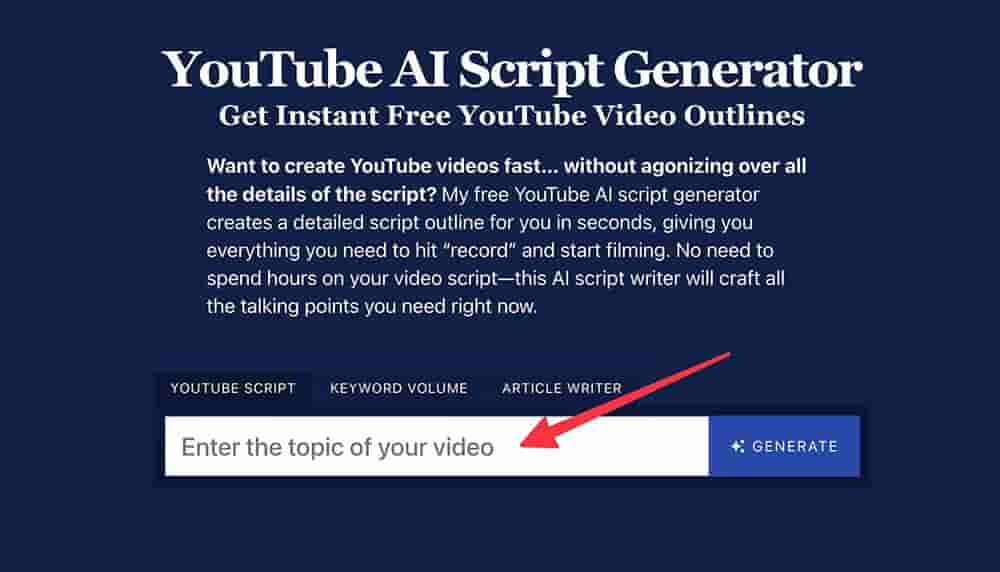
In this guide, we’re diving into AI tools that can help you script like a pro—even if writing isn’t your strongest suit. We’ll talk about how these tools actually work, how people are using them, and how to make sure your videos still sound like you.
So go grab your favorite drink, settle in, and let’s explore how to turn scriptwriting from a dreaded task into something you can knock out in minutes.
Why AI Tools Are a Lifesaver for YouTube Creators
YouTube isn’t just a platform anymore—it’s practically a profession. But let’s face it: not everyone has the time or energy to write polished, engaging scripts regularly. That’s where AI steps in and makes things smoother.
Here’s how AI tools can become your creative sidekick:
- Time-saving: AI can take your rough ideas and turn them into structured scripts in minutes.
- Beating writer’s block: Can’t find the right words? AI always has a suggestion or two.
- Consistency: Helps maintain a steady content calendar, even when you’re short on time.
- Affordable creativity: Many tools have free tiers or low-cost plans that are perfect for creators on a budget.
- Adaptability: Whether your channel is about tech, lifestyle, travel, or gaming, AI tools can tailor scripts to your niche.
-
So if you’re juggling content creation with a full-time job—or just looking to streamline your process—AI can be a total game-changer.
Top AI Tools That Help You Script Videos Fast
Let’s walk through some AI tools that creators swear by. This isn’t just a list—it’s a rundown of how these tools actually fit into your workflow.
ChatGPT by OpenAI
ChatGPT is like your go-to writing buddy who’s always online. Got an idea at midnight? Just throw it in, and boom—you’ve got a script outline.
Want something fun? Professional? Educational? ChatGPT can adapt to whatever style you want. Start with a simple prompt like “Write a YouTube script about beginner fitness routines in a casual tone,” and see where it goes. Then, personalize it by adding your own humor, voice, or experience.
ChatGPT is especially handy for creators who like to riff off a strong base script.
Jasper
Jasper (formerly Jarvis) is ideal if you’re focused on marketing-style content. It’s fantastic at writing hooks, CTAs (calls to action), and persuasive scripts.
Want to launch a course, product, or affiliate deal? Jasper has you covered with frameworks that are already structured for performance.
It’s like having a copywriter in your pocket—especially useful for creators trying to grow their income or build a brand.
Writesonic
If you’re new to AI tools, Writesonic is a great place to start. It’s intuitive, friendly, and gives you fast results. You can ask it for video ideas, outlines, or full scripts.
A lot of beginner YouTubers love it because it doesn’t overwhelm you with too many settings or jargon. Just pick a category, enter your topic, and go.
Use it to build a basic structure, and then sprinkle in your personality.
Copy.ai
Need those attention-grabbing first 30 seconds? Copy.ai is amazing for writing introductions that make viewers want to stick around.
Think video hooks, punchy titles, or closing lines that drive subscribers. It’s not meant for long-form scripts, but for short, impactful sections—it’s gold.
If your channel relies on quick engagement (YouTube Shorts, anyone?), this one’s for you.
Synthesia
This tool isn’t just about writing—it’s about delivering your script. Synthesia creates AI-generated videos using realistic avatars and voiceovers. No camera, mic, or studio needed.
Got a how-to video, training, or explainer in mind? Write your script, choose an avatar, and Synthesia makes it production-ready.
Great for creators who aren’t comfortable on camera—or who want to batch-produce high-quality video content efficiently.
Simplified
This is your all-in-one tool if you’re managing multiple content types. Simplified handles everything from writing and designing to video editing.
It’s perfect for content creators who repurpose scripts across platforms. You can create a YouTube script, turn it into a blog post, and even generate social media captions—all from the same dashboard.
It’s like hiring a mini content team (without hiring anyone).
CopySmith
If your channel leans toward reviews, eCommerce, or digital products—CopySmith is a dream.
It focuses on content that converts, helping you craft messages that move people to action. Unboxings, demos, product reviews—it handles them like a pro.
A must-have for affiliate marketers or tech review creators.
Lumen5
Got a blog post or article you want to convert into a YouTube video? Lumen5 pulls key points and turns them into scripts and visual content.
It even suggests images and transitions to go with your narration. Great for creators repurposing content across formats or who want to double-dip into blogging and video.
It’s smart, sleek, and saves a ton of time.
Making AI Scripts Sound Human (and Like You!)
AI can help you write, but it’s your personal flavor that makes people come back for more.
Here’s how to make your AI-generated scripts feel real:
- Talk to your viewer: Use casual language. Imagine you’re explaining something to a friend.
- Drop in a story: Add a mini personal anecdote or a relatable situation.
- Use variety: Mix up sentence lengths and structure. Keeps things interesting.
- Pause and emphasize: Even in writing, think about how it will sound out loud.
- Tweak for tone: Read it out loud. Does it sound like you? If not, edit until it does.
-
Remember, AI gives you the bones. You add the soul.
Smart Scriptwriting Workflow Using AI
Not sure where to start? Try this step-by-step process:
1. Brainstorm content ideas with ChatGPT or Jasper.
2. Use Writesonic or Copy.ai to draft the intro and outline.
3. Fill in the body with ChatGPT or Simplified.
4. Review and refine—read out loud and tweak tone.
5. Insert your stories, transitions, and call-to-action.
6. Use Synthesia (if needed) to turn text into a video.
7. Edit, polish, and you’re ready to hit upload.
Once you get the hang of it, you’ll be scripting like a pro in no time.
Want to Master AI Tools? Learn from the Best at Uncodemy
Want to take your content creation skills to the next level? Uncodemy offers some excellent programs to help you stay ahead in this AI-powered world.
Check out their Artificial Intelligence Course in Noida if you want to understand the logic behind these tools and build your own content automation systems.
Interested in video marketing and YouTube growth strategies? Their Digital Marketing Course in Noida will teach you the ins and outs of online promotion, SEO, content planning, and analytics.
FAQs
Q: Do I need to be tech-savvy to use AI tools for scripting?
Not at all! Most tools are user-friendly and designed with beginners in mind.
Q: Can I monetize content created using AI?
Absolutely. Just make sure it meets YouTube’s content and copyright policies.
Q: What if the AI script doesn’t match my tone?
Use it as a base. Then rewrite parts in your own words until it feels authentic.
Q: How do I keep content unique if others use the same tools?
Add personal stories, jokes, and your specific voice—that’s what makes your content stand out.
Q: Which tool should I start with?
ChatGPT or Writesonic are great starting points. They’re versatile, free (or low cost), and simple to use.
Final Takeaway
Creating YouTube scripts doesn’t have to be a stressful, time-consuming chore anymore. With the right AI tools and a bit of personal magic, you can produce professional, engaging scripts in minutes.
So whether you're just starting out or you’ve been in the content game for years—lean into the power of AI. It won’t do all the work for you, but it will make your job easier.
Now go on—start your next script with a prompt and see where it takes you. Your audience is waiting.
Happy creating!