Version Control Explained for Full Stack Learners
Mr. Bambam Yadav / 1 week - 0
- 9 min read
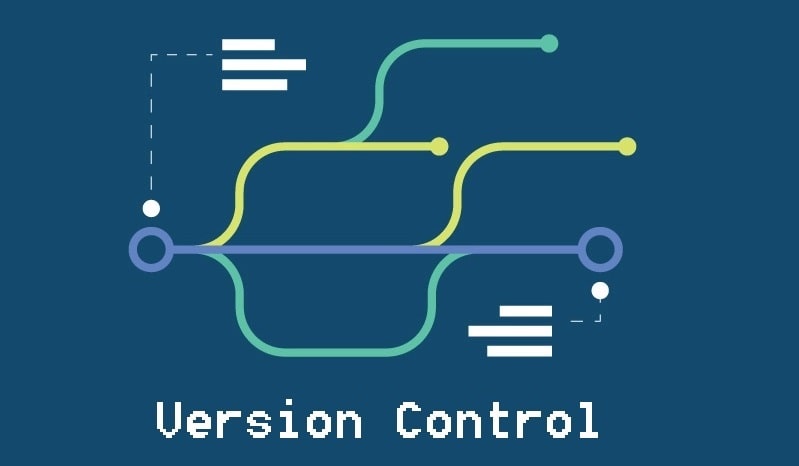
This article isn’t another dry tutorial. It’s the version control guide you wish someone gave you when you first started coding. No fluff. No nonsense. Just what works—and why it matters.
1. What Version Control Actually Does (and Why You Should Care)
Here’s the deal: version control saves your skin.
- It remembers everything:Every line of code, every change, every time.
- It keeps teammates from overwriting each other: You work on login, someone else works on the dashboard—no drama.
- It’s your time machine: Roll back to when things worked. Experiment freely.
- It keeps your project organized: Branches for features. Tags for releases. Clean history.
If you’re the kind of dev who saves versions of files as final_final_updated_v3_reallyfinal.html, it’s time to level up.
2. Git vs GitHub vs the Rest
Don’t mix them up:
- Git is the version control tool. It runs locally. It’s the engine.
- GitHub, GitLab, Bitbucket are platforms built around Git. They let you host, share, and collaborate.
You can use Git solo, offline, on your laptop. But when you want to work with others—or just have a backup—GitHub’s your best friend.
3. Core Git Concepts (Explained Like a Human)
Repo
Your project’s home base. Once you run git init, your folder becomes a Git repo, and Git starts tracking changes.
Commit
A snapshot. A save point. Like hitting Ctrl+S, but smarter. Every commit should have a message that explains why something changed.
Branch
A separate timeline. You can build a new feature without messing with your main code. It’s like a parallel universe for your project.
Merge
When timelines meet. You’ve finished your feature—now bring it back into the main branch.
Remote
This is your cloud version of the repo—usually on GitHub. You push changes there, pull updates from others.
4. Git Commands You’ll Actually Use
You don’t need to memorize everything. But these? Get comfortable with them:
| git init | # Start tracking a project |
| git clone | # Copy a repo from GitHub |
| git status | # What’s changed? |
| git add . | # Stage all changes |
| git commit -m "message" | # Save your progress |
| git push | # Send changes to GitHub |
| git pull | # Get the latest from GitHub |
| git branch | # List branches |
| git checkout -b feature-name | # Make a new branch |
| git merge feature-name | # Merge it back in |
It’s okay to Google at first. But the more you use these, the more second-nature they’ll become.
5. A Full Stack Dev Workflow Using Git
Let’s say you’re building a productivity app:
- Frontend: React
- Backend: Node.js with Express
- Database: MongoDB
Your Git game should look like this:
- Start with git init or clone from GitHub.
- Push to GitHub so you have a remote.
- Create feature branches: auth-feature, task-ui, api-endpoints.
- Code on those branches.
- Test locally.
- Merge into main when you’re happy.
Every morning, run git pull. Don’t go rogue. Small, focused commits keep things easy to understand—and easier to debug.
6. Don’t Make a Mess: Branching Done Right
Never work directly on main unless it’s an emergency. Use branches to isolate your work.
Here are two strategies to know:
- Git Flow: Feature branches, dev branches, release branches, hotfixes. Organized but a bit heavy for small teams.
- Trunk-Based: Everyone works off main, but branches are short-lived. Simpler, faster.
Whichever you pick, stick to it. Consistency matters more than complexity.
7. Oops-Proofing with Git
You will mess up. Everyone does. Git has your back:
- git revert: Safely undo a commit. It doesn’t rewrite history.
- git reset --hard: Go back to a previous commit. DANGEROUS. Use with caution.
- git checkout:Undo changes in a specific file.
- git reflog: See your recent Git actions—even the ones you thought were gone.
Make mistakes. Learn from them. That’s the whole point.
8. Pull Requests: Your Collaboration HQ
Working with others? Here’s the usual flow:
- Fork the main repo (if you don’t have write access).
- Clone it.
- Create a branch for your feature.
- Push it.
- Open a pull request (PR).
- Get feedback, review comments, then merge.
A pull request is more than just a merge—it’s a chance to talk about code, share ideas, and improve quality together.
9. The Power of .gitignore
You don’t want to track everything. Add a .gitignore file to tell Git what to skip.
Examples:
node_modules/
.env
dist/
coverage/
This keeps your repo lean, clean, and secure. Don’t skip this step.
10. Tagging Versions Like a Pro
Once your project hits a milestone, tag it:
git tag v1.0.0
git push origin v1.0.0
Use semantic versioning:
- 1.0.0: Major version
- 1.2.0: Minor update
- 1.2.3: Patch/fix
This is super helpful when deploying or debugging. Want to roll back? Just check out the tag.
11. Git + CI/CD = Magic
Push code. Tests run. Site updates. That’s CI/CD.
With GitHub Actions, Jenkins, or Netlify:
- Pushing to main triggers builds and tests
- Pull requests check for issues automatically
Less guesswork. More confidence. It’s not just cool—it’s the professional way to ship code.
12. Rookie Mistakes to Avoid
- Not pulling before pushing: This causes avoidable conflicts.
- Committing huge changes: Break work into small, testable chunks.
- Bad commit messages: "stuff fixed" helps no one. Be specific.
- Accidentally committing secrets: Use .gitignore. Check .env files.
Git is forgiving. But these habits save you time—and save your team headaches.
13. Where Git Shows Up in Uncodemy Courses
At Uncodemy, Git isn’t an afterthought. It’s part of every stack:
- Frontend: React and Git go hand in hand.
- Backend: Node or Django? Git’s always there.
- Full-stack projects: From day one, you push to GitHub. You learn how teams really work.
Assignments use pull requests. Feedback happens through code reviews. You don’t just learn Git—you live it.
Final Thoughts: Git Is How Developers Think
Git isn’t just a tool. It’s a mindset. It trains you to be intentional, organized, and collaborative.
You stop thinking in silos. You start thinking in versions, in features, in commits. You communicate through your code history.
So make Git a daily habit. Name your branches clearly. Write commit messages like notes to your future self. Treat your repo like a story of your growth.
Because at the end of the day, version control is how modern developers think. And if you want to build real software, you’ve got to think like one.



