#1 India's Top IT Training Institute
×

About Uncodemy

Know more about who we are and what we stand for.

About Us

About Us

Discover our mission to equip individuals with essential IT skills and industry expertise.

Read More →
UnCodeMy Gallery

UnCodeMy Gallery

Explore highlights from our IT training sessions and success stories.

Read More →
Mentors

Mentors

Meet the industry experts who train and guide you through your course.

Read More →
Free Resources

Free Resources

Free tutorials, interview questions, tools and calculators to help you learn.

Explore →
×

Free Resources

Learn, practice and plan your career — bilkul free.

Tutorials

Tutorials

Step-by-step written tutorials to learn any technology at your own pace.

Read More →
Free Counselling

Free Counselling

Book a free video counselling session and pick the right course for you.

Read More →
Online Compiler

Online Compiler

Write, run and test your code online — no setup required.

Read More →
Speciality
Prof_Trained

15000+ Professionals Trained

Batch-every

3+ Batches every month

Prof_Trained

50+ Industry expert trainers

Corporate

2500+ Corporate Served

What Is Frontend? Why You Should Do It From Uncodemy?

Frontend refers to the user-facing part of a website, web application, or software that users interact with directly. It includes everything that users see, click, and use on a website or application, such as the layout, design, images, buttons, and interactive elements. The primary function of the frontend is to provide a seamless, responsive, and visually appealing user experience.

Frontend development involves the creation and implementation of user interfaces, ensuring that they are visually appealing, easy to navigate, and responsive across different devices and screen sizes. Frontend developers use various technologies and programming languages, including HTML, CSS, and JavaScript, to build and enhance the user interface.

In summary, the frontend is the visible part of a website or application that users interact with, and frontend development focuses on creating user-friendly and visually appealing interfaces to enhance user experience.

Uncodemy's reputation as one of the premier frontend training institutes in India, located in Noida, is well-earned. The institute's partnerships with Fortune 500 companies and renowned MNCs that students are taught by the best and brightest industry experts, who not only possess expert teaching abilities, but also have the real-world experience necessary to guide students in developing the confidence and skills needed to thrive in the competitive IT industry.

Uncodemy provides a well-rounded learning experience with numerous benefits of pursuing a frontend course for beginners designed to help you develop the skills and confidence necessary to succeed as a Frontend professional-

Other assets include-

  • Well equipped labs.

  • Content libraries.

  • Regular webinars.

  • 24/7 Availability of tutors.

  • Special batches for working students, flexible schedules.

  • Affordable Bootcamps.

  • Dedicated Career & Placement Assistance.

  • Globally recognised certifications.

  • Working Mentors from Front-end industries.

  • Certified courses of Front-end to help you become a skilled professional.

  • Internship/Experience letter.

  • Special batches for working or busy students.

  • Multiple live projects.

  • Paid internships and certificates after completion.

  • One time investment, lifetime validity.

  • Option to choose from online and offline classroom or sessions.

Curriculums for Front-end Training Course in PuneCourses in Pune

Front-end Curriculum

The curriculum has been designed by faculty from IITs, and Expert Industry Professionals.

time
100+

Hours of Content

live1-removebg-preview
60+

Live Sessions

tools
10+

Tools and Software

Set the Basics Right

Frontend Development is the domain of study that deals with vast volumes of data using modern tools and techniques to find unseen patterns, derive meaningful information, and make business decisions. For example, finance companies can use a customer's banking and bill-paying history to assess creditworthiness and loan risk.

Front-end Developer course provider of Pune called Uncodemy offers a curriculum that contains following courses to strengthen your skill in Front-end Development-

Frontend Development Curriculum

Detailed Course Contents:

  • Introduction HTML
  • HTML Basics
  • HTML Elements
  • HTML5 Semantic
  • HTML Attributes
  • HTML Headings
  • HTML Paragraph
  • HTML Styles
  • HTML Formatting
  • HTML Computer Code
  • HTML Comments & Colours
  • HTML CSS, Links and Images
  • HTML Lists
  • HTML Blocks
  • HTML Layout
  • HTML Responsive
  • HTML JavaScript
  • HTML Head

Detailed course contents:

  • Introduction CSS3
  • CSS3 Syntax
  • CSS3 Colours
  • CSS3 Backgrounds
  • CSS3 Borders
  • CSS Padding
  • CSS Height/Width
  • CSS3 Gradients
  • CSS3 Shadows
  • CSS3 Text
  • CSS3 Fonts
  • CSS3 2D Transforms
  • CSS3 3D Transforms
  • CSS Box Model
  • CSS Display
  • CSS Position
  • CSS Align
  • CSS Pseudo-class
  • CSS Pseudo-element
  • CSS Navigation Bar
  • CSS Dropdowns
  • CSS3 Images
  • CSS Attr Selectors
  • CSS Forms
  • CSS Counters
  • CSS3 Animations
  • CSS3 Buttons
  • CSS3 Multiple Columns
  • CSS3 Filters
  • CSS3 Media Queries
  • CSS3 Responsive

Detailed course contents:

  • Introduction to Bootstrap
  • Bootstrap Basics
  • Bootstrap Grids
  • Bootstrap CSS
  • Typography
  • Tables
  • Forms
  • Corousel
  • Modal
  • Tooltip

Detailed course contents:

    Introduction to JavaScript

  • History of JavaScript
  • Advantages
  • Limitations
  • Script element
  • Creating your first JavaScript program
  • Coding convention
  • Setting up development environment (with VSCode)

Types and Statements

  • Keywords in JavaScript
  • Overview of Data types
  • Primitive Data types
  • Non-primitive Data types
  • Conditional statements
  • Loops

Operators

  • Introduction to operators
  • Operator precedence and associativity
  • Deep dive into operators
  • Arithmetic
  • Comparison
  • Ternary
  • Logical
  • Language
  • Language

Functions - Level I

  • Introduction to functions
  • Function definition
  • Passing values
  • Returning values
  • Local and global variables
  • Functions as objects
  • Function constructor

Functions - Level II

  • Function invocation patterns
  • Arrow functions
  • JavaScript scopes
  • Function closures

Arrays and Strings

  • Introduction to Arrays
  • Array declaration
  • Array access methods
  • Multi-dimensional arrays
  • String properties
  • String access methods

Objects in JavaScript

  • Introduction to objects
  • Type of objects in JavaScript
  • Creating objects
  • Object methods
  • Constructor function
  • Prototype in JavaScript
  • Inheritance using prototype chain

Event handling

  • JavaScript events
  • Event handler
  • Event flow
  • Event bubbling and capturing
  • Event types

Document Object Model (DOM)

  • Introduction to DOM
  • Types of DOM
  • DOM standards and methods
  • Manipulating documents using DOM
  • Handling images
  • Table manipulation
  • Animation
  • Node and Node-list handling

Form Handling

  • Introduction to forms
  • Form processing
  • Forms object
  • Accessing data from forms
  • Form validation
  • Additional features in forms
  • Validation APIs

Debugging Techniques

  • JavaScript Errors
  • Error handling mechanisms

Detailed course contents

  • Introduction to jQuery
  • jQuery Syntax
  • jQuery Selectors
  • jQuery Events
  • jQuery Effects
  • jQuery HTML
  • jQuery Traversing
  • jQuery AJAX & Misc

Detailed course contents:

    Introduction to React

  • History of React
  • Key Benefits of React
  • React development environment
  • Creating your first React Application
  • React Source code structure

JSX

  • Introduction to JSX
  • Coding in JSX
  • Expressions in JSX
  • Working with HTML
  • Conditional Constructs

Components

  • Introduction to components
  • Why Components?
  • Writing JSX code in components
  • Adding CSS
  • Populating Data Dynamically
  • Passing data through "props"
  • Multiple Components

State and Event Binding

  • Introduction to Events
  • Event Handlers
  • Working with state
  • Data Binding
  • Controlled and Uncontrolled Components

Rendering Lists and Conditional Contents

  • Rendering lists of data
  • Using stateful list
  • Keys in data
  • Conditional Contents
  • Adding dynamic styles

Debugging Techniques

  • Understanding error message
  • Code flow and warnings
  • Breakpoints
  • Using React Dev Tools

Class based Components

  • What and Why?
  • Adding first class based component
  • Working with states and events
  • Component Life cycle and in action
  • Class based vs functional component

HTTP

  • Introduction to HTTP
  • Methods in HTTP
  • Response code in HTTP
  • Introduction to REST interfaces
  • Characteristics of REST
  • Introduction to JSON
  • JSON data representation
  • GET request
  • Using async and await
  • Handling Http errors
  • useEffects()
  • POST request

Custom React Hooks

  • What are custom hooks?
  • Creating and using custom hooks
  • Custom HTTP hooks

Forms

  • Introduction to Forms
  • Working with user input and submission
  • Adding validation
  • Working with custom hooks

Routing and Navigation

  • Introduction to Single Page Applications
  • What is Routing?
  • Why Routing?
  • Installing react router
  • Defining and using routes
  • Working with links
  • Dynamic routes with Params
  • Nested routes
  • Redirecting the user
  • Working with query Param
  • Sending and getting data via HTTP

Authentication

  • What is authentication?
  • Why and How?
  • Authentication tokens
  • Setting up
  • Adding signup
  • Showing feedback to the user
  • Adding User login
  • Using tokens
  • Redirecting the user
  • Adding logout
  • Protecting frontend pages
  • Persisting User authentication status
  • Adding auto logout

Deployment

  • Introduction
  • Deployment steps
  • Adding lazy loading
  • Building the code for production
  • Getting started with deployment
  • Handling routes and finishing deployment
Get Cosmopolitan Certifications with Uncodemy

Uncodemy's collaborations with respected industry partners enable the institute to offer students an exceptional opportunity to learn from some of the most distinguished trainers in the Frontend field. Upon completing the best online frontend course, graduates receive the following certificates:

  • Uncodemy Certificate
  • Uncodemy Agile Certificate
  • Module Completion Certificate
Tools and Technologies covered
  • html-editorHtml
  • image-cssCss
  • image-javascriptJavascript
  • image-jqueryjQuery
  • image-bootstrapBootstrap
  • image-reactReactjs
  • image-sublimetextsublimetext
  • image-vscode-stableVSCode
  • image-GitHub-SymbolGithub
Ace your Interview with Uncodemy-

In addition to exceptional frontend course in India, Uncodemy supports students in their job search by offering:

Uncodemy

Access unparalleled learning with live sessions, recordings, assignments, and live projects led by a top-tier mentor and industry expert trainer. Elevate your skills with the best-in-class educational content.

Young-male-holding-laptop-408w
Get a Real World Understanding Through Industry Projects
Uncodemy

We Provide EMI Facility for You

Nothing Stops you from Learning

Young-male-holding-laptop-408w

Become a Front-end Developer- Talk to Expert Counselor

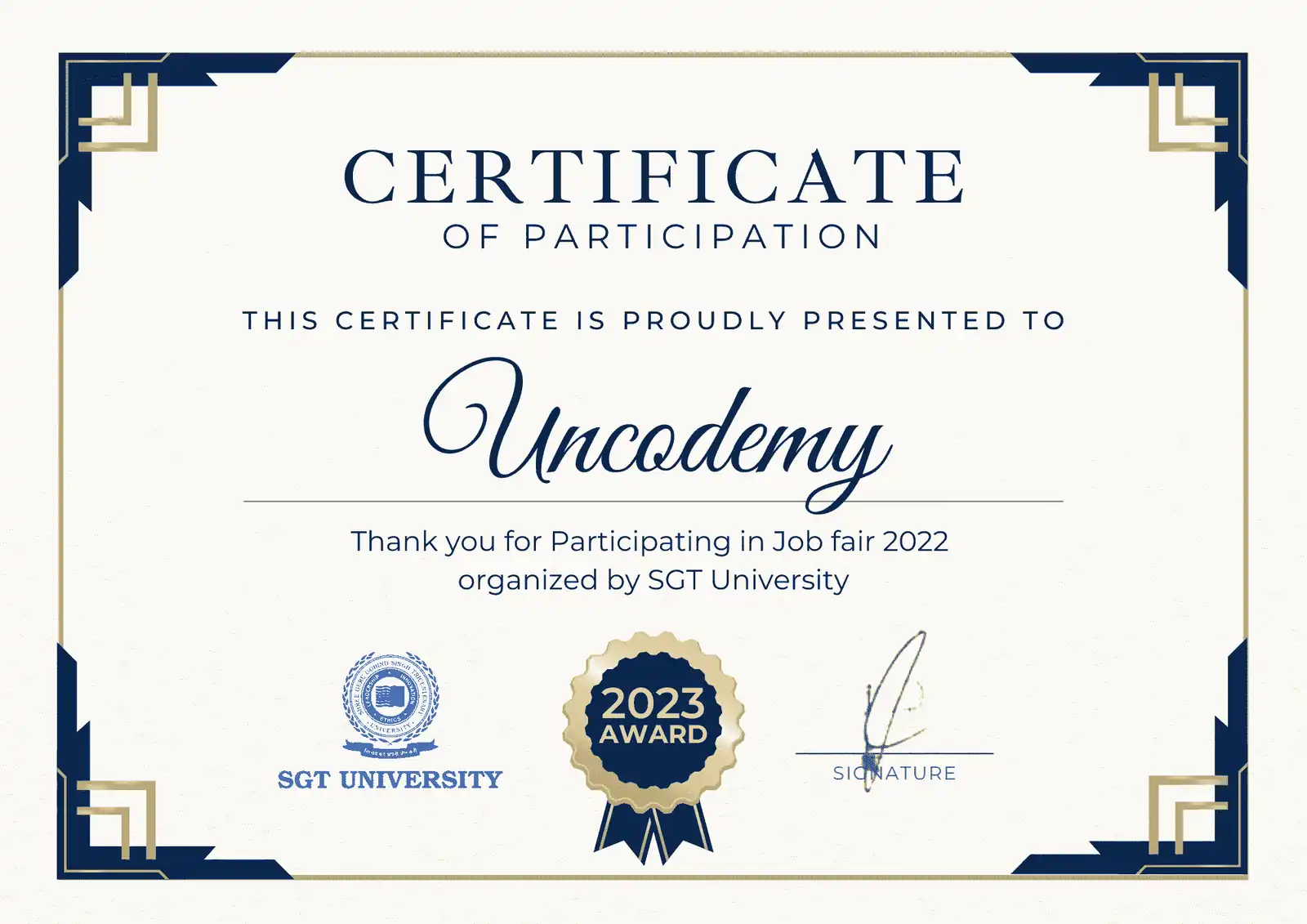
Awards
c3
c4
Pune guide

Building enterprise and product screens from Pune

A lot of Pune's software is used by businesses rather than the public: admin consoles, banking back-office screens, engineering portals and B2B SaaS dashboards. Frontend developers here spend their days on tables, forms, permissions and API errors as much as on visual layout. This page explains that kind of UI work, how the course's React and JavaScript modules map to it, how a Pune learner studies (live online only — there is no Pune centre), and what interviews and pay tend to look like.

Studying online

How a Pune learner takes this course

Uncodemy runs classrooms only in Noida (Sector 1) and Delhi (Shakarpur Extension, Laxmi Nagar), so everyone in Pune joins a live online batch. The trainer teaches in real time, shares code on screen and takes questions as they come up; you write the same exercises and projects as classroom students.

  • Duration3.5 months
  • Content100+ hours of content
  • Live classes60+ live sessions
  • Fee₹20,000
  • EMIEMI options available (ask the counsellor for the monthly plan)
Read moreRead less
  • Batch choice: weekday batches suit SPPU final-year students and people on a career break; most employed learners in Hinjewadi or Kharadi take the weekend batch, since peak-hour travel already eats weekday evenings.
  • Setup: a laptop with at least 8 GB of RAM, a stable connection, a headset and preferably a second screen, so the trainer's code and your editor are both visible.
  • Before paying: ask for a free demo session and check that the timing and teaching pace suit you.

Online study works best with a fixed routine. Keep your camera and editor ready before class, code along instead of only watching, and redo each exercise the next morning without the trainer's screen. Pune learners who treat the live batch like an office meeting, rather than a video to half-watch, tend to finish the React projects on time.

Enterprise UI

What frontend work in Pune mostly looks like

Pune's large employers are IT-services and engineering-services companies, banking and insurance technology centres, and a band of B2B product firms around Baner, Balewadi and Kharadi. Their screens share a pattern: heavy data, many roles and permissions, and users who spend all day inside the app.

Data grids

Sorting, filtering, column choosers and pagination over thousands of rows. You need to know when to fetch again and when to filter on the client.

Long forms

Onboarding, policy or claim forms with conditional fields, validation messages and a save-draft option. Controlled components and custom hooks from the React module are exactly this.

Role-based views

An approver sees buttons a maker does not. Protected routes and token handling, also in the syllabus, are the starting point.

Read moreRead less

Consumer-facing frontends exist too, in e-commerce, ed-tech and fintech start-ups, but if you apply widely in Pune, expect more questions about forms, tables and API errors than about animations.

This shapes how you should practise. Build at least one screen that shows a few hundred rows, and notice what happens to scrolling and typing speed. Build a form with twenty fields and check that an error message appears next to the right field after a failed submit. These are dull exercises compared with a landing page, but they are much closer to a Pune sprint.

Talking to backend

Working with Java and .NET backend teams

Much of Pune's enterprise backend is written in Java or .NET, and frontend developers sit between that team and the users. The everyday friction is rarely about React itself; it is about the contract between the two sides.

  • Read an API spec. Know what a Swagger/OpenAPI page tells you: endpoints, required fields, response codes.
  • Handle every status. A 401 should send the user to log in again, a 422 should show the field error next to the field, a 500 should show a calm retry message rather than a blank screen.
Read moreRead less
  • Understand CORS errors well enough to tell the backend engineer what header is missing instead of reporting 'the API is broken'.
  • Mock first. When the API is not ready, build against a local JSON mock with the agreed shape so you are not blocked for a sprint.

The course's HTTP section covers REST basics, JSON, GET and POST calls with async/await and error handling, which is the base for all of this.

Accessibility

Accessibility checks that global clients expect

Many Pune teams deliver software to clients in Europe and North America, where accessibility is often a contractual or legal requirement. A junior who already builds accessibly saves a team review time.

Read moreRead less
  1. Use real elements: a button for actions, a link for navigation, labels tied to every input.
  2. Tab through your own page. Focus should be visible and move in a sensible order; dialogs should trap and then return focus.
  3. Check colour contrast and do not rely on colour alone to show an error.
  4. Run an automated audit (Lighthouse or a browser extension), then fix what it flags and note what it cannot catch.

The HTML module's semantic elements and the forms topics are where this starts; the habit of testing with the keyboard is yours to build.

Mentioning one accessibility fix you made in your own project, for example adding labels to a filter form or fixing focus after a modal closes, is a simple way to stand out in an interview with a client-facing team.

Angular or React

React vs Angular in Pune listings

Pune has a noticeable share of Angular openings, especially in banking and long-running enterprise programmes. This course teaches React, not Angular. That is fine for most product and start-up roles, and for many services-firm projects too, but read listings carefully.

Read moreRead less

If an employer you want insists on Angular, your JavaScript, DOM, HTTP and component thinking still transfer; Angular adds TypeScript, dependency injection and RxJS on top. Do not claim Angular experience on a resume because you learned React. Be clear about which framework you have actually built with.

A practical way to decide: collect twenty current Pune listings for the roles you want and count how many name React, Angular or both. If most of your target employers ask for React, this course fits directly. If they mostly ask for Angular, take that into account before enrolling, and ask the counsellor about Uncodemy's separate Angular course.

Interview rounds

Frontend interview rounds at Pune companies

Two patterns are common. Services firms run an aptitude or online test, a technical interview on HTML, CSS and JavaScript basics, sometimes React, and then HR. Product companies add a live coding or take-home task and a deeper discussion of your own project.

Read moreRead less
  • JavaScript core: var/let/const and hoisting, closures, this binding, promises and the event loop, array methods.
  • DOM and CSS: event delegation, the box model, flexbox vs grid, specificity, making a layout responsive.
  • React: why keys matter in lists, when useEffect runs and how to clean it up, controlled vs uncontrolled inputs, lifting state.
  • Your project: why you structured components the way you did and what you would change.

Practise with Pune frontend interview questions and the modern JavaScript question sheet. They are practice sets, not records of past interviews.

Capstone idea

A portfolio project that matches Pune's enterprise work

Build an approvals console: a small internal tool where a 'maker' submits expense or leave requests and an 'approver' reviews them. It pulls together nearly every React topic in the syllabus.

Read moreRead less
  • Login with a token, two roles, and routes each role cannot open.
  • A request list with search, status filters and pagination, fed by a mock REST API.
  • A request form with validation and conditional fields, plus a detail page reached through a dynamic route.
  • Lazy-loaded admin pages, a production build and a public deployment link.

Put it on GitHub with a short README and two screenshots. In an interview, this is a project you can discuss for twenty minutes, which is what Pune technical rounds usually want.

Add an audit trail if you have time: each request shows who changed its status and when. It is a small feature, but it introduces derived data, date formatting and a timeline component, and it mirrors what real enterprise tools need for compliance.

Pay

Indicative frontend salaries in Pune

ExperienceCommon roleIndicative range
0–1 yearTrainee / junior UI developer₹2.8–5 LPA
1–3 yearsReact developer₹5–10 LPA
3–6 yearsSenior UI / frontend engineer₹10–20 LPA
Read moreRead less

Treat these as broad, indicative figures; actual offers depend on the employer, the interview and your project depth. Product companies and banking technology centres often pay more than services firms at the same level. Compare against current Pune job listings.

Who it fits

Who in Pune this course suits

  • SPPU-affiliated BE, BCA and BSc students who want a frontend specialisation before placement season.
  • Java or .NET developers on support projects who keep touching the UI layer and want to own it properly.
Read moreRead less
  • Testers and business analysts who know an enterprise product well and want to move into building its screens.
  • Designers who already work in Figma and want to turn their own frames into working components.
Explore

More for Pune learners

Frequently Asked Questions

No. Classrooms are only in Noida (Sector 1) and Delhi (Shakarpur Extension, Laxmi Nagar). Pune learners study in live online batches with the same trainers, syllabus and projects.

It is the same everywhere: ₹20,000. EMI options available (ask the counsellor for the monthly plan).

3.5 months, with 100+ hours of content and 60+ live sessions. The 6 modules are HTML5, CSS3, Bootstrap, JavaScript, jQuery and ReactJS.

This course teaches React. Many Pune product and services roles use React, and the JavaScript base transfers to Angular, but if a specific employer needs Angular you would have to learn it separately.

Yes, most working learners choose the weekend online batch. Plan for several hours of practice each week beyond the live sessions.

Sessions are live and instructor-led, so you can ask questions during class. Ask the counsellor about access to recordings for revision.

No. Uncodemy provides dedicated placement support: resume reviews, mock interviews and job-application support. Getting through interviews is up to your preparation.

There are no specific prerequisites; a basic understanding of computer operations and familiarity with browsing the internet helps.

Become a Front-end Developer- Talk to Expert Counselor