In the Playwright Training Course with Gen AI in Bhalswa-Jahangir-Pur by Uncodemy, students get hands-on exposure to a wide range of modern tools and technologies that are widely used in automation testing and web-based application validation. These tools help learners to perform browser automation, create robust testing pipelines, track test performance, and integrate AI-based efficiency boosters.
1. Playwright Test Runner
The Playwright Test Runner is the central part of this training. It allows users to perform end-to-end web testing across different browsers like Chromium, Firefox, and WebKit. During the course, students learn how to:
- Write, debug, and execute automated tests efficiently
- Handle parallel and cross-browser testing
- Perform headless browser automation for faster results
- Integrate Playwright tests into CI/CD pipelines
This tool ensures that learners can create tests that are not only functional but also scalable and production-ready.
2. Node.js and TypeScript
Since Playwright operates on the Node.js environment, students are given a strong foundation in Node.js and TypeScript. These technologies help in writing structured, type-safe, and high-performance test scripts. Learners will understand how Node.js handles asynchronous operations using promises and async/await syntax, and how TypeScript helps in creating cleaner code with better readability. You will also learn to:
- Use Node Package Manager (NPM) for library management
- Organize automation projects with TypeScript classes and modules
- Apply object-oriented principles in test development
3. Visual Studio Code (VS Code)
To make testing smoother, learners work with Visual Studio Code (VS Code) — a widely used Integrated Development Environment (IDE). The course includes step-by-step sessions on setting up Playwright in VS Code, managing extensions, and configuring AI-powered code suggestions. Students will explore how to:
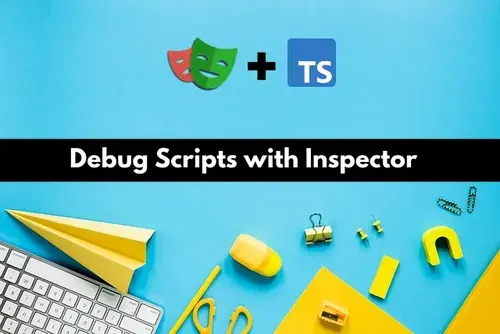
- Debug Playwright test scripts directly from VS Code
- Integrate GitHub repositories for collaborative projects
- Utilize AI-based extensions for auto-completion and element identification
VS Code becomes the main workspace for every learner, offering speed, clarity, and flexibility while writing automation tests.
4. Jenkins, Git, and GitHub Actions
Automation testing is closely linked with DevOps practices, so Uncodemy ensures students gain real-time experience with Jenkins, Git, and GitHub Actions. These tools allow you to automate builds, track test executions, and maintain version control. Through practical sessions, learners will understand how to:
- Create Jenkins pipelines for automated testing
- Use Git commands for managing version histories
- Configure GitHub Actions to trigger test runs automatically after code updates
- Implement CI/CD pipelines for continuous testing and deployment
This combination prepares students to work confidently in real industry environments where collaboration and automation go hand-in-hand.
5. AI Prompt Assistants for Testing
Uncodemy adds an advanced layer of AI-based automation into the Playwright curriculum to help learners stay ahead of the curve. Students are introduced to AI Prompt Assistants that assist in creating, optimizing, and debugging test scripts automatically. With these tools, learners can:
- Generate intelligent test cases through AI suggestions
- Auto-detect locators and UI elements using machine learning
- Predict possible test failures through pattern recognition
- Use AI-based dashboards to analyze test results and identify weak points
integration of Gen AI makes the course unique and helps students adapt to the latest technological advancements in automation.
6. Test Reporting Frameworks
Once testing is complete, it’s important to generate detailed and clear reports for analysis. The Playwright Training Course in Bhalswa-Jahangir-Pur teaches students how to implement and interpret different reporting frameworks. You will learn how to:
- Create HTML, Allure, and JSON reports for test results
- Capture screenshots automatically for failed test cases
- Use Jenkins dashboards to view integrated test results
- Generate summary reports with performance tracking metrics
This helps learners to clearly communicate testing outcomes to developers and project leads, a crucial skill in real-world scenarios.
7. Browser Automation Tools (Comparative Study)
Apart from Playwright, learners are given a brief overview of other browser automation tools like Selenium and Puppeteer to understand the market landscape and comparative strengths of each framework. This allows you to:
- Understand how Playwright differs from Selenium in terms of speed, setup, and cross browser support
- Gain familiarity with Puppeteer for Chrome automation
- Learn when to use each tool based on project requirements
8. API and Database Testing Tools
Automation often goes beyond UI testing. That’s why Uncodemy includes an introduction to API testing tools like Postman and database testing using SQL basics.
Students learn to:
- Validate REST APIs through automation scripts
- Perform data verification in backend systems
- Integrate API tests within Playwright workflows
This ensures that learners are prepared to handle end-to-end testing in real enterprise setups.
9. Cloud Testing Platforms
To provide exposure to modern testing environments, students also learn about cloud-based tools that help run tests across different devices and browsers remotely.
Covered Platforms Include:
- BrowserStack
- LambdaTest
- Sauce Labs
These tools enable students to execute Playwright scripts on virtual browsers and real devices without local setup, making their testing environment more scalable and industry-ready.
10. Collaboration and Project Management Tools
To simulate real work culture, Uncodemy also introduces collaboration tools like Slack, Jira, and Trello for tracking bugs, managing workflows, and coordinating with teams. Students learn to:
- Create and assign test tickets in Jira
- Collaborate using Slack or Microsoft Teams
- Organize automation tasks through Trello boards
This practical exposure helps learners prepare for professional-level projects where teamwork and communication are equally important.