#1 India's Top IT Training Institute
×

About Uncodemy

Know more about who we are and what we stand for.

About Us

About Us

Discover our mission to equip individuals with essential IT skills and industry expertise.

Read More →
UnCodeMy Gallery

UnCodeMy Gallery

Explore highlights from our IT training sessions and success stories.

Read More →
Mentors

Mentors

Meet the industry experts who train and guide you through your course.

Read More →
Free Resources

Free Resources

Free tutorials, interview questions, tools and calculators to help you learn.

Explore →
×

Free Resources

Learn, practice and plan your career — bilkul free.

Tutorials

Tutorials

Step-by-step written tutorials to learn any technology at your own pace.

Read More →
Free Counselling

Free Counselling

Book a free video counselling session and pick the right course for you.

Read More →
Online Compiler

Online Compiler

Write, run and test your code online — no setup required.

Read More →
Speciality
Prof_Trained

15000+ Professionals Trained

Batch-every

3+ Batches every month

Prof_Trained

50+ Industry expert trainers

Corporate

2500+ Corporate Served

Curriculums for Web Developing Training Course in Ranchi

Web Development Curriculum

The curriculum has been designed by faculty from IITs, and Expert Industry Professionals.

time
100+

Hours of Content

live1-removebg-preview
75+

Live Sessions

tools
10+

Tools and Software

Set the Basics Right

Web Development is the domain of study that deals with vast volumes of data using modern tools and techniques to find unseen patterns, derive meaningful information, and make business decisions. For example, finance companies can use a customer's banking and bill-paying history to assess credit worthiness and loan risk.

Web Development course provider of Ranchi called Uncodemy offers a curriculum that contains following courses to strengthen your skill in Web Development-

Front End Development Curriculum

Detailed Course Contents:

  • Introduction HTML
  • HTML Basics
  • HTML Elements
  • HTML5 Semantic
  • HTML Attributes
  • HTML Headings
  • HTML Paragraph
  • HTML Styles
  • HTML Formatting
  • HTML Computer Code
  • HTML Comments & Colours
  • HTML CSS, Links and Images
  • HTML Lists
  • HTML Blocks
  • HTML Layout
  • HTML Responsive
  • HTML JavaScript
  • HTML Head

Detailed course contents:

  • Introduction CSS3
  • CSS3 Syntax
  • CSS3 Colours
  • CSS3 Backgrounds
  • CSS3 Borders
  • CSS Padding
  • CSS Height/Width
  • CSS3 Gradients
  • CSS3 Shadows
  • CSS3 Text
  • CSS3 Fonts
  • CSS3 2D Transforms
  • CSS3 3D Transforms
  • CSS Box Model
  • CSS Display
  • CSS Position
  • CSS Align
  • CSS Pseudo-class
  • CSS Pseudo-element
  • CSS Navigation Bar
  • CSS Dropdowns
  • CSS3 Images
  • CSS Attr Selectors
  • CSS Forms
  • CSS Counters
  • CSS3 Animations
  • CSS3 Buttons
  • CSS3 Multiple Columns
  • CSS3 Filters
  • CSS3 Media Queries
  • CSS3 Responsive

Detailed course contents:

  • Introduction to Bootstrap
  • Bootstrap Basics
  • Bootstrap Grids
  • Bootstrap CSS
  • Typography
  • Tables
  • Forms
  • Corousel
  • Modal
  • Tooltip

Detailed course contents:

    Introduction to JavaScript

  • History of JavaScript
  • Advantages
  • Limitations
  • Script element
  • Creating your first JavaScript program
  • Coding convention
  • Setting up development environment (with VSCode)

Types and Statements

  • Keywords in JavaScript
  • Overview of Data types
  • Primitive Data types
  • Non-primitive Data types
  • Conditional statements
  • Loops

Operators

  • Introduction to operators
  • Operator precedence and associativity
  • Deep dive into operators
  • Arithmetic
  • Comparison
  • Ternary
  • Logical
  • Language
  • Language

Functions - Level I

  • Introduction to functions
  • Function definition
  • Passing values
  • Returning values
  • Local and global variables
  • Functions as objects
  • Function constructor

Functions - Level II

  • Function invocation patterns
  • Arrow functions
  • JavaScript scopes
  • Function closures

Arrays and Strings

  • Introduction to Arrays
  • Array declaration
  • Array access methods
  • Multi-dimensional arrays
  • String properties
  • String access methods

Objects in JavaScript

  • Introduction to objects
  • Type of objects in JavaScript
  • Creating objects
  • Object methods
  • Constructor function
  • Prototype in JavaScript
  • Inheritance using prototype chain

Event handling

  • JavaScript events
  • Event handler
  • Event flow
  • Event bubbling and capturing
  • Event types

Document Object Model (DOM)

  • Introduction to DOM
  • Types of DOM
  • DOM standards and methods
  • Manipulating documents using DOM
  • Handling images
  • Table manipulation
  • Animation
  • Node and Node-list handling

Form Handling

  • Introduction to forms
  • Form processing
  • Forms object
  • Accessing data from forms
  • Form validation
  • Additional features in forms
  • Validation APIs

Debugging Techniques

  • JavaScript Errors
  • Error handling mechanisms

Detailed course contents

  • Introduction to jQuery
  • jQuery Syntax
  • jQuery Selectors
  • jQuery Events
  • jQuery Effects
  • jQuery HTML
  • jQuery Traversing
  • jQuery AJAX & Misc

Detailed course contents:

    Introduction to React

  • History of React
  • Key Benefits of React
  • React development environment
  • Creating your first React Application
  • React Source code structure

JSX

  • Introduction to JSX
  • Coding in JSX
  • Expressions in JSX
  • Working with HTML
  • Conditional Constructs

Components

  • Introduction to components
  • Why Components?
  • Writing JSX code in components
  • Adding CSS
  • Populating Data Dynamically
  • Passing data through "props"
  • Multiple Components

State and Event Binding

  • Introduction to Events
  • Event Handlers
  • Working with state
  • Data Binding
  • Controlled and Uncontrolled Components

Rendering Lists and Conditional Contents

  • Rendering lists of data
  • Using stateful list
  • Keys in data
  • Conditional Contents
  • Adding dynamic styles

Debugging Techniques

  • Understanding error message
  • Code flow and warnings
  • Breakpoints
  • Using React Dev Tools

Class based Components

  • What and Why?
  • Adding first class based component
  • Working with states and events
  • Component Life cycle and in action
  • Class based vs functional component

HTTP

  • Introduction to HTTP
  • Methods in HTTP
  • Response code in HTTP
  • Introduction to REST interfaces
  • Characteristics of REST
  • Introduction to JSON
  • JSON data representation
  • GET request
  • Using async and await
  • Handling Http errors
  • useEffects()
  • POST request

Custom React Hooks

  • What are custom hooks?
  • Creating and using custom hooks
  • Custom HTTP hooks

Forms

  • Introduction to Forms
  • Working with user input and submission
  • Adding validation
  • Working with custom hooks

Routing and Navigation

  • Introduction to Single Page Applications
  • What is Routing?
  • Why Routing?
  • Installing react router
  • Defining and using routes
  • Working with links
  • Dynamic routes with Params
  • Nested routes
  • Redirecting the user
  • Working with query Param
  • Sending and getting data via HTTP

Authentication

  • What is authentication?
  • Why and How?
  • Authentication tokens
  • Setting up
  • Adding signup
  • Showing feedback to the user
  • Adding User login
  • Using tokens
  • Redirecting the user
  • Adding logout
  • Protecting frontend pages
  • Persisting User authentication status
  • Adding auto logout

Deployment

  • Introduction
  • Deployment steps
  • Adding lazy loading
  • Building the code for production
  • Getting started with deployment
  • Handling routes and finishing deployment

Backend Development Curriculum

Detailed course contents:

  • Introduction
  • RESTful Services
  • Introducing Express
  • Building Your First Web Server
  • Nodemon
  • Environment Variables
  • Route Parameters
  • Handling HTTP GET Requests
  • Handling HTTP POST Requests
  • Calling Endpoints Using Postman
  • Input Validation
  • Handling HTTP PUT Requests
  • Handling HTTP Delete Requests

Express - Advanced Topics

  • Middleware
  • Creating Custom Middleware
  • Built-In Middleware
  • Third-party Middleware
  • Environments
  • Configuration
  • Debugging

Asynchronous JavaScript

  • Synchronous Vs. Asynchronous Code
  • Patterns For Dealing with Asynchronous Code
  • Callbacks
  • Callback Hell
  • Named Functions to Rescue
  • Promises
  • Replacing Callbacks with Promises
  • Consuming Promises
  • Creating Settled Promises
  • Running Parallel Promises
  • Async and Await

Detailed course contents:

  • What is Node
  • Node Architecture
  • How Node Works
  • Installing Node
  • Your First Node Program
  • Event Loop

Node Module System

  • Introduction
  • Global Object
  • Modules
  • Creating a Module
  • Loading a Module
  • Module Wrapper Function
  • Path Module
  • OS Module
  • File System Module
  • Events Module
  • Event Arguments
  • Extending Event Emitter
  • HTTP Module

Node Package Manager (NPM)

  • Introduction
  • Package.json
  • Installing a Node Package
  • Using a Package
  • Package Dependencies
  • NPM Packages and Source Control
  • Semantic Versioning
  • Listing the Installed Packages
  • Viewing Registry Info for a Package
  • Installing a Specific Version of a Package
  • Updating Local Packages
  • DevDependencies
  • Uninstalling a Package
  • Working with Global Packages
  • Publishing a Package
  • Updating a Published Package

Detailed course contents:

    CRUD Operations Using MongoDB

  • Installing MongoDB
  • Connecting to MongoDB
  • Schemas
  • Models
  • Saving a Document
  • Querying Documents
  • Comparison Query Operators
  • Logical Query Operators
  • Regular Expressions
  • Updating Documents- Query First
  • Updating a Document- Update First
  • Removing Documents

Authentication and Authorization

  • Introduction
  • Introduction
  • Creating the User Model
  • Registering Users
  • Authenticating Users
  • Testing the Authentication
  • JSON Web Tokens
  • Generating Authentication Tokens
  • Storing Secrets in Environment Variables
  • Setting Response Headers
  • Encapsulating Logic in Mongoose Models
  • Authorization Middleware
  • Protecting Routes
  • Getting the Current User
  • Logging Out Users
  • Role Based Authorization
  • Testing the Authorization

Handling and Logging Errors Deployment

  • Introduction
  • Preparing the App for Production
  • Preparing the App for Deployment
  • Adding the Code to a Git Repository
  • Setting Environment Variables
  • MongoDB in the Cloud

Python Overview

  • Why do we need Python?
  • Program structure

Environment Setup

  • Python Installation
  • Execution Types
  • What is an interpreter?
  • Interpreters vs Compilers
  • Using the Python Interpreter
  • Interactive Mode
  • Running python files
  • Working with Python shell
  • Integrated Development Environments
  • Interactive Mode Programming
  • Script Mode Programming

Basic Concepts

  • Basic Operators
  • Types of Operator
  • Python Arithmetic Operators
  • Python Comparison Operators
  • Python Assignment Operators
  • Python Bitwise Operators
  • Python Logical Operators
  • Python Membership Operators(in, not in)
  • Python Identity Operators (is, is not)
  • Python Operators Precedence
  • Data Types
  • Variables
  • Assigning Values to Variables
  • Multiple Assignment
  • Python Numbers
  • Python Strings
  • Accessing Values in Strings
  • String Special Operators
  • String Formatting Operator
  • Triple Quotes
  • Built-in String Operations
  • Python Lists
  • Accessing Values in Lists
  • Updating Lists
  • Delete List Elements
  • Basic List Operations
  • Indexing, Slicing, and Matrixes
  • Built-in List Functions & Methods
  • Python Tuples
  • Accessing Values in Tuples
  • Updating Tuples
  • Delete Tuple Elements
  • Basic Tuples Operations
  • Indexing, Slicing, and Matrixes
  • No Enclosing Delimiters
  • Built-in Tuple Functions
  • Python Dictionary
  • Accessing Values in Dictionary
  • Updating Dictionary
  • Delete Dictionary Elements
  • Properties of Dictionary Keys
  • Built-in Dictionary Functions & Methods

Basic Operators in Python

  • Types of Operator
  • Python Arithmetic Operators
  • Python Comparison Operators
  • Python Assignment Operators
  • Python Bitwise Operators
  • Python Logical Operators
  • Python Membership Operators
  • Python Identity Operators (is, is not)
  • Python Operators Precedence

Loops and Decision Making

  • if statements
  • else statements
  • nested if statements
  • while loop
  • for loop
  • nested loops
  • Loop Control Statements
  • 1) break statement
  • 2) continue statement
  • 3) pass statement

SECTION – II Functions

  • Defining a Function
  • Syntax
  • Calling a Function
  • Pass by reference vs value
  • Function Arguments
  • Required arguments
  • Keyword arguments
  • Default arguments
  • Variable-length arguments
  • The return Statement
  • Scope of Variables
  • Global vs. Local variables

Python Modules and Packages

  • Framework vs Packages
  • Folium Introduction
  • Why are modules used?
  • Creating modules
  • The import Statement
  • The from...import Statement
  • The from...import * Statement
  • Locating Modules
  • The PYTHONPATH Variable
  • Namespaces and Scoping
  • The dir( ) Function
  • The globals() and locals() Functions
  • The reload() Function
  • Packages in Python

Basic OOPs Concept

  • Creating class in Python
  • Documented String
  • Private Identifier
  • Constructor
  • Inheritance
  • Polymorphism

Decorator, Iterator and Generator

  • Anonymous Function
  • Lambda
  • Map
  • Filter
  • Reduce

File Manipulation

  • Opening Text File
  • Working with a File on Python
  • The open function
  • File modes
  • The file object attributes
  • close() method
  • write() method
  • read() method
  • Files: Input
  • Files: Output
  • Reading files
  • Renaming & deleting files
  • Writing into a file
  • remove() method

Python GUI

  • Basic Operations using Tkinter
  • Buttons and Textbox
  • Menu Bar
  • Message Box and Radio Button
  • Checkbox and Event Creating
  • Creating Application in GUI

SQL and Python

  • Overview of SQLite
  • Integrating Python with SQLite

Advanced Concept – Overviews

  • Networking Overview
  • Sending and Receiving Email by Python
  • Basics of Pandas and Numpy
  • How to use Anaconda
  • How to create dashboard
  • Overview of Django

INTRODUCTION TO JAVA

  • Why Java was Developed
  • Application Areas of Java
  • History of Java
  • Platform Independency in Java
  • USP of Java: Java Features
  • Sun-Oracle Deal
  • Different Java Platforms
  • Difference between JDK,JRE,JVM
  • Java Versions
  • JVM Architecture
  • Installing Java on Windows
  • Understanding Path Variable: Why Set Path
  • Installing Eclipse
  • Installing Netbeans

CREATING FIRST JAVA PROGRAM

  • Understanding Text Editors to Write Programs
  • How to compile java file
  • Byte Code and class file
  • How to run class file

JAVA LANGUAGE FUNDAMENTALS

  • Identifiers
  • Keywords
  • Variables
  • Literals
  • Data Types
  • Operators
  • Comments
  • Looping Statements
  • Condition Statements
  • Type Casting

OOP IMPLEMENTATION

  • Why OOP
  • OOP Concepts with Real life examples
  • Class& it's Syntax
  • Object& it's Syntax
  • Reference Variable
  • Constructors
  • Instance(Non-Static) & Static Variables
  • Instance(Non-Static) & Static Methods
  • this Keyword and it's usages
  • Object & Static Initializers (Anonymous Blocks)
  • inheritance & its Syntax
  • Types of Inheritance
  • Object Class as Root of Java Class Hierarchy
  • Variable Hiding
  • Method Hiding
  • Method Overriding
  • Method Overloading
  • Super keyword and its usages
  • Final keyword and its usages
  • Constructor Chaining
  • Upcasting and Downcasting
  • Static & Dynamic Binding
  • Runtime Polymorphism
  • Abstract Keyword (Abstract classes and methods)
  • Understanding Interfaces
  • Implementation of Encapsulation
  • Association with Implementation

PACKAGES

  • Understanding Packages
  • Setting Classpath
  • Reading Input from Keyboard
  • Access Modifiers
  • With in Package & Outside Package Implements

NESTED TYPES

  • Static Nested Class
  • Non-static Nested Class
  • Local Class
  • Anonymous Class
  • Nested Interface

ARRAYS

  • General Definition of Array Advantages from Array
  • Arrays in Java
  • 1-d Arrays
  • 2-d Arrays
  • Jagged Arrays
  • Array of reference type
  • Operations on Arrays
  • User Define Array & Object Type

COMMAND LINE ARGUMENTS AND WRAPPER CLASSES

  • Wrapper Classes
  • Parsing of Numeric Strings
  • String representation of Primitives

EXCEPTION HANDLING

  • Types of Runtime Errors
  • Understanding Exceptions
  • Exception Class Hierarchy
  • Try & Catch Blocks
  • Patterns of Catch Block
  • Nested Try statements
  • Throw, throws and finally
  • Creating Custom Exceptions
  • Checked & Unchecked Exceptions
  • Assertion

WORKING WITH STRINGS

  • What is String
  • String Class
  • Creating String Object
  • Operations on String
  • String Buffer Class and it's Methods
  • Difference between String and String Buffer class
  • StringBuilder Class and it's Methods
  • Difference between StringBuffer and StringBuilder

SWING

  • Introduction to AWT
  • Introduction to Swing Components
  • Look And Feel of Swing Components
  • MVC Architecture of Swing Components
  • Working with Image
  • Advance Swing Components
  • JOptionPane, JTree, JTable, JTabbedPane
  • JfileChooser, JcolorChooser
  • Menu Components
  • JMenu
  • JMenuitem
  • JMenubar

MULTITHREADED PROGRAMMING

  • Multitasking: Why Concrrent Execution
  • Multiprocessing v/s Multithreading
  • Main Thread (Default Java Thread)
  • Creating Child Threads and unders-tanding context switching
  • Thread States
  • Thread Group
  • Thread Synchronisation: Methods and Blocks
  • Inter-Thread communication
  • Daemon Threads
  • Deadlock

I/O STREAMS

  • What is I/O
  • Why Need Streams
  • Byte Streams and Character Streams
  • Read/Write operations with file
  • Scanner Class
  • Object Serialization & Deserialization
  • Transient keyword
  • File Class and it's Methods

REFLECTION

  • Understanding the Need Of Reflection
  • Getting information about class's modifiers, fields, methods, constructors and superclasses Finding out constant anmethod declaration belong to an interface
  • Creating an instance of the class whose name is not known until runtime
  • Getting and setting values of an object's field if field name is unknown until runtime
  • Invoking Private Methods
  • Invoking a method on an object if the method is unknown until runtime

EXTENDED & UTILITY CONCEPTS

  • Generics
  • Lambda Expression
  • Annotations
  • Object Cloning
  • Vargs
  • Static-import
  • Enum
  • Static, Default and Private Methods of Interface
  • Var Type
  • Java Modules
  • Stream API

COLLECTIONS FRAMEWORK

  • What is Collection?
  • What is Framework?
  • Collections Framework
  • Core Interfaces
  • Collection, List, Queue, Deque
  • Set, NavigableSet, SortedSet Map, NavigableMap, SortedMap
  • Core Classes
  • ArrayList, LinkedList, Priority Queue, ArrayDeque
  • HashSet, LinkedHasSet, TreeSet,
  • HashMap, IdentityHashMap, WeakHash-Map, LinkedHashMap, Tree Map
  • Accessing a Collection via an Iterator
  • Accessing List via ListIterator
  • Accessing a Collection via for each loop
  • Working with User Defined Objects
  • The Comparator and Comparable Interfaces
  • The Legacy classes and Interfaces.
  • Enumeration, Vector, Stack
  • Hashtable, Properties

DATE & TIME API

  • java.util.Date
  • java.util.Calender
  • java.sql.Date

SYSTEM PROPERTIES & INTERNATIONALISATION (I18N)

  • Understanding Locale
  • Resource Bundle
  • Usage of properties file
  • Fetching text from Resource Bundle
  • Displaying the text in HINDI

INTRODUCTION TO SQL (PROJECT BASED) DATABASE PROGRAMMING USING JDBC

  • Need Of JDBC
  • JDBC Drivers
  • Statement, PreparedStatement, CallableStatement
  • Scrollable and Updatable ResultSet
  • Batch Updates
  • Transaction
  • Metadata
  • Connection Database
  • Oracle
  • My SQL

JAVA EE(JAVA PLATFORM ENTERPRISE EDITION)

  • Understanding the Concept of Java EE: JEE Specification
  • Java EE Architecture
  • Single Tier
  • Two Tier
  • Three Tier
  • N-Tier
  • Java EE Components\
  • Web Components
  • Distributed(Business) Components
  • Java EE Containers & Servers
  • Web Container & Web Server (Apache Tomcat)
  • EJB Container & Application Server (Weblogic, Glassfish, Websphere)
  • Java EE Services
  • JNDI Service
  • Java Transaction Service
  • JAAS
  • JMS

JAVA SERVLET

  • Introduction to web programming
  • Role of Servlet in web programming
  • Servlet Lifecycle
  • Servlet with Annotations
  • @WebServlet
  • @WebInitParam
  • @WebListener
  • @WebFilter
  • @MultipartConfig
  • Request Dispatching
  • Parameters & Attributes their differences
  • ServletConfig and ServletContext
  • File Uploading and Downloading

Session Tracking & State Management

  • Cookie
  • Url Rewriting
  • Hidden Form Field
  • Session Object
  • Events & Listeners
  • Dependency Injection
  • Refreshing Servlet
  • Filters

JAVA SERVER PAGES (JSP) & JSTL

  • JSP Architecture
  • JSP Elements
  • JSP Objects
  • Understanding JavaBeans
  • Custom Tags
  • Using tags of JSTL
  • Expression Language

PROJECT CLASSES

  • Back End Coding
  • DATABASE DESIGNING
  • Connecting forms to database
  • Writing Business Logic
  • Project Hosting
  • DESIGN PATTERN
  • Why Design Patterns...?
  • Front Controller
  • Composite View
  • Factory Pattern
  • Singleton Pattern
  • DAO Pattern

JAVA MAIL API

  • Email System and Protocols
  • Sending & Receiving Mails
  • Handling Attachments

INTRODUCTION TO DISTRIBUTED PROGRAMMING

  • RMI
  • Web Services

INTRODUCTION TO RESTFUL SERVICES

  • @PathParam
  • @Path
  • @FormParam
  • @QueryParam
  • @DefaultValue

OVERVIEW OF JPA FRAMEWORK MAVEN DEPLOYMENT BASIC BEAN WIRING SPRING

  • What is Spring?
  • Spring modules
  • Understanding dependency Injection
  • Applying aspect-oriented programming

MAVEN DEPLOYMENT

  • Maven Configuration
  • Converting Maven to Eclipse
  • Various Maven Command

BASIC BEAN WIRING

  • Containing your Bean
  • Creating bean
  • Injecting into bean properties

Auto wiring Controlling bean creation

  • Aspect Oriented Programming

INTRODUCTION TO HIBERNATE

  • Hibernate Architecture
  • Hibernate configuration
  • Hibernate's Support for Other Technologies
  • Installing Hibernate
  • A "Hello world" stand alone application

CREATING PERSISTING CLASSES

  • Mapping a basic Java Class
  • Mapping a Class with Binary Data
  • Mapping a Serializable Class

Mapping a class with Data/calendar attributes

  • Mapping a Read-only class
  • Mapping a class using Versioning /Timestamps

MAPPING INHERITANCE WITH JAVA CLASSES

  • Table-Per-class Hierarchy Mapping
  • Table-Per-subclass Hierarchy Mapping
  • Table-Per-concrete-subclass Hierarchy Mapping
  • Persistence interfaces

WORKING WITH COLLECTIONS

  • Associations
  • Lazy initialization
  • Mapping Maps/Sorted Maps
  • Mapping Sets/Sorted Sets
  • Mapping lists
  • Mapping Arrays
  • Mapping a Bidirectional Association

HIBERNATE CACHING

  • How caching improves performance
  • First level cache
  • Second level cache

SPRING BOOT

  • Introduction To Spring Boot
  • Spring Boot Annotation
  • Spring Boot & JDBCTemplate
  • Spring Boot & JPA Hibernate
  • Spring Boot Rest API
  • Spring Boot MVC
  • Spring Boot Security
Get Cosmopolitan Certifications with Uncodemy instantly

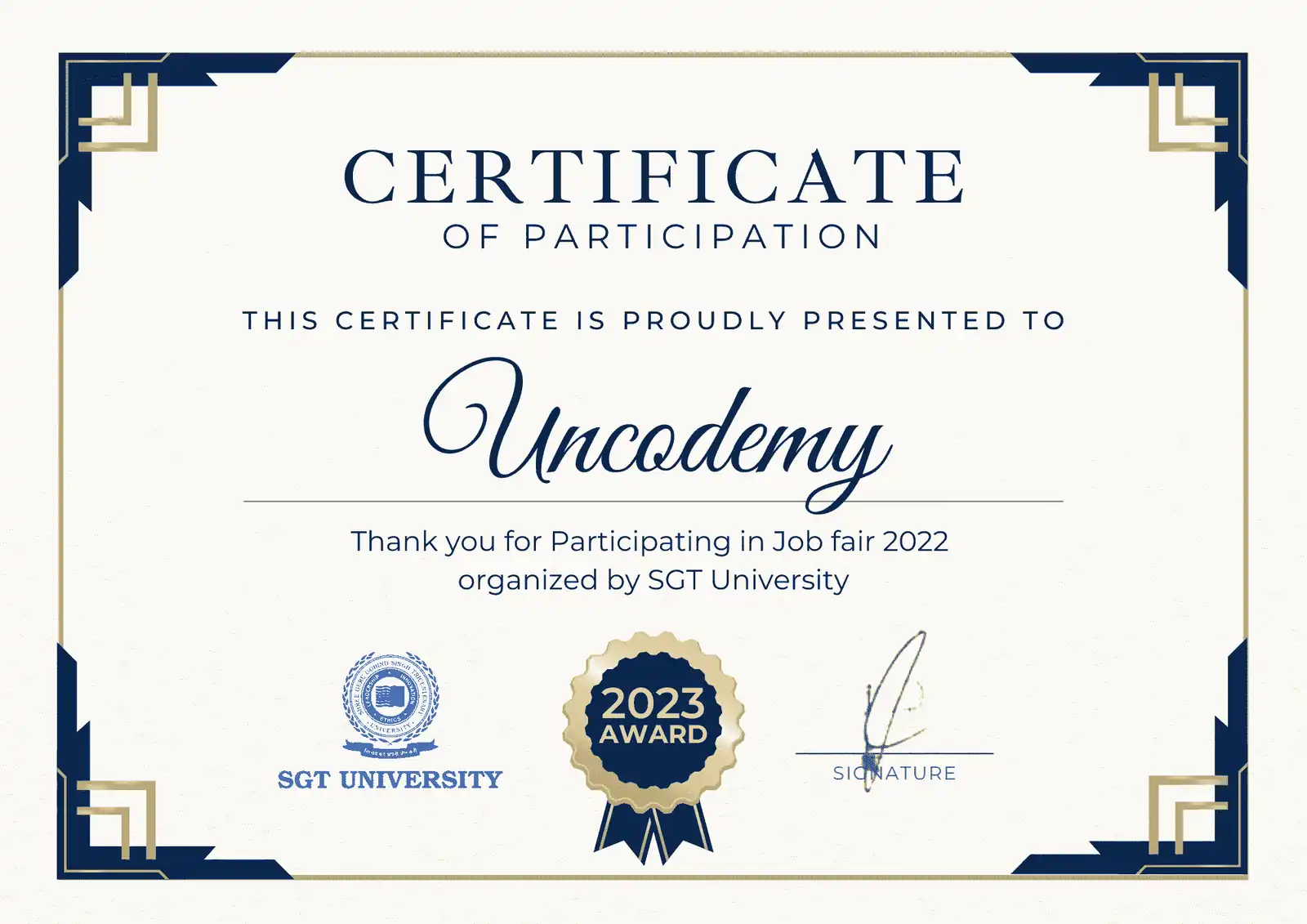
Uncodemy's partnerships with esteemed organizations in the industry allow them to provide students with unparalleled access to some of the most accomplished trainers in the field. Upon successful completion of the Web Development certification course in Ranchi, participants receive the following certificates:

  • Uncodemy Certificate
  • Uncodemy Agile Certificate
  • Module Completion Certificate
Tools and Technologies covered
  • html-editorHtml
  • cssCss
  • javascriptJavascript
  • jqueryjQuery
  • bootstrapBootstrap
  • reactReactjs
  • nodejsNodeJs
  • express-jsExpressJS
  • MongoDB-LogoMongoDB
  • typescriptTypescript
  • rest apiRest API
  • SQLSQL
  • JavaJava
  • j2eeJ2EE
  • servletServlet
  • hibernateHibernate
  • PythonPython
  • keras (1)Keras
  • flaskFlask
  • JupyterJupyter
  • PandasPandas
  • sublimetextsublimetext
  • vscode-stableVSCode
  • GitHub-SymbolGithub
Ace your Interview with Uncodemy-

Alongside their stellar Web Development training in Ranchi, Uncodemy equips students with the latest interview preparation strategies, providing them with the following resources:

Uncodemy

Access unparalleled learning with live sessions, recordings, assignments, and live projects led by a top-tier mentor and industry expert trainer. Elevate your skills with the best-in-class educational content.

Young-male-holding-laptop-408w
Get a Real World Understanding Through Industry Projects
Uncodemy

We Provide EMI Facility for You

Nothing Stops you from Learning

Young-male-holding-laptop-408w

Become a Web Developer- Talk to Expert Counselor

Awards
c3
c4
Ranchi guide

Becoming a web developer while living in Ranchi

Ranchi is a capital city with universities, hospitals, coaching hubs and a steady flow of government and public-sector work, but only a small local software industry. That shapes how a web developer from here builds a career: some local client work, a lot of preparation for remote or metro jobs, and a portfolio that can travel. This page is an honest guide to doing that with live online web development classes from Ranchi.

Honest picture

How much web development work is there in Ranchi?

Some, but not a lot of full-time developer jobs. Ranchi has a handful of small software firms and digital agencies, IT vendors that maintain government and institutional portals, and in-house teams at a few larger organisations. Openings are irregular and often filled through contacts.

What the city does have is plenty of organisations that need websites or web apps built and maintained: hospitals and diagnostic centres, private schools, coaching institutes on and around the main commercial roads, hotels, travel operators and retailers. Many of them would rather hire a local developer they can meet than an agency in Kolkata or Delhi.

Read moreRead less

So the realistic plan for most Ranchi learners has two tracks. Build skills and a portfolio that qualify you for junior roles in Bengaluru, Hyderabad, Pune, Kolkata or the NCR, or for remote work. Alongside that, take small local projects that give you real clients, references and some income. Neither track alone is usually enough in the first year.

The upside of studying from Ranchi is cost. Living at home while you learn and build a portfolio is far cheaper than moving to a metro first and learning there. Many developers from smaller cities use exactly that window — a few months at home with steady practice — to arrive in their first job better prepared than peers who rushed.

Online format

Taking the course live online from Ranchi

There is no Uncodemy centre in Ranchi. The classrooms are in Noida (Sector 1) and Delhi (Shakarpur Extension, Laxmi Nagar), and Ranchi learners attend live online batches with the same trainers, assignments and projects. Classes are taught in real time, so you can ask questions and share your screen when something breaks.

  • Duration3 months
  • Content100+ hours of content
  • Live classes75+ live sessions
  • Fee₹25,000
  • EMIEMI options available (ask the counsellor for the monthly plan)
Read moreRead less

A few practical points for studying from Ranchi. Broadband is generally fine in the city, but power cuts and network dips still happen in some localities, so keep a mobile hotspot charged. A laptop with 8 GB of RAM runs the editor, browser, Node.js and database tools comfortably; 4 GB machines struggle once React and the back end run together.

Weekday evening and weekend batches both exist. College students often choose weekdays; people with jobs usually prefer weekends. Try a free demo session before committing, and check that the timing works with your college or office schedule.

Online learning has one hidden advantage: you get used to working with remote tools from day one — video calls, screen sharing, Git and written updates. Those are exactly the habits remote employers look for, and they will feel natural by the time you apply.

Join the batch's chat or discussion group actively. Asking and answering questions there builds the written communication that remote employers test for, and it replaces some of the peer learning that happens naturally in a classroom.

Local projects

Web apps that Ranchi organisations would actually use

Good portfolio projects solve problems people around you can recognise. A few that fit Ranchi well:

  • Coaching-institute portal: batches, enquiries, test schedules and results, with separate logins for staff and students. Ranchi has a large coaching sector for engineering, medical and government-job exams.
  • Hospital OPD booking: doctors, departments, time slots and a confirmation page a patient can show at reception.
  • Hotel and tour enquiries: packages for the waterfalls and hill spots around the city that visitors ask about, with a form that records travel dates and group size.
Read moreRead less
  • School notice and homework board: class-wise notices, downloadable files and a parent view.
  • Local shop catalogue: a small React catalogue with categories and a “call to order” or “reserve” button rather than full online payment.

Pick one, build it end to end with HTML5, CSS3, Bootstrap, JavaScript, jQuery, ReactJS, Node.js, Express and MongoDB, deploy it, and use made-up data unless the organisation has given you permission to publish its details.

Whichever project you choose, talk to one real user first. A receptionist at a clinic or an office manager at a coaching centre will tell you in ten minutes what the software must do — and what it must never do, such as showing one student's marks to another. Those details make your project believable in interviews.

Hostels and PG accommodation around the college areas are another good subject: room availability, rules and contact details are hard for new students to find, and a simple listing app shows filters, maps and owner logins in one project.

Public sites

Accessibility and Hindi: skills public-facing sites need

Many websites in a state capital serve the public: departments, universities, hospitals, examination bodies. Vendors building or maintaining such sites are expected to follow government web guidelines, including accessibility for people using screen readers and support for Hindi content.

  • Semantic HTML5 — proper headings, labels on every form field, alt text on images — is the foundation of accessibility, and it is covered at the start of the course.
  • Keyboard navigation and colour contrast are easy to check yourself with free browser tools.
Read moreRead less
  • Hindi content needs fonts that render Devanagari cleanly and layouts that do not break with longer words.
  • Performance on slow connections matters, because many users open these sites on mobile data in smaller towns of the state.

A developer who can show an accessible, bilingual demo site has a concrete advantage when local IT vendors or institutions are hiring, even for small contracts.

You can practise this without any contract. Take a public site you use often, note three accessibility or speed problems, and build a small demo page showing how you would fix them. Keep it polite and factual; the aim is to show skill, not to criticise anyone's work.

Exam-notice and result pages face sudden surges when results are announced. Even a small site should cope: static pages where possible, cached API responses and no heavy scripts on the result page. Understanding why such sites slow down on result day is a strong interview topic.

Who joins

Ranchi learners this course usually suits

  • Engineering and BCA/MCA students from Ranchi's colleges and universities, including Birla Institute of Technology at Mesra, who want a deployed full-stack project before placements or off-campus applications.
  • Graduates preparing for government exams who want a parallel skill with private-sector options.
Read moreRead less
  • Staff at local IT vendors or institutions who maintain a website already and want to understand how it really works.
  • Returnees who moved back to Ranchi from a metro and want to work remotely or freelance from home.

Prior coding is not required; the course starts from HTML and assumes only that you can use a computer and the internet comfortably. What matters more is regular practice — about an hour on class days and longer at weekends.

Learners from nearby towns such as Hazaribagh, Ramgarh and Khunti join the same online batches. Since everything happens live online, distance from the city centre makes no difference to the class itself, only to the quality of your internet connection.

Ranchi University and Jharkhand's other universities produce many science and commerce graduates who never studied programming. Several of them join this course after a year of exam preparation, and they bring discipline that suits coding well.

Job routes

Three realistic job routes from Ranchi

Relocate for a first job

Bengaluru, Hyderabad, Pune, Kolkata and the NCR have far more junior web roles. Many Ranchi developers spend their first one to three years there.

Remote junior roles

Possible, but competitive. Remote employers look hard at GitHub, communication and the ability to work without supervision.

Stay and build locally

Freelance and small-agency work in Ranchi, slowly building a client base. Income is lower and less steady at first.

Read moreRead less

Whichever route you choose, apply widely. Relocation also means rent and living costs, so compare offers on what you keep, not only on the headline number. Uncodemy provides dedicated placement support: resume reviews, mock interviews and job-application support; it has no hiring tie-up with employers in Ranchi or elsewhere.

If you plan to relocate, apply to companies in one or two target cities rather than everywhere at once. You can then research those cities' employers properly, prepare for their interview styles and arrange interviews close together if you need to travel.

A middle path many choose is a hybrid start: an on-site role in a metro for a year to learn how teams work, then a request to go remote or a move to a remote-first employer. Having that plan in mind from the beginning helps you pick a first job where remote work is at least possible later.

Pay

Indicative pay for developers starting out from Ranchi

RouteTypical roleIndicative range
Local agency or vendor in RanchiJunior web developer₹1.8–3.5 LPA
Metro startup or agencyJunior React / MERN developer₹3–6 LPA
Remote roleJunior full-stack developer₹3–6 LPA, varies widely
Local freelancingSmall business sites and appsIrregular; project-based
Read moreRead less

These are indicative ranges only. Actual offers depend on the employer, your portfolio and the interview. Local pay is lower than metro pay, but so is the cost of living; a remote role from Ranchi can be a good balance if you can land one.

Remember that the first salary is a starting point. Developers who keep shipping projects and learning typically see their pay move more in the first three years than in any later period, so a slightly lower first offer with good mentoring can be the better choice.

Ask about probation periods, training bonds and notice periods before accepting any offer; these matter as much as the salary figure.

Freelance

Pricing local web projects without underselling

Local clients often have a small budget and a large wish list. Being honest about what each budget buys protects both of you.

  • Brochure site: a few pages, a contact form and hosting. Competitive and cheap, because template tools exist.
  • Custom app: logins, records, dashboards. This is where a MERN developer adds real value and can charge more.
Read moreRead less
  • Get an advance and agree the rest on delivery. Write the scope in a message the client confirms.
  • Offer a yearly maintenance plan for hosting, backups and small changes, so the site does not die after launch.

Freelance earnings vary a lot, especially early. Use local projects to build references and experience, and do not depend on them as your only income until you have steady clients.

Local clients in Ranchi frequently come through referrals — a doctor recommends you to another doctor, a school principal to a coaching owner. Make referrals easy: finish on time, hand over login details and a short how-to note, and keep your phone number on the site footer with the client's permission.

Be wary of very large projects early on, such as a full school ERP or a multi-branch hospital system. They take months, change shape constantly and can sour a relationship if they run late. Offer one well-defined module first and grow from there.

Interview prep

Preparing for metro and remote interviews from home

Most first-round interviews for Ranchi candidates happen online. Treat that as practice in itself: a quiet room, a good microphone, your project open in one tab and your code in another.

Read moreRead less

Expect JavaScript fundamentals, a React component explanation, a question on REST APIs and MongoDB, and sometimes a short live coding task. Explain what you are about to do before you type. Practise with fresher web development questions and Kolkata web development interview questions, since Kolkata is the nearest large market.

Remote interviewers also test how you communicate in writing. Some send a short task by email and judge the clarity of your reply as much as the code. Answer in clear, short English and include a link to the deployed result.

Keep a one-page document for each project: the problem, the stack, three decisions you made and one thing you would redo. Read it before every interview. Ranchi candidates often lose marks not for lack of skill but because they describe their own project vaguely under pressure.

Explore

More for Ranchi learners

Other web and design courses for Ranchi learners

Web Development course in nearby cities

Frequently Asked Questions

No. Classrooms are only in Noida (Sector 1) and Delhi (Shakarpur Extension, Laxmi Nagar). Ranchi learners take the course through live online batches, taught in real time by the same trainers with the same projects. You can share your screen during class to get help with your own code.

₹25,000, the same as in every other city. EMI options available (ask the counsellor for the monthly plan). Check the current fee and any offer with the counsellor before you pay.

The course lasts 3 months with 100+ hours of content and 75+ live sessions, organised as 2 curriculum blocks (front end and back end). It covers HTML5, CSS3, Bootstrap, JavaScript, jQuery, ReactJS, Node.js, Express and MongoDB. You will also deploy at least one complete project online.

There is no job guarantee. Uncodemy offers dedicated placement support: resume reviews, mock interviews and job-application support. Your projects, GitHub profile and interviews decide the result. Starting applications while you finish your final project usually shortens the job search.

It is possible through local agencies, IT vendors or remote roles, but these openings are limited. Many Ranchi developers relocate to a metro for their first job and return later, or work remotely once they have experience. Building a strong portfolio first gives you the widest choice either way.

In most parts of the city, yes. Keep a mobile hotspot as a backup for power or network interruptions, and test your connection during an evening slot before the batch starts. Learners joining from nearby towns should check their connection at class time in the same way.

Many people do, choosing a weekend batch. Be realistic about time: coding needs regular practice, roughly an hour on class days and longer sessions at weekends. A weekend batch keeps weekday mornings free for exam study.

No. The course starts from HTML and CSS and assumes only everyday computer and internet use. Some programming background helps you move faster but is not required.

Become a Web Developer- Talk to Expert Counselor