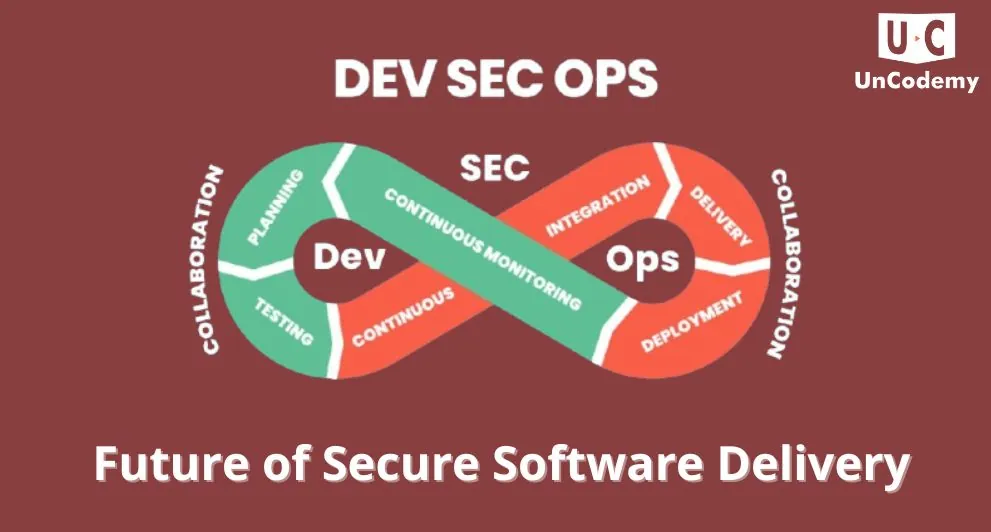
In a traditional setup, developers write features, operations deploys them, and a security team tests the finished product, often a few days before launch. Problems found that late are expensive: the code has been merged, other features depend on it, and the release date is fixed. DevSecOps moves those checks earlier ("shift left") and repeats them on every change, so a leaked password or a vulnerable library is caught in the pull request that introduced it.
What changes in practice
| Area | Security at the end | DevSecOps |
|---|
| When security is checked | Before release, sometimes once a quarter | On every commit and pull request, plus scheduled scans |
| Who owns it | A separate security team | Shared: developers fix findings, security sets rules and reviews risk |
| How findings arrive | A long PDF report | A failed pipeline step or a comment on the pull request |
| Infrastructure | Configured by hand | Defined as code and scanned like code |
| Feedback time | Weeks | Minutes |
Core principles
- Automate the boring checks. Secret scanning, dependency audits and static analysis run without anyone remembering to run them.
- Fail fast, but sensibly. Block the merge for critical findings; report low-severity ones without stopping work, or people learn to ignore the pipeline.
- Least privilege everywhere. Pipeline tokens, cloud roles and database users get only the access they need.
- Everything as code. Servers, containers and cloud resources are described in files (Dockerfile, Terraform, Kubernetes YAML) that can be reviewed and scanned.
- Developers learn the common bugs. The OWASP Top 10 is the usual starting list: injection, broken access control, security misconfiguration and so on.
If you are new to the DevOps side, DevOps for beginners explains the build-test-deploy pipeline that DevSecOps adds to.
The checks to add, stage by stage
- Before commit: secret scanning. Tools such as Gitleaks look for API keys and passwords in code and Git history. A pre-commit hook stops most leaks before they leave the laptop.
- Pull request: static analysis (SAST). Semgrep, SonarQube or CodeQL read source code and flag risky patterns such as SQL built from user input.
- Pull request: dependency scanning (SCA).
pip-audit, npm audit, OWASP Dependency-Check or Dependabot compare your libraries against published vulnerability databases.
- Build: container and IaC scanning. Trivy scans Docker images for vulnerable packages; Checkov or Trivy's config mode checks Terraform and Kubernetes files for mistakes like public storage buckets.
- Staging: dynamic testing (DAST). OWASP ZAP attacks the running app from outside, the way a real attacker would.
- Production: monitoring. Logs, alerts and runtime protection catch what tests missed, and incidents feed back into new pipeline rules.
An example bug the pipeline should catch
This small Python program shows why SAST tools flag string-built SQL. Both functions look up a user, but one pastes input straight into the query:
import sqlite3
con = sqlite3.connect(":memory:")
con.execute("CREATE TABLE users (name TEXT, role TEXT)")
con.executemany("INSERT INTO users VALUES (?, ?)", [("asha", "student"), ("admin", "admin")])

def find_unsafe(name):
    return con.execute(f"SELECT name, role FROM users WHERE name = '{name}'").fetchall()

def find_safe(name):
    return con.execute("SELECT name, role FROM users WHERE name = ?", (name,)).fetchall()

attack = "x' OR '1'='1"
print(find_unsafe(attack))
print(find_safe(attack))
Output:
[('asha', 'student'), ('admin', 'admin')]
[]
The unsafe version returns every row, including the admin account, because the input changed the query's logic. The parameterised version treats the input as plain text and finds nothing. A rule in Semgrep or CodeQL catches the f-string pattern at pull-request time, long before a penetration test would.
A starter pipeline
Here is a GitHub Actions workflow for a Python app that runs four of the checks above on every push and pull request. Treat it as a starting point; pin action versions and tune rules for your project. (On GitHub organisation accounts the Gitleaks action asks for a licence key; personal repositories do not need one.)
name: security-checks
on: [push, pull_request]

jobs:
  security:
    runs-on: ubuntu-latest
    steps:
      - uses: actions/checkout@v4
        with:
          fetch-depth: 0            # full history for secret scanning

      - name: Secret scan
        uses: gitleaks/gitleaks-action@v2
        env:
          GITHUB_TOKEN: ${{ secrets.GITHUB_TOKEN }}

      - uses: actions/setup-python@v5
        with:
          python-version: "3.12"

      - name: Dependency audit
        run: |
          pip install pip-audit
          pip-audit -r requirements.txt

      - name: Static analysis
        run: |
          pip install semgrep
          semgrep scan --config p/python --error

      - name: Build and scan image
        run: |
          docker build -t myapp:${{ github.sha }} .
          docker run --rm -v /var/run/docker.sock:/var/run/docker.sock \
            aquasec/trivy image --exit-code 1 --severity HIGH,CRITICAL myapp:${{ github.sha }}
Teams on Jenkins can run the same tools as pipeline stages; see using Jenkins for CI/CD pipelines. For image hygiene before you scan, Docker Hub commands and security basics is a useful companion.
Why it is becoming the default
- Release speed. Teams that deploy many times a day cannot wait for a manual security review each time.
- Supply-chain risk. Most applications are mostly open-source libraries. Incidents such as Log4Shell (CVE-2021-44228, December 2021) showed how one library flaw can affect thousands of systems at once, and how much faster teams with automated dependency scanning could find where they were exposed.
- Frameworks and buyers expect it. The US NIST Secure Software Development Framework (SP 800-218) describes practices such as automated testing and protecting the build pipeline, and many enterprise customers now ask suppliers about them.
How to start without slowing the team
- Turn on secret scanning and dependency alerts first; they are cheap and high value.
- Run SAST in report-only mode for two or three weeks, remove noisy rules, then make critical findings block merges.
- Add container scanning when you containerise, and IaC scanning when you adopt Terraform.
- Track two numbers: open critical findings and average time to fix them.
- Give each team a "security champion" who knows the tools and helps others read findings.
Containers sit at the centre of most modern pipelines, so if you have not used them yet, begin with Docker basics. AI is also being used on the detection side; AI in cybersecurity covers that.
FAQs
What is the difference between DevOps and DevSecOps?
DevOps joins development and operations so software is built, tested and deployed quickly and often. DevSecOps adds security checks and shared security responsibility to that same pipeline instead of leaving them to a final review.
What tools are used in DevSecOps?
Common examples are Gitleaks for secret scanning, Semgrep, SonarQube or CodeQL for static analysis, pip-audit, npm audit or Dependabot for dependencies, Trivy for containers, Checkov for infrastructure code and OWASP ZAP for dynamic testing.
Does DevSecOps slow down releases?
Badly tuned checks can. Starting with fast, low-noise checks and blocking only on critical findings keeps the pipeline quick while catching serious problems early.