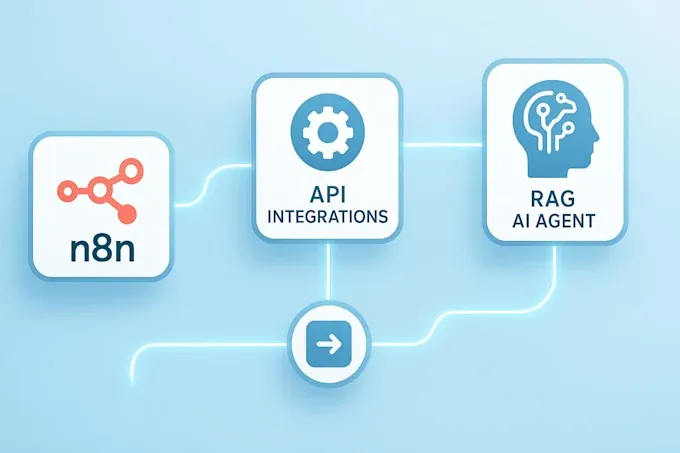
n8n is a workflow automation tool in which each step is a node and data moves between nodes as a list of items. That model fits small and medium data pipelines well: a trigger starts the run, a few nodes extract and reshape the data, and a final node writes it somewhere useful. Since n8n added AI nodes built on LangChain, one of those steps can also be a language model that classifies, summarises or extracts fields from messy text.
If you have never opened n8n, start with the introduction to AI automation with n8n. This article assumes you know what a node is and focuses on one practical job.
The job we will automate
Take a small online store that sells printed T-shirts from Jaipur. Every morning the owner wants yesterday's orders in a Postgres table, with each customer note tagged as delivery, size, payment, quality or other, and a short summary posted to the team chat. The store data in this example is invented, but the pattern is the same for CRM exports, form responses or support tickets.
In classic ETL terms, the run looks like this:
- Extract: call the store's orders API for yesterday's date.
- Transform: drop cancelled orders, convert paise to rupees, clean city names, keep only the fields we need.
- Enrich: send the free-text customer note to an AI node that returns one category.
- Load: upsert the rows into Postgres and post a count to Slack or email.
For the general idea behind each stage, see what data pipelines are in data science projects.
Running n8n
You can use n8n Cloud or host it yourself. The self-hosted route that the official docs give uses Docker:
docker volume create n8n_data
docker run -it --rm --name n8n -p 5678:5678 \
  -e GENERIC_TIMEZONE="Asia/Kolkata" \
  -e TZ="Asia/Kolkata" \
  -v n8n_data:/home/node/.n8n \
  docker.n8n.io/n8nio/n8n
Open http://localhost:5678 and create the owner account. GENERIC_TIMEZONE matters for pipelines: the Schedule Trigger uses it, so "07:00" means 7 a.m. IST rather than UTC. The volume keeps your workflows and saved credentials when the container restarts.
On licensing: n8n's source code is public, but it is released under its own Sustainable Use License, not a standard open-source licence such as MIT. Self-hosting for your own internal workflows is allowed; read the licence before you build a product that resells n8n itself.
The workflow, node by node
| # | Node | What it does here |
|---|
| 1 | Schedule Trigger | Runs every day at 07:00. |
| 2 | HTTP Request | GET /orders?date={{ $today.minus({days: 1}).toFormat('yyyy-MM-dd') }} with an API key stored as a credential. |
| 3 | Split Out | Turns the orders array in the response into one item per order. |
| 4 | Code | Cleans and reshapes each order (JavaScript below). |
| 5 | Text Classifier (AI) | Reads {{ $json.note }} and picks one category. |
| 6 | Code | Validates the category and builds the final row. |
| 7 | Postgres | Insert or update on order_id. |
| 8 | Aggregate + Slack/Email | Posts "N orders loaded, M delivery complaints". |
The expression in node 2 uses $today, which n8n exposes as a Luxon DateTime, so minus and toFormat work as in the Luxon library.
The transform step in a Code node
Set the Code node to Run Once for All Items. In this mode $input.all() gives every incoming item, and the node must return an array of objects with a json key.
// Code node, mode: Run Once for All Items
const out = [];

for (const item of $input.all()) {
  const o = item.json;
  if (o.status === 'cancelled') continue;          // skip cancelled orders

  out.push({
    json: {
      order_id: o.id,
      city: (o.shipping_city || '').trim().replace(/\s+/g, ' '),
      amount_inr: o.amount_paise / 100,
      order_date: o.created_at.slice(0, 10),
      note: (o.customer_note || '').trim(),
    },
  });
}

return out;
Sample input (three items after Split Out):
{ "id": 501, "status": "paid", "shipping_city": " Jaipur ", "amount_paise": 79900, "created_at": "2026-11-15T10:12:00+05:30", "customer_note": "Size M was too tight" }
{ "id": 502, "status": "cancelled", "shipping_city": "Pune", "amount_paise": 49900, "created_at": "2026-11-15T11:40:00+05:30", "customer_note": "" }
{ "id": 503, "status": "paid", "shipping_city": "New  Delhi", "amount_paise": 129900, "created_at": "2026-11-15T18:05:00+05:30", "customer_note": "Parcel came 4 days late" }
Output (two items, because order 502 is dropped):
{ "order_id": 501, "city": "Jaipur", "amount_inr": 799, "order_date": "2026-11-15", "note": "Size M was too tight" }
{ "order_id": 503, "city": "New Delhi", "amount_inr": 1299, "order_date": "2026-11-15", "note": "Parcel came 4 days late" }
The date is cut from the string instead of being parsed with new Date(). Parsing would convert the time to the server's timezone first, and an order placed at 00:30 IST could land on the previous day.
Where the AI fits
The Text Classifier node is one of n8n's AI nodes. You connect a chat model to it (OpenAI, Google Gemini, Anthropic, Mistral, or a local model through Ollama), list the categories with a one-line description each, and point it at the field to read. Each item comes out on the branch for its category.
Three rules keep the AI step from corrupting your data:
- Never trust the label blindly. The second Code node checks the result against the allowed list and writes
other for anything unexpected.
- Send only what the model needs. Pass the note, not the customer's phone number or address. If you use an external model provider, personal data leaves your server, and India's Digital Personal Data Protection Act, 2023 applies to how you handle it.
- Keep the original text. Store the raw note next to the category so a person can re-check or re-run the classification later.
The validation step:
// Code node, mode: Run Once for Each Item
const allowed = ['delivery', 'size', 'payment', 'quality', 'other'];
const cat = String($json.category || '').toLowerCase().trim();

return {
  json: {
    ...$json,
    category: allowed.includes(cat) ? cat : 'other',
    tagged_at: new Date().toISOString(),
  },
};
With the two sample orders, order 501 should come out as size and order 503 as delivery. A model can still get an edge case wrong, which is why the raw note is kept.
If you need the model to pull several fields out of a paragraph (for example product, size and complaint type), use the Information Extractor node with a JSON schema instead. For anything that needs retrieval from your own documents, look at how RAG works before building it.
Loading and failure handling
In the Postgres node choose the Insert or Update operation and set order_id as the column to match on. That makes the pipeline safe to re-run: if yesterday's job failed half-way, running it again updates existing rows instead of creating duplicates.
For failures, create a second workflow that starts with an Error Trigger node and sends you an email or chat message with the workflow name and error text. Then open the pipeline's settings and select that workflow as its error workflow. Also set Retry On Fail on the HTTP Request node, because a store API timing out once in a while is normal.
A quick checklist before you switch the schedule on:
- Credentials are saved in n8n's credential store, not typed into node fields.
- The pipeline gives the same result when run twice for the same date.
- Pagination is handled if the API returns results in pages (the HTTP Request node has a pagination option).
- Execution data pruning is on, so the n8n database does not keep growing with old run payloads.
When n8n is the right tool, and when it is not
| Situation | n8n fits? | Why |
|---|
| Pulling from SaaS APIs and forms into a database or sheet | Yes | Many ready nodes, credentials and scheduling built in. |
| Adding an AI step to tag or summarise text | Yes | AI nodes plug into the same flow. |
| Thousands of rows a day | Yes | Fine on a single instance. |
| Millions of rows, heavy joins | Partly | Push the heavy SQL into the database or a warehouse and let n8n only trigger it. |
| Complex dependency graphs, backfills, data lineage | Usually not | Orchestrators such as Apache Airflow or Dagster are built for this. |
For larger loads, n8n has a queue mode in which a main instance hands executions to separate worker processes through Redis. That helps with many parallel runs, but it does not turn n8n into a data warehouse. A sensible split is to let n8n handle the "glue" (APIs, webhooks, AI calls, notifications) and let SQL or Python do bulk transformation. The ETL tools and testing guide covers that side, and how webhooks work explains the push-based triggers you can use instead of a schedule.
What to try next
Rebuild this pipeline with your own data source: a Google Form, a college club's registration sheet, or a public API. Then add one AI step and one validation step, and break it on purpose to see the error workflow fire. If you want to go further into agent-style flows, the companion article on using n8n for AI workflows covers the AI Agent node and tools.