#1 India's Top IT Training Institute
×

About Uncodemy

Know more about who we are and what we stand for.

About Us

About Us

Discover our mission to equip individuals with essential IT skills and industry expertise.

Read More →
UnCodeMy Gallery

UnCodeMy Gallery

Explore highlights from our IT training sessions and success stories.

Read More →
Mentors

Mentors

Meet the industry experts who train and guide you through your course.

Read More →
Free Resources

Free Resources

Free tutorials, interview questions, tools and calculators to help you learn.

Explore →
×

Free Resources

Learn, practice and plan your career — bilkul free.

Tutorials

Tutorials

Step-by-step written tutorials to learn any technology at your own pace.

Read More →
Free Counselling

Free Counselling

Book a free video counselling session and pick the right course for you.

Read More →
Online Compiler

Online Compiler

Write, run and test your code online — no setup required.

Read More →
Speciality
Prof_Trained

15000+ Professionals Trained

Batch-every

3+ Batches every month

Prof_Trained

50+ Industry expert trainers

Corporate

2500+ Corporate Served

Curriculums for Power BI Training Course in Gurgaon

Power BI Curriculum

The curriculum has been designed by faculty from IITs, and Expert Industry Professionals.

time
30+

Hours of Content

live1-removebg-preview
15+

Live Sessions

tools
2+

Tools and Software

Set the Basics Right

Power BI is the domain of study that deals with vast volumes of data using modern tools and techniques to find unseen patterns, derive meaningful information, and make business decisions. For example, finance companies can use a customer's banking and bill-paying history to assess creditworthiness and loan risk.

Power BI course provider of Gurgaon called Uncodemy offers a curriculum that contains following courses to strengthen your skill in Power BI-

Power BI

  • Introduction to Power BI – Need, Imprtance
  • Power BI – Advantages and Scalable Options
  • Power BI Data Source Library and DW Files
  • Business Analyst Tools, MS Cloud Tools
  • Power BI Installation
  • Power BI Desktop – Instalation, Usage
  • Sample Reports and Visualization Controls
  • Understanding Desktop & Mobile Editions
  • Report Rendering Options and End User Access
  • Report Design with Databse Tables
  • Report Visuals, Fields and UI Options
  • Reports with Multiple Pages and Advantages
  • Pages with Multiple Visualizations. Data Access
  • “GET DATA” Options and Report Fields, Filters
  • Report View Options: Full, Fit Page, Width Scale
  • Report Design using Databases & Queries
  • Get cosmopolitan certifications with Uncodemy

    Uncodemy's collaborations with respected industry partners enable the institute to offer students an exceptional opportunity to learn from some of the most distinguished trainers in the Power BI field. Uncodemy awards an Uncodemy Certificate, an Uncodemy Agile Certificate and a Module Completion Certificate on completing the course.

    Tools and Technologies covered
    • imageexcelExcel
    • imagetablueTableau
    • Power-BI-SymbolPower-Bi
    • imageggplotggplot
    • imagejupitorJupyter
    • imagenumpyNumpy
    • imagepythonPython
    • imagepandasPandas
    • imageseabornSeaborn
    • imagelockerLooker
    • Matplotlib-logoMatplotlib
    • imagepycharmPyCharm
    • imagegoogleColabGoogle Colab
    • imageanacondaAnaconda
    • imagenltkNLTK
    • imagescikitlernScikit-learn
    • imagesqlSQL
    • imageMySqlMySql
    • imagepostgersqlPostgreSQL
    • imagemlML
    • imagedeeplDeep Learning
    • imagenlpNLP
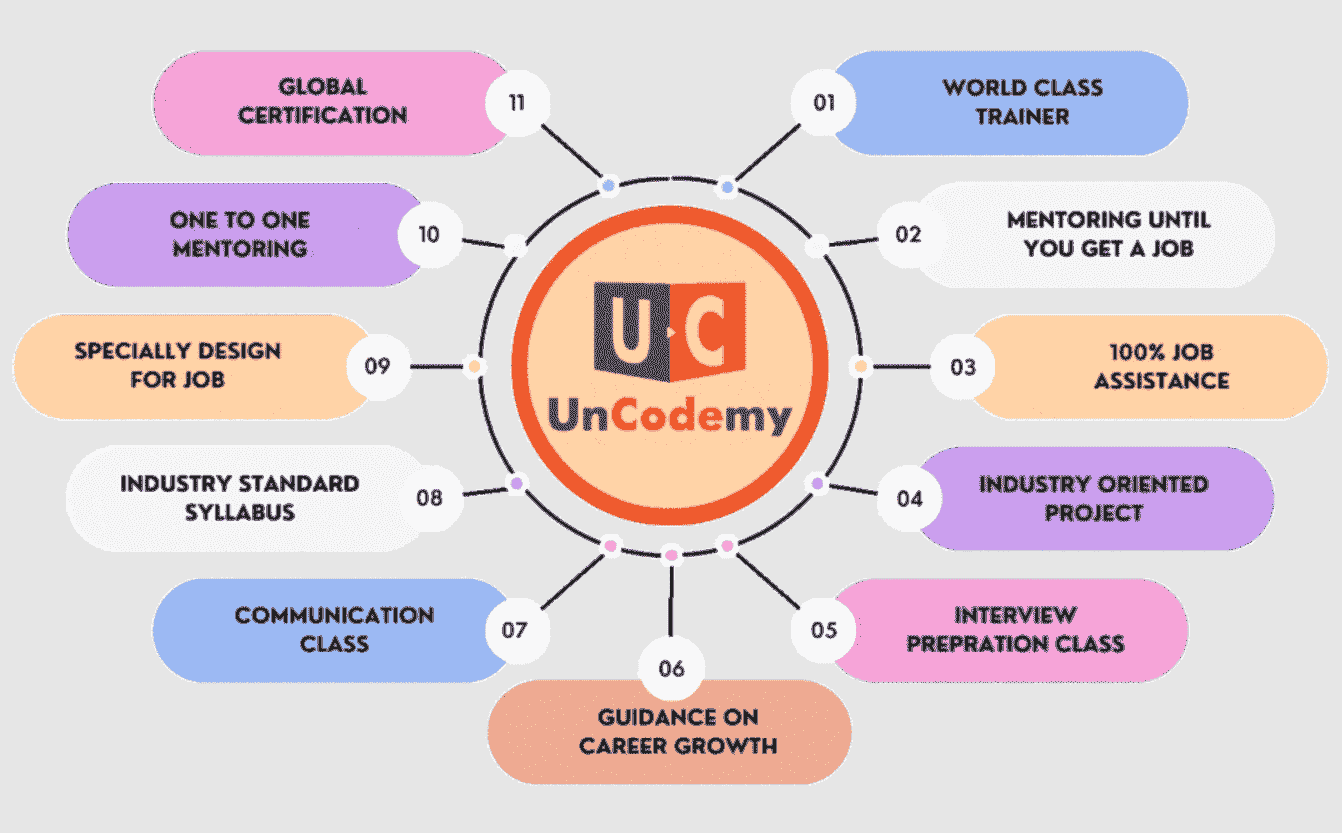
    How Uncodemy Helps Every Student Acing Their Interview-

    In addition to exceptional Power BI training in Gurgaon, Uncodemy supports students in their job search by offering :

    animate
    Uncodemy

    Access unparalleled learning with live sessions, recordings, assignments, and live projects led by a top-tier mentor and industry expert trainer. Elevate your skills with the best-in-class educational content.

    Young-male-holding-laptop-408w
    Uncodemy

    We Provide EMI Facility for You

    Nothing Stops you from Learning

    Young-male-holding-laptop-408w

    Become a Power BI Expert - Talk to Expert Counselor

    Awards
    c3
    c4
    Gurugram guide

    From MIS analyst to Power BI developer in Gurgaon

    In Gurugram, Power BI is less a new tool than an expected one. Business-process management firms, bank and insurance back offices, consulting practices and global capability centres in Cyber City, Udyog Vihar and along Golf Course Road and Sohna Road all run client and leadership reporting on it. Many learners here already use Power BI reports every day; what they want is to build and own them. This page is for that move — what changes between an MIS role and a BI developer role, the Service-side skills Gurugram teams test, and how a working professional fits a one-month course around a full-time job.

    The gap

    What separates an MIS role from a BI developer role here

    MIS / reporting analyst

    Pulls data from client tools, updates Excel trackers and existing Power BI files, explains variances to the process manager. Owns the numbers, not the build.

    Power BI developer

    Designs the data model, writes and tunes DAX, publishes to workspaces, manages refresh and access, and talks to stakeholders about what the report should answer.

    Read moreRead less

    The jump is usually three things: comfort with Power Query and modelling instead of patching sheets, DAX beyond SUM and CALCULATE, and Power BI Service — workspaces, apps, scheduled refresh, gateways and row-level security. Gurugram interviewers for developer roles almost always ask about the Service side, because that is where production reports break. If your current job gives you access to a workspace, ask to shadow whoever publishes the reports while you take the course.

    Service skills

    Power BI Service topics Gurugram teams care about

    • Scheduled refresh and gateways: why an on-premises SQL or file source needs a gateway, and what to check when the 6 a.m. refresh fails before a client call.
    • Row-level security: one report, many viewers — each client, region or team lead sees only their own rows.
    • Workspaces and apps: separating development from what leadership sees; who has build rights.
    Read moreRead less
    • Performance: slow visuals usually trace back to the model or to heavy DAX, not to the canvas. Learn to remove unused columns and reduce cardinality.
    • Data sensitivity: client data in BPM and BFSI work is often under strict contracts. Never export it to a personal laptop for practice.

    The course covers Power BI reporting from the basics through report design and data access; workplace-specific setups such as gateways and tenant settings vary between companies and are best learned on the job with your admin team.

    Employers

    Where Power BI work sits in Gurgaon

    Business-process and analytics firms such as Genpact and EXL have large Gurugram operations, and many banks, insurers, consumer brands and tech companies run reporting teams in the city. Uncodemy has no hiring tie-up with any of them; they are mentioned only to describe the market.

    Read moreRead less
    • BPM and KPO floors: SLA, productivity and quality dashboards for each client process — huge demand for reporting analysts.
    • BFSI back offices: collections, claims, underwriting turnaround and compliance MIS.
    • GCCs and consulting: finance and sales dashboards for global leadership; often paired with SQL and sometimes Azure skills.

    Company-specific practice: Genpact-style Power BI questions, EXL-style questions and Gurgaon Power BI questions.

    Fitting it in

    Doing the course alongside a Gurugram job

    Uncodemy's classrooms are at Noida (Sector 1) and Delhi (Shakarpur Extension, Laxmi Nagar); there is no Gurugram centre. From Gurugram either centre is a long metro ride — Yellow Line into Delhi, then the Blue Line towards Noida or Laxmi Nagar — so most working learners pick live online classes and keep classroom visits for weekends if at all.

    • Night and rotational shifts: common on US/UK client processes. Choose a batch time that sits before your shift, not after it.
    • Work laptop restrictions: many client-facing companies block software installs. Use a personal Windows laptop for Power BI Desktop.
    • Durationabout a month
    • Content30+ hours of content
    • Live classes15+ live sessions
    • Fee₹8000
    • EMIEMI options available (ask the counsellor for the monthly plan)
    Read moreRead less

    What you get for ₹8000: 2 curriculum blocks (Power BI basics and installation; report building and data access), taught live with Power BI Desktop, Power BI Service, Power Query and DAX, delivered as live online, instructor-led; classroom batches only in Noida and Delhi. You can try a free demo session before enrolling.

    Portfolio

    A project that matches Gurugram process work

    Build an operations dashboard for an imaginary customer-support or claims process, because it mirrors what most local teams report on:

    • Data: ticket or claim records with open/close timestamps, agent, team, queue, priority and outcome; an agent roster and a shift calendar.
    • Measures: average handling time, SLA met %, backlog ageing, first-contact resolution and productivity per agent-hour.
    Read moreRead less
    • Security demo: set up row-level security roles so a team lead sees only their team, and show it in your walkthrough.
    • Story: one page for the client, one for the operations manager, one for the team lead — the same data answering different questions.

    This tells an interviewer you understand how reports are actually used in a BPM or back-office setting.

    Pay

    Indicative Power BI pay in Gurgaon

    ExperienceTypical titleIndicative range
    0–2 yearsMIS / reporting analyst₹3–5.5 LPA
    2–4 yearsPower BI developer / BI analyst₹6–11 LPA
    4–7 yearsSenior BI developer / BI lead₹11–20 LPA
    Read moreRead less

    Indicative only and based on the general Gurugram market, not on Uncodemy placements. GCCs and consulting firms usually sit at the top of each band and BPM floors towards the lower end; offers depend on the company, the interview and your notice period.

    Interview prep

    How Gurugram BI interviews usually run

    1. Screening: a recruiter checks your tool list, notice period and current CTC.
    2. Technical round: DAX (CALCULATE, filter context, time intelligence), Power Query steps, modelling, and Service questions on refresh and RLS.
    3. Case or screen-share: you are given a small dataset and asked to build or fix a report in 30–45 minutes.
    4. Manager / client round: how you handled a wrong number in production, how you explain variances to non-technical stakeholders.
    Read moreRead less

    Practise the case round under time pressure; it is where many experienced MIS candidates struggle. Try the scenario-based questions and advanced DAX sheet.

    Explore

    More for Gurgaon learners

    Other data and reporting courses for Gurgaon learners

    Power BI course in nearby cities

    Frequently Asked Questions

    No. There is no Gurugram centre. Classrooms are at Noida (Sector 1) and Delhi (Shakarpur Extension, Laxmi Nagar); most Gurugram learners attend live online, and some travel on weekends.

    The fee is ₹8000 wherever you study from. EMI: EMI options available (ask the counsellor for the monthly plan).

    about a month, with 30+ hours of content and 15+ live sessions. It covers 2 curriculum blocks (Power BI basics and installation; report building and data access) using Power BI Desktop, Power BI Service, Power Query and DAX.

    It starts from the basics, which helps if you have only consumed reports so far. If you already build models and write DAX, use the course to fill gaps and focus your practice on Service topics and a strong portfolio project.

    Pick a slot before your shift starts rather than after it ends, and keep weekends for practice. Ask the counsellor about current batch timings during the demo.

    Both are used. Power BI is very common in firms built on Microsoft 365 and Azure, which covers many BPM, BFSI and GCC teams; Tableau appears more in some analytics and consulting teams. Check the job descriptions you are targeting.

    No coding experience is needed to enrol; basic computer skills are enough, and simple DAX formulas are taught step by step.

    No. You receive resume reviews, mock interviews and job-application support (placement assistance, not a job guarantee). Offers depend on your interviews.

    Become a Power BI Expert- Talk to Expert Counselor