






Data and AI project · Intermediate · 5–7 days
AI Data Analyst Agent Project (MERN) with Source Code
Upload a CSV or Excel file, get an instant data-quality report and ask questions about your data. No API key needed.
- React 18
- Vite
- Node.js
- Express 5
- MongoDB
- Mongoose
- JWT
- bcryptjs
- 20
- chapters in the guide
- 07
- steps to run it
- 56
- files in the ZIP
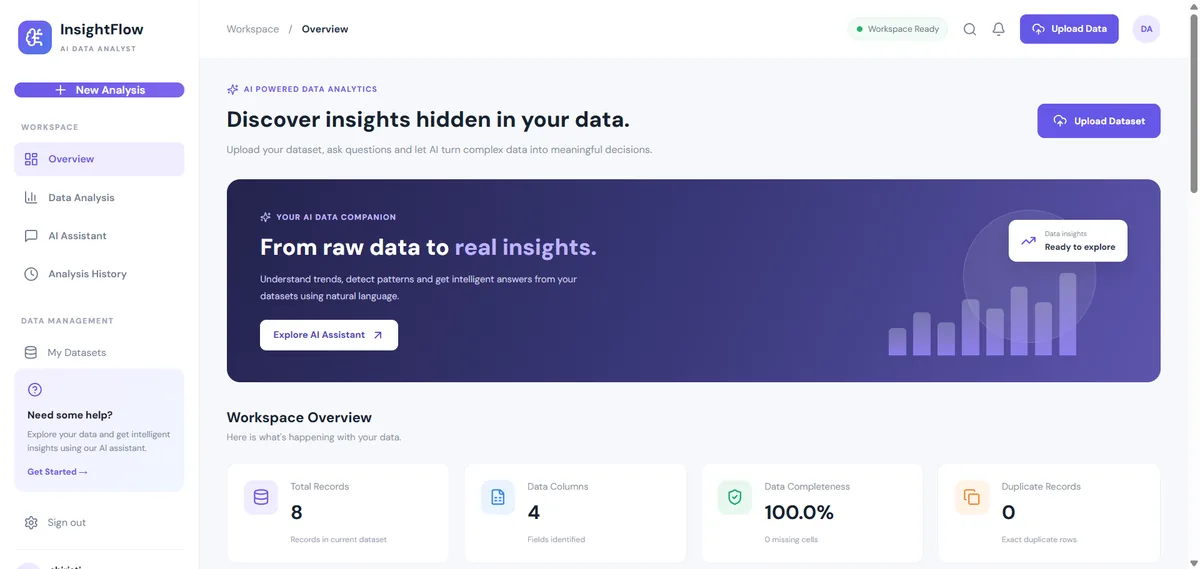
Tested 18 Nov 2026Server started, health check OK
Free ZIP, 0.08 MB56 files, no keys inside
ai-data-analyst-agent-project-source-code.zip0.08 MB · 56 files · clean code, no keys inside · .env.example included
01What you will build and learn
The AI Data Analyst Agent is a MERN web app where you upload a CSV or Excel file and instantly get a profiling report: missing values, duplicates, numeric statistics and IQR outliers. A rule-based analyst chat answers questions about your data from real calculations, with no LLM or API key. It suits students who want a full-stack data analytics project for their resume.
You will build
- Secure sign-up and login with bcrypt password hashing and JWT-protected routes
- CSV, XLS and XLSX upload (10 MB limit) stored per user in MongoDB
- A data profiler that reports missing values, duplicate rows, completeness, numeric stats and IQR outliers
- A rule-based analyst chat for overview, missing values, duplicates, outliers, trends and column stats
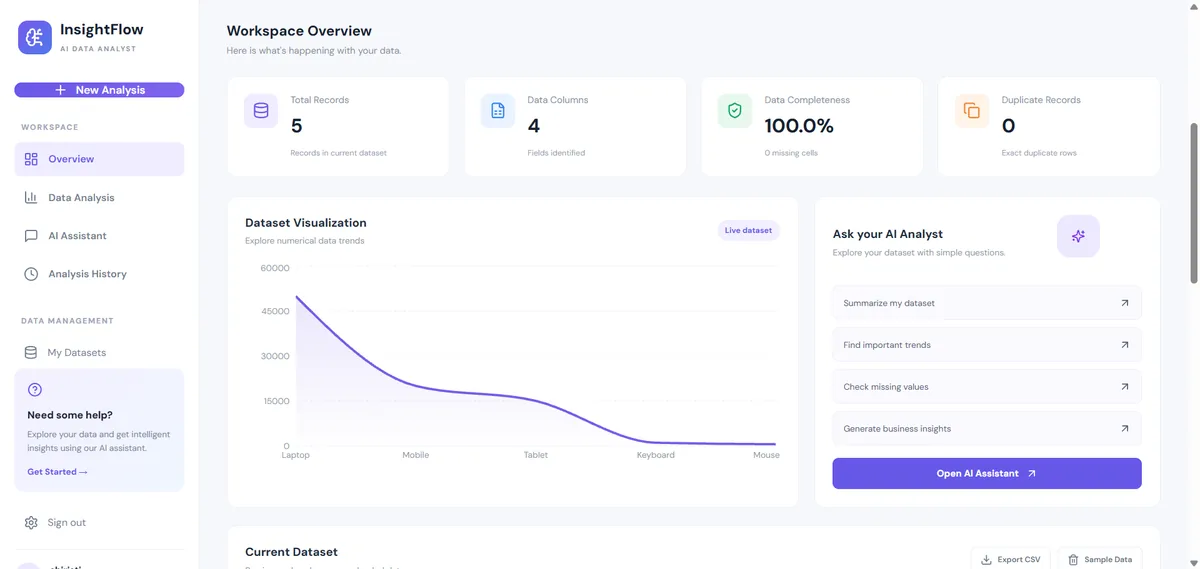
- A React dashboard with stat cards, a chart, an analysis page, history and JSON/CSV exports
Skills you practise
- Building a REST API with Node.js and Express
- JWT authentication and password hashing
- File uploads with Multer and parsing with SheetJS
- Data profiling: missing values, duplicates, descriptive statistics, IQR outliers
- MongoDB data modelling with Mongoose
- React pages, routing, context and Axios
- Testing an API with curl/Postman and a browser with Playwright
Before you start
- HTML, CSS and JavaScript basics
- React basics: components, state, hooks
- Node.js and npm installed (Node 18.18+, Node 20 or 22 LTS recommended)
- MongoDB Community Server or a free MongoDB Atlas cluster
- Basic statistics: mean, median, quartiles
Live demo in HTML, CSS and JavaScript
02Mini Data Analyst: profile a CSV in your browser
Paste a CSV or use the sample sales data, then press Profile data. The demo finds column types, missing values, duplicates, mean/median/min/max and IQR outliers, answers simple questions with keyword rules and draws a bar chart on a canvas. It is a simplified browser version of the project's dataProfiler.js and chat controller, with no server, database or login.
Result
Edit any tab and press Run. This is a simplified browser version of the project for learning; the full project is in the ZIP.
How the demo works
- parseCSV() splits the text into lines and cells (it handles quoted values) and turns each line into an object keyed by column name.
- profileRows() checks every column: if at least 70% of filled cells are numbers it is numeric, so it gets count, sum, mean, median, min, max and standard deviation.
- Outliers use the IQR rule: values below Q1 - 1.5 x IQR or above Q3 + 1.5 x IQR are flagged, exactly like the backend.
- Duplicate rows are counted by turning each row into a JSON string and comparing unique strings.
- answer() lowercases your question and uses keyword rules (missing, duplicate, outlier, trend, a column name, overview) to choose a reply built from the profile.
- drawChart() sums a numeric column per category and draws the bars on a <canvas> element.
03Project overview
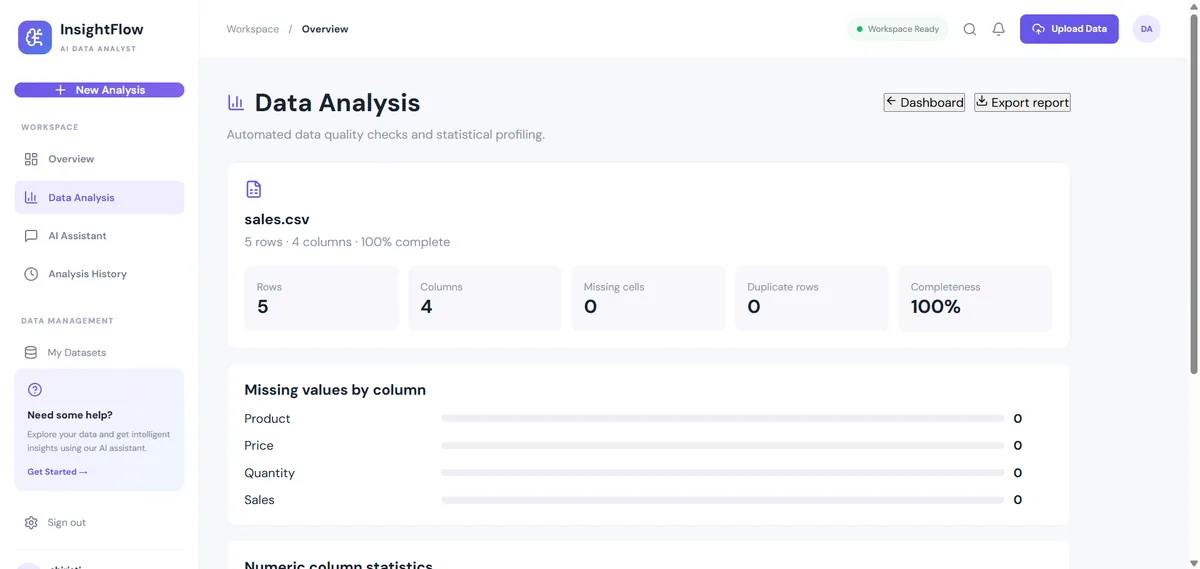
The AI Data Analyst Agent is a full-stack web application that helps users analyse datasets. You upload a CSV or Excel file, and the app profiles it straight away: row and column counts, missing values per column, duplicate rows, numeric summaries (sum, mean, median, min, max, standard deviation), top values of text columns and IQR-based outlier counts.
An analyst chat then answers plain-English questions such as "Which columns have missing values?" or "Show statistics for revenue". Every answer is calculated from your real data by the server.
Honest scope: in this version the chat uses keyword rules and statistics, not a large language model. It needs no API key and gives the same answer every time. The section Next step: plug in a real LLM shows how to add one later.
| Project type | Full-stack web app (MERN) |
|---|---|
| Frontend | React 18 + Vite, React Router, Axios, Recharts |
| Backend | Node.js + Express 5 |
| Database | MongoDB with Mongoose |
| AI / analysis | Server-side data profiling + rule-based chat (no LLM call) |
04Problem statement
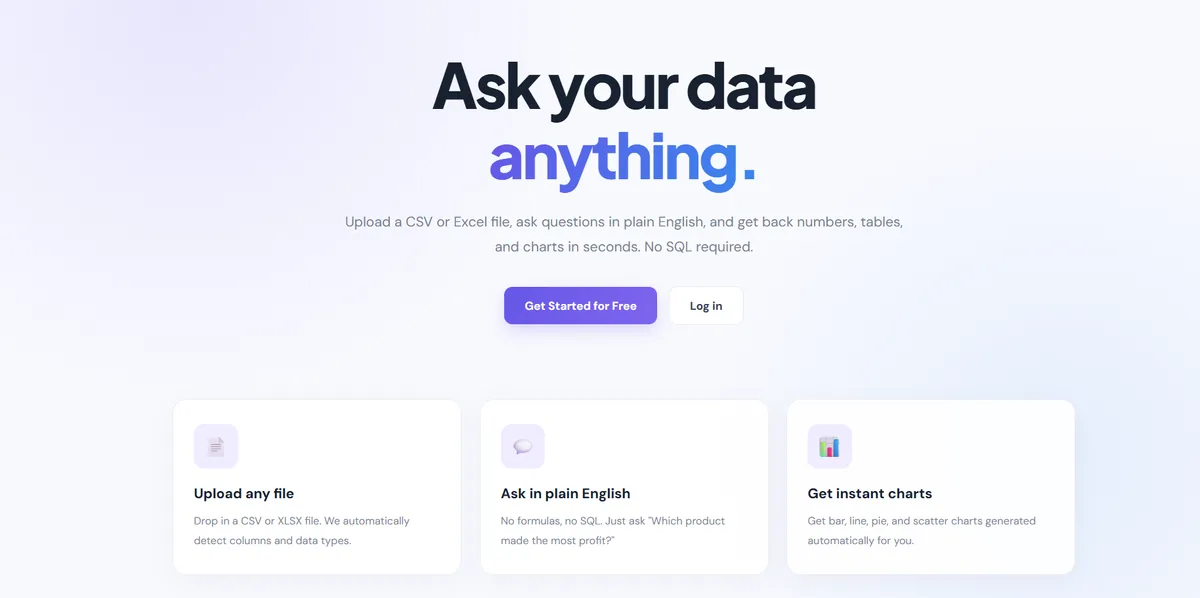
Organisations and small teams generate a lot of data, but getting answers from it is still hard. Traditional analysis needs SQL, Python or BI tools like Power BI and Tableau.
- The technical barrier: non-technical people (marketing, HR, sales, shop owners, students) cannot query the data on their own, so data teams become a bottleneck.
- Time-consuming: writing scripts to clean a CSV and check it for problems takes hours and delays decisions.
- Static reports: normal dashboards cannot answer a new question without a developer's help.
Our solution: a web app where anyone can upload a dataset, see an automatic quality and statistics report, and simply ask questions about it in a chat box.
05Objectives
- Simple UI: a React interface for uploading CSV and Excel files and previewing them.
- Correct answers: every number comes from a real calculation on the data, never a guess.
- Automated data profiling: backend logic that parses, structures and profiles uploaded datasets.
- Visual results: stat cards, a chart and a detailed analysis page.
- Secure accounts: JWT authentication so each user sees only their own datasets.
06Key features
| Feature | What it does |
|---|---|
| Accounts | Register and log in; passwords hashed with bcrypt (12 rounds); JWT valid for 7 days; login route rate-limited. |
| CSV and Excel upload | CSV, XLS and XLSX up to 10 MB, parsed with SheetJS and saved per user in MongoDB. |
| Automated analysis | Missing values, duplicate rows, completeness %, numeric stats, top categories, IQR outliers. |
| Analyst chat | Overview, missing values, duplicates, outliers, trend (first half vs second half), column types, one-column stats. |
| Dashboard and chart | Stat cards, data preview and a Recharts area chart. |
| Analysis history | List, reopen and delete earlier uploads. |
| Downloads | JSON analysis report and CSV export of the dataset. |
07Technology stack
| Layer | Technology | Why we use it |
|---|---|---|
| Frontend | React 18, Vite, React Router, Axios | Pages, routing and API calls |
| Charts and icons | Recharts, lucide-react | Dashboard chart and UI icons |
| File parsing | SheetJS (xlsx), PapaParse | Read CSV/Excel in the browser (preview) and on the server |
| Backend | Node.js, Express 5 | REST API |
| Security | bcryptjs, jsonwebtoken, helmet, cors, express-rate-limit | Password hashing, tokens, safe headers, CORS, brute-force limits |
| Uploads | Multer | Receive files with a 10 MB limit and an extension filter |
| Database | MongoDB + Mongoose | Store users and datasets |
08System architecture
The app follows a standard client-server architecture on the MERN stack: User (browser) → React frontend → Express backend → MongoDB. Data and insights flow back to the user as JSON.
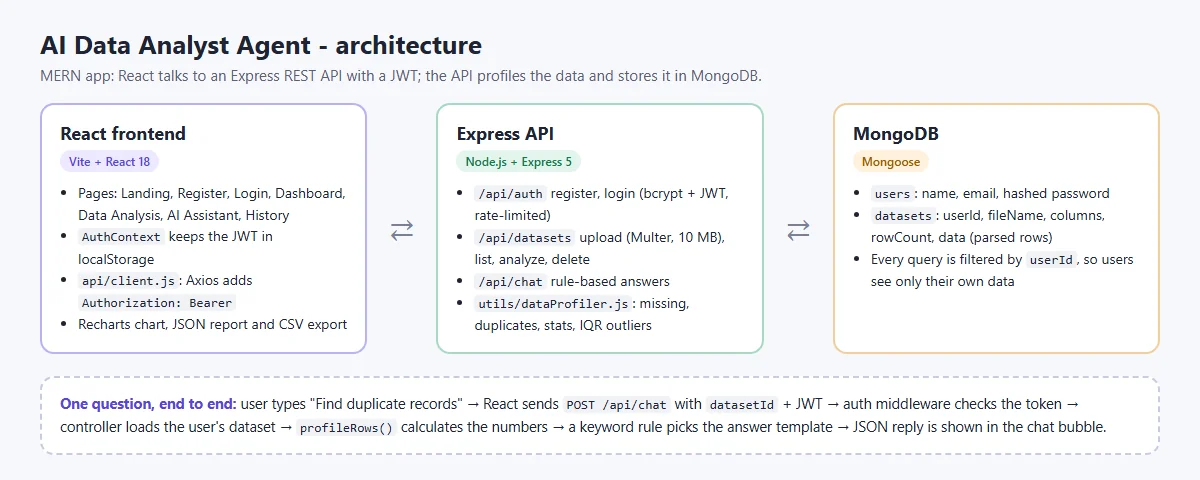
- The user types a question in the chat box.
- React sends
POST /api/chatwith thedatasetIdand the JWT. - The auth middleware checks the token and sets
req.user. - The controller loads the dataset, filtered by
userId. profileRows()calculates the statistics; a keyword rule picks the answer template.- The reply is returned as JSON and shown in a chat bubble.
09Folder structure
ai-data-analyst-agent-project/
├── backend/                     # Node.js + Express API
│   ├── config/db.js             # MongoDB connection
│   ├── controllers/             # auth, dataset and chat logic
│   ├── middleware/authMiddleware.js   # JWT check
│   ├── models/                  # User.js, Dataset.js (Mongoose)
│   ├── routes/                  # authRoutes, datasetRoutes, chatRoutes
│   ├── utils/dataProfiler.js    # the analysis engine
│   ├── uploads/                 # temp folder for Multer (emptied after parsing)
│   ├── .env.example             # copy to .env
│   └── server.js                # entry point
├── frontend/client/             # React + Vite app
│   ├── src/api/client.js        # Axios instance + JWT header
│   ├── src/context/AuthContext.jsx
│   ├── src/components/          # Sidebar, Navbar, StatCard, ...
│   ├── src/pages/               # Landing, Login, Register, Dashboard,
│   │                            # AnalysisPage, ChatPage, HistoryPage
│   └── .env.example             # VITE_API_URL
├── browser-demo/index.html      # no-install browser version of the idea
├── sample-data/sales-sample.csv # small file to test with
└── README.md10Step 1: Set up the backend and database connection
Install Node.js 18.18+ (Node 20 or 22 LTS recommended) and MongoDB Community Server, or create a free MongoDB Atlas cluster. Then:
cd backend
npm install
cp .env.example .env      # Windows: copy .env.example .env
Edit backend/.env:
# Copy this file to .env and fill in your own values. Never commit .env.
PORT=5000
MONGO_URI=mongodb://127.0.0.1:27017/ai_data_analyst
JWT_SECRET=replace_with_a_long_random_secret
CLIENT_ORIGIN=http://localhost:5173
The entry point wires up security middleware, the three route groups and a health check, and starts listening only after MongoDB connects:
import express from "express";
import cors from "cors";
import dotenv from "dotenv";
import helmet from "helmet";
import rateLimit from "express-rate-limit";
import connectDB from "./config/db.js";
import authRoutes from "./routes/authRoutes.js";
import datasetRoutes from "./routes/datasetRoutes.js";
import chatRoutes from "./routes/chatRoutes.js";
dotenv.config();
const app=express();
app.use(helmet());
app.use(cors({origin:(process.env.CLIENT_ORIGIN||"http://localhost:5173").split(","),credentials:true}));
app.use(express.json({limit:"1mb"}));
app.use("/api/auth",rateLimit({windowMs:15*60*1000,max:100,standardHeaders:true,legacyHeaders:false}),authRoutes);
app.use("/api/datasets",datasetRoutes);
app.use("/api/chat",chatRoutes);
app.get("/api/health",(req,res)=>res.json({status:"ok",service:"AI Data Analyst API",timestamp:new Date().toISOString()}));
app.use((err,req,res,next)=>{console.error(err);res.status(500).json({message:"Unexpected server error."});});
const PORT=process.env.PORT||5000;
connectDB().then(()=>app.listen(PORT,()=>console.log(`API server running on port ${PORT}`))).catch(err=>{console.error("Database startup failed:",err.message);process.exit(1);});
Checkpoint: npm run dev prints MongoDB Connected Successfully and API server running on port 5000, and http://localhost:5000/api/health returns {"status":"ok"}.
11Step 2: Database models
Two Mongoose models are enough. A user owns many datasets; the parsed rows are stored inside the dataset document.
import mongoose from "mongoose";

const datasetSchema = new mongoose.Schema({
    userId: {
        type: mongoose.Schema.Types.ObjectId,
        ref: "User",
        required: true
    },
    fileName: {
        type: String,
        required: true
    },
    columns: [String],
    rowCount: Number,
    data: mongoose.Schema.Types.Mixed
}, { timestamps: true });

export default mongoose.model("Dataset", datasetSchema);| Collection | Fields |
|---|---|
| users | name, email (unique), password (bcrypt hash), createdAt, updatedAt |
| datasets | userId (ref User), fileName, columns, rowCount, data (parsed rows), createdAt, updatedAt |
A MongoDB document is limited to 16 MB. Storing rows inside the document is fine for small and medium files; for big files you would store the file in GridFS or object storage and keep only metadata in MongoDB.
12Step 3: Authentication with bcrypt and JWT
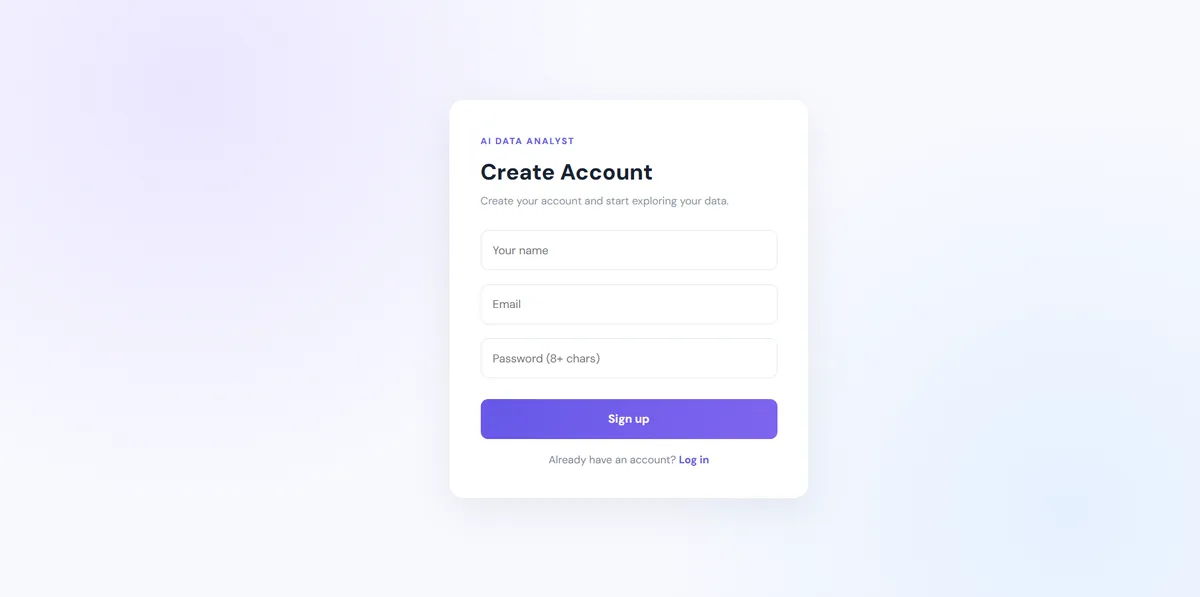
Register validates the name, email and an 8+ character password, then saves a bcrypt hash. Login compares the hash and returns a signed token:
export const login=async(req,res)=>{
 try {
  const email=String(req.body.email||"").trim().toLowerCase(),password=String(req.body.password||"");
  const user=await User.findOne({email});
  if(!user||!(await bcrypt.compare(password,user.password)))return res.status(401).json({message:"Invalid email or password."});
  const token=jwt.sign({id:user._id},process.env.JWT_SECRET,{expiresIn:"7d"});
  res.json({message:"Login successful",token,user:safeUser(user),name:user.name});
 } catch(e){res.status(500).json({message:"Login failed."});}
};
Every protected route runs this middleware first. It reads Authorization: Bearer <token> and rejects anything invalid:
import jwt from "jsonwebtoken";
export default function authMiddleware(req,res,next){
 try {
  const header=req.headers.authorization||"";
  if(!header.startsWith("Bearer "))return res.status(401).json({message:"Authentication required. Please log in."});
  const decoded=jwt.verify(header.slice(7),process.env.JWT_SECRET);
  req.user={id:decoded.id}; next();
 } catch(e){return res.status(401).json({message:"Your session is invalid or expired. Please log in again."});}
}
The same error text is used for "no such email" and "wrong password", so an attacker cannot find out which emails are registered.
13Step 4: Upload and parse CSV or Excel files
Multer stores the upload in a temp folder, with a 10 MB limit and an extension filter. All dataset routes are protected:
import express from "express";
import multer from "multer";
import fs from "fs";
import path from "path";
import authMiddleware from "../middleware/authMiddleware.js";
import {uploadDataset,getDatasets,getDatasetById,analyzeDataset,deleteDataset} from "../controllers/datasetController.js";
const router=express.Router();
const uploadDir=path.resolve("uploads");
fs.mkdirSync(uploadDir,{recursive:true});
const upload=multer({dest:uploadDir,limits:{fileSize:10*1024*1024},fileFilter:(req,file,cb)=>{
  const ext=path.extname(file.originalname).toLowerCase();
  cb(null,[".csv",".xlsx",".xls"].includes(ext));
}});
router.use(authMiddleware);
router.get("/",getDatasets);
router.post("/upload",(req,res,next)=>upload.single("file")(req,res,err=>{if(err)return res.status(400).json({message:err.code==="LIMIT_FILE_SIZE"?"File must be 10 MB or smaller.":err.message});next();}),uploadDataset);
router.get("/:id/analyze",analyzeDataset);
router.get("/:id",getDatasetById);
router.delete("/:id",deleteDataset);
export default router;
The controller reads the first sheet with SheetJS (it also reads CSV), collects the column names and saves the rows for the logged-in user. The temp file is deleted in finally, whatever happens:
export const uploadDataset = async (req,res) => {
  try {
    if (!req.file) return res.status(400).json({success:false,message:"Please upload a CSV or Excel file."});
    const workbook=XLSX.readFile(req.file.path,{cellDates:true});
    const sheetName=workbook.SheetNames[0];
    if (!sheetName) return res.status(400).json({message:"The workbook has no worksheets."});
    const data=XLSX.utils.sheet_to_json(workbook.Sheets[sheetName],{defval:null,raw:true});
    if (!data.length) return res.status(400).json({message:"The uploaded file is empty or has no header row."});
    const columns=[...new Set(data.flatMap(row=>Object.keys(row)))];
    if (!columns.length) return res.status(400).json({message:"No columns were found."});
    const dataset=await Dataset.create({userId:req.user.id,fileName:req.file.originalname,columns,rowCount:data.length,data});
    res.status(201).json({success:true,message:"Dataset uploaded successfully",dataset:{_id:dataset._id,fileName:dataset.fileName,columns,rowCount:dataset.rowCount,createdAt:dataset.createdAt}});
  } catch(error) { console.error("Upload error:",error); res.status(400).json({success:false,message:"Could not parse this file. Check that it is a valid CSV or Excel workbook."}); }
  finally { if(req.file?.path&&fs.existsSync(req.file.path)) fs.unlinkSync(req.file.path); }
};
Meet the Data Analytics trainers
Stuck on a step of this project? These are the Uncodemy trainers who teach these skills in live classes. Book a free demo class and ask them your doubts directly.
 Ms. Rachna VermaData Analyst at GvCloud Secure (ex-Concentrix, ex-Test Yantra) · 4+ years
Data analyst at GvCloud Secure, earlier with Concentrix and Test Yantra, who builds Power BI dashboards and SQL reports. She teaches Power BI, DAX, SQL and Python in simple, beginner-friendly steps.
Power BIDAXSQLPostgreSQL Mr. Anshul GautamAcademic Faculty & Top Mentor at Uncodemy · 5+ years
Certified data scientist with a B.Tech in Computer Science who teaches data science and analytics at Uncodemy. His past roles include data analyst team lead at Amazon and data scientist at Tech Mahindra, working on credit risk analytics.
PythonSQLExcelPower BI Mr. Syed NajeebSenior Business Intelligence Analyst at Air India · 7+ years
Senior Business Intelligence Analyst in Air India's Customer Experience division, where he uses statistics, deep learning and NLP to improve customer experience. He teaches Python, Power BI, Tableau and SQL with live BI dashboards and real case studies.
PythonPower BITableauSQL & RDBMS14Step 5: The analysis engine (dataProfiler.js)
This is the heart of the project. One function profiles every column:
- A column is numeric if at least 70% of its filled cells are numbers; otherwise it is categorical.
- Numeric columns get count, sum, mean, median, min, max and standard deviation.
- Outliers use the IQR rule: anything below Q1 − 1.5×IQR or above Q3 + 1.5×IQR is flagged.
- Categorical columns get the unique count and their top 5 values.
- Duplicates are found by turning each row into a JSON string and counting unique strings.
const numeric = (values) => values.map(Number).filter(Number.isFinite);
const mean = (a) => a.length ? a.reduce((s, n) => s + n, 0) / a.length : 0;
const median = (a) => { if (!a.length) return 0; const s=[...a].sort((x,y)=>x-y); const m=Math.floor(s.length/2); return s.length%2?s[m]:(s[m-1]+s[m])/2; };

export function profileRows(rows = [], columns = []) {
  const missingByColumn = {};
  const numericStats = {};
  const categoricalStats = {};
  columns.forEach((column) => {
    const vals = rows.map(r => r?.[column]);
    missingByColumn[column] = vals.filter(v => v === "" || v === null || v === undefined).length;
    const nums = numeric(vals.filter(v => v !== "" && v !== null && v !== undefined));
    if (nums.length && nums.length >= vals.filter(v => v !== "" && v !== null && v !== undefined).length * .7) {
      const sorted = [...nums].sort((a,b)=>a-b);
      numericStats[column] = {
        count: nums.length, sum: Number(nums.reduce((a,b)=>a+b,0).toFixed(2)),
        average: Number(mean(nums).toFixed(2)), median: Number(median(nums).toFixed(2)),
        min: Math.min(...nums), max: Math.max(...nums),
        standardDeviation: Number(Math.sqrt(mean(nums.map(n=>(n-mean(nums))**2))).toFixed(2))
      };
      const q1=sorted[Math.floor((sorted.length-1)*.25)], q3=sorted[Math.floor((sorted.length-1)*.75)];
      const low=q1-1.5*(q3-q1), high=q3+1.5*(q3-q1);
      numericStats[column].lowerBound=Number(low.toFixed(2));
      numericStats[column].upperBound=Number(high.toFixed(2));
      numericStats[column].outlierCount=nums.filter(n=>n<low||n>high).length;
    } else {
      const counts = {};
      vals.filter(v=>v!==""&&v!==null&&v!==undefined).forEach(v=>{const k=String(v);counts[k]=(counts[k]||0)+1;});
      categoricalStats[column] = { uniqueCount:Object.keys(counts).length, topValues:Object.entries(counts).sort((a,b)=>b[1]-a[1]).slice(0,5).map(([value,count])=>({value,count})) };
    }
  });
  const unique = new Set(rows.map(r=>JSON.stringify(r))).size;
  const totalCells=rows.length*columns.length;
  const missing=Object.values(missingByColumn).reduce((a,b)=>a+b,0);
  return { totalRows:rows.length,totalColumns:columns.length,missingValues:missing,duplicateRows:rows.length-unique,
    completeness:totalCells?Number(((totalCells-missing)/totalCells*100).toFixed(1)):0,
    missingByColumn,numericStats,categoricalStats };
}
15Step 6: The rule-based analyst chat
The chat endpoint first calculates the profile, then uses keyword rules to pick which answer to write. Because the numbers come from profileRows(), the answers are always grounded in your data.
// backend/controllers/chatController.js (simplified view - full file in the ZIP)
const mean = (values) => values.length ? values.reduce((sum, n) => sum + n, 0) / values.length : 0;

export const chatWithDataset = async (req, res) => {
  const { message, datasetId } = req.body;
  // 1. Load ONLY a dataset that belongs to the logged-in user
  const dataset = await Dataset.findOne({ _id: datasetId, userId: req.user.id });
  if (!dataset) return res.status(404).json({ message: "Dataset not found." });

  // 2. Calculate the numbers first
  const profile = profileRows(dataset.data, dataset.columns);
  const q = message.toLowerCase();
  let reply = "";

  // 3. Pick an answer template with simple keyword rules
  if (/overview|summari[sz]|describe|dataset/.test(q))      reply = overviewText(profile);
  else if (/trend|growth|increase|decrease|over time/.test(q)) reply = trendText(rows, profile); // uses mean()
  else if (/missing|null|empty|incomplete/.test(q))         reply = missingText(profile);
  else if (/duplicate|repeated/.test(q))                    reply = duplicateText(profile);
  else if (/outlier|anomal|unusual/.test(q))                reply = outlierText(profile);
  else if (/column|field|data type|numeric/.test(q))        reply = columnText(profile);
  else reply = columnStatsOrHelp(q, profile);               // e.g. "stats for revenue"

  res.json({ success: true, reply, profile });
};
Questions you can ask:
- Give me an overview of my dataset
- Which columns have missing values?
- Find duplicate records
- Detect potential outliers
- Show the trend over time (compares the first and second half of the rows; sort by date first)
- What are the column types?
- Stats for revenue (any numeric column name)
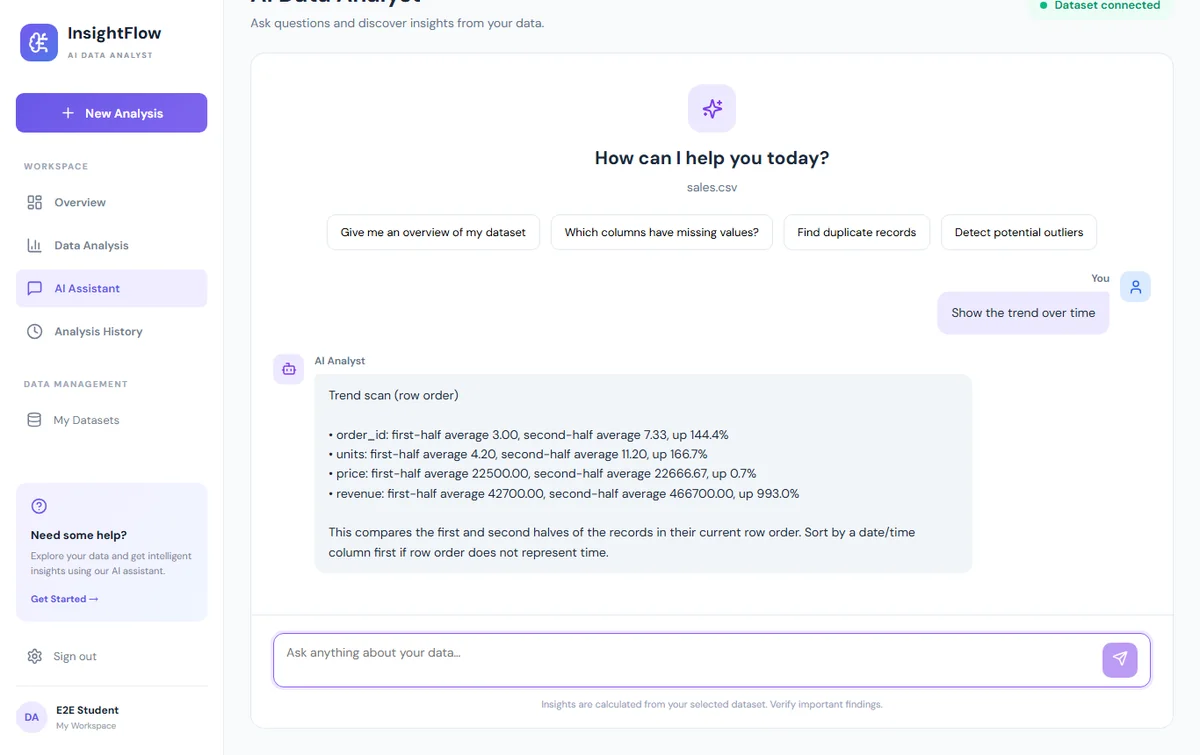
We fixed two small bugs in the downloadable copy: the trend question crashed with mean is not defined, and the outlier answer called the column's min–max the "normal range". It now shows the real IQR fences.
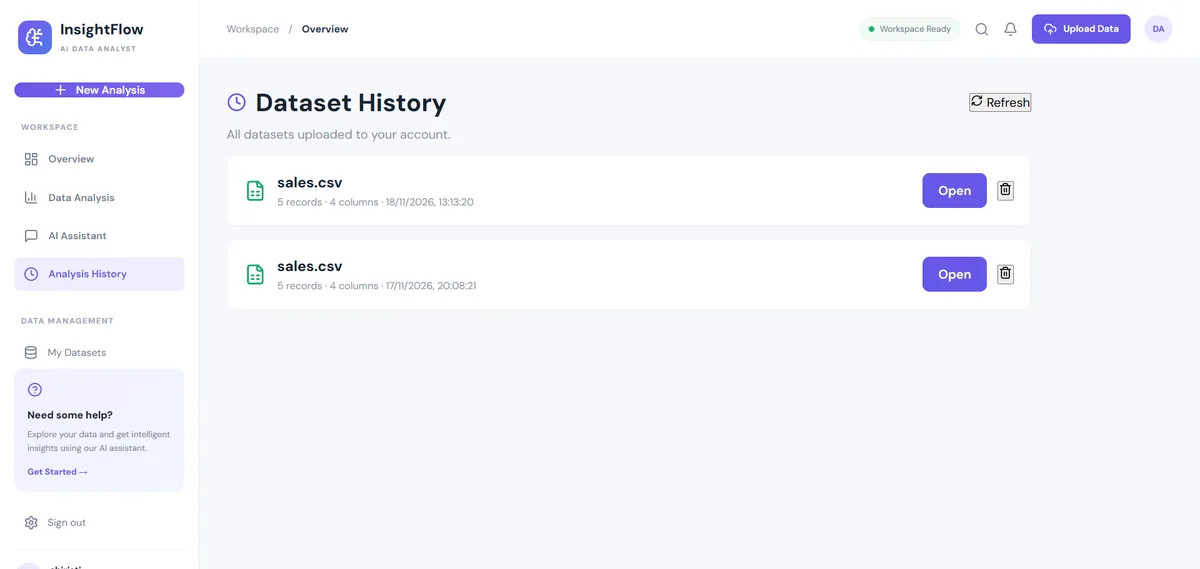
16Step 7: React frontend
The React app (Vite) has seven pages: Landing, Register, Login, Dashboard, Data Analysis, AI Assistant (chat) and Analysis History. AuthContext keeps the token in localStorage, and a Protected wrapper sends logged-out users to /login.
One Axios instance adds the token to every request:
import axios from "axios";
const API=axios.create({baseURL:import.meta.env.VITE_API_URL||"http://localhost:5000/api"});
API.interceptors.request.use(config=>{
 const token=localStorage.getItem("token");
 if(token) config.headers.Authorization=`Bearer ${token}`;
 return config;
});
export default API;
Run it in a second terminal:
cd frontend/client
npm install
npm run dev        # opens http://localhost:5173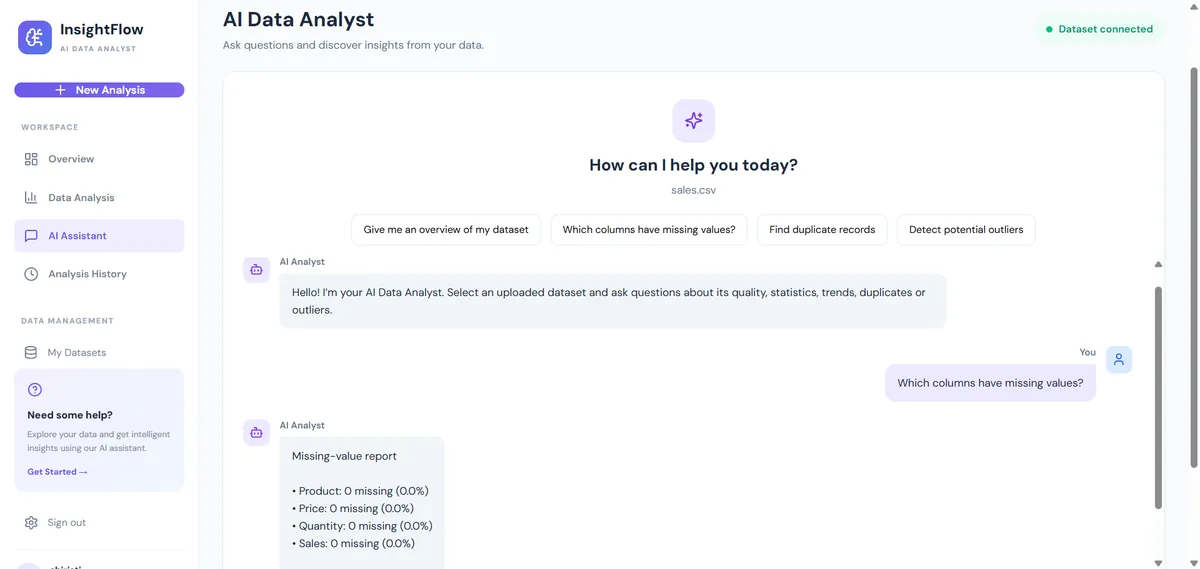
17API endpoints
| Method | Endpoint | Auth | Purpose |
|---|---|---|---|
| GET | /api/health | No | API health |
| POST | /api/auth/register | No | Create account |
| POST | /api/auth/login | No | Log in and receive a JWT |
| POST | /api/datasets/upload | Yes | Upload a dataset (form field file) |
| GET | /api/datasets | Yes | List your datasets |
| GET | /api/datasets/:id | Yes | Read one dataset |
| GET | /api/datasets/:id/analyze | Yes | Profiling report |
| DELETE | /api/datasets/:id | Yes | Delete a dataset |
| POST | /api/chat | Yes | Ask a question about a dataset |
Try the API from a terminal (replace TOKEN and ID):
curl -X POST http://localhost:5000/api/auth/login \
  -H "Content-Type: application/json" \
  -d '{"email":"you@example.com","password":"password123"}'

curl -X POST http://localhost:5000/api/datasets/upload \
  -H "Authorization: Bearer TOKEN" \
  -F "file=@sample-data/sales-sample.csv"

curl -X POST http://localhost:5000/api/chat \
  -H "Authorization: Bearer TOKEN" -H "Content-Type: application/json" \
-d '{"message":"Detect potential outliers","datasetId":"ID"}'18Testing and results
The bundle has no automated test suite, so we tested it by hand and with a browser script on 18 Nov 2026 (Windows, Node 22, MongoDB 8.0):
- API checks with curl: health, register, duplicate register (409), wrong password (401), no token (401), upload of the sample CSV, list, analyze, delete, a wrong file type (400), and all seven chat question types.
- Browser run with Playwright: register → login → upload → Data Analysis page → two chat questions. No page errors.
- Clean ZIP check: unzipped the download, ran
npm ci, built the frontend and repeated the API checks.
On the 11-row sample file the report showed 2 missing cells, 1 duplicate row, 97% completeness and 1 revenue outlier, which matches what we put in the file on purpose.
Good next step for your portfolio: add Jest unit tests for profileRows() (it is a pure function, so it is easy to test) and a Postman collection for the API.
19Deployment
- Database
Create a free MongoDB Atlas cluster and put its connection string in
MONGO_URI. - Backend
Deploy the
backend/folder to a Node host. SetMONGO_URI,JWT_SECRETandCLIENT_ORIGIN(your frontend URL) as environment variables. Start command:npm start. - Frontend
Set
VITE_API_URLto your backend URL plus/api, runnpm run buildand host thedist/folder on any static host. Add a rewrite of all paths toindex.htmlso React Router works on refresh. - Check
Test the live link end to end on a phone and a laptop.
Never commit .env. Use a long random JWT_SECRET, HTTPS, strict CORS origins and backups in production.
20Next step: plug in a real LLM (optional)
The project documentation also describes a bigger version where an LLM understands open-ended questions. If you want to build it, keep the safe design from the report:
- Send the LLM only the question, the column names and types, and a few sample rows, never the whole file.
- Give it tools instead of letting it write answers from memory, for example
run_sql(onlySELECTallowed, run by your server on the rows in memory) andmake_chart(returns a chart spec for Recharts). - Your server runs the tool, sends the result back, and repeats for a few turns until the LLM writes a short explanation.
- Show the query that was used next to the answer, so users can check it.
- Keep the current rule-based answers as a fallback when the LLM is down or the key is missing.
The LLM only picks which tool to call; your own code does the calculation. That keeps the numbers correct.
21Advantages and limitations
Advantages
- Makes data checks easy for non-technical users.
- Saves the time spent on manual data cleaning checks.
- Answers are always calculated from the data, so they are repeatable and need no API key or internet access to an AI service.
- Each user's data is separated by JWT and
userIdfilters.
Limitations
- The chat understands only the question types listed above (keyword rules, not open-ended reasoning).
- The trend answer uses row order, so sort by a date column first.
- Rows are stored in the MongoDB document, so very large files hit the 16 MB document limit.
- Results depend on the quality and cleanliness of the uploaded file.
22Conclusion
The AI Data Analyst Agent bridges the gap between raw data and understanding. With a simple interface, automatic profiling and a chat that answers from real calculations, it lets anyone explore a dataset. For a student it is a complete MERN project covering auth, file uploads, REST APIs, MongoDB and data analysis logic, with a clear path to add an LLM later.
23How to run the source code
Download the ZIP above, unzip it and follow these steps in a terminal inside the project folder.
- 1Download and unzip
unzip ai-data-analyst-agent-project-source-code.zip && cd ai-data-analyst-agent-projectOr just open browser-demo/index.html for the no-install version.
- 2Start MongoDB
mongod --dbpath ./mongo-dataSkip if MongoDB already runs as a service, or use a MongoDB Atlas connection string.
- 3Install backend packages
cd backend && npm install - 4Create the backend .env
cp .env.example .envWindows: copy .env.example .env. Set MONGO_URI and a long random JWT_SECRET.
- 5Start the API
npm run devCheck http://localhost:5000/api/health returns status ok.
- 6Install and start the frontend
cd ../frontend/client && npm install && npm run devOpens http://localhost:5173.
- 7Try it
Register → Log in → Upload sample-data/sales-sample.csv → Data Analysis → AI AssistantAsk: Detect potential outliers
Runs, with notes · checked 2026-11-18 on Node 22.23 / npm 10.5 / MongoDB 8.0 on Windows 11
- backend npm install + node server.js — MongoDB connected, /api/health ok
- curl: register, login, upload sample CSV, list, analyze, delete, 401/409/400 cases — all as expected
- curl: 8 chat questions — all answered (trend question failed before our fix)
- frontend npm run build (Vite 6) — built OK
- Playwright: register → login → upload → analysis page → 2 chat questions — no page errors
- Clean ZIP: unzip, npm ci, frontend build, API + chat checks repeated — OK
- browser-demo: Playwright in a sandboxed iframe at 1200px and 360px — all buttons work, no console errors
Needs a running MongoDB. Fixed in the ZIP: trend question crashed (mean is not defined); outlier answer now shows real IQR bounds. The chat is rule-based statistics, not an LLM.
24Troubleshooting
"MongoDB Connection Failed: connect ECONNREFUSED 127.0.0.1:27017"
MongoDB is not running. Start the MongoDB service (or run mongod), or put a MongoDB Atlas connection string in MONGO_URI in backend/.env.
Login works in Postman but the React app shows a CORS or network error
Check CLIENT_ORIGIN in backend/.env matches the frontend URL (http://localhost:5173), and VITE_API_URL in frontend/client/.env points to the API (http://localhost:5000/api). Restart both after changing .env files.
"Your session is invalid or expired. Please log in again."
The token is older than 7 days or JWT_SECRET changed after you logged in. Sign out and log in again.
Upload fails with "Could not parse this file" or "File must be 10 MB or smaller"
Only .csv, .xls and .xlsx files up to 10 MB are accepted, and the first row must contain column names. Save Excel files as .xlsx and try again.
The chat says "Upload or select a dataset before chatting"
Upload a file on the Dashboard first, or open one from Analysis History. The chat works on the dataset you selected last.
25Interview questions on this project
Practice questions an interviewer or viva examiner may ask about this project.
How does your app decide whether a column is numeric or categorical?
It ignores empty cells and converts the rest with Number(). If at least 70% of the filled cells are finite numbers, the column is treated as numeric; otherwise it is categorical. The 70% threshold tolerates a few typos like 'N/A' in a numeric column.
Explain the IQR method for outliers.
Sort the values, find Q1 (25th percentile) and Q3 (75th percentile), and IQR = Q3 - Q1. Values below Q1 - 1.5×IQR or above Q3 + 1.5×IQR are flagged. It is robust because quartiles are not pulled by extreme values the way the mean and standard deviation are.
How do you detect duplicate rows?
Each row object is turned into a JSON string and added to a Set. Duplicates = total rows - Set size. This finds exact duplicates only; near-duplicates need normalising (trim, lowercase) first.
Why do you call the chat 'rule-based' and not an LLM?
The controller matches keywords with regular expressions and fills templates with numbers from the profiler. It is fast, free, repeatable and cannot invent numbers, but it only understands the question types it was written for. An LLM with tool calling would handle open questions.
How is one user prevented from reading another user's dataset?
The JWT middleware puts the user id in req.user, and every dataset query filters by both _id and userId, e.g. Dataset.findOne({_id, userId: req.user.id}). A wrong id simply returns 404.
Why store a bcrypt hash and not the password?
A hash is one-way and salted, so a database leak does not reveal passwords. bcrypt is slow on purpose (cost 12 here), which makes brute-force guessing expensive.
What is the limit of storing rows inside a MongoDB document, and how would you scale?
A document can be at most 16 MB. For bigger files, store the file in GridFS or object storage, keep only metadata in MongoDB, and profile the file in a streaming way or in a background job.
Mean vs median: when would you report the median?
When data is skewed or has outliers. In the sample file, revenue has a mean of 254,700 but a median of 24,000 because one order is 2,200,000. The median describes the typical order better.
26Put it on your resume
Resume points
- Built a MERN data analysis web app that profiles uploaded CSV/Excel files (missing values, duplicates, descriptive statistics, IQR outliers).
- Implemented JWT authentication with bcrypt hashing, rate limiting and per-user data isolation in an Express 5 REST API.
- Developed a rule-based analyst chat that answers dataset questions from server-side calculations, plus JSON report and CSV exports.
- Built a React + Vite dashboard with Recharts visualisations, analysis history and protected routes.
Ideas to extend it
- Plug in an LLM with tool calling (run_sql with SELECT-only, make_chart) and keep the rule-based answers as a fallback.
- Let the chat answer group-by questions, e.g. 'total revenue by region', and draw a bar chart for the answer.
- Add a 'clean data' step: drop duplicates, fill missing values with the median, and download the cleaned file.
- Store large files in GridFS and profile them in a background job.
- Add Jest unit tests for profileRows() and a Postman collection for the API.
- Generate a PDF report of the analysis (the frontend already lists jspdf as a dependency).
Uncodemy course
Turn this project into a job-ready skill
This project uses the same skills taught in Uncodemy's Data Analytics course: checking data quality, handling missing values and duplicates, descriptive statistics, spotting outliers and presenting findings in dashboards and reports. In the course you practise these in Excel, SQL, Python and Power BI on real datasets, so you can explain every number this app shows in an interview.
- Duration6–7 months
- Training120+ hours
- Modules9 modules
- Projects5 guided projects + 1 capstone
What you learn in the Data Analytics Course
- Excel for Data Analytics (Pivot Tables, Power Query)
- SQL & Database Management (joins, CTEs, window functions)
- Python for Data Analytics (NumPy, Pandas, Matplotlib, Seaborn)
- Statistics & Business Mathematics (hypothesis testing, A/B testing)
- Data Cleaning & Exploratory Data Analysis
- Power BI (data modelling, DAX)
- Tableau
- AI & Gen AI for Data Analysts (prompting, Copilot, checking AI output)
- Capstone Projects & Career Preparation
Uncodemy Certificate · Uncodemy Agile Certificate · Module Completion Certificate · Dedicated Placement Support · Classroom in Noida & Delhi or live online
Learn Data Analytics with a free demo class
- See how the trainer explains a real project like this one
- Get your setup or code doubts cleared live
- Understand the course plan, batches and Dedicated Placement Support
“Uncodemy played a crucial role in transforming my career. The trainers were knowledgeable, approachable, and always focused on practical learning. The hands-on training, live projects, and personalized guidance made complex concepts easy to understand.”
Ankit Singh, Finelabs
“Enrolling at Uncodemy was a turning point in my learning journey. The mentors guided me with real-world projects, practical sessions, and continuous feedback that built my confidence.”
Divya Pandey, Qualys
“Uncodemy has truly transformed my learning journey! The practical sessions, real-time projects, and continuous mentor guidance helped me build strong analytical skills and industry-ready knowledge.”
Hashir, FedEx
From Uncodemy learner stories. Individual results vary.
27Frequently asked questions
Is this AI data analyst agent project free to download?
Yes. The source code ZIP is free with no form. It includes the backend, the React frontend, a sample CSV and a single-file browser demo.
Does it need an OpenAI or other LLM API key?
No. This version calculates statistics on the server and answers with keyword rules, so it needs no API key. The page explains how to add an LLM later if you want to.
Can I run it without installing MongoDB?
The full app needs MongoDB, but you can use a free MongoDB Atlas cluster instead of a local install. To see the idea with no install at all, open browser-demo/index.html.
Is this a good final-year or resume project for data analytics?
Yes. It shows full-stack skills and data analysis skills together: auth, file upload, APIs, MongoDB, data profiling and visual reports. Add the extensions to make it stand out.
Which file types and sizes are supported?
CSV, XLS and XLSX files up to 10 MB. The first row must contain the column names; only the first sheet of an Excel workbook is read.
How accurate are the answers?
The numbers are exact calculations on your uploaded rows. Outliers are statistical flags to review, not proof of errors, and the trend answer uses row order, so sort by date first.
More free projects
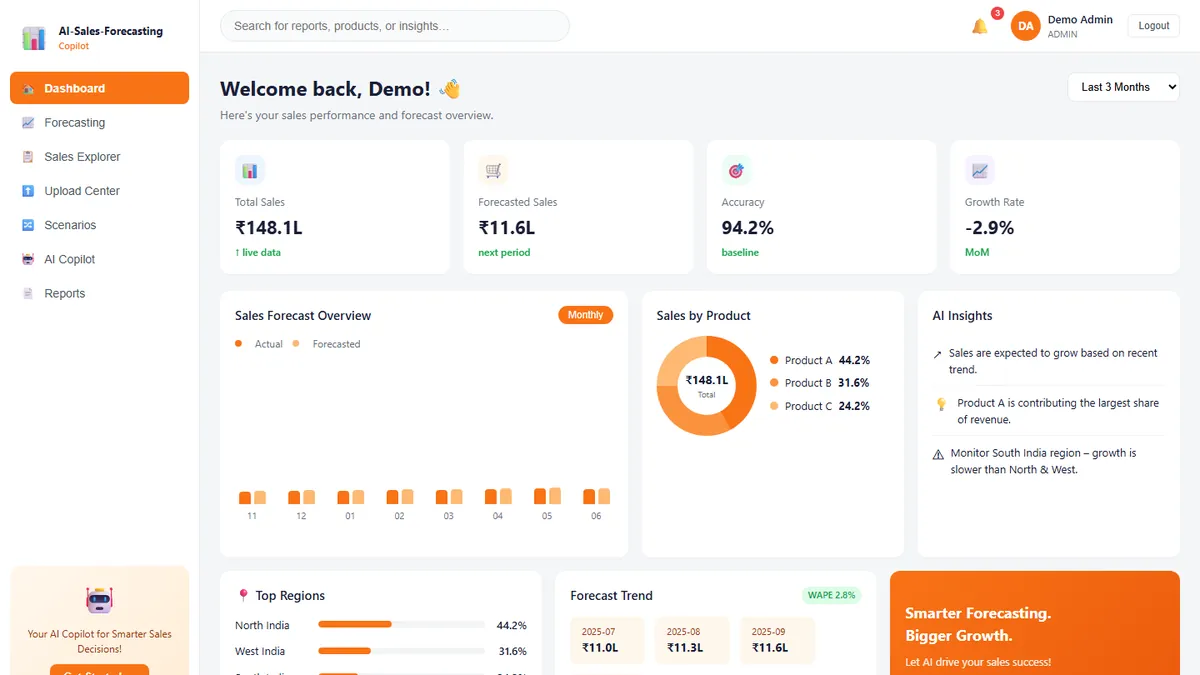 Data & AI · IntermediateAI Sales Forecasting Copilot
Forecast monthly sales you can actually explain — and ask questions answered only from your own data.
React · TypeScript · Vite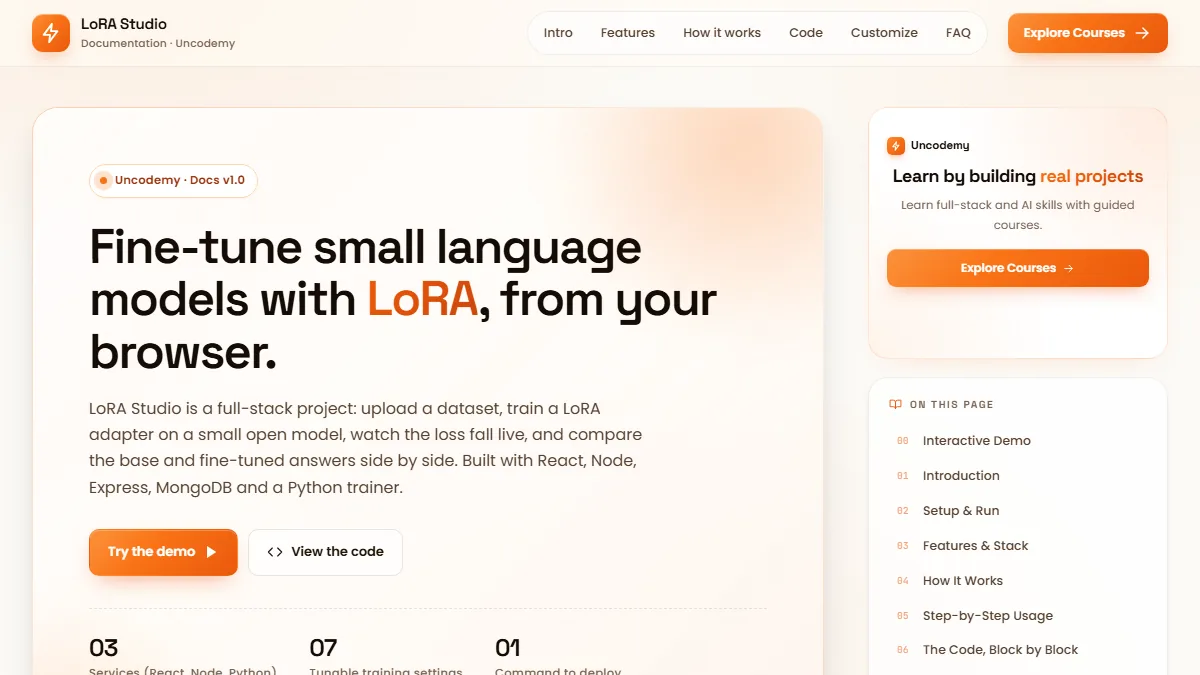 Data & AI · AdvancedLoRA Studio
Upload a dataset, fine-tune a small open model with LoRA, watch the loss fall live and compare base vs fine-tuned answers.
React 18 · Vite · Recharts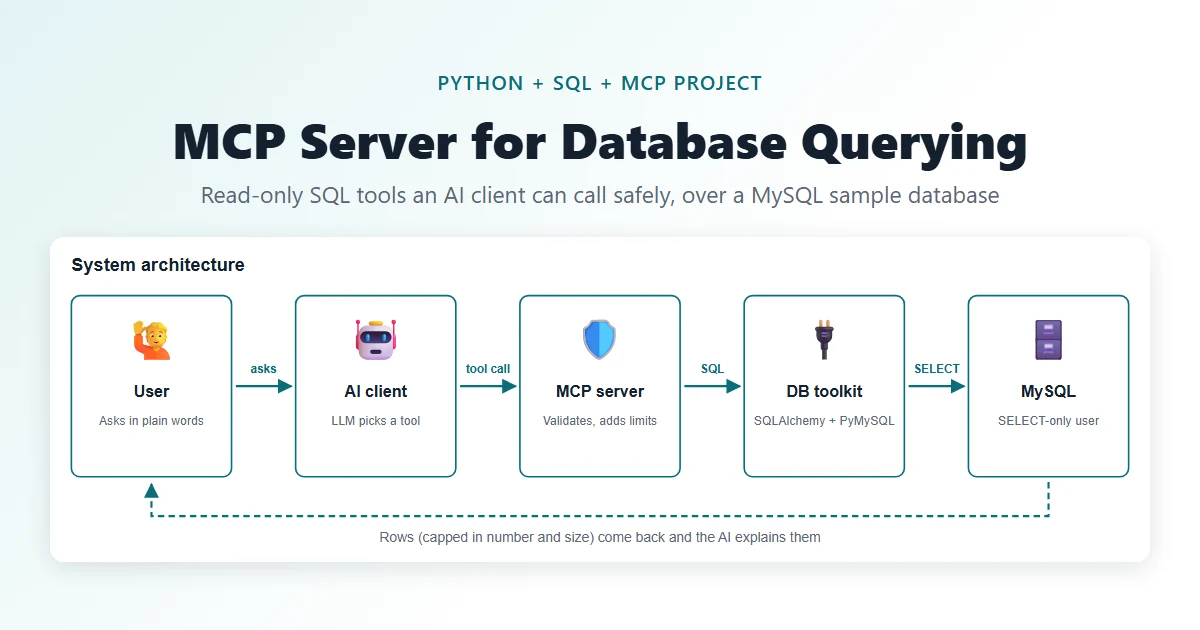 Data & AI · IntermediateMCP Server for Database Querying
Let an AI assistant ask your database questions through five safe, read-only tools.
Python · MCP Python SDK (FastMCP) · MySQL 8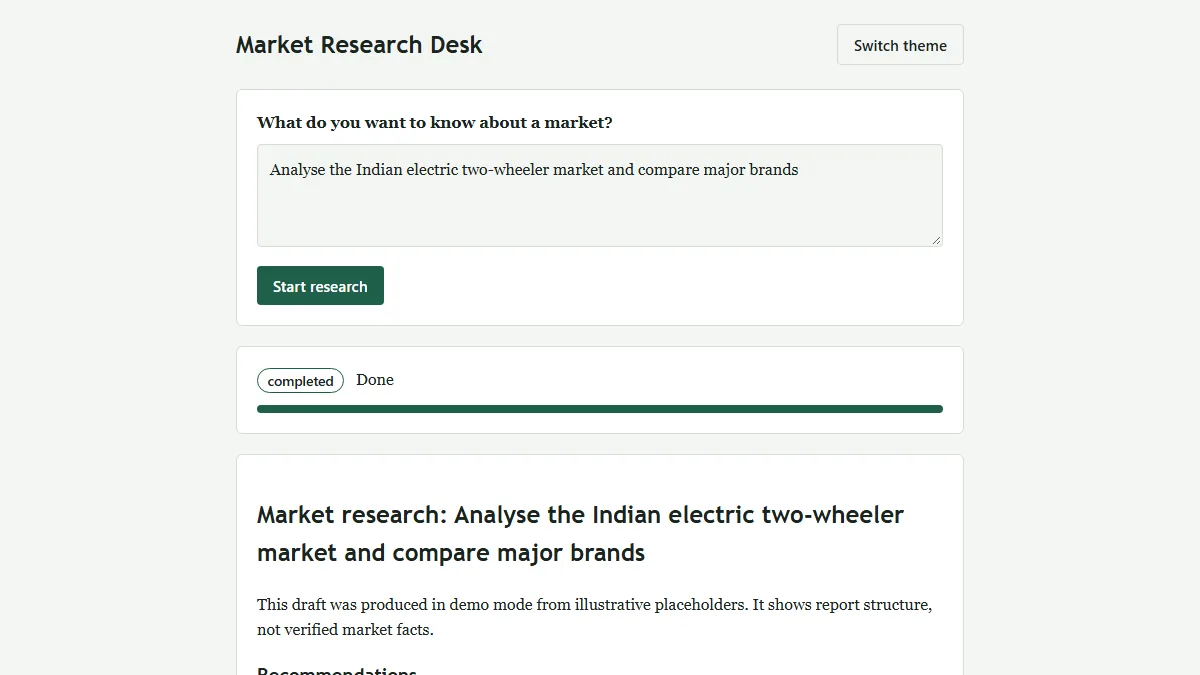 Data & AI · IntermediateMulti-Agent Market Research System
One question in, a structured and evidence-flagged market research report out (HTML + PDF).
Python 3.12 · FastAPI · Uvicorn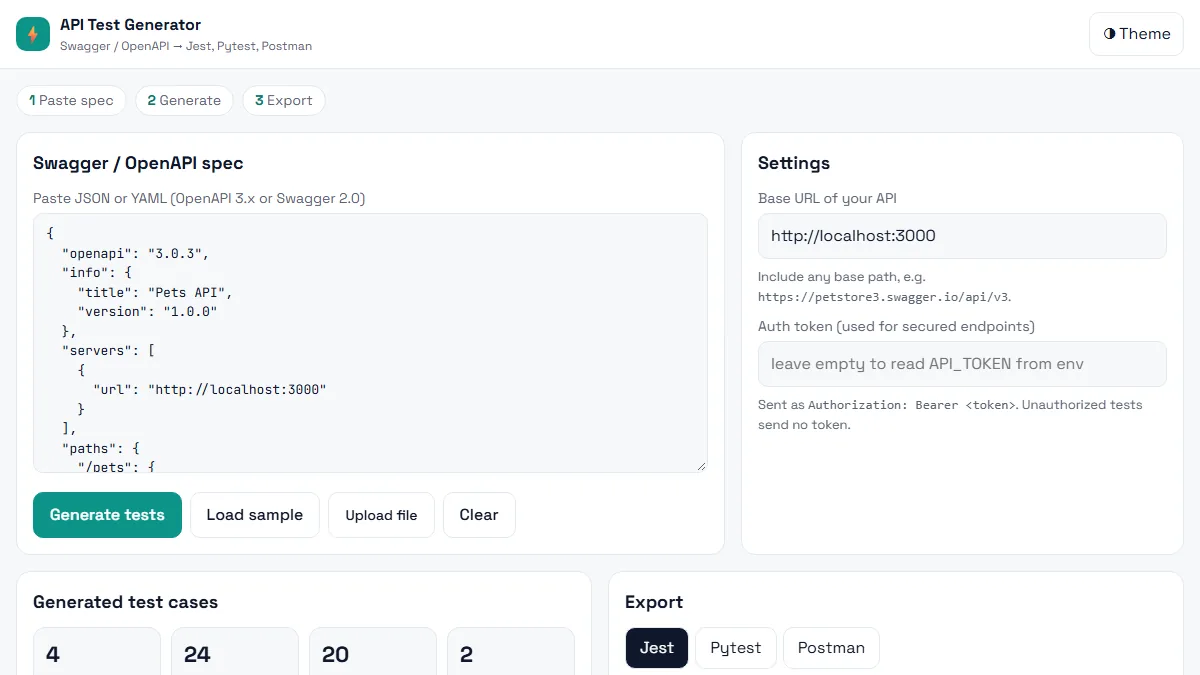 Testing · BeginnerAI API Test Generator
Paste a Swagger / OpenAPI spec and get positive, negative and boundary API tests in Jest, Pytest or Postman in seconds.
HTML5 · CSS3 (Grid, Flexbox, variables) · Vanilla JavaScript (ES6+)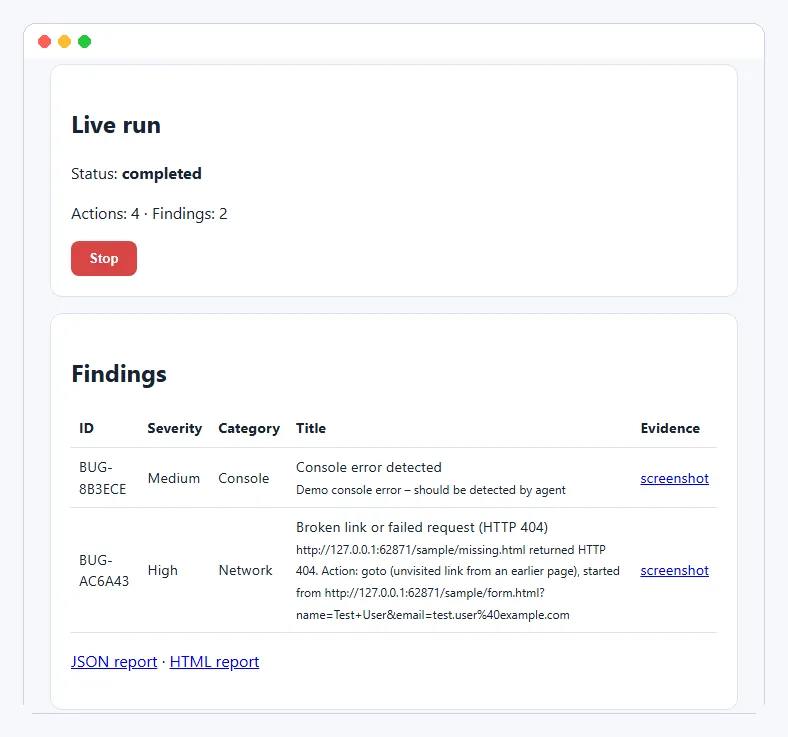 Testing · IntermediateAI Exploratory Testing Agent
A browser agent that explores your web app on its own, finds evidence-backed bugs and writes the report for you.
Python 3.11+ · Playwright (Chromium) · FastAPIThis project is shared for learning. The code is provided as is; read it, run it and change it. Do not commit real API keys: use the .env.example file. Interview questions are practice questions, not a record of any company's interviews.