






Data and AI project · Advanced · 4–6 days
LoRA Fine-Tuning Project: Train a Small LLM in Your Browser
Upload a dataset, fine-tune a small open model with LoRA, watch the loss fall live and compare base vs fine-tuned answers.
- React 18
- Vite
- Recharts
- Node.js 20
- Express 5
- MongoDB 7
- Mongoose
- Python 3.11
- 19
- chapters in the guide
- 07
- steps to run it
- 48
- files in the ZIP
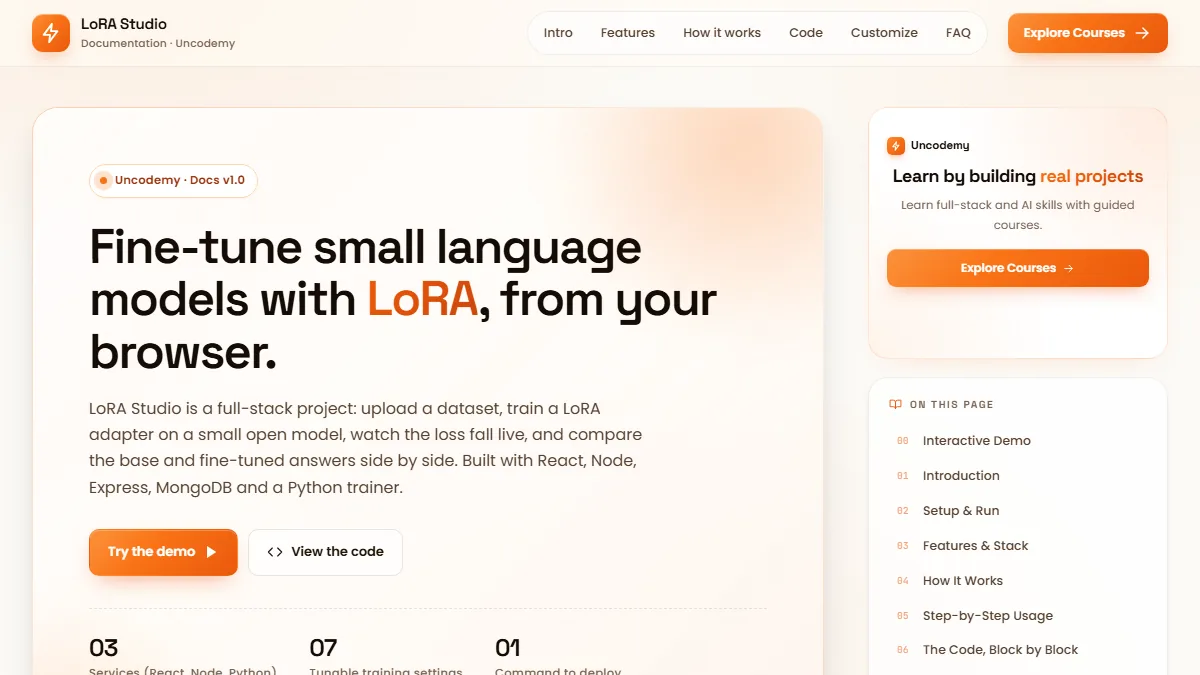
Tested 18 Nov 2026Server started, health check OK
Free ZIP, 0.04 MB48 files, no keys inside
lora-fine-tuning-studio-project-source-code.zip0.04 MB · 48 files · clean code, no keys inside · .env.example included
01What you will build and learn
LoRA Studio is a full-stack project that fine-tunes a small open language model (SmolLM2-135M by default) with LoRA. You upload a question-and-answer dataset, start training from the browser, watch the loss chart live and compare base vs fine-tuned answers. It suits students who know some Python and JavaScript and want a real AI project for their portfolio.
You will build
- A React app with login, dataset upload, training jobs, a live loss chart and a side-by-side Playground
- An Express + MongoDB API with JWT auth, dataset validation, job tracking and a secure proxy to the trainer
- A Python FastAPI trainer that fine-tunes with Hugging Face PEFT (LoRA) and swaps adapters at inference
- A Docker Compose setup that runs all four services with one command
- A downloadable LoRA adapter you can load anywhere with PEFT
Skills you practise
- Preparing instruction datasets (JSONL, CSV, JSON)
- LoRA and PEFT basics: rank, alpha, trainable parameters
- Loss masking for supervised fine-tuning
- Reading a training loss curve
- REST APIs with Express and MongoDB
- Calling a Python ML service from Node with a shared secret
- Job queues, callbacks and polling
- Docker Compose deployment
Before you start
- Python basics (functions, virtual environments, pip)
- JavaScript basics and some React
- Node.js 20+, Python 3.10–3.12 and MongoDB, or Docker Desktop
- 8 GB RAM (16 GB recommended); a GPU is optional
- No prior machine-learning experience needed
Live demo in HTML, CSS and JavaScript
02LoRA dataset checker and calculator — try it in your browser
Paste a JSONL or JSON dataset and the demo validates it with the same rules as the project's upload API, shows the exact training text the prompt template builds, and calculates training steps, trainable LoRA parameters and adapter size for the three allowed models. It is a simplified browser version: no model is trained here.
Result
Edit any tab and press Run. This is a simplified browser version of the project for learning; the full project is in the ZIP.
How the demo works
- The text is parsed as JSONL (one object per line) or a JSON array; a broken line is reported by number, like the real API.
- Each row is normalised to instruction / input / output using the same field aliases (prompt, question, response, answer, completion); rows missing a field are skipped with a reason.
- The first row is formatted with the project's prompt template; the bold answer is the only part the loss is computed on.
- Tokens are estimated at about 4 characters per token, then steps per epoch = rows ÷ batch size (rounded up) × epochs.
- LoRA parameters = rank × (input + output size) summed over the q, k, v, o, gate, up and down layers of every block — the same 2,442,240 that PEFT reports for SmolLM2-135M at r = 8.
03Project overview
LoRA Studio lets a user teach a small language model a new behaviour, for example answering questions in the tone and facts of a company's support team, without deep machine-learning knowledge. The user uploads a file of example question and answer pairs, clicks one button, and the system fine-tunes a model, shows training progress live, and then lets the user test the result next to the original model.
It is a full-stack project: React for the UI, Node.js + Express for the API, MongoDB for users, datasets and jobs, and a private Python FastAPI trainer that uses Hugging Face transformers and PEFT.
What you will learn by building it
- How a MERN application can orchestrate a Python machine-learning service.
- How supervised fine-tuning data is formatted and how loss masking works.
- How to report long-running job progress with callbacks and polling.
- How to package a multi-service app with Docker Compose and deploy it.
Who is this for? Students learning full-stack and AI engineering, developers who want a working fine-tuning pipeline to study, and teams that want a starting point for a private model-training portal.
04What is LoRA? (plain language)
A language model is a very large set of numbers (parameters). Normal fine-tuning changes all of them, which needs a lot of memory and produces a full copy of the model for every experiment. LoRA (Low-Rank Adaptation) freezes the original numbers and trains two tiny matrices next to selected layers instead. Their product is added to the layer's output. Only those tiny matrices are trained and saved, so the result (an adapter) is small, cheap to train, and can be attached to or removed from the base model at will.
- Small: the adapter is a few megabytes instead of hundreds of megabytes.
- Cheap: far fewer trainable parameters, so small datasets can be trained on a laptop CPU.
- Swappable: one base model can serve many adapters. This app loads the base model once and attaches an adapter only when needed.
- Key knobs: the rank
r(capacity of the adapter) andalpha(strength of its contribution).
We counted it with PEFT on the default model: SmolLM2-135M with rank 8 on all linear layers has 2,442,240 trainable parameters, 1.78% of the model (about 9.8 MB in float32). Rank 16 doubles that to 4,884,480 (3.50%). Try other settings in the live demo on this page.
05Features
- Register and log in with email and password (JWT); every user only sees their own data.
- Upload datasets as
.jsonl,.jsonor.csv; the server normalises them to instruction, input, output. - Start LoRA fine-tuning of an allowed small model; training runs in a background worker, one job at a time.
- Live progress bar, loss chart and log lines; cancel a running job; delete finished jobs.
- Playground: the same prompt goes to the fine-tuned model and the untouched base model, side by side.
- Download the trained adapter as a zip to use anywhere with Hugging Face PEFT.
- Docker Compose deployment, healthchecks, rate limiting, input validation and a model allow-list.
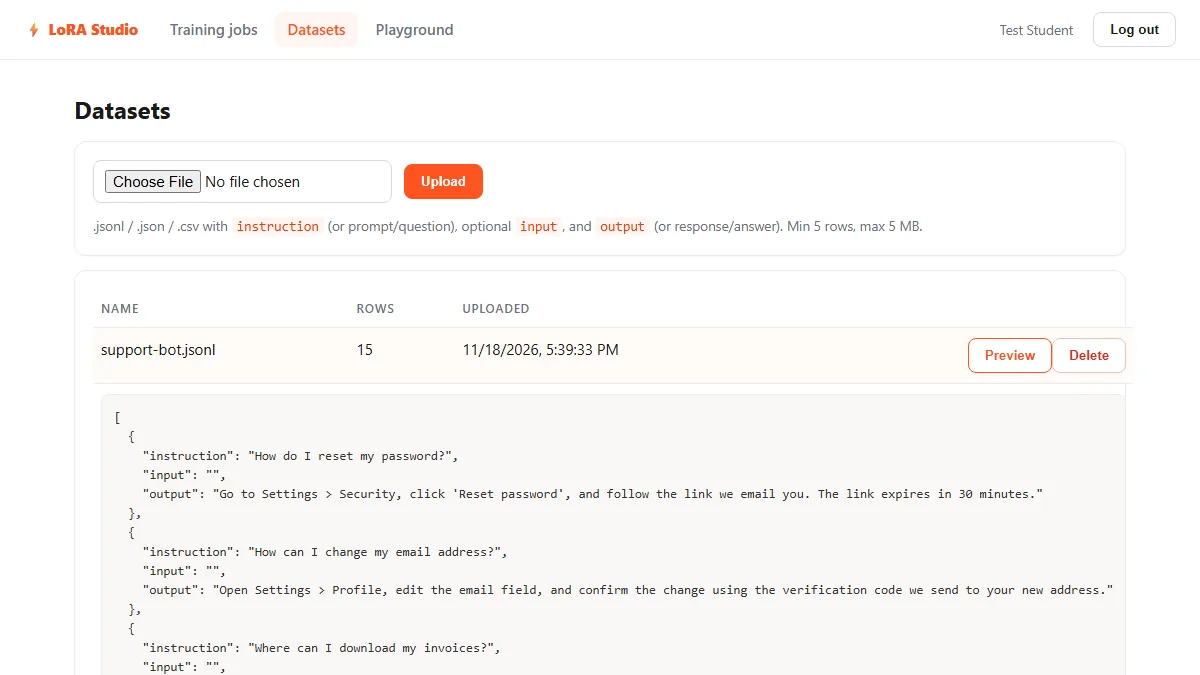
sample-data/support-bot.jsonl (screenshot from our local run).06Tech stack
| Layer | Technology | Why |
|---|---|---|
| Frontend | React 18, Vite, React Router, Recharts | Fast build, simple routing, loss chart |
| API | Node 20, Express 5, Mongoose | Auth, validation, job tracking, secure gateway |
| Database | MongoDB 7 | Users, datasets, jobs, metrics, logs |
| Trainer | Python 3.11, FastAPI, PyTorch 2.5.1, transformers 4.46.3, PEFT 0.13.2 | Only Python has the LoRA tooling |
| Deploy | Docker Compose, nginx | One command, one public port |
Default base models (an allow-list): HuggingFaceTB/SmolLM2-135M-Instruct, HuggingFaceTB/SmolLM2-360M-Instruct and Qwen/Qwen2.5-0.5B-Instruct. Any Llama or Qwen style model can be added through ALLOWED_MODELS.
07Architecture
Node owns everything a web product needs. The Python trainer is a private worker with no public port; every call to it carries a shared secret.
Browser (React single-page app)
      |  JSON over HTTP, JWT in the Authorization header
      v
nginx  (frontend container, port 80, published as 8080)
      |  /api/*  reverse proxy
      v
Express API  (Node 20, port 5000)  <------->  MongoDB 7 (port 27017)
      |  ^
      |  |  progress callbacks + dataset download (header x-api-key)
      v  |
FastAPI trainer  (Python 3.11, port 8000, NOT published)
      |-- training worker thread  (transformers + PEFT LoRA)
      '-- inference engine        (base model + hot-swappable adapters)
      |
Docker volumes:  /data/adapters (trained adapters)   /models (Hugging Face cache)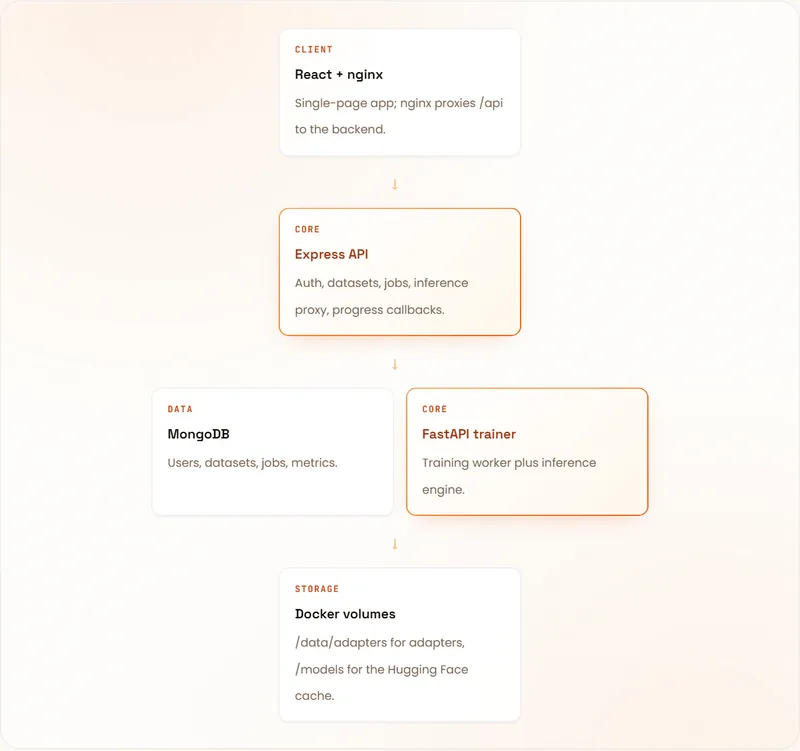
Why a separate Python service?
LoRA training depends on PyTorch and PEFT, which exist only in Python. Rather than abandoning MERN, the project keeps Node, Express, MongoDB and React in charge of accounts, data, UI and job tracking, and treats the Python trainer as a private worker. In Docker the trainer has no public port; every call needs the shared secret in the x-api-key header.
08Life of a training job
- Upload
The API parses the file, keeps rows that have an instruction and an output, and stores them as JSONL in MongoDB.
- Create the job
The API checks the model against the allow-list, clamps every hyperparameter to a safe range and creates a Job with status
queued. - Queue
The API calls
POST /trainon the trainer with the job id, base model, a dataset URL, a callback URL and the config. The trainer puts the job on an in-memory queue and answers immediately. - Train
A single worker thread downloads the dataset, loads the tokenizer and base model (cached after the first download), wraps the model with LoRA and runs
Trainer.train(). - Report
At each logging step a callback posts step, maxSteps, epoch and loss to the API. The browser polls
GET /api/jobs/:idevery 2.5 seconds and redraws the chart. - Save
On success the adapter and tokenizer are saved to
/data/adapters/<jobId>and the job becomescompleted. - Compare
In the Playground the trainer attaches the adapter with PEFT and generates; the base answer is produced with the adapter disabled, so both answers come from one set of weights.
Cancel: the API marks the job cancelled immediately and tells the trainer, which stops at the next step. Updates for a finished job are ignored.
09Folder structure
lora-fine-tuning-studio-project/
|-- docker-compose.yml
|-- .env.example            (root secrets for Docker)
|-- README.md
|-- browser-demo/
|   '-- index.html          dataset validator + LoRA calculator (no install)
|-- sample-data/
|   '-- support-bot.jsonl   15 support Q&A examples
|-- trainer/                (Python FastAPI + PEFT)
|   |-- main.py             HTTP endpoints
|   |-- training.py         job queue, LoRA training worker
|   |-- inference.py        base model cache + adapter switching
|   |-- common.py           shared prompt template
|   |-- config.py           secret + adapter directory
|   |-- requirements.txt
|   |-- Dockerfile, Dockerfile.gpu
|-- backend/                (Node + Express + Mongoose)
|   |-- package.json, Dockerfile, .env.example
|   '-- src/
|       |-- server.js       app bootstrap
|       |-- config.js       env configuration
|       |-- trainer.js      fetch helper for the trainer
|       |-- models/         User.js, Dataset.js, Job.js
|       |-- middleware/     auth.js (JWT + trainer secret)
|       |-- utils/          parseDataset.js
|       '-- routes/         auth, datasets, jobs, inference, internal
'-- frontend/               (React + Vite)
    |-- package.json, vite.config.js, index.html
    |-- Dockerfile, nginx.conf, .env.example
    '-- src/
        |-- main.jsx, App.jsx, api.js, auth.jsx, styles.css
'-- pages/ Login, Datasets, Jobs, NewJob, JobDetail, Playground10Data model and dataset format
| Collection | Fields | Notes |
|---|---|---|
| users | name, email (unique, lowercase), passwordHash, timestamps | Passwords hashed with bcrypt (cost 12) |
| datasets | user, name, rows, content (normalised JSONL), preview (first 5 rows) | Upload limit 5 MB, 5 to 20,000 rows |
| jobs | user, dataset, name, baseModel, params, status, step, maxSteps, epoch, metrics[], logs[], error, startedAt, finishedAt | Status is queued, running, completed, failed or cancelled; metrics capped at 2,000 points, logs at the last 200 lines |
Dataset formats
Each row needs an instruction (aliases prompt, question) and an output (aliases response, answer, completion). input (alias context) is optional. Rows missing a required field are skipped, and a file needs at least 5 usable rows.
{"instruction": "Summarize the text.", "input": "LoRA trains small adapter matrices...", "output": "LoRA fine-tunes models cheaply."}
{"prompt": "What is MongoDB?", "response": "A document database."}
instruction,input,output
"What is Node?",,"A JavaScript runtime."
"Translate to French","Good morning","Bonjour"Preparing this file is the real data work in any fine-tuning project: remove duplicates, fix empty answers, keep one style. We checked that all three formats (JSONL, CSV with a header row, JSON with a data array) upload correctly.
11Prompt template and loss masking
Base models have different chat formats, so the project uses one simple, model-agnostic template for both training and inference. It lives in trainer/common.py and the two sides must always match.
def format_prompt(instruction: str, input_text: str = "") -> str:
    if input_text and input_text.strip():
        return (
            "Below is an instruction paired with an input. Write a response that completes the request.\n\n"
            f"### Instruction:\n{instruction.strip()}\n\n### Input:\n{input_text.strip()}\n\n### Response:\n"
        )
    return (
        "Below is an instruction. Write a response that completes the request.\n\n"
        f"### Instruction:\n{instruction.strip()}\n\n### Response:\n"
    )
During training the prompt tokens get the label -100, which PyTorch ignores, so the model is graded only on the response tokens. An end-of-text token teaches it when to stop. At inference the output is cut at the next ### marker so the model does not invent a new instruction.
On the sample dataset (with the real SmolLM2 tokenizer) each example is 53 to 82 tokens long (62 on average), and about 34 of those are prompt tokens that are masked out.
12Step 1: Run it with Docker (recommended)
You need Docker Desktop with Compose v2 (on Windows, enable WSL2), 8 GB RAM minimum (16 GB recommended), 8 to 10 GB free disk, free port 8080 and internet on the first run (about 270 MB for SmolLM2-135M).
cp .env.example .env              # Windows PowerShell: Copy-Item .env.example .env
openssl rand -hex 32              # run twice: paste one value as JWT_SECRET, one as TRAINER_SECRET
docker compose up --build -d      # first build downloads images and PyTorch (several minutes)
docker compose ps                 # mongo, trainer, backend, frontend should all be Up
# open http://localhost:8080

docker compose logs -f backend trainer   # follow logs
docker compose down                      # stop (data is kept)
docker compose down -v                   # stop AND delete database, adapters and model cache
Use two different random secrets and never commit .env to Git. In Docker Desktop allow at least 6 to 8 GB of memory under Settings, Resources.
Meet the Data Analytics trainers
Stuck on a step of this project? These are the Uncodemy trainers who teach these skills in live classes. Book a free demo class and ask them your doubts directly.
 Ms. Rachna VermaData Analyst at GvCloud Secure (ex-Concentrix, ex-Test Yantra) · 4+ years
Data analyst at GvCloud Secure, earlier with Concentrix and Test Yantra, who builds Power BI dashboards and SQL reports. She teaches Power BI, DAX, SQL and Python in simple, beginner-friendly steps.
Power BIDAXSQLPostgreSQL Mr. Anshul GautamAcademic Faculty & Top Mentor at Uncodemy · 5+ years
Certified data scientist with a B.Tech in Computer Science who teaches data science and analytics at Uncodemy. His past roles include data analyst team lead at Amazon and data scientist at Tech Mahindra, working on credit risk analytics.
PythonSQLExcelPower BI Mr. Syed NajeebSenior Business Intelligence Analyst at Air India · 7+ years
Senior Business Intelligence Analyst in Air India's Customer Experience division, where he uses statistics, deep learning and NLP to improve customer experience. He teaches Python, Power BI, Tableau and SQL with live BI dashboards and real case studies.
PythonPower BITableauSQL & RDBMS13Step 2: Run it without Docker (three terminals)
You need Node.js 20+, Python 3.10 to 3.12 (avoid 3.13: PyTorch 2.5.1 has no wheels for it) and MongoDB 7 locally or on Atlas.
# Terminal 1 - trainer (Windows PowerShell)
cd trainer
python -m venv .venv
.venv\Scripts\activate
pip install torch==2.5.1 --index-url https://download.pytorch.org/whl/cpu
pip install -r requirements.txt
$env:TRAINER_SECRET="dev-only-trainer-secret"; $env:ADAPTER_DIR="./adapters"
uvicorn main:app --port 8000

# Terminal 2 - backend (MongoDB must be running on localhost:27017)
cd backend
Copy-Item .env.example .env
npm install
npm run dev

# Terminal 3 - frontend (opens at http://localhost:5173)
cd frontend
npm install
npm run devADAPTER_DIRmust be set when running the trainer locally, because the default/data/adaptersis meant for Docker.- The trainer secret and the backend
TRAINER_SECRETmust be identical or every training request fails with 401. (In the downloaded ZIP,backend/.env.examplealready usesdev-only-trainer-secret.) - On macOS/Linux use
source .venv/bin/activateandTRAINER_SECRET=dev-only-trainer-secret ADAPTER_DIR=./adapters uvicorn main:app --port 8000.
Quick checks
| Check | Command | Success looks like |
|---|---|---|
| Trainer syntax | python -m py_compile *.py | No output |
| Trainer running | open http://localhost:8000/health | {"ok":true,"queued":0} |
| Backend running | open http://localhost:5000/api/health | {"ok":true,"db":true} |
| Frontend build | npm run build | A dist folder is created |
Smoke test the API with curl
curl http://localhost:5000/api/health
curl -X POST http://localhost:5000/api/auth/register \
  -H "Content-Type: application/json" \
  -d '{"name":"Test","email":"test@example.com","password":"password123"}'
# copy the token from the response, then:
curl http://localhost:5000/api/config -H "Authorization: Bearer <TOKEN>"
curl -F file=@sample-data/support-bot.jsonl http://localhost:5000/api/datasets -H "Authorization: Bearer <TOKEN>"14Step 3: Train and compare in the app
- Register
Open the app and choose No account? Register. Use any email and a password of 8+ characters.
- Upload a dataset
Go to Datasets and upload
sample-data/support-bot.jsonl. It shows 15 rows; click Preview to see the first five normalised rows. - Start a fine-tune
Open Training jobs, then New fine-tune. Pick the dataset and SmolLM2-135M-Instruct. For this tiny dataset set Epochs to 10.
- Watch it train
The job page shows status, a progress bar, the loss chart and logs. The first run also downloads the base model.
- Compare
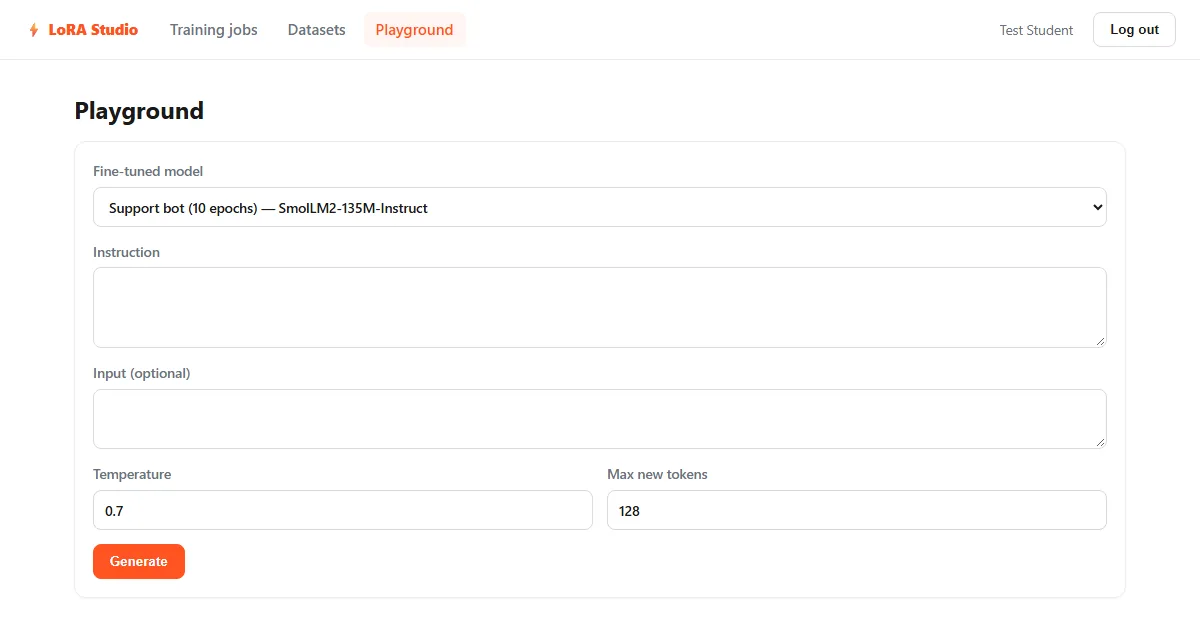
When the status is completed, click Try it and ask a question from your dataset, e.g. How do I reset my password? The left answer comes from your fine-tuned model, the right one from the untouched base model.
- Download the adapter
Click Download adapter to get a zip you can load with Hugging Face PEFT.
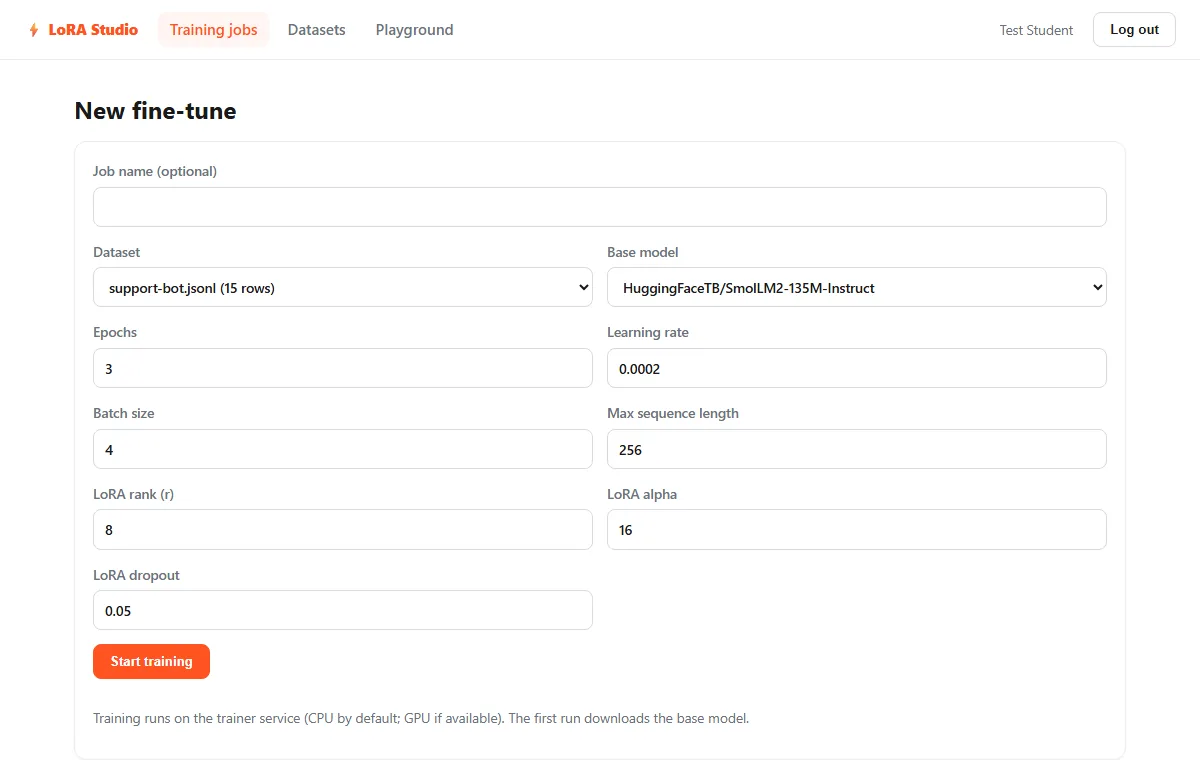
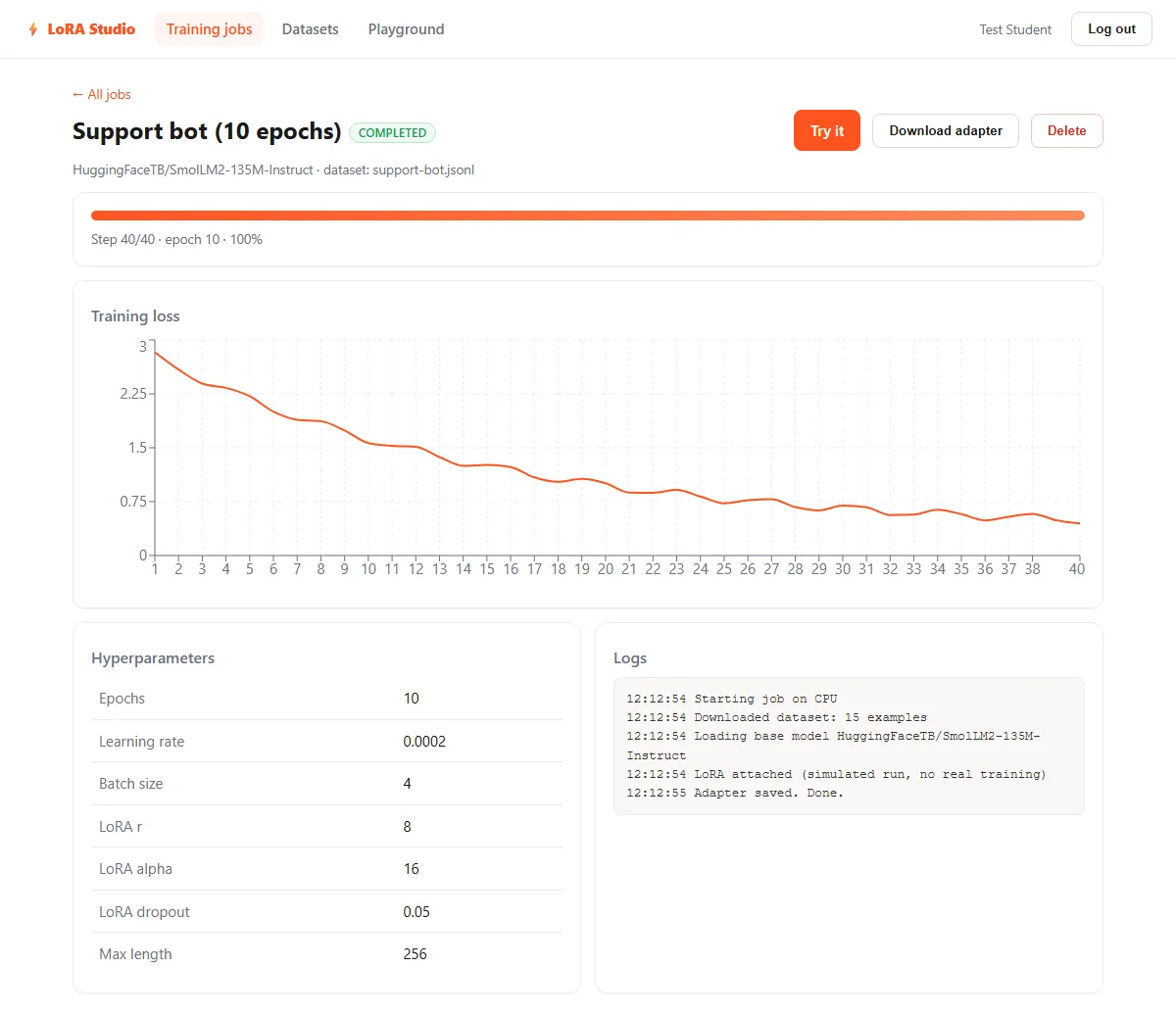
Why 10 epochs? The sample has 15 rows, so with batch size 4 each epoch is 4 steps. At 3 epochs that is only 12 steps and the change can be subtle. Real projects need hundreds of good examples.
Why fine-tune at all? When we asked the untouched base model (SmolLM2-135M, through this app's API) How do I reset my password?, it answered generically: "To reset your password, you will need to follow these steps: 1. Log into your account on the website where you created your password. 2. Click on Settings...". The dataset's answer is specific: Settings > Security, Reset password, link expires in 30 minutes. Teaching that specific behaviour is the job of the adapter.
15The code, block by block
The excerpts below are copied from the real project files.
Turning rows into training data (training.py)
Prompt and answer are tokenized separately; prompt tokens get the label -100 so only the answer is graded.
class SFTDataset(Dataset):
    """Instruction tuning data; loss is computed on the response tokens only."""

    def __init__(self, rows, tokenizer, max_len):
        self.items = []
        eos = tokenizer.eos_token_id
        for r in rows:
            p_ids = tokenizer(format_prompt(r["instruction"], r.get("input", "")), add_special_tokens=False)["input_ids"]
            o_ids = tokenizer(r["output"], add_special_tokens=False)["input_ids"] + [eos]
            ids = (p_ids + o_ids)[:max_len]
            labels = ([-100] * len(p_ids) + o_ids)[:max_len]
            if any(l != -100 for l in labels):
                self.items.append({"input_ids": ids, "labels": labels})

    def __len__(self):
        return len(self.items)

    def __getitem__(self, i):
        return self.items[i]
Attaching LoRA (training.py)
target_modules="all-linear" adds adapters to every linear layer, so the same code works for Llama, Qwen and SmolLM style models. Only the adapter weights are trainable.
lora = LoraConfig(
    r=cfg["loraR"], lora_alpha=cfg["loraAlpha"], lora_dropout=cfg["loraDropout"],
    target_modules="all-linear", bias="none", task_type="CAUSAL_LM",
)
model = get_peft_model(model, lora)
trainable, total = model.get_nb_trainable_parameters()
Reporting progress and cancelling (training.py)
A Hugging Face callback posts each logged loss to the API and checks a cancel flag after every step.
class Reporter(TrainerCallback):
    def __init__(self, job_id, callback_url):
        self.job_id, self.url = job_id, callback_url

    def on_log(self, args, state, control, logs=None, **kw):
        if logs and "loss" in logs:
            report(self.url, step=state.global_step, maxSteps=state.max_steps,
                   epoch=round(state.epoch or 0, 2), loss=float(logs["loss"]))

    def on_step_end(self, args, state, control, **kw):
        if cancel_flags.get(self.job_id):
            control.should_training_stop = True
Swapping adapters at inference (inference.py)
The base model is loaded once. An adapter is attached when needed, and the base answer is produced with the adapter switched off, so no second copy of the model is required.
if adapter_id:
    path = ADAPTER_DIR / adapter_id
    if not path.exists():
        raise FileNotFoundError("Adapter not found")
    if b["peft"] is None:
        b["peft"] = PeftModel.from_pretrained(b["model"], str(path), adapter_name=adapter_id).eval()
        b["adapters"].add(adapter_id)
    elif adapter_id not in b["adapters"]:
        b["peft"].load_adapter(str(path), adapter_name=adapter_id)
        b["adapters"].add(adapter_id)
    b["peft"].set_adapter(adapter_id)
    out = b["peft"].generate(**inputs, **kwargs)
elif b["peft"] is not None:
    with b["peft"].disable_adapter():
        out = b["peft"].generate(**inputs, **kwargs)
else:
    out = b["model"].generate(**inputs, **kwargs)
Validating settings in the API (routes/jobs.js)
Whatever the browser sends, each value is clamped to a safe range before a job is created.
const params = {
  epochs: num(b.epochs, 3, 1, 20),
  learningRate: num(b.learningRate, 2e-4, 1e-6, 1e-2),
  batchSize: Math.round(num(b.batchSize, 4, 1, 32)),
  loraR: Math.round(num(b.loraR, 8, 1, 128)),
  loraAlpha: Math.round(num(b.loraAlpha, 16, 1, 512)),
  loraDropout: num(b.loraDropout, 0.05, 0, 0.5),
  maxLength: Math.round(num(b.maxLength, 256, 32, 1024)),
};
Receiving progress from the trainer (routes/internal.js)
Updates for jobs that already finished are ignored, so a cancelled job stays cancelled.
if (TERMINAL.includes(job.status)) return res.json({ ignored: true });

const { status, step, maxSteps, epoch, loss, log, error } = req.body || {};
const set = {};
const push = {};
if (["running", "completed", "failed", "cancelled"].includes(status)) {
  set.status = status;
  if (status === "running" && !job.startedAt) set.startedAt = new Date();
  if (TERMINAL.includes(status)) set.finishedAt = new Date();
}
if (Number.isFinite(step)) set.step = step;
if (Number.isFinite(loss) && Number.isFinite(step))
  push.metrics = { $each: [{ step, epoch, loss }], $slice: -2000 };
Live updates in React (JobDetail.jsx)
The job page polls while a job is queued or running and stops once it finishes.
useEffect(() => {
  load();
  const t = setInterval(() => {
    if (["queued", "running"].includes(statusRef.current)) load();
  }, 2500);
  return () => clearInterval(t);
}, [load]);16Hyperparameter guide
| Setting | Default (range) | What it does and when to change it |
|---|---|---|
| Epochs | 3 (1 to 20) | Passes over the data. Small datasets often need 5 to 10; too many can overfit and memorise. |
| Learning rate | 0.0002 | Typical for LoRA. Lower to 0.0001 if loss is unstable; higher values can destroy fluency. |
| Batch size | 4 (1 to 32) | Examples per step. Raise on a GPU; lower if you run out of memory. |
| Max sequence length | 256 (32 to 1024) | Longer examples are truncated. Memory use grows with length. |
| LoRA rank r | 8 (1 to 128) | Adapter capacity. 8 to 16 is plenty for style and format; larger for new knowledge. |
| LoRA alpha | 16 (1 to 512) | Scales the adapter. A common rule is alpha equals 2 times r. |
| LoRA dropout | 0.05 (0 to 0.5) | Regularisation; raise slightly for very small datasets. |
To change the form defaults edit frontend/src/pages/NewJob.jsx; the server-side fallbacks and limits are in backend/src/routes/jobs.js. To add a base model, set ALLOWED_MODELS (comma-separated Hugging Face ids) on the backend. If you change the prompt template in trainer/common.py, retrain old adapters.
17Security model
- Passwords are hashed with bcrypt; sessions are JWTs that expire after 7 days.
- Every dataset, job and inference call is scoped to the logged-in user.
- Rate limits: 100 requests per 15 minutes on auth routes and 30 per minute on inference.
- Only models in
ALLOWED_MODELScan be trained or queried, so users cannot make the server download arbitrary models. - Trainer and internal endpoints require the
x-api-keysecret (compared in constant time). The trainer is not published to the host in Docker. - Job ids are validated as 24-character hex strings before touching the file system, which blocks path traversal.
- helmet security headers, 1 MB JSON body limit, 5 MB upload limit, non-root user in the backend image.
- In production the backend refuses to start without
JWT_SECRETandTRAINER_SECRET.
18Using the adapter outside the app
The downloaded zip contains adapter_config.json, adapter_model.safetensors, the tokenizer files and base_model.txt. Load it in any Python environment with transformers and PEFT, using the same prompt template.
from transformers import AutoModelForCausalLM, AutoTokenizer
from peft import PeftModel

base_id = "HuggingFaceTB/SmolLM2-135M-Instruct"   # see base_model.txt in the zip
tok = AutoTokenizer.from_pretrained(base_id)
base = AutoModelForCausalLM.from_pretrained(base_id)
model = PeftModel.from_pretrained(base, "./lora-adapter")   # the unzipped folder
# model = model.merge_and_unload()   # optional: bake the adapter into the weights

prompt = ("Below is an instruction. Write a response that completes the request.\n\n"
          "### Instruction:\nHow do I reset my password?\n\n### Response:\n")
out = model.generate(**tok(prompt, return_tensors="pt"), max_new_tokens=100)
print(tok.decode(out[0], skip_special_tokens=True))
See the Hugging Face PEFT documentation for more ways to load and merge adapters.
19Deployment
Option A: a single VM with Docker (simplest)
Rent a Linux VM with at least 8 GB RAM (16 GB for comfort) and 20 GB disk, install Docker, copy the project, create .env with strong secrets and run docker compose up --build -d. Put HTTPS in front of port 8080 (Caddy, Traefik or Cloudflare).
Option B: GPU training
Build the trainer from Dockerfile.gpu and reserve the GPU (needs the NVIDIA driver and Container Toolkit):
trainer:
  build:
    context: ./trainer
    dockerfile: Dockerfile.gpu
  deploy:
    resources:
      reservations:
        devices:
          - driver: nvidia
            count: 1
            capabilities: [gpu]
Option C: split hosting
MongoDB Atlas for the database, the API on a Node host, the React build on a static host (build with VITE_API_URL, add the site to CLIENT_ORIGIN) and the trainer on a VM or GPU host. Free web hosts usually cannot run the trainer (not enough memory, no persistent disk).
Production checklist
- Strong random
JWT_SECRETandTRAINER_SECRET, different from each other and never committed. - HTTPS in front;
CLIENT_ORIGINrestricted to your domain. - MongoDB and the trainer reachable only on the private network.
- Regular backups of the database and the adapters volume.
- Restart the trainer only when no job is running (running jobs are lost on restart).
20What we tested (18 Nov 2026)
We ran the project on a Windows 11 laptop without a GPU (Node 22, Python 3.12, MongoDB 8). Docker was not running, so the services ran as three local processes.
- Backend:
npm install,node --checkon every file, server started with MongoDB,/api/healthreturned{"ok":true,"db":true}. - API flow with curl: register, duplicate email (409), short password (400), login, wrong password (401),
/me,/config, upload of the sample JSONL (15 rows) plus CSV and JSON files, a bad file rejected with a clear message, another user cannot see your data. - Jobs: disallowed model rejected, out-of-range settings clamped (epochs 999 became 20), trainer offline gives a clean
failedjob, cancel, delete rules, late updates ignored after a job finished. - Trainer: installed PyTorch 2.5.1 CPU + requirements,
py_compilepassed,/healthOK, wrong secret 401, bad job id 400, oversizemax_new_tokens422. - Real base-model answer through the full chain (Express API → FastAPI trainer → SmolLM2-135M on CPU) in about 23 seconds including the model download.
- Dataset code: the trainer's
SFTDatasetand collator ran on the sample with the real tokenizer; LoRA parameter counts checked with PEFT. - Frontend:
npm run buildsucceeded; the screenshots on this page come from that build.
We did not run a real LoRA training job (no GPU, kept the test short), and we did not build the Docker images. Training on CPU with SmolLM2-135M on the sample should take a few minutes according to the project documentation; run it once on your machine.
21Known limits
- One training job at a time in an in-memory queue; jobs in flight are lost if the trainer restarts (cancel and delete them, then start again).
- Datasets live in MongoDB (5 MB upload cap). Use GridFS or object storage for larger data.
- Progress uses 2.5-second polling instead of push updates.
- No email verification, password reset or admin role.
- No validation split, so only training loss is shown (no evaluation loss).
Want more projects like this? See the Uncodemy Project Hub or the AI data analyst agent project.
22How to run the source code
Download the ZIP above, unzip it and follow these steps in a terminal inside the project folder.
- 1Download and unzip
cd lora-fine-tuning-studio-projectFree ZIP from this page; one top folder with trainer, backend, frontend and sample-data.
- 2Install the trainer (CPU)
cd trainer && python -m venv .venv && .venv\Scripts\activate && pip install torch==2.5.1 --index-url https://download.pytorch.org/whl/cpu && pip install -r requirements.txtmacOS/Linux: source .venv/bin/activate. Use Python 3.10–3.12.
- 3Start the trainer
$env:TRAINER_SECRET="dev-only-trainer-secret"; $env:ADAPTER_DIR="./adapters"; uvicorn main:app --port 8000Check http://localhost:8000/health → {"ok":true,"queued":0}
- 4Start the backend
cd backend && copy .env.example .env && npm install && npm run devNeeds MongoDB on localhost:27017. Check http://localhost:5000/api/health → {"ok":true,"db":true}
- 5Start the frontend
cd frontend && npm install && npm run devOpen http://localhost:5173 and register.
- 6Upload the sample and train
sample-data/support-bot.jsonlDatasets → upload; Training jobs → New fine-tune with SmolLM2-135M and 10 epochs.
- 7Or run everything with Docker
cp .env.example .env && docker compose up --build -dFill JWT_SECRET and TRAINER_SECRET first (openssl rand -hex 32), then open http://localhost:8080.
Runs, with notes · checked 2026-11-18 on Node 22.23 / Python 3.12.5 / MongoDB 8.0 on Windows 11, CPU only (Docker not running)
- backend npm install + node --check on all files — OK
- backend started with MongoDB — /api/health {"ok":true,"db":true}
- curl API flow (register, login, me, config, upload JSONL/CSV/JSON, jobs, cancel, delete, user isolation) — all as expected
- frontend npm run build — OK (dist created); UI screenshots taken from vite preview
- trainer: pip install torch 2.5.1 CPU + requirements, py_compile, uvicorn /health — OK; auth 401 / bad id 400 / validation 422
- base-model answer via Express → FastAPI → SmolLM2-135M on CPU — OK (~23 s incl. download)
- SFTDataset + collator on sample-data with the real tokenizer; LoRA param count with PEFT (r=8: 2,442,240 = 1.78%)
- browser demo tested in a sandboxed iframe with Playwright at 1200px and 360px — no console errors
No real LoRA training run (no GPU; kept short). Docker images not built. Fixed backend/.env.example so its TRAINER_SECRET matches the trainer's dev default (was a 401 mismatch).
23Troubleshooting
The job fails with "Could not reach trainer service"
The trainer is not running or TRAINER_URL is wrong. With Docker run docker compose logs trainer; locally open http://localhost:8000/health.
The trainer returns 401 or the job never updates
The secrets differ. Make TRAINER_SECRET identical in the backend .env and the trainer environment, then restart both.
pip install fails (no torch 2.5.1, or "filename too long" on Windows)
Use Python 3.10, 3.11 or 3.12. On Windows create the virtual environment in a short folder path such as C:\lv.
The container is killed or exits with code 137
It ran out of memory. Give Docker more RAM, use the 135M model, or lower the batch size and max length.
Fine-tuned answers look the same as the base model
Too few training steps. Increase epochs (10 for the sample), add more examples, or raise the rank to 16.
My upload is rejected
The file needs at least 5 rows with an instruction (or prompt/question) and an output (or response/answer) field, and at most 5 MB.
24Interview questions on this project
Practice questions an interviewer or viva examiner may ask about this project.
What is LoRA and why is it cheaper than full fine-tuning?
LoRA freezes the base model and trains two small low-rank matrices per chosen layer whose product is added to the layer output. Only those matrices are trained and saved, so memory use and adapter size are a small fraction of full fine-tuning (about 1.8% of parameters for SmolLM2-135M at rank 8).
What do rank and alpha control?
Rank r is the inner size of the LoRA matrices, so it sets the adapter's capacity and size. Alpha scales the adapter's contribution (effective scale alpha/r). A common starting point is alpha = 2 × r.
Why are prompt tokens labelled -100 during training?
-100 is the ignore index of PyTorch's cross-entropy loss. Masking the prompt means the model is graded only on the answer tokens, so it learns to answer rather than to repeat the instruction.
Why must training and inference use the same prompt template?
The adapter learns to continue text after a specific pattern (### Response:). A different format at inference is input the adapter never saw, so quality drops. That is why the template lives in one shared file.
How does the app show base and fine-tuned answers without loading the model twice?
It loads the base model once, wraps it with PeftModel, and for the base answer runs generation inside disable_adapter(). Both answers come from one set of weights in memory.
How does the Node API learn about training progress?
The trainer's Hugging Face callback posts step, epoch and loss to an internal API endpoint protected by a shared secret; the API stores them in MongoDB and the React page polls every 2.5 seconds.
How would you detect overfitting in this project?
Add a validation split and log validation loss each epoch. If training loss keeps falling while validation loss rises, the adapter is memorising. Comparing answers on unseen questions also helps.
Which security checks protect the trainer?
It has no public port in Docker, requires an x-api-key compared in constant time, accepts only allow-listed models through the API, and validates job ids as 24-hex strings to block path traversal.
25Put it on your resume
Resume points
- Built a full-stack LoRA fine-tuning platform (React, Express, MongoDB, FastAPI) that trains and serves small open LLMs with Hugging Face PEFT
- Implemented instruction-dataset validation and normalisation for JSONL/CSV/JSON uploads, with loss masking on response tokens
- Designed a job pipeline with an in-memory queue, progress callbacks, live loss chart and cancellation
- Served base vs fine-tuned answers from one model in memory using PEFT adapter switching
- Packaged the four-service app with Docker Compose, healthchecks, JWT auth, rate limits and a model allow-list
Ideas to extend it
- Persistent queue: Redis + BullMQ so jobs survive restarts and several trainers share the work
- Evaluation: add a validation split and show validation loss and sample answers per epoch
- QLoRA: 4-bit quantisation to fine-tune larger models on small GPUs
- Instant progress with server-sent events or WebSockets instead of polling
- Bigger data: store datasets in GridFS or S3 and import from the Hugging Face Hub
- Tests: Jest and Supertest for the API, Playwright for the UI, and a CI pipeline
Uncodemy course
Turn this project into a job-ready skill
Most of the effort in a fine-tuning project goes into the data: cleaning examples, fixing missing fields, keeping one format and checking results. The Uncodemy Data Analytics course covers Python, data cleaning and preparation, and reading charts and metrics — the skills you use here to build the dataset and judge the loss curve and answers. LoRA, PEFT and the MERN parts go beyond the course, so treat them as self-study on top of it.
- Duration6–7 months
- Training120+ hours
- Modules9 modules
- Projects5 guided projects + 1 capstone
What you learn in the Data Analytics Course
- Excel for Data Analytics (Pivot Tables, Power Query)
- SQL & Database Management (joins, CTEs, window functions)
- Python for Data Analytics (NumPy, Pandas, Matplotlib, Seaborn)
- Statistics & Business Mathematics (hypothesis testing, A/B testing)
- Data Cleaning & Exploratory Data Analysis
- Power BI (data modelling, DAX)
- Tableau
- AI & Gen AI for Data Analysts (prompting, Copilot, checking AI output)
- Capstone Projects & Career Preparation
Uncodemy Certificate · Uncodemy Agile Certificate · Module Completion Certificate · Dedicated Placement Support · Classroom in Noida & Delhi or live online
Learn Data Analytics with a free demo class
- See how the trainer explains a real project like this one
- Get your setup or code doubts cleared live
- Understand the course plan, batches and Dedicated Placement Support
“Uncodemy played a crucial role in transforming my career. The trainers were knowledgeable, approachable, and always focused on practical learning. The hands-on training, live projects, and personalized guidance made complex concepts easy to understand.”
Ankit Singh, Finelabs
“Enrolling at Uncodemy was a turning point in my learning journey. The mentors guided me with real-world projects, practical sessions, and continuous feedback that built my confidence.”
Divya Pandey, Qualys
“Uncodemy has truly transformed my learning journey! The practical sessions, real-time projects, and continuous mentor guidance helped me build strong analytical skills and industry-ready knowledge.”
Hashir, FedEx
From Uncodemy learner stories. Individual results vary.
26Frequently asked questions
What is LoRA fine-tuning?
LoRA (Low-Rank Adaptation) fine-tunes a language model by training small add-on matrices instead of all its weights. The base model stays frozen, so training needs far less memory and the result is a small adapter file you can attach to or remove from the base model.
Can I fine-tune an LLM on CPU?
Yes, for small models and small datasets. This project uses SmolLM2-135M by default, which the documentation says trains on the 15-row sample in a few minutes on a laptop CPU. Bigger models or datasets are much slower; use a GPU for those.
How much data do you need for LoRA fine-tuning?
The app accepts as few as 5 rows, and the 15-row sample proves the pipeline works, but the change can be subtle. For a useful model plan for hundreds of clean, consistent examples of the behaviour you want.
What is the difference between LoRA and QLoRA?
QLoRA loads the base model in 4-bit precision and trains LoRA adapters on top, so larger models fit on small GPUs. This project uses plain LoRA in float32; QLoRA is listed as an extension idea.
Can I run this on free Google Colab?
The trainer code is plain transformers + PEFT, so the training part can run in a notebook with a GPU. The full app also needs Node, MongoDB and the React frontend, which are easier to run locally or with Docker.
Is the source code free to download?
Yes. The ZIP on this page is free with no form. It includes the React frontend, Express API, Python trainer, Docker files, the sample dataset and a browser demo, with secrets replaced by placeholders.
Do I need a GPU or machine-learning experience?
No. A CPU and 8 GB RAM are enough for the default model, and the guide explains LoRA in plain language. A GPU only makes bigger models and datasets faster.
More free projects
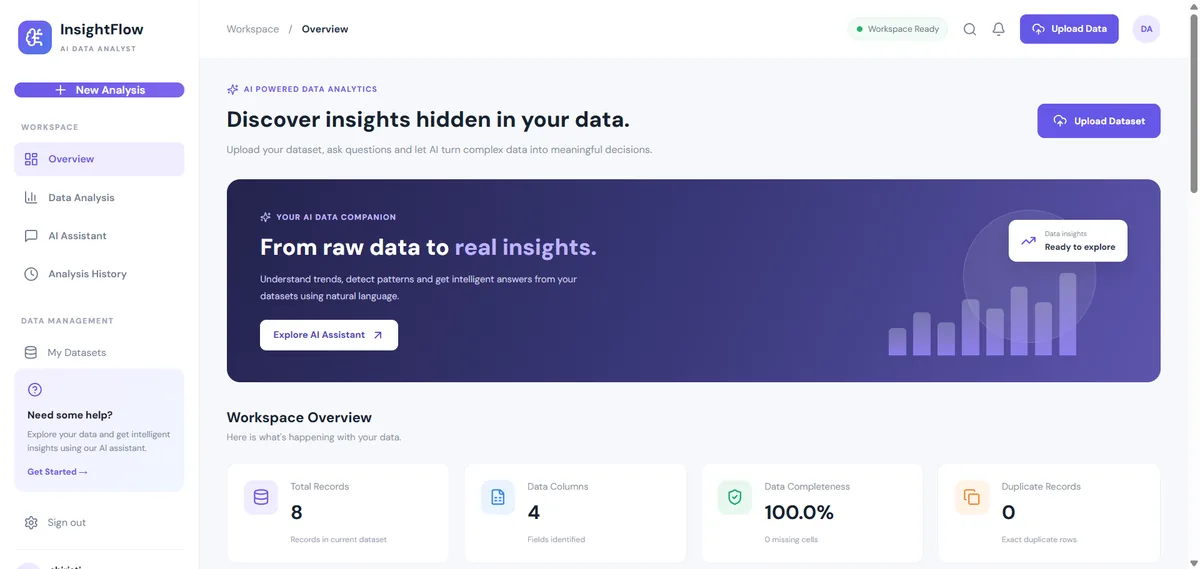 Data & AI · IntermediateAI Data Analyst Agent
Upload a CSV or Excel file, get an instant data-quality report and ask questions about your data. No API key needed.
React 18 · Vite · Node.js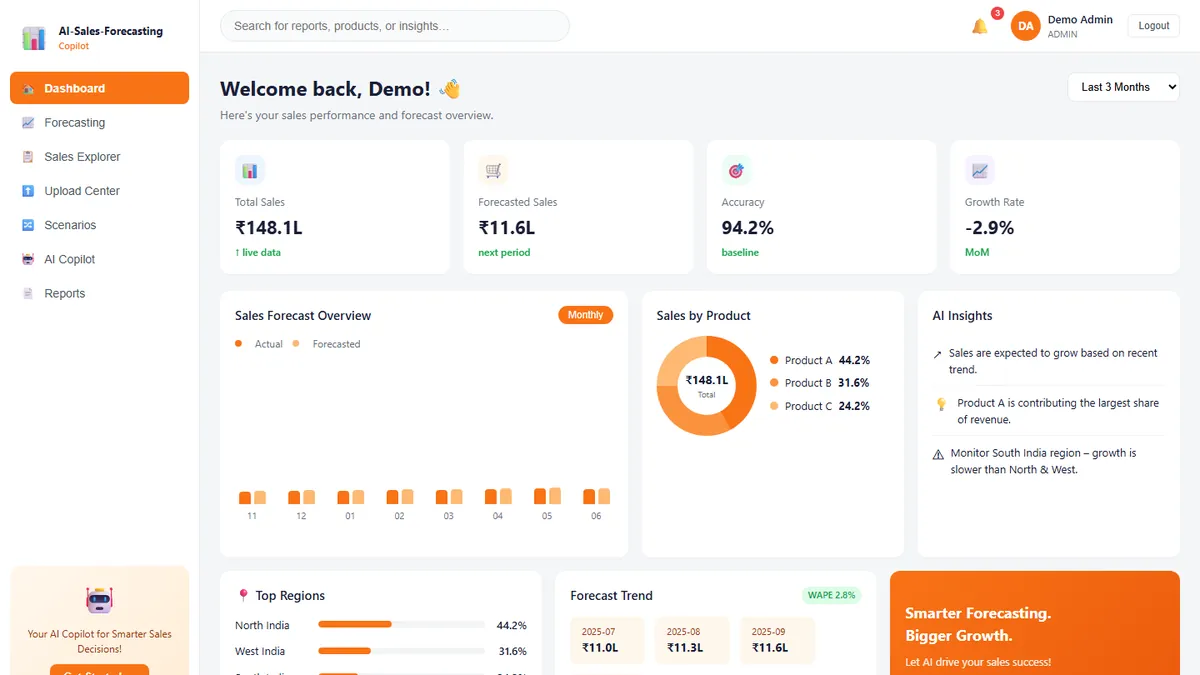 Data & AI · IntermediateAI Sales Forecasting Copilot
Forecast monthly sales you can actually explain — and ask questions answered only from your own data.
React · TypeScript · Vite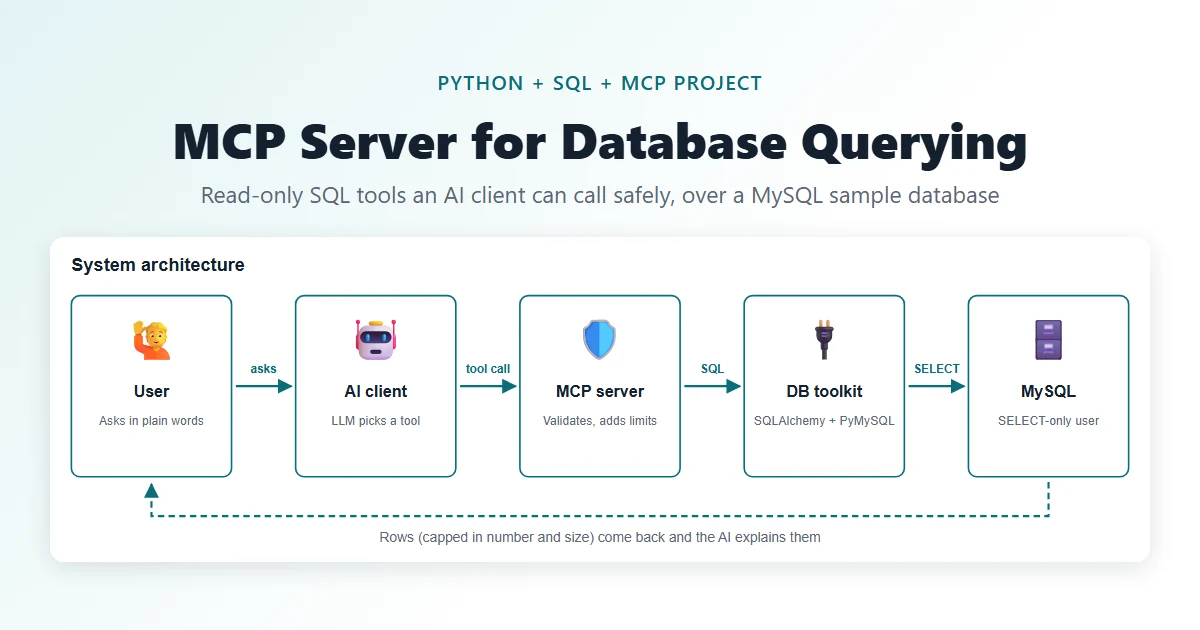 Data & AI · IntermediateMCP Server for Database Querying
Let an AI assistant ask your database questions through five safe, read-only tools.
Python · MCP Python SDK (FastMCP) · MySQL 8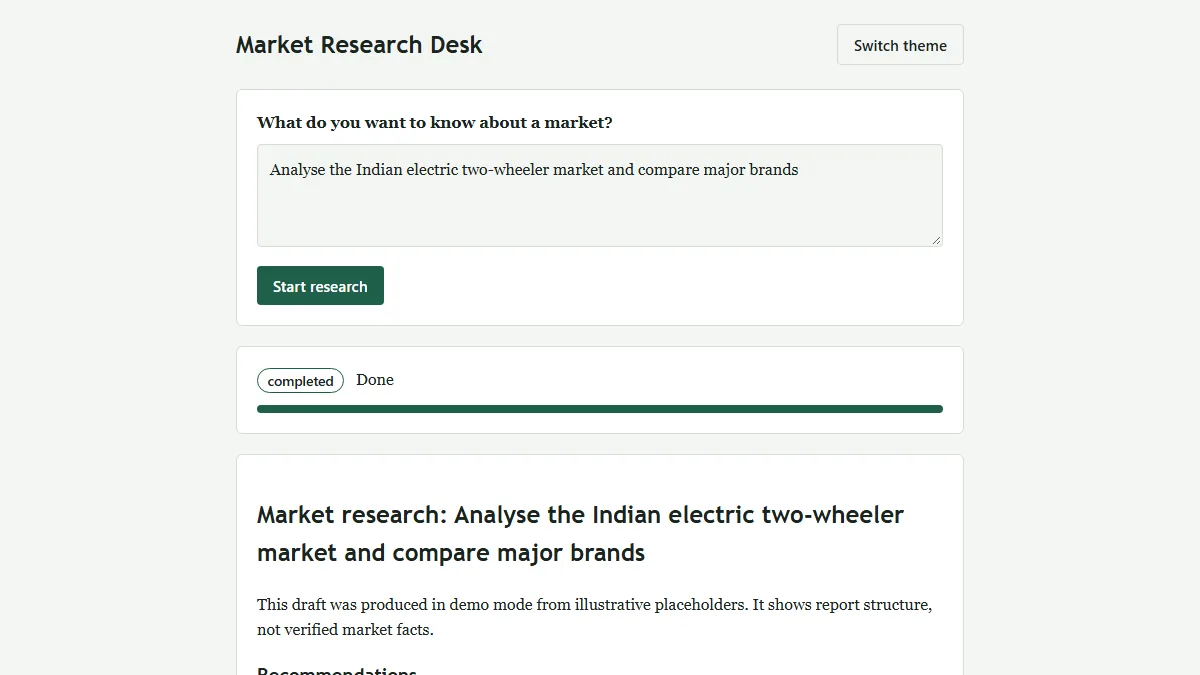 Data & AI · IntermediateMulti-Agent Market Research System
One question in, a structured and evidence-flagged market research report out (HTML + PDF).
Python 3.12 · FastAPI · Uvicorn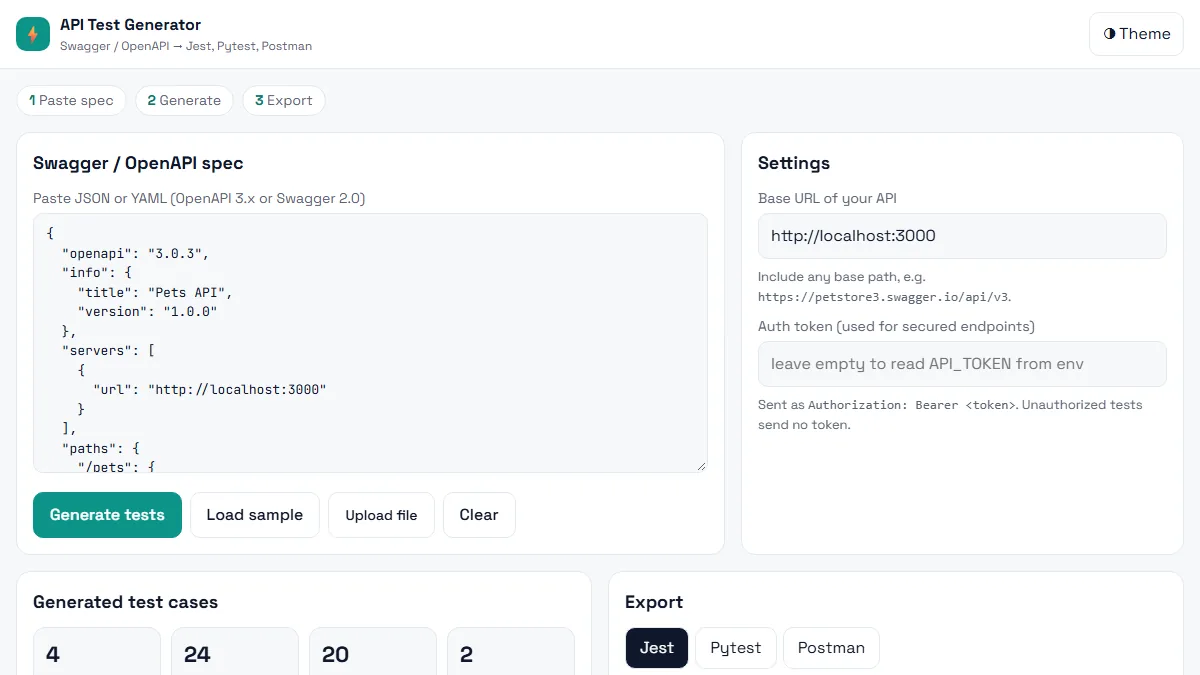 Testing · BeginnerAI API Test Generator
Paste a Swagger / OpenAPI spec and get positive, negative and boundary API tests in Jest, Pytest or Postman in seconds.
HTML5 · CSS3 (Grid, Flexbox, variables) · Vanilla JavaScript (ES6+)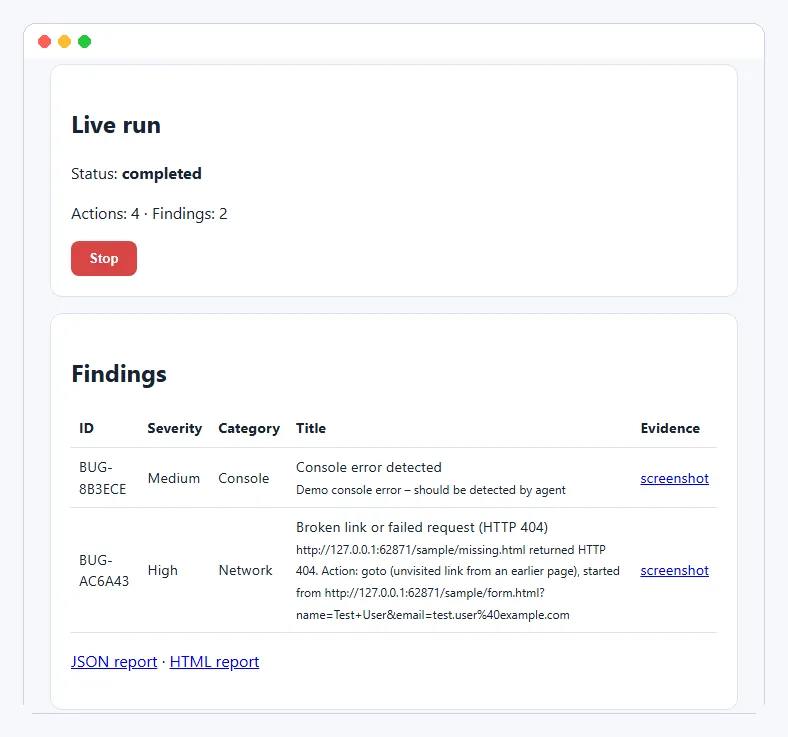 Testing · IntermediateAI Exploratory Testing Agent
A browser agent that explores your web app on its own, finds evidence-backed bugs and writes the report for you.
Python 3.11+ · Playwright (Chromium) · FastAPIThis project is shared for learning. The code is provided as is; read it, run it and change it. Do not commit real API keys: use the .env.example file. Interview questions are practice questions, not a record of any company's interviews.